











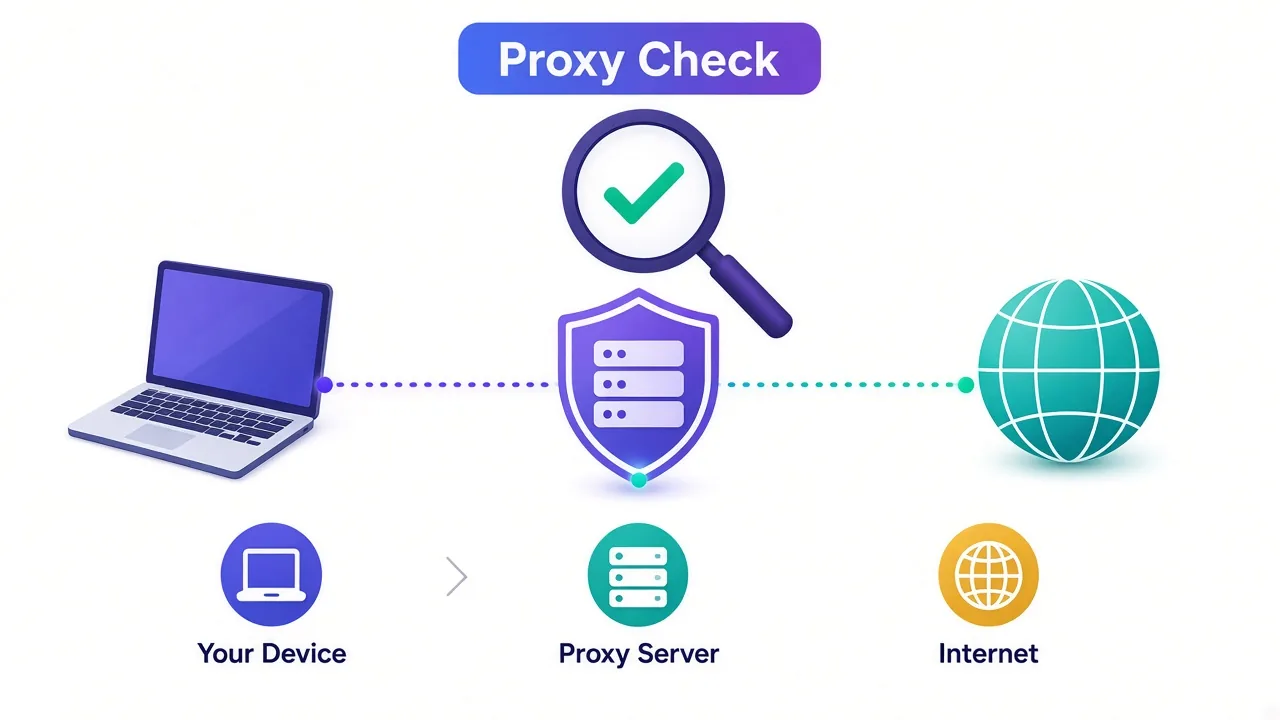

WhatsApp is one of the most unforgiving platforms a proxy will ever touch. It ties every account to a phone number, a device fingerprint, and an IP reputation score at the same time — and when any one of those looks wrong, the ban is fast and often permanent. If you run WhatsApp Business at scale, manage accounts for clients, or operate a support team across regions, the proxy you choose is the single biggest factor in whether those numbers survive their first week. This guide ranks the 9 best proxies for WhatsApp in 2026, all drawn from providers we test continuously in the DriftProxy index, and explains exactly what separates a network that keeps accounts alive from one that gets them flagged.
Use WhatsApp proxies responsibly
Proxies are a legitimate tool for privacy, multi-region customer support, and managing several WhatsApp Business numbers from one location. They are not a license to spam. Bulk unsolicited messaging violates WhatsApp's Terms of Service and anti-spam laws like the TCPA and GDPR — and no proxy, however clean, will save an account that behaves like a spammer. Everything below assumes consent-based, compliant messaging.
Why WhatsApp is so hard on proxies
Most websites only judge your IP. WhatsApp judges your IP and your phone number and your device — and it cross-references all three over time. That changes which proxies work.
Three detection layers matter most:
- IP reputation and origin. WhatsApp heavily distrusts datacenter IP ranges. A brand-new account that registers from a known datacenter ASN is frequently challenged or banned before it sends a single message. Genuine mobile-carrier and residential IPs carry far higher trust because that is where real WhatsApp users actually live.
- IP-to-account density. If a dozen fresh numbers all register from the same IP in a short window, that pattern screams automation. Mobile proxies get a pass here because carrier-grade NAT means thousands of legitimate users genuinely do share one mobile IP — so several accounts behind one mobile IP looks normal.
- Stability and consistency. WhatsApp expects an account to keep appearing from a consistent location. An IP that jumps countries between sessions, or rotates mid-session, looks like a hijack. This is why sticky sessions and stable ISP/static IPs matter more here than on a scraping target.
If you want the deeper mechanics of how platforms chain these signals together, our breakdown of why your proxy gets banned and how to stop it covers the full detection stack.
What kind of proxy actually works for WhatsApp
There is a clear hierarchy for WhatsApp, and it is different from what you would pick for web scraping.

| Proxy type | WhatsApp suitability | Best for |
|---|---|---|
| Mobile (4G/5G) | Excellent | Registering and warming new numbers; running several accounts; the highest-risk operations |
| Residential | Very good | Day-to-day account activity, region-specific presence, broad geo-targeting |
| ISP / static residential | Good | One long-lived account that needs a stable, consistent IP for months |
| Datacenter | Avoid | Essentially nothing WhatsApp-facing — high ban risk at registration |
The short version: mobile proxies are the gold standard for WhatsApp, especially at the fragile registration and warm-up stage. Clean residential proxies are an excellent, more affordable choice once an account is established, and ISP/static proxies suit a single account you want to anchor to one stable IP. For more on this trade-off, see our mobile proxies and social media use-case guides.
How we ranked these providers
Every provider below is scored in our ongoing testing program, where we measure IP pool cleanliness, success rates against protected targets, session stability, and real-world support quality. For WhatsApp specifically we weighted four things: availability of genuine mobile and clean residential IPs, sticky-session control, carrier and city-level geo-targeting, and how the network behaves under the IP-density patterns that account managers actually create. You can read the wider methodology in our 50-provider benchmark and our analysis of which providers have the cleanest IP pools.

The 9 best WhatsApp proxies in 2026
1. SOAX — Best overall for WhatsApp
SOAX tops the list because it pairs a large, well-curated mobile and residential network with the kind of granular targeting WhatsApp work demands — country, region, city, and carrier-level selection, plus flexible sticky sessions. The pool is actively cleaned, so registration challenge rates stay low, and the dashboard makes it easy to pin a number to a consistent location. It is not the cheapest, but for keeping accounts alive it is the most reliable all-rounder we test. From ~$4/GB.
2. NodeMaven — Best for account stability
NodeMaven is built around IP cleanliness, with a filtering layer that screens out low-trust IPs before they ever reach you and unusually long sticky sessions (up to 24 hours). For WhatsApp that translates directly into fewer mid-session location jumps and longer-lived numbers. It is our top pick when account longevity matters more than raw pool size. From ~$3.50/GB.
3. Bright Data — Best mobile network at scale
Bright Data operates one of the largest and most compliant mobile networks anywhere, with deep country coverage and enterprise-grade controls. If you need genuine 4G/5G IPs across many regions and have the volume to justify it, nothing matches its reach. The trade-off is complexity and price — it rewards teams that will use its targeting fully. From ~$5/GB (mobile tiers priced higher).
4. Oxylabs — Best premium and enterprise option
Oxylabs sits alongside Bright Data at the premium end: a very clean, very large residential network, strong geo-targeting, and excellent support with dedicated account management. For organizations that want a polished, well-supported platform for compliant multi-account WhatsApp operations, it is a top-tier choice. From ~$8/GB.
5. IPRoyal — Best budget mobile and residential
IPRoyal offers ethically sourced residential and mobile IPs at a notably friendly price, with pay-as-you-go bandwidth that never expires. The pool is cleaner than its budget positioning suggests, making it a smart entry point for smaller teams testing WhatsApp workflows before scaling up. From ~$1.75/GB.
6. Smartproxy — Best for ease of use
Smartproxy is the most beginner-friendly network here: a clean residential pool, a clear dashboard, simple sticky-session controls, and generous documentation. If you are setting up your first batch of WhatsApp numbers and want the shortest path from signup to a working, consistent IP, start here. From ~$3.50/GB.
7. Proxy-Seller — Best for dedicated mobile proxies
Proxy-Seller stands out for offering private, dedicated mobile proxies — a single 4G/5G IP that is yours alone, rather than a shared rotating pool. For a high-value WhatsApp number you want to isolate completely, a dedicated mobile line is one of the safest setups available, and Proxy-Seller packages it affordably with rotation on demand. Mobile plans priced per line; residential from ~$2.40/GB.
8. PIA S5 Proxy — Best low-cost per-IP residential
PIA S5 Proxy gives account managers an enormous residential SOCKS5 pool priced per IP rather than per gigabyte, which suits the steady, low-bandwidth traffic of WhatsApp activity. It is the most economical way to assign each number its own consistent residential IP at volume. From ~$0.04/IP.
9. NetNut — Best ISP/static for long-lived accounts
NetNut is built on ISP-sourced static residential IPs that combine residential trust with datacenter-grade stability and speed. For a single, established WhatsApp account that you want anchored to one unchanging IP for the long haul, that stability is exactly the right profile. From ~$2.95/GB.
Quick comparison
| # | Provider | Best for | Strongest type for WhatsApp | Starting price |
|---|---|---|---|---|
| 1 | SOAX | Best overall | Mobile + residential | ~$4/GB |
| 2 | NodeMaven | Account stability | Clean residential | ~$3.50/GB |
| 3 | Bright Data | Mobile at scale | Mobile (4G/5G) | ~$5/GB |
| 4 | Oxylabs | Premium/enterprise | Residential | ~$8/GB |
| 5 | IPRoyal | Budget | Residential + mobile | ~$1.75/GB |
| 6 | Smartproxy | Ease of use | Residential | ~$3.50/GB |
| 7 | Proxy-Seller | Dedicated mobile | Private mobile line | Per line |
| 8 | PIA S5 Proxy | Low-cost per IP | Residential SOCKS5 | ~$0.04/IP |
| 9 | NetNut | Long-lived accounts | ISP/static residential | ~$2.95/GB |
How to set up a WhatsApp proxy without getting banned
The proxy is only half the job — how you use it decides whether the account survives. A few practices matter more than any other:
- One IP, one identity. Keep a stable, dedicated or sticky IP tied to each number rather than rotating mid-session. Consistency is trust.
- Match the geography. Use an IP in the same country — ideally the same region — as the phone number's country code. A +44 number appearing from a São Paulo IP is an instant red flag.
- Warm up slowly. A new number that immediately blasts hundreds of messages gets banned. Build activity gradually over days, mimicking a real user.
- Prefer mobile for registration. The riskiest moment is the first registration and the first 48 hours. A genuine mobile IP carries you through that window with the least friction.
- Keep sessions long. Choose providers with sticky sessions measured in hours, and avoid networks that silently rotate your IP.
Take the trial first
Almost every provider here offers a trial or a small pay-as-you-go package. Register one number through their mobile or residential IPs and watch it for a few days before committing to volume. Thirty minutes of real testing against your own workflow tells you more than any ranking — including this one.
Frequently asked questions
What is the best proxy type for WhatsApp?
Mobile (4G/5G) proxies are the best for WhatsApp, especially when registering and warming new numbers, because carrier IPs carry the highest trust and naturally host many real users. Clean residential proxies are an excellent, cheaper option for established accounts, and ISP/static proxies suit a single long-lived number. Avoid datacenter proxies — they are the fastest way to a ban.
Can I run multiple WhatsApp accounts on one proxy?
On a mobile proxy, yes — within reason — because carrier-grade NAT means many genuine users already share that IP, so a handful of accounts looks normal. On residential or ISP IPs, keep the ratio low (ideally one account per IP) to avoid density-based flagging. Never stack many fresh registrations on a single datacenter IP.
Will a proxy stop my WhatsApp number from getting banned?
A clean proxy removes the IP-based reasons for a ban, but it cannot fix bad behavior. Spammy messaging, mismatched geography, or aggressive warm-up will still get a number banned regardless of IP quality. The proxy is necessary but not sufficient — compliant usage does the rest.
How much do WhatsApp proxies cost?
Residential and mobile proxies are usually billed per gigabyte, from roughly $1.75/GB at the budget end up to $8/GB for premium networks; mobile tiers and dedicated mobile lines cost more. Because WhatsApp traffic is light, per-IP plans like PIA S5 Proxy (from ~$0.04/IP) can be far cheaper for managing many numbers.
Are WhatsApp proxies legal?
Proxy technology is legal and widely used for privacy, customer support across regions, and managing legitimate WhatsApp Business numbers. What matters is how you use it: always follow WhatsApp's Terms of Service and anti-spam laws, use consent-based messaging, and choose providers with ethically sourced IPs.
For most teams, SOAX or NodeMaven will be the safest starting point, with IPRoyal as the value pick — but the right answer depends on your number volume, region, and budget. Shortlist two or three, run a real trial, and compare them side by side in the DriftProxy proxy directory.