












Nstbrowser
Antidetect browser with a cloud runtime.
$10.00
from $10.00 /mo
- Profiles
- Free tier / plan-based
- Team features
- Yes
- Free plan
- Yes
- Founded
- 2023
Our verdict
Nstbrowser is the odd one out here, and interestingly so. Alongside a conventional desktop antidetect browser it sells a cloud browser runtime — containerised, remotely driven instances you call from code — which makes it as much a scraping platform as a profile manager.
Where it excels
The API and the cloud runtime. Puppeteer and Playwright compatibility means existing automation code can point at Nstbrowser with minimal change, and the cloud instances scale past what a desktop can host. For data teams that need fingerprint-aware browsers inside a pipeline, that is a materially different offer from everything else in this category. The free tier lowers the cost of finding out.
Where it falls short
For pure account management it is less compelling: fingerprinting is credible on mainstream platforms but not at the level of Octo Browser or Multilogin, the product is young, and cloud consumption billing makes costs harder to predict than a flat profile subscription.
Bottom line
Choose Nstbrowser if scripted crawling and verification are as important as account management. For managing accounts alone, AdsPower, Dolphin Anty or BitBrowser give you more focus for less money.
Benchmarks & scoring
Documented API across local and cloud browsers with Puppeteer and Playwright compatibility.
Straightforward desktop client; the cloud side assumes engineering comfort.
The hosted runtime scales past what a desktop can host.
Free tier and plans from around $10/mo, though cloud consumption billing complicates forecasting.
Credible for mainstream work and tuned for anti-bot scraping, below premium engines for accounts.
Team accounts and shared profiles; governance is basic.
Pros & cons
Pros
- Cloud browser runtime scales past what a desktop client can host
- Documented API with Puppeteer and Playwright compatibility
- Existing automation code can be pointed at it with minimal change
- Free tier covering profiles and a small cloud allowance
- Windows, macOS and Linux desktop clients
- Anti-bot handling treated as a first-class concern for scraping
- Team accounts with shared profiles
Cons
- Fingerprinting is credible but below the premium engines for account work
- Young product, launched around 2023, with a short track record
- Cloud consumption billing makes costs harder to predict than flat plans
- Less focused than dedicated account-management tools
- Governance is straightforward rather than enterprise-grade
Compatibility
Operating systems
Overview
What Nstbrowser is
Nstbrowser is a newer entrant, launched around 2023, that treats the antidetect browser as infrastructure. Alongside the familiar desktop client it offers a cloud browser runtime — headless, remotely driven instances you can call from code — which puts it closer to a scraping platform than to a traditional profile manager.
Profiles still work the way you expect: isolated storage, a per-profile fingerprint, and a bound proxy.
Who it is for
Nstbrowser suits developers and data teams who want fingerprint-aware browsing inside a pipeline: crawling, verification, monitoring and automation at scale. It also works as a conventional antidetect browser for account management, though that is not where it is most distinctive.
Fingerprinting and stealth
Fingerprint generation covers the usual attributes with manual control, and the platform markets anti-bot handling as a first-class concern for scraping workloads. For account work it is credible on mainstream platforms; the premium engines remain stronger on the hardest targets.
Profiles and workflow
The desktop client covers grouping, bulk creation, cookie import and proxy binding. The cloud side is the differentiator: containerised browser instances that scale beyond what a desktop can host.
Automation and API
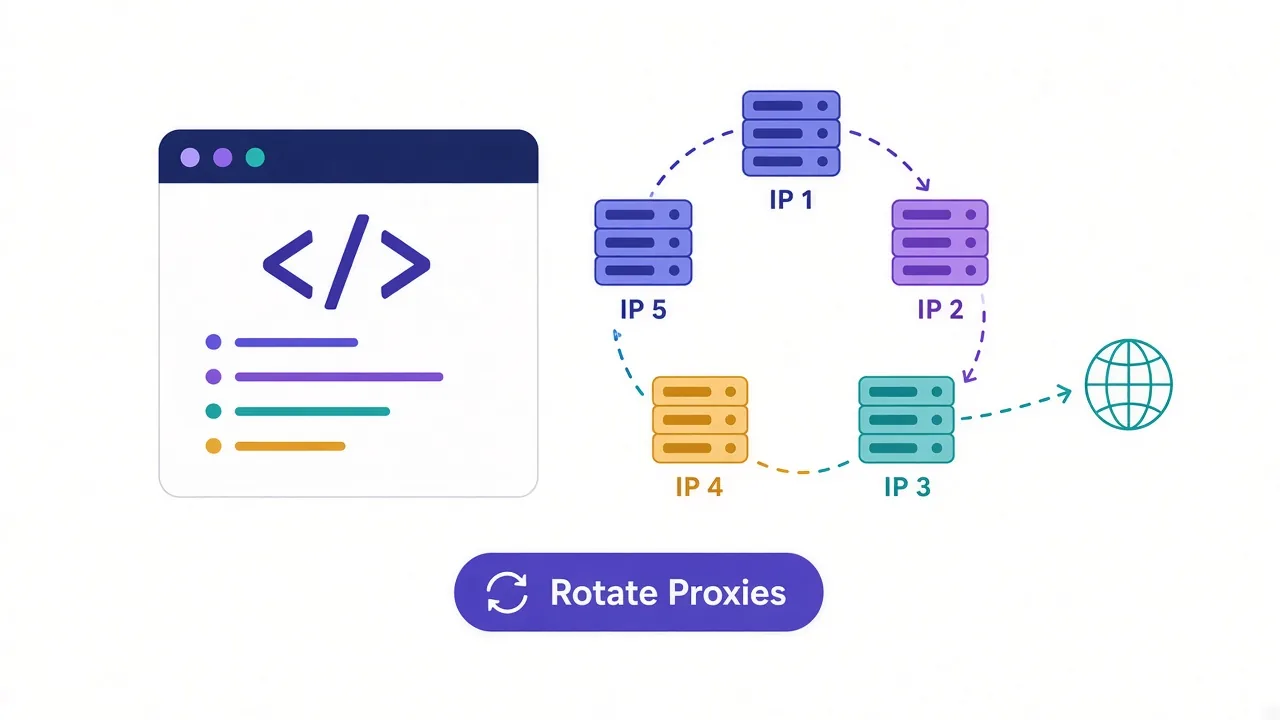
This is the core of the product. A documented API drives both local and cloud browsers, with Puppeteer and Playwright compatibility, so existing automation code can point at Nstbrowser with minimal change.
Team features
Team accounts and shared profiles are supported; governance is straightforward rather than enterprise-grade.
Pricing and plans
A free tier covers a set of profiles and a small allowance of cloud usage, with paid plans starting in the region of USD 10/mo and cloud runtime billed by consumption.
Bottom line
Nstbrowser is the most infrastructure-shaped product in this directory: a fair antidetect browser and a genuinely interesting cloud browser platform. If your work is scripted crawling and verification as much as account management, it deserves a look. If you only need profiles for accounts, cheaper and more focused tools exist.
Features & capabilities
Cloud runtime
Hosted browser instances driven remotely from your code.
Framework compatibility
Point existing Puppeteer or Playwright code at it.
Local desktop client
Conventional profile management on Windows, macOS and Linux.
Anti-bot handling
Treated as first-class for scraping workloads.
Free tier
Profiles plus a small cloud allowance to evaluate.
Premium-grade stealth
Below the leading engines for high-value account work.
Integrations & supported tools
Privacy & compliance
Frequently asked questions
Fingerprint-aware browsing inside automated pipelines — crawling, verification and monitoring — as well as conventional multi-account management. Its cloud runtime is what distinguishes it from ordinary antidetect browsers.
Containerised browser instances hosted by Nstbrowser and driven remotely from your code, so you can scale beyond the number of profiles a single desktop machine can run.
A documented API with Puppeteer and Playwright compatibility, covering both local and cloud browsers, so existing automation usually needs minimal change to switch over.
Yes. A free tier covers a set of profiles plus a small allowance of cloud usage, which is enough to evaluate both halves of the product.
Paid plans start in the region of $10/mo, with cloud runtime billed by consumption. Total spend therefore depends on how much automated browsing you do.
It works, and fingerprinting is credible on mainstream platforms. But for account management alone, more focused tools like AdsPower, Dolphin Anty or BitBrowser give you more for less.
Windows, macOS and Linux.
Both are automation-first. Kameleo has richer SDK coverage, mobile profile emulation and a longer history, but is Windows-only and local. Nstbrowser adds a hosted cloud runtime and cross-platform clients. Choose Kameleo for mobile fidelity, Nstbrowser for hosted scale.
User reviews (0)
No reviews yet. Be the first to share your experience.