










You found two proxy plans that look almost identical. Same country, same speed claims. One costs a few dollars per IP. The other costs several times that.
The only real difference on the page is one word: shared or dedicated.
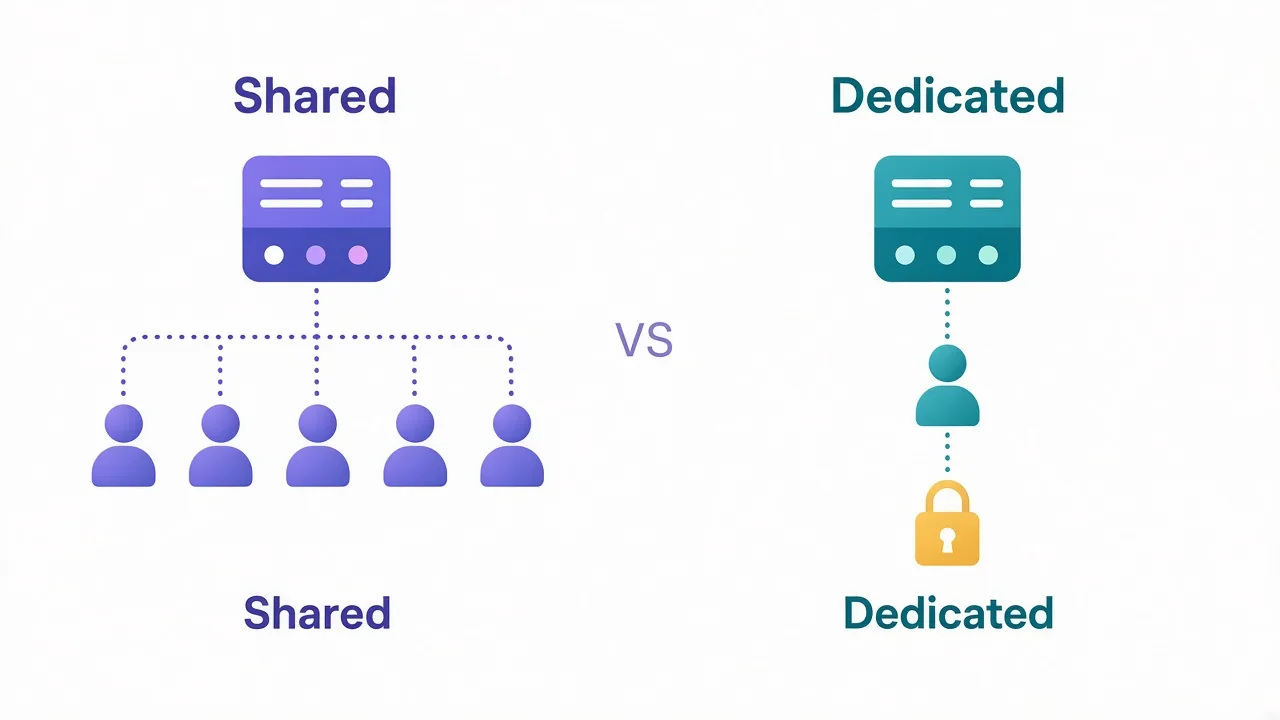
So which one should you buy? Here's the plain answer. A shared proxy is an IP you split with other customers. A dedicated proxy is an IP only you use.
That part is easy. The hard part is knowing when the extra money buys you anything at all.
There's one question that settles it for most people, and we'll get to it. First, let's look at what "sharing" an IP really means.
What does "shared" actually mean on a proxy plan?
A proxy gives you an IP address to send your traffic through. The website sees that IP instead of yours.
With a shared proxy, the provider hands the same IP to several customers at once. You might share it with two other people. You might share it with twenty. Most providers don't say exactly how many.
Everyone's traffic leaves through the same address. To the website, it all looks like one visitor.
A dedicated proxy (sometimes sold as a "private" proxy) flips that. The provider assigns the IP to your account alone for as long as you pay. Nobody else's requests touch it.
Think of it like a hotel room versus an apartment. In the hotel, you don't know who slept there last night or what they did. The apartment is yours, and its reputation is whatever you make of it.
Quick note on naming
"Private" and "dedicated" usually mean the same thing. "Semi-dedicated" usually means an IP shared by a small, fixed group, often two or three users. Check the plan details, because providers use these words loosely.
Why would anyone pay more for the same IP?
Because the IP isn't the product. Its reputation is.
Every IP builds a history with the sites it visits. Anti-bot systems track things like how many requests came from it, how fast, and whether those requests looked human. Some sites also check public blocklists and datacenter ranges.
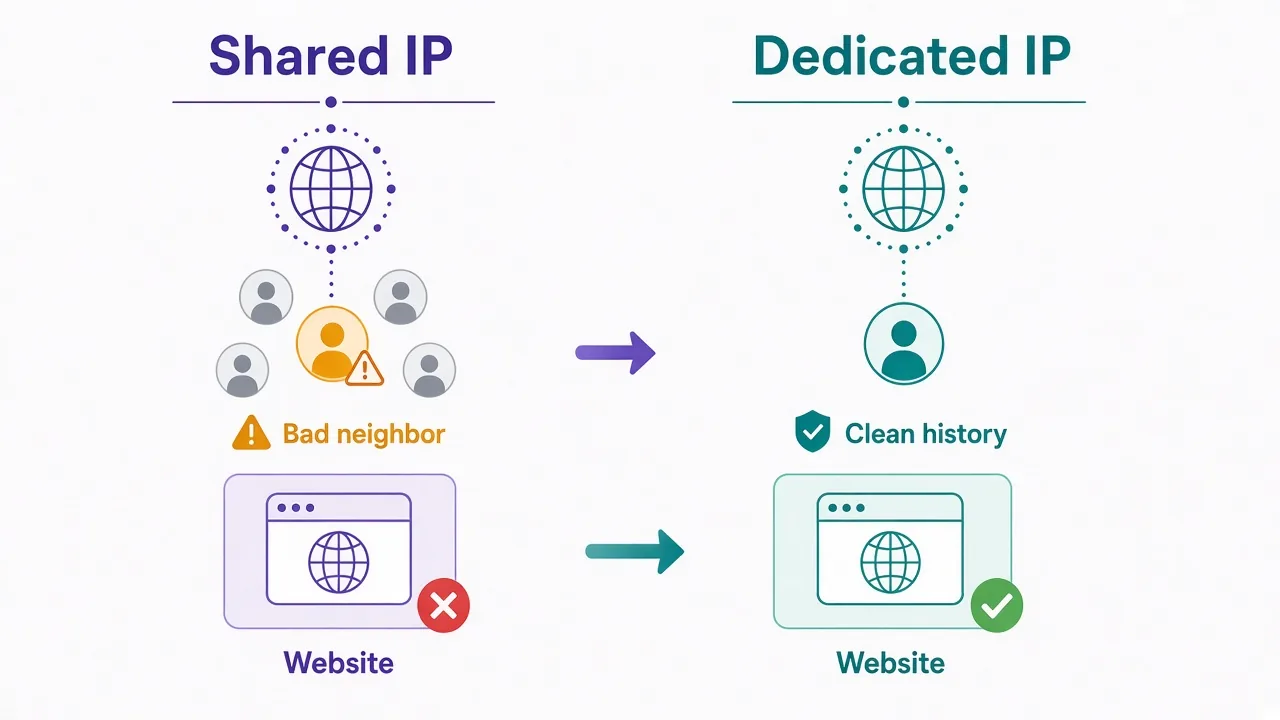
On a shared IP, that history belongs to everyone using it. Picture this: you send 50 polite requests an hour to a store. Someone else on the same IP hammers that store with 5,000 requests a minute.
The store doesn't know there are two of you. It sees one IP behaving badly, and it blocks that IP. You get the 403 too.
This is often called the "bad neighbor" problem. It's the main thing a dedicated IP protects you from.
With a dedicated proxy, the only behavior on that IP is yours. If it gets flagged, you know why. If it stays clean, it stays clean because you kept it that way.
Shared vs dedicated proxies at a glance
Here's how the two stack up on the things that tend to matter. These are general patterns, not promises from any single provider.
| Factor | Shared proxies | Dedicated proxies |
|---|---|---|
| Who uses the IP | You plus other customers | Only you |
| Price per IP | Lowest | Higher, often several times more |
| IP reputation | Shaped by everyone on it | Shaped only by you |
| Speed under load | Can dip when neighbors are busy | More consistent |
| Risk of surprise blocks | Higher on strict sites | Lower, and easier to trace |
| Good for logins | Risky | Yes |
| Good for light browsing or testing | Yes | Often overkill |
Notice the pattern? Shared wins on cost. Dedicated wins on control. Almost every other difference flows from those two facts.
Are shared proxies really that bad?
No. Honestly, they get a worse reputation than they deserve.
A shared proxy is a perfectly good tool when the site you're visiting doesn't fight back much. Plenty of jobs fall in that bucket:
- Checking how a page looks from another country
- Pulling public data from sites with light or no bot protection
- Testing your own app or ad from a different location
- Learning how proxies work before you spend real money
In those cases, a neighbor's bad behavior rarely matters. The site isn't watching closely, so nobody gets punished.
Shared plans also make sense when you need a lot of IPs and each one does very little. Spreading light traffic across many cheap addresses can beat squeezing it through a few expensive ones.
The catch? You can't see your neighbors. You don't know what they're targeting, or when they'll get the IP burned.
So a shared proxy is a bet. You're betting nobody on your IP is being reckless on the site you care about.
For some jobs, that's a fine bet. For others, it's a terrible one.
Where shared proxies quietly fail you
The trouble with shared IPs usually doesn't show up on day one. It shows up later, and it looks random.
Your setup works fine for a week. Then a site starts throwing CAPTCHAs. Then 403s. You didn't change anything, so what happened?
Often, a neighbor did. And you can't prove it, because you can't see their traffic.
Here's where that hurts most:
- Sites with strong anti-bot systems, like big marketplaces, ticketing sites and sneaker shops
- Social platforms, where an IP's history feeds into account trust
- Any account you log into and want to keep for months
- Payment or checkout flows, which watch IPs closely
Watch out
Log into an account through a shared IP, and that account can get linked to whatever else happened on the IP. On strict platforms, that's how accounts get flagged for things their owners never did.
That warning hints at the question we promised you at the start. Hold on to it for one more section.
Is a dedicated proxy faster?
Usually, a bit. But speed isn't the main reason to buy one.
A shared IP rides on a connection that several people use at once. When your neighbors get busy, your requests can wait in line behind theirs. That shows up as slower or uneven response times.
A dedicated IP doesn't have that contention on the IP itself. You still share the provider's servers and network, so it's not a private highway. But it tends to be steadier.
How much does that matter? For a scraper that sends a request every few seconds, you'll barely notice. For a bot that needs to load a checkout page in the same second as everyone else, steadiness matters a lot.
So treat speed as a nice bonus. The real reason to go dedicated is a clean, predictable reputation.
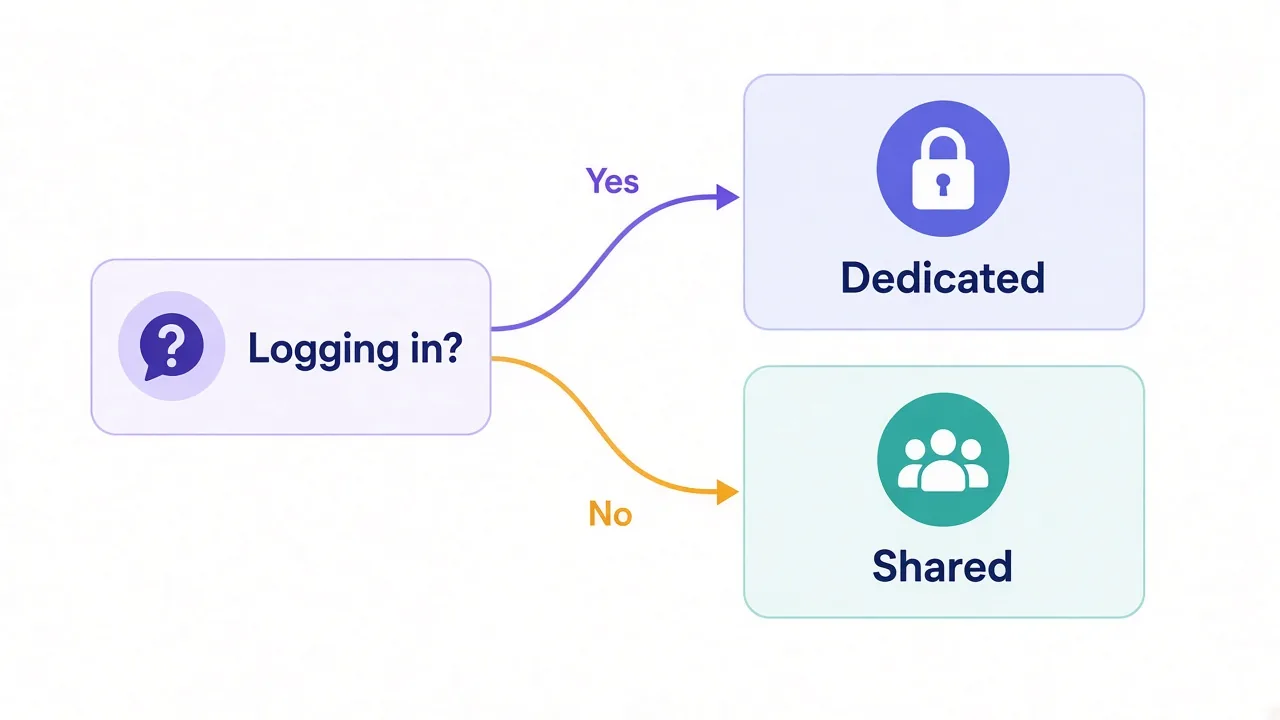
The one question that decides it: are you logging in?
Remember the question we teased at the top? Here it is.
Will you log into an account through this IP?
If yes, go dedicated. If no, shared is usually fine.
Here's why it works so well as a rule. When you only browse or scrape, every request stands alone. If an IP gets blocked, you switch to another and keep going. A bad neighbor costs you a retry.
When you log in, the IP becomes part of your account's identity. Platforms remember where you usually connect from. If that address suddenly carries spam, or if it changes every day, the account starts to look suspicious.
Say you manage five client accounts on one social platform. Put each on its own dedicated IP, and each account sees the same clean address every session. Put them all on a cheap shared pool, and you're trusting strangers with five accounts you can't afford to lose.
Logging in? Go dedicated. Just reading? Shared is fine.
That rule covers most cases. The rest come down to the type of proxy, which is where things get more interesting.
Does shared vs dedicated mean the same thing for every proxy type?
Not quite. "Shared" and "dedicated" mean different things depending on where the IP comes from.
Datacenter proxies
This is where the choice matters most. Datacenter proxies come from cloud and hosting servers, and they're often sold per IP. You'll see clear shared and dedicated plans side by side.
Sites already spot datacenter ranges easily. So a shared datacenter IP has two strikes against it: the range itself, and the neighbors. A dedicated one at least removes the second strike.
ISP (static residential) proxies
ISP proxies are static IPs registered to real internet providers but hosted in data centers. Many providers sell them as dedicated by default, and some offer cheaper shared versions.
For account work, dedicated ISP IPs are a popular middle ground. They look like home connections and stay the same for weeks or months.
Rotating residential proxies
Here, the question changes shape. A rotating residential proxy pulls IPs from a large pool of real home devices. Those IPs are shared by nature. Other customers will use the same addresses at other times.
What you control is the session. A sticky session keeps the same IP for a set time, like 10 or 30 minutes. That gives you a short stretch of "your" IP, without true exclusivity.
So, if you see "dedicated residential" on a rotating plan, read the fine print. It may mean a dedicated pool or a private gateway, not a single IP that's yours alone.
What about semi-dedicated proxies?
Semi-dedicated sits between the two. A small group of customers shares each IP, often two or three. The price usually lands between shared and dedicated, too.
Is it worth it? Sometimes. A smaller group means fewer neighbors who can burn the IP. It's still a group, though, and you still can't see what they do.
Some providers try to keep users on the same IP from hitting the same target sites. That helps if they actually enforce it. Ask before you buy, because this varies a lot from one provider to the next.
For scraping on a budget, semi-dedicated can be a smart compromise. For account logins, we'd still pay for fully dedicated.
Why the cheapest plan can end up costing more
Shared plans look cheaper per IP. Whether they're cheaper per result is a different question.
Think about what a blocked IP costs you. Failed requests. Retries. CAPTCHAs you have to solve or pay to solve. Time spent figuring out what went wrong. On an account, it can cost the account itself.
Say your shared IPs get blocked often on your target. You'll burn through retries, and you may need far more IPs for the same work. At some point, a smaller set of dedicated IPs does the same job for less total money.
Where's that point? It depends on your target and your volume, so there's no universal number. A simple test helps:
- Pick your hardest target site.
- Run the same small job on a few shared IPs and a few dedicated IPs.
- Compare success rates, not just price.
- Work out cost per successful request for each.
Pro tip
Many providers offer trials, small starter plans or refund windows. Use them to run this test on your own targets before you commit to a big plan.
Weighing billing models too? Our guide to pay-per-GB vs pay-per-IP pricing walks through how each model changes the math.
How to pick the right one for your use case
Let's turn all of this into choices you can make in a minute.
| What you're doing | Our pick | Why |
|---|---|---|
| Managing social or marketplace accounts | Dedicated ISP or datacenter | Stable, clean IP tied to one account |
| Scraping lightly protected sites | Shared datacenter | Cheap, and blocks rarely matter |
| Scraping heavily protected sites | Rotating residential | Fresh IPs beat any single static IP |
| Checking ads or prices by location | Shared or rotating | No login, so neighbors matter less |
| Sneaker or ticket checkouts | Dedicated ISP | Speed and a clean reputation both count |
| Learning and testing | Shared | Lowest cost to experiment |
Notice that "dedicated" isn't always the top pick. On very strict scraping targets, a single dedicated IP gets noticed fast no matter how clean it is. A large rotating pool spreads your requests out instead.
That's the part many comparison posts miss. Exclusivity protects your reputation. It doesn't make one IP invisible.
If you're still unsure between home and server IPs, read our residential vs datacenter breakdown first. It decides more than the shared-or-dedicated question does.
What should you check before you buy?
Once you've picked a side, a few details separate a good plan from a frustrating one.
- How many users share each IP, if it's shared or semi-dedicated
- Whether you can swap a burned IP, and how often
- Which countries and cities the IPs come from
- Whether IPs come from many subnets or one block
- Which protocols you get, such as HTTP and SOCKS5
- Whether there's a trial or refund window
The subnet point is easy to skip. If all your dedicated IPs sit in the same small block, a site can ban the whole block in one move. Spread across different subnets is safer.
And ask about replacements. A dedicated IP that's already flagged on your target is no better than a shared one. A good provider will swap it.
So, which one should you actually buy?
Start with the question from the top: are you logging in?
If you are, buy dedicated. Your accounts deserve an IP whose history is yours alone. If you're only reading public pages, shared proxies will do the job for a fraction of the price.
And if your target fights hard, look past both. A rotating residential pool may serve you better than any single IP.
Ready to compare real options? Browse the proxy providers we've reviewed and filter by type. You'll have a shortlist in a few minutes.
Pick for the job, not the price tag.
Frequently asked questions
A shared proxy is an IP address several customers use at once, while a dedicated proxy is an IP only you use. That means a shared IP's reputation depends on everyone on it, and a dedicated IP's reputation depends only on you.
Yes, if you log into accounts or target strict sites. For light scraping, location checks or testing, shared proxies usually do the job for much less money.
Usually, yes. Most providers use "private" and "dedicated" for an IP assigned to one user, but check the plan details because some use the terms loosely.
A semi-dedicated proxy is an IP shared by a small, fixed group of users, often two or three. It costs less than a dedicated IP but still carries some risk from the other users.
We wouldn't. Other users on a shared IP can damage its reputation, and platforms tie that IP history to your account, so a dedicated ISP or datacenter IP is the safer choice.
Often a little, because you don't compete with other users for the same IP. The bigger benefit is a clean, predictable reputation rather than raw speed.