









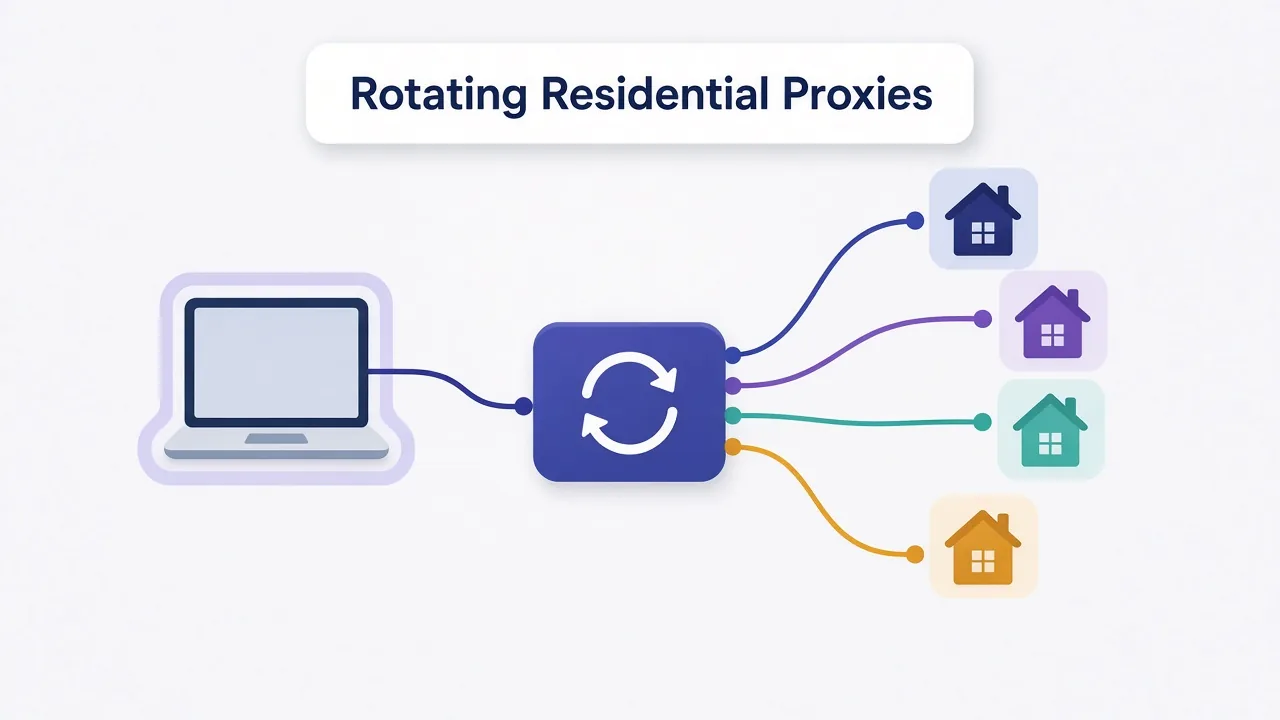
A rotating residential proxy sends your requests out through real home internet connections and keeps swapping which one you use. One request leaves from a cable line in Ohio. The next leaves from a fiber connection in Lyon.
That's the plain answer. Staring at a pricing page that lists "rotating residential" next to "sticky sessions"? You probably want to know which one you're paying for.
Here's the twist. On most plans, rotation is a setting you control, not a separate product. Set it wrong and a fresh IP on every click logs you out of every account you touch.
So what actually rotates, and when should you make it stop? Start with what happens to a single request.
What does a rotating residential proxy actually rotate?
Two words do the work in that name, so take them one at a time.
Residential means the IP address belongs to a home internet provider. It's the same kind of address your laptop gets on home Wi-Fi. Websites see an ordinary subscriber, not a server in a data center.
Our residential proxy glossary entry has the short definition, and residential proxies explained has the long one.
Rotating means the address changes. Sometimes it changes on every request. Sometimes it changes every few minutes, depending on how you set it up. That's the core idea behind any rotating proxy.
Put the two together and you get a pool of real household IPs plus a system that keeps changing which one carries your traffic. You don't pick the IPs one by one. The provider hands them out for you.
Why would you want that? Because most blocks are tied to an IP address.
If a site sees 5,000 requests from one address in an hour, it doesn't need clever detection to know something's off. Spread those requests across thousands of home connections and each one looks like a person loading a page.
That's the appeal. The interesting part is how one proxy address gives you millions of IPs without you ever touching a list.
How does one proxy address hand you millions of IPs?
With a static proxy plan, you get a list. Each line has an IP, a port, a username and a password, and each line is one address.
Rotating residential plans don't work like that. You get one hostname and port, usually called a gateway. Every request you send goes to that gateway first.
The gateway picks a home IP from the pool and forwards your request through it. The website only sees that exit IP. You only see the gateway.
This setup is called a backconnect proxy, and it's the standard design for rotating residential services. Here's the path one request takes:
- Your scraper or browser sends the request to the gateway address.
- The gateway checks your login and any targeting you asked for, like a country or city.
- It picks an available home IP that matches.
- Your request leaves from that home connection and reaches the website.
- The response travels back the same way to you.
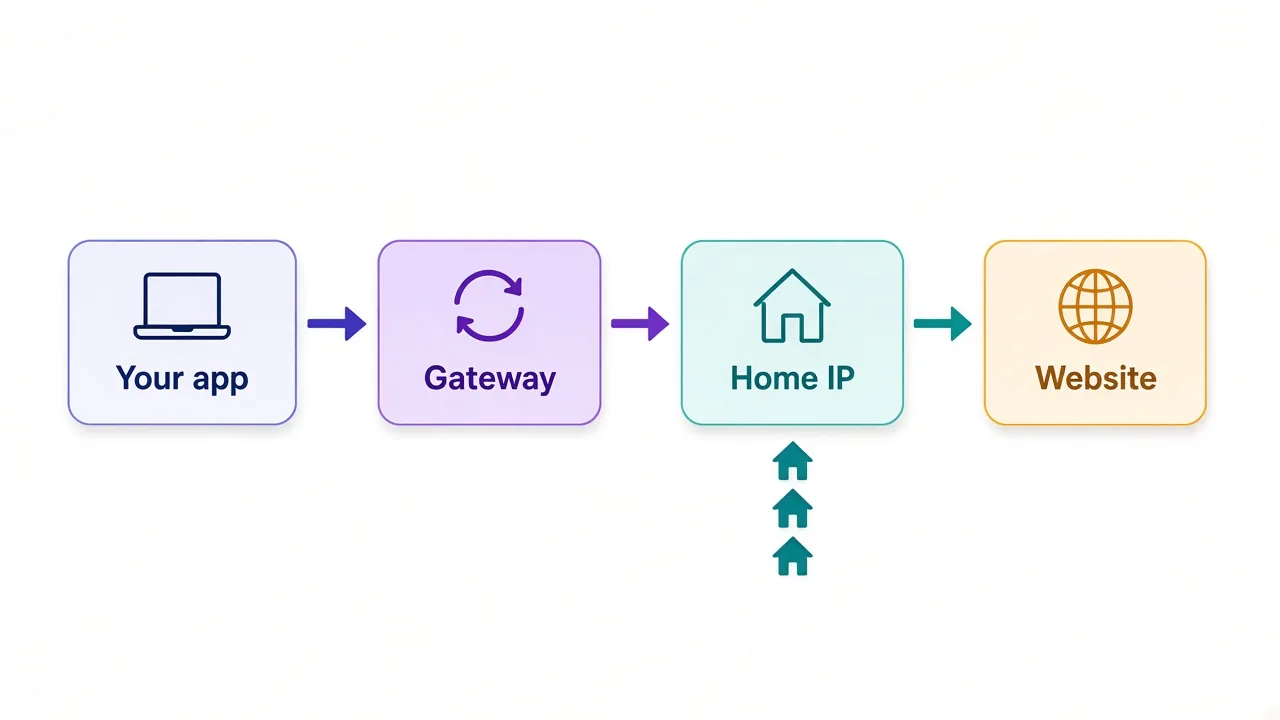
Notice what that means for your code. You never manage the pool. Rotation, dead exits and geo-matching all happen behind that one address.
It also means the gateway is the one knob you turn. Most providers let you steer it through the username string, by adding a country code or a session ID.
Keep that session ID in mind. It's the switch between rotating and sticky, and we'll use it when we get to setup.
Where do all those home IPs come from?
Fair question. Somebody's home connection is carrying your traffic, so whose is it?
Most residential pools are built from people who agreed to share their bandwidth. That usually happens through an app, or a software kit bundled inside one, in exchange for cash, credits or an ad-free version.
One example from our directory: IPRoyal lists its pool as sourced through its own Pawns.app program, where users get paid to share bandwidth.
Not every network is equally clear about how it gets consent. That's worth a few minutes of your time before you pay.
Check this before you buy
Look for a provider page that explains how its IPs are sourced and whether users opt in. If you can't find one, treat that as a data point.
Sourcing also explains some quirks you'll run into. A home IP goes offline when someone shuts their laptop or restarts their router.
That's why rotating residential exits come and go. It's also why a sticky session can end before its timer runs out.
Per-request or timed rotation: which mode are you buying?
"Rotating" covers a few different behaviors. The labels change between providers, but the options usually look like this.
| Mode | What happens | Good for | Watch out for |
|---|---|---|---|
| Per-request rotation | New IP on every request | Crawling many pages, price checks, search results | Breaks logins and carts |
| Timed sticky session | Same IP for a set window, then a new one | Logins, checkouts, multi-step forms | The IP can drop before the window ends |
| Rotate on demand | IP changes when you change the session ID | Scripts that decide when to switch | Your code has to track session IDs |
Per-request rotation is the default on many plans. You connect, you send, and you get a new address every time.
A sticky session keeps one IP for a window, often anywhere from a minute to half an hour. The maximum varies by provider, so check the docs before you build around a number.
Rotate on demand is the flexible middle. Your script holds one session ID until it decides it's done, then swaps to a new one.
So which mode do you want? That comes down to one question we'll answer properly in a moment: does your task need the site to remember you between requests?
If you want the full comparison first, read sticky vs rotating proxies.
Why do sites block rotating residential IPs less?
Three things work in your favor.
First, the network owner. Every IP belongs to an ASN, a block of addresses registered to one organization.
A quick lookup shows whether that organization is a cable company or a cloud host. Blocking a whole cloud range is cheap for a website. Blocking a big home ISP would lock out paying customers.
Second, reputation. Home IPs are shared with ordinary browsing, so many of them carry a clean history. Datacenter ranges show up on block lists more often because they're easy to rent in bulk and easy to abuse.
Third, spread. Rate limits usually count requests per IP. Rotation keeps each address's count low, so you stay under the line that triggers a block or a CAPTCHA.
That third point is where rotation earns its keep. A residential IP that sends 2,000 requests in ten minutes still looks like a bot. Rotation is what stops any single address from doing that.
But "blocked less" isn't "never blocked". Sometimes the rotation itself is what gets you caught.
When does a fresh IP on every request hurt you?
Picture a login flow. You load the sign-in page from an IP in Texas. You submit your password from Poland. The two-factor prompt loads from Brazil.
No real person moves like that. Most account systems will flag it, ask for extra verification, or end the session.
The same goes for anything with state. Think of a shopping cart, a checkout, a search that ties results to a session, or a dashboard you stay logged in to. Rotation breaks the thread that connects those steps.
The common mistake
Running social media or marketplace accounts on per-request rotation. Each request looks like a new location logging in, which is exactly what account security is built to catch.
The fix is a sticky session. Keep one IP for the length of the task, then let it rotate before the next one.
For accounts you log in to every day for months, many people skip rotating pools altogether. They use a static ISP or static residential IP so the account always sees the same home.
So rotation suits jobs without state, and sticky suits anything with a login. There's one more catch, though, and no new IP can fix it.
What can rotation never hide?
Your IP is one signal among many. Websites also read your browser.
A browser fingerprint is the mix of details your browser gives away: screen size, fonts, time zone, graphics card, language and many more. Combined, they're often distinctive enough to recognize you without a single cookie.
Now picture rotating through 500 home IPs while every request carries the same fingerprint and the same cookies. To the site, that's one visitor who keeps changing address.
That isn't anonymity. It's a pattern, and pattern detection is what anti-bot systems do all day.
Cookies do the same damage faster. Log in once, and that session cookie follows you to every IP you rotate through.
A few habits close most of the gap:
- Match your browser's time zone and language to the proxy's location.
- Clear or separate cookies whenever you switch identities.
- Use a separate antidetect browser profile for each account you run.
- Keep your request rate at a human pace, even on a huge pool.
That's the thing a new IP can't hide: everything else about you. Fix that part, and rotation starts doing the job you paid for.
Rotating residential vs datacenter, ISP and mobile proxies
Rotating residential isn't the only proxy type that rotates. Here's how it compares with the other three you'll see on pricing pages.
| Type | Where the IP comes from | Speed | Block risk | Best for |
|---|---|---|---|---|
| Rotating residential | Real home connections, changing often | Medium, varies by exit | Low | Scraping protected sites, local results |
| Datacenter | Cloud and hosting servers | Fast | High on protected sites | Bulk work on lenient targets |
| ISP (static residential) | ISP-registered IPs hosted on servers | Fast | Low to medium | Long-lived accounts and logins |
| Mobile | Phone carrier networks | Slower | Lowest | Social apps and the toughest targets |
Speed is the honest downside of residential. Your traffic hops through someone's home router, and home connections are slower and less steady than a server rack.
Datacenter IPs win on price and speed when the target doesn't fight back. Our residential vs datacenter breakdown shows where that line sits.
Weighing carrier IPs instead? See mobile vs residential proxies for when the extra cost is worth it.
How much does a rotating residential proxy cost?
You pay for traffic, not addresses. Nearly every rotating residential plan is billed per gigabyte, because you're renting bandwidth from a huge pool rather than owning a few IPs.
As of October 2026, 16 of the 20 providers on our residential proxies page advertise starting prices between $1 and $8 per GB. A few of the rest price by port or by IP, which is why their numbers look odd next to the others.
Those are entry prices, though. The lowest per-GB rates usually come with bigger bundles or longer commitments, so a small first plan often costs more per GB.
What drives your real bill is page weight. A product page full of images and scripts can pull several megabytes. Fetch only the HTML, or block images and fonts, and the same job uses a fraction of the traffic.
Pro tip
Run your real job on the smallest plan first and check the usage dashboard. Multiply from there instead of guessing.
Want three places to start? DataImpulse is built around low pay-as-you-go pricing per GB.

Transparent pay-as-you-go residential proxies with no minimums
IPRoyal sells residential traffic that doesn't expire, which suits jobs that run in bursts.

Flexible proxies with true pay-as-you-go.
Bright Data costs more, but adds city and ASN targeting plus unblocking tools for the hardest sites.

For the full field, compare live prices in our proxy directory. Filter by type and you'll have a shortlist in minutes.
How do you set up a rotating residential proxy?
Setup is shorter than most people expect. Once you have a plan, it usually takes five steps.
- Copy the gateway hostname and port from your provider's dashboard.
- Pick an auth method: username and password, or an allowlist of your own IP.
- Add targeting to the username if you need it, like a country code.
- Leave the session ID out for per-request rotation, or add one to go sticky.
- Send a few test requests to an IP-check page and confirm the exit IP changes.
Step 4 is the switch from earlier. On most services, a request with no session ID gets a fresh IP.
Add a session ID and the gateway keeps routing you through the same exit. That lasts until the session expires, the home device drops, or you change the ID.
The exact username format differs by provider, so copy it from their docs instead of guessing. A typo there usually fails quietly. You get the default country or no stickiness, not an error message.
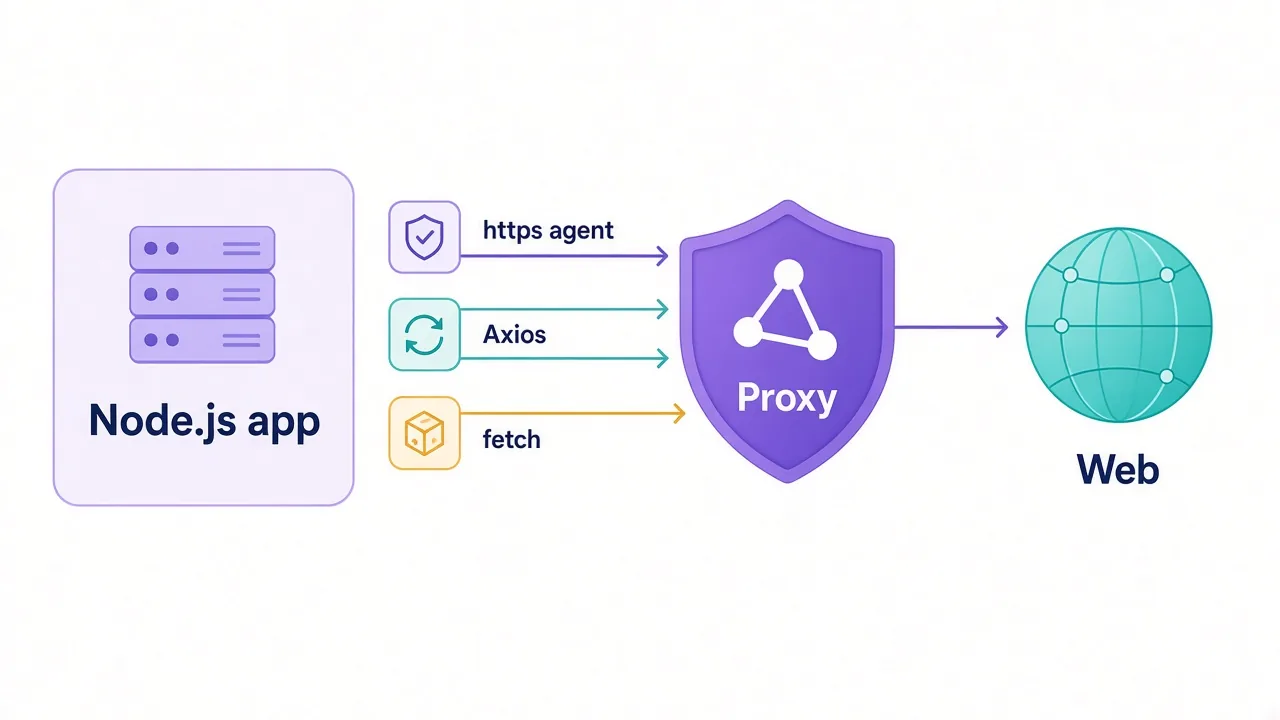
Running it from code? The same gateway works in Python, Node.js, cURL or a browser. Only the way you pass the proxy address changes.
Which session type should you pick for your job?
Ask one question first: does the site need to remember you between requests?
No? Rotate on every request. That covers crawling product pages, checking search rankings, collecting public prices and verifying ads in other countries.
Yes, but only for a few minutes? Use a sticky session sized to the task. A checkout or a sign-up form fits comfortably inside a ten-minute window.
Yes, for days or weeks? Skip the rotating pool. Long-lived accounts want one steady IP, usually a static ISP proxy, paired with a matching browser profile.
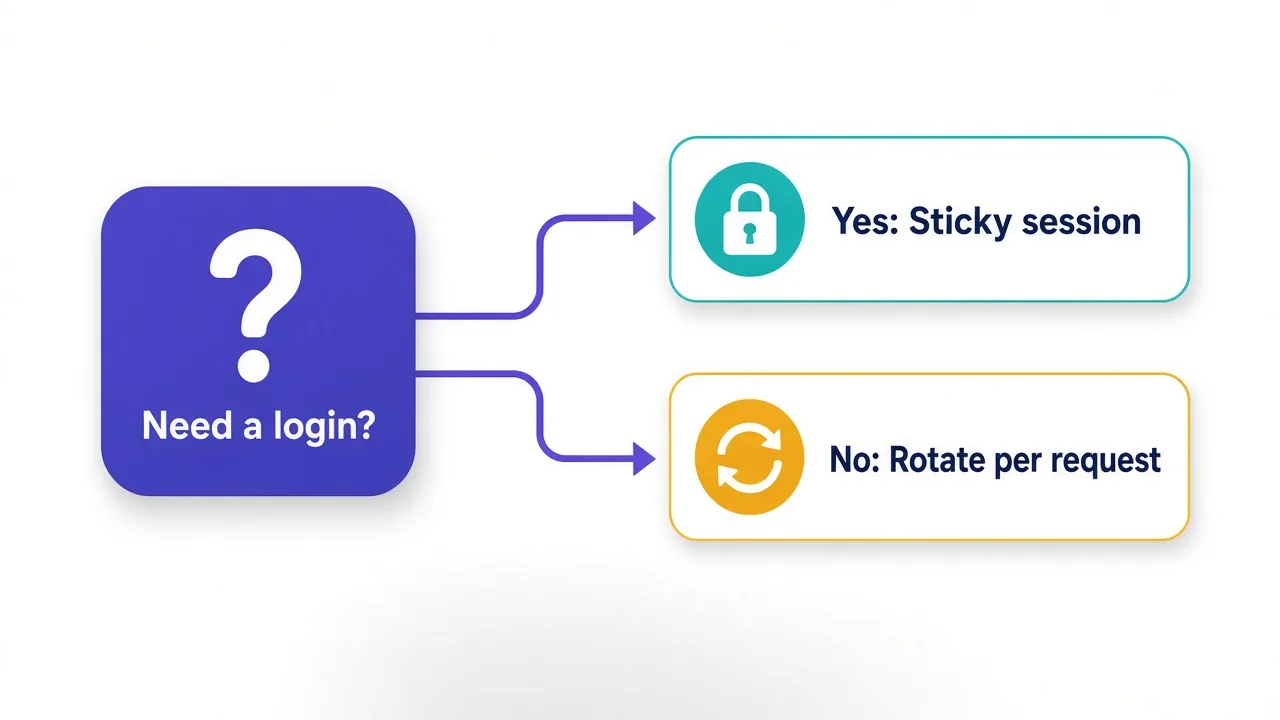
Still not sure which bucket you're in? Look for logins. If any step involves a password, a cart or a "remember me" box, that step needs stickiness.
Mixed jobs are common too. A price tracker can crawl listings on rotation, then switch to a sticky session for the one page that sits behind a login.
Is using a rotating residential proxy legal and safe?
Using a proxy is legal in most countries. What you do through it is what matters.
Scraping public prices is a very different thing from breaking into accounts or ignoring a site's terms. The proxy doesn't change the rules that apply to the task.
Safety has two sides. Your traffic passes through someone else's connection, so use HTTPS for anything sensitive and never send passwords over plain HTTP.
The other side is the people behind the IPs. Buying from a provider with clear, consent-based sourcing means you aren't borrowing someone's connection without their knowledge.
So, do you need a rotating residential proxy?
If you're collecting public data from sites that block datacenter IPs, yes. It's the most dependable tool for that job.
If you're running accounts, you want the same pool with sticky sessions, or a static IP instead.
Either way, the rule is simple: rotate when the site shouldn't remember you, and stick when it should.
Ready to choose? Compare the residential providers we've reviewed side by side, start with a small plan, and measure your traffic before you scale.
Start small. Then grow.
Frequently asked questions
It's a proxy that routes your traffic through real home internet connections and changes the exit IP automatically. The change can happen on every request or on a timer, which helps you avoid IP-based blocks and rate limits.
Rotating proxies give you a new IP on every request, while sticky sessions keep the same IP for a set window. Most residential plans offer both, and you usually switch by adding a session ID to your proxy username.
By default, usually on every request. With a sticky session it holds one IP for a window you choose, often a minute to half an hour, though the IP can drop early if the home device goes offline.
Not with per-request rotation. Changing location mid-session triggers security checks, so use a sticky session for short tasks or a static ISP proxy for accounts you keep for weeks.
Most are billed per GB of traffic, not per IP. As of October 2026, 16 of the 20 providers on DriftProxy's residential proxies page advertise starting prices between $1 and $8 per GB, and small plans usually cost more per GB.
Yes, mainly through browser fingerprints, cookies and unnatural request patterns rather than the IP itself. Matching time zone and language, separating cookies and keeping a human request pace closes most of that gap.