













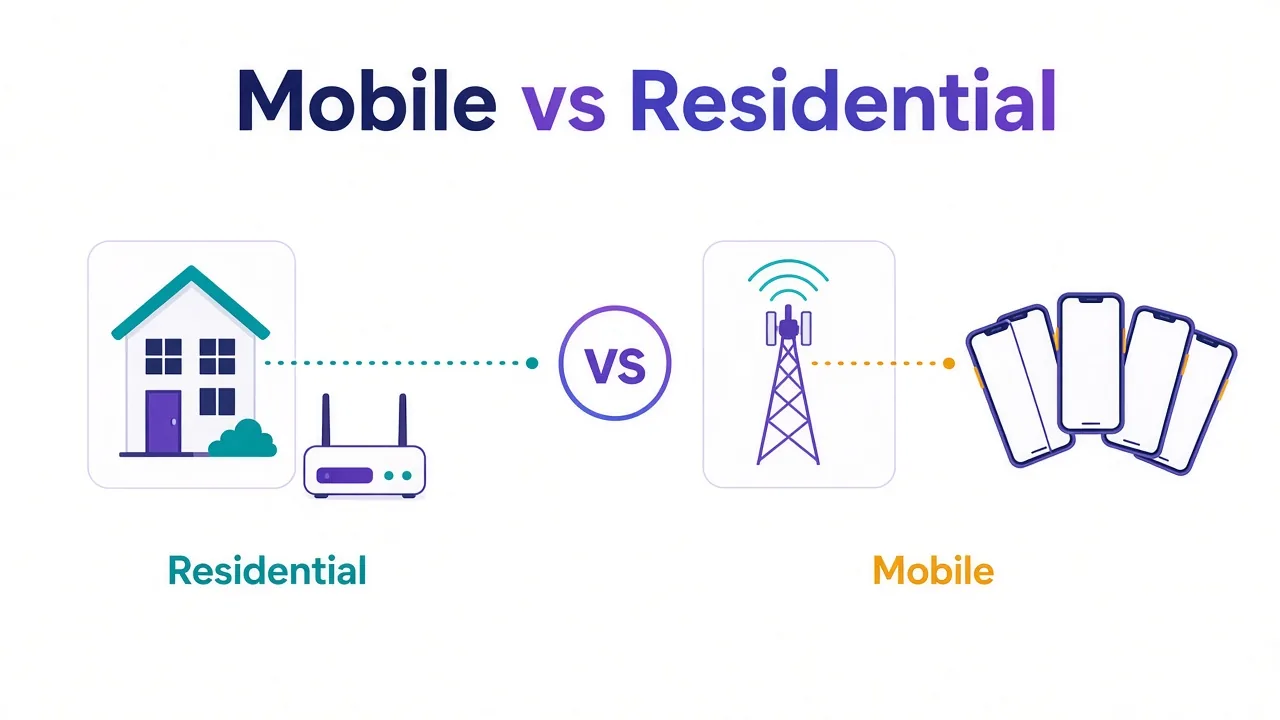
Mobile proxies cost about twice as much as residential ones. Most people paying that premium don't need it.
But some really do. Ever watched a fresh social account get flagged on its first login? Your residential IP looked fine, and it still happened. That's the gap between the two.
So which one wins? For most scraping and price checks, mobile vs residential proxies is an easy call. Residential wins on cost and pool size.
Mobile wins when a platform expects you to be a phone, like account creation and app-first social networks.
There's one odd reason mobile IPs are so hard to ban, and it's not what most providers say. We'll start there.
What's the real difference between mobile and residential proxies?
Both lend you an IP address that belongs to a real consumer network. The difference is which network.
A residential proxy routes you through a home connection. The IP is registered to a broadband provider, so websites see an ordinary household on cable or fiber.
A mobile proxy routes you through a cellular connection on a 4G or 5G carrier. The IP belongs to the mobile network, so you look like someone on a phone.
Why should a website care? Because every IP carries a label. Sites look up the ASN, the network that owns the address. That gives them a rough idea of who you are before your first click.
| Trait | Residential proxy | Mobile proxy |
|---|---|---|
| Where the IP comes from | Home broadband | Cellular carrier |
| How many people share it | Usually one household | Often many phones at once |
| Typical price | Lower per GB | Higher per GB |
| Pool size | Larger | Smaller |
| Speed | Steadier | More variable |
| Best for | Scraping and monitoring | Accounts on mobile-first apps |
That second row is where the whole story lives. Remember the odd reason from the start? It's sharing.
Why do platforms go easy on mobile IPs?
Here's the part most comparison posts skip.
There aren't enough IPv4 addresses for every phone on earth. So mobile carriers use carrier-grade NAT, a setup that puts many subscribers behind one public IP. The IETF even reserved an address block for it in RFC 6598.
Now think about it from a platform's side. One mobile IP might carry hundreds of real customers scrolling, posting and paying at the same moment.
Ban that IP, and you lock out real people. That's a support nightmare, so most platforms are slow to block a carrier IP outright. They lean on other signals instead.
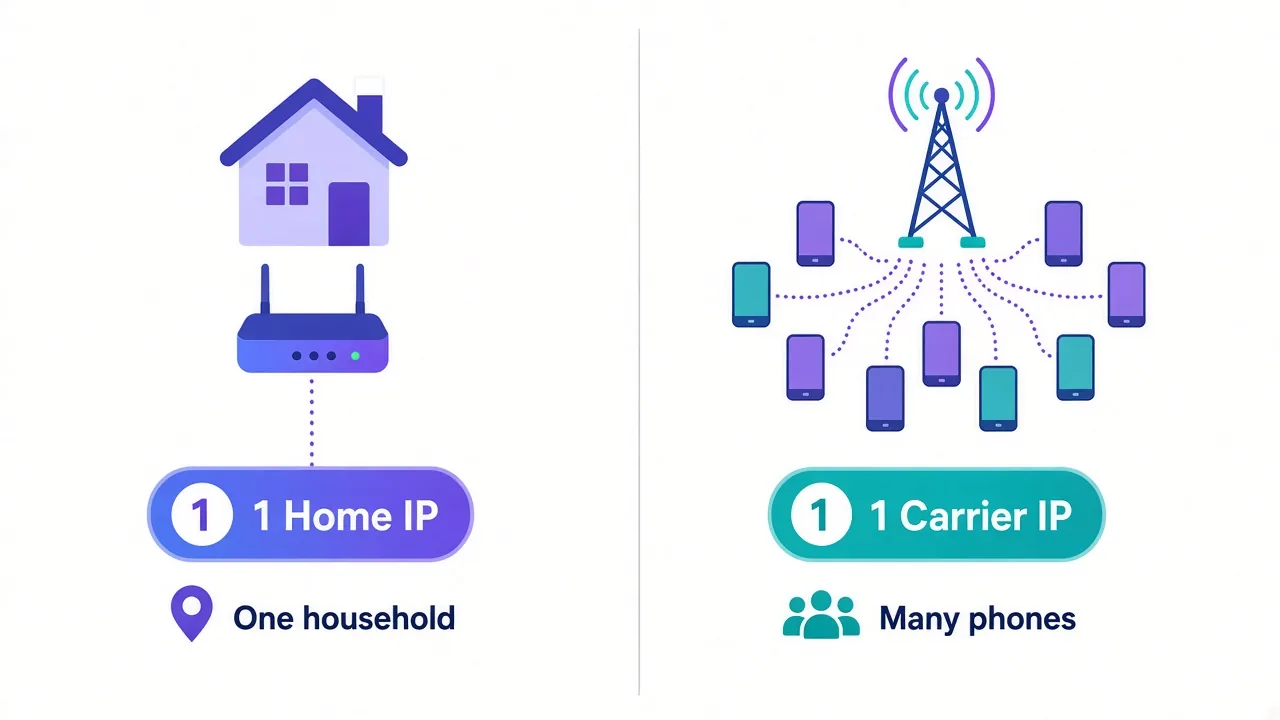
A home IP is different. It usually maps to one household, so if it misbehaves, a platform can block it with little risk of hitting anyone else.
That's why mobile IPs earn their reputation. It isn't magic. It's that blocking them costs the platform more.
The flip side
Shared IPs carry shared history. If someone else on that carrier IP is spamming, you can inherit the friction, like extra captchas or a phone check.
How much more do mobile proxies cost?
More than you'd guess, and the gap varies a lot by provider.
We checked the directory. As of October 2026, 8 providers we list sell mobile proxies, and every one of them also sells residential. That makes a clean side-by-side possible.
| Provider | Mobile from (per GB) | Residential from (per GB) | Mobile premium |
|---|---|---|---|
| Bright Data | $8.40 | $5.04 | About 1.7x |
| IPRoyal | $7.00 | $1.75 | 4x |
| SOAX | $6.50 | $4.00 | About 1.6x |
| ASOCKS | $6.00 | $3.00 | 2x |
| Proxy-Cheap | $5.00 | $2.50 | 2x |
| Froxy | $4.00 | $2.00 | 2x |
| HydraProxy | $3.00 | $2.20 | About 1.4x |
| DataImpulse | $2.00 | $1.00 | 2x |
In every pair, mobile costs more. In 5 of the 8, it costs at least double.
Zoom out and the pattern holds. The median mobile starting price in our directory is $5.50 per GB. The median for residential, across 26 providers with per-GB pricing, is $2.50.
These are starting prices, so treat them as a floor. Bigger plans cut the per-GB rate, and prices move. The proxy directory shows current numbers on each listing.
So the real question isn't "which is better?" It's "is the job worth paying double for?"
Where residential proxies win
For most jobs, residential is the better buy. You get a real consumer IP at roughly half the price, from a much bigger pool.
Pool size matters more than people think. A bigger pool means more countries, more cities and fewer repeat IPs when you rotate.
Residential is the right pick when you're:
- scraping product pages, search results or listings at volume
- tracking prices or stock across retailers
- checking rankings from specific cities
- browsing geo-locked sites as a normal visitor
- running long jobs where cost per GB adds up fast
Notice what those have in common? None of them need you to look like a phone. They need you to look like a person at home, and a home IP does that for less.
Say you crawl 50 GB of product pages a month. At the medians above, that's about $125 on residential and $275 on mobile. Same pages, same data, $150 more for an IP the site didn't care about.
If you want to go deeper on this side, our guide to the best residential proxy providers compares the main options.
Where mobile proxies win
Mobile earns its price where a platform puts phones first and watches desktop traffic closely.
Think about how most people use Instagram or TikTok. They open an app on a phone, on a cellular network. A login from a carrier IP looks like the most normal thing in the world.
Mobile is worth it when you're:
- creating new social accounts, where trust starts at zero
- running several accounts on app-first platforms
- checking how ads or pages render for mobile users
- recovering from repeated blocks on residential IPs
That last one is the honest test. If residential works for your target, mobile mostly adds cost.
But if a platform keeps throwing phone checks at fresh accounts on clean residential IPs, mobile is often what breaks the loop. The shared-IP effect gives new accounts more room before the platform gets suspicious.
Mobile isn't a free pass
A carrier IP buys you patience, not immunity. Spam from a mobile IP still gets the account banned. It just takes the platform longer to blame the IP.
Running accounts at scale? Our social media proxy guide covers the setups that hold up.
What's the catch with mobile speed and stability?
Mobile connections behave like phones, because that's what they are.
Cellular latency swings with signal strength, network load and time of day. A residential line on fiber is usually steadier.
Rotation works differently too. Many mobile proxy setups get a new IP by reconnecting a device or modem to the carrier. That can drop your connection for a few seconds mid-session.
Does that matter? For a scraper firing thousands of requests, yes. Every dropped connection is a retry, and retries cost time and bandwidth.
For a person managing five accounts, it barely registers. You log in, post, and move on.
Pools are smaller as well. Fewer phones means fewer IPs per country and fewer cities to pick from. If you need a specific town, residential is far more likely to have it.
Rotating or sticky: does the session type change the answer?
It changes it more than the proxy type does, in a lot of cases.
A rotating proxy hands you a new IP on every request or every few minutes. A sticky session keeps the same IP for a set time, like 10 or 30 minutes.
Here's the rule we'd use:
- Logging into an account? Go sticky, on either type.
- Crawling public pages? Rotate, and residential is usually enough.
- Warming up new accounts? Sticky mobile is the strongest combo.
Plenty of people buy mobile proxies, leave them on per-request rotation, and then wonder why their accounts get flagged. An account whose IP changes every click looks strange on any network.
We cover the trade-off in full in sticky vs rotating proxies. If you only fix one setting this week, make it this one.
Why both types still get blocked
The IP is only one signal. Platforms also look at your browser and device, and that's where most setups fall apart.
A mobile IP paired with a desktop Chrome fingerprint on Windows tells two different stories. The network says "phone". The browser says "laptop". That mismatch stands out.
The same goes for time zones and language. Picture a carrier IP in Texas with a browser set to Tokyo time. That looks off, whatever proxy type you paid for.
Here's what we'd check before blaming the proxy:
- Match the device profile to the IP type.
- Set time zone and language to the IP's location.
- Keep one account per sticky IP where you can.
- Slow down new accounts instead of rushing them.
An antidetect browser handles most of this for you, because it keeps a separate fingerprint per profile. Our explainer on how browser fingerprinting works shows what sites read.
Get this layer right and cheaper residential IPs often do the job. Get it wrong and even mobile IPs won't save you.
Which one do you need? A quick test
You don't need to guess. Run a small test before you commit to a big plan.
Start on residential with sticky sessions and a matched fingerprint. Run your real workload on a small budget for a few days.
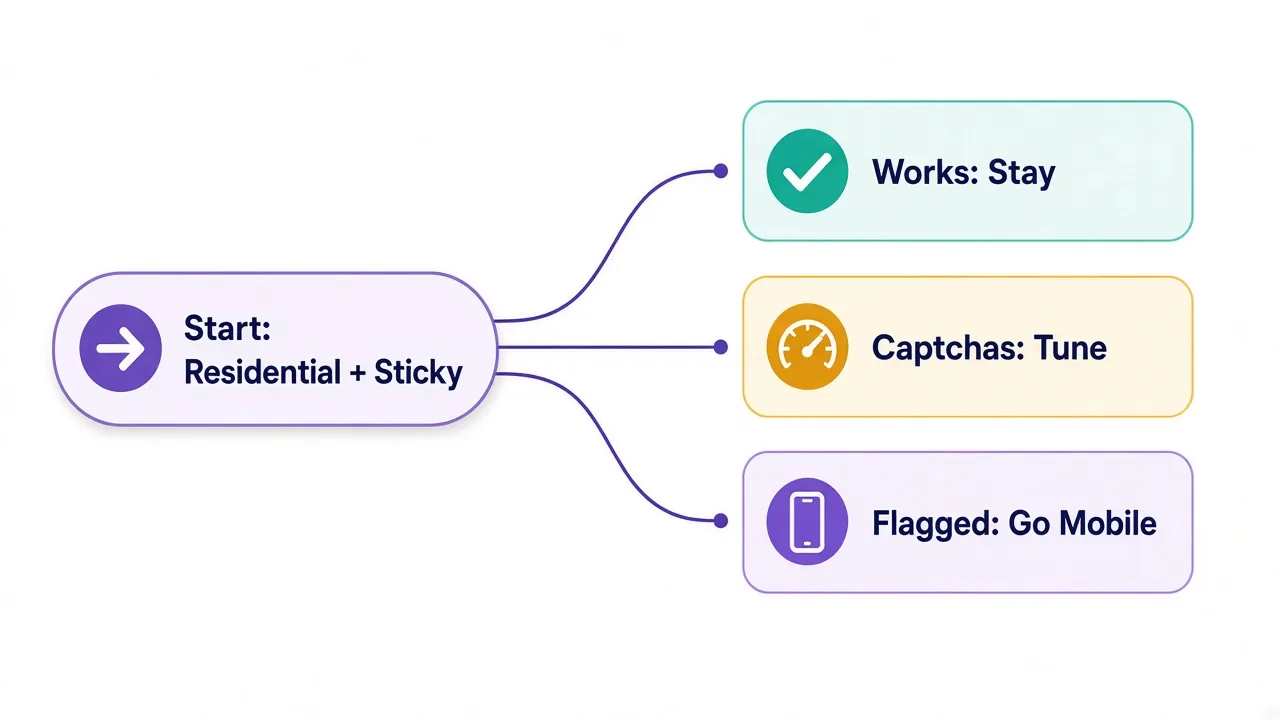
Then look at what happened:
- Pages load and accounts stay healthy? Stay on residential.
- Captchas, but accounts survive? Tune your pacing and fingerprint first.
- Fresh accounts flagged within a day? Try mobile with sticky sessions.
This order matters because it protects your budget. You only pay the mobile premium after a platform proves you need it.
What about ISP proxies? They sit in between: a static IP registered to a home provider, hosted in a data center. They're worth a look if you need one fixed address per account for months.
Pro tip
Keep a simple log during the test: date, account, proxy type and what happened. A week of notes beats any spec sheet.
What about the cheapest option of all?
You might be wondering if datacenter proxies could replace both.
Sometimes, yes. If your target barely fights back, a datacenter IP at a fraction of the price does the job. Lots of public data sites fall into that bucket.
But datacenter IP ranges are registered to hosting companies, and that's easy for any site to look up. On social platforms or big retailers, they tend to fail first.
So think of it as a ladder. Datacenter at the bottom, residential in the middle, mobile at the top. Climb only as high as your target makes you.
How do you know your mobile proxy is really mobile?
You're paying double, so it's fair to check you're getting a carrier IP.
The label on a plan is the provider's word, not proof. A quick look tells you what network your traffic actually leaves from.
The check takes two minutes. Connect through the proxy, open any IP lookup site, and read the ISP or ASN line.
- A mobile carrier's name means you're on a real cellular IP.
- A cable or fiber company means it's residential.
- A hosting or cloud company means it's a datacenter IP.
Do this a few times across rotations, not just once. One good result can hide a mixed pool.
Then check the location. Does the city and country match what you asked for? Mobile geo data can be fuzzy, since carriers route traffic through regional gateways rather than your street.
If the ASN keeps coming back wrong, ask the provider before you scale up. A good one will explain its sourcing. A vague answer tells you something too.
So, which one should you actually buy?
Pick residential unless a platform makes you prove you're a phone.
For scraping, monitoring and geo checks, residential gives you a bigger pool at roughly half the cost. For new accounts on app-first platforms, sticky mobile IPs give you the most room before anyone gets suspicious.
Either way, the session type and your fingerprint matter as much as the IP.
Ready to compare? See the best mobile proxy providers we've reviewed, or browse mobile proxies by use case.
Start small, then scale what works.
Frequently asked questions
Residential proxies use IPs from home broadband connections, while mobile proxies use IPs from 4G or 5G cellular carriers. Mobile IPs are often shared by many phones at once, which makes platforms slower to block them.
Not for most jobs. Residential proxies cost less and have bigger pools, so they win for scraping and monitoring. Mobile proxies win for new accounts on app-first social platforms.
Mobile proxies cost more because carrier IPs are scarcer and harder to source than home IPs. In our directory, the median mobile starting price is $5.50 per GB versus $2.50 for residential, as of October 2026.
Carriers put many subscribers behind one public IP using carrier-grade NAT, so banning that IP can lock out real customers. Platforms usually lean on other signals, like your fingerprint and behavior, instead.
Use sticky sessions when you log into accounts, and rotating sessions for crawling public pages. An account whose IP changes on every request looks suspicious on any network, mobile included.