













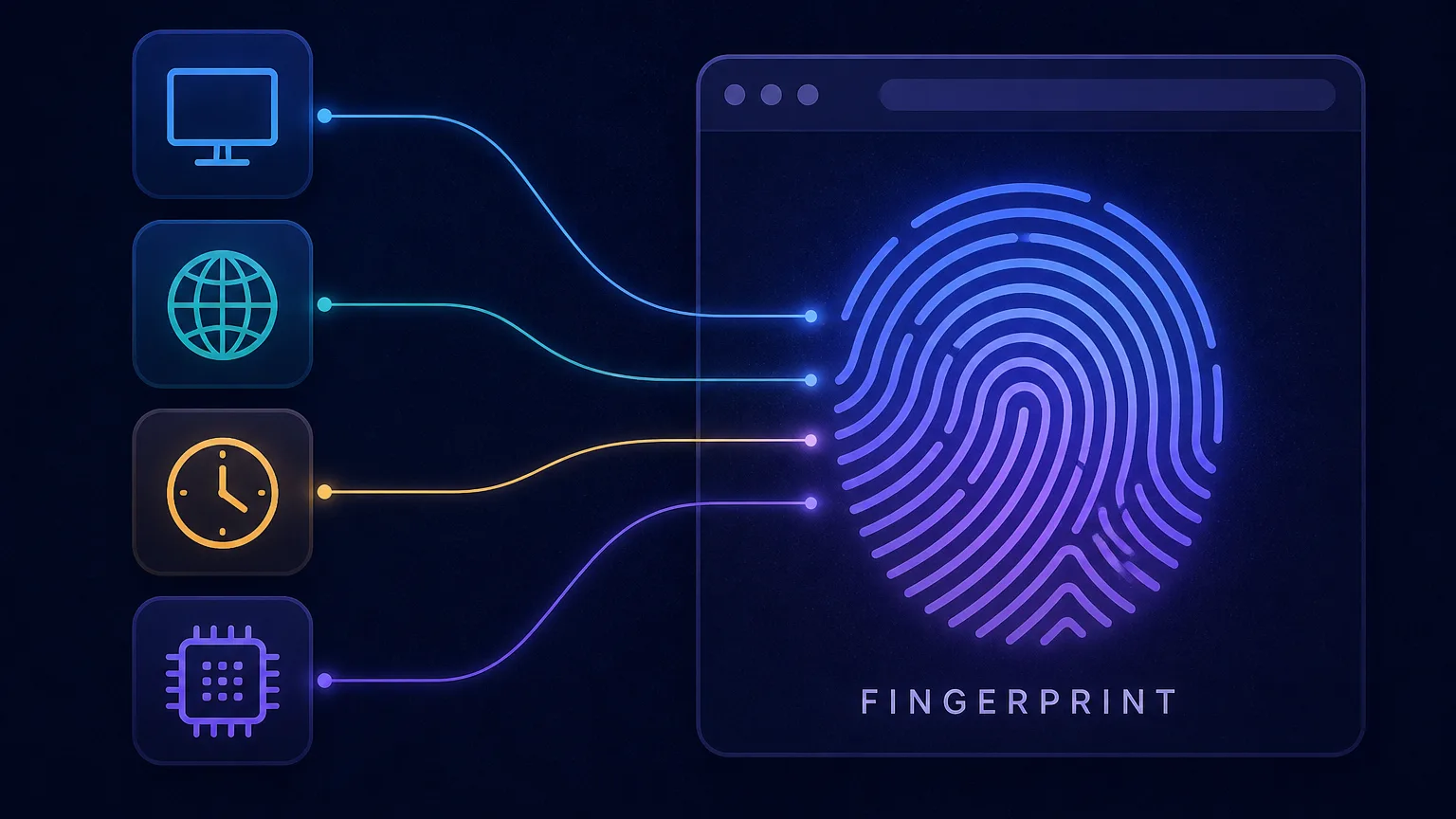
You can clear your cookies, browse in incognito mode, and even switch on a VPN — and a website can still recognize you on your next visit. The technique that makes this possible is browser fingerprinting: a way of identifying your device by the unique combination of settings and features your browser reveals, no cookies required. This guide explains exactly how browser fingerprinting works, what signals it uses, why it's so hard to escape, and what you can do to reduce it.
What is browser fingerprinting?
Browser fingerprinting is a technique that identifies and tracks a device based on the distinctive characteristics its browser exposes. On its own, no single attribute — your screen size, your time zone, your list of fonts — is unique. But combine dozens of them and the result is often unique enough to pick you out of millions of other users, like a real fingerprint.
The crucial difference from traditional tracking is that fingerprinting is stateless. Cookies store a file on your device that you can delete; a fingerprint stores nothing on your side. It's computed fresh each visit from the properties your browser already broadcasts, which is why clearing cookies or going incognito doesn't stop it. You can see your own fingerprint right now with our free browser fingerprint tool.
How does browser fingerprinting work?
The mechanism is surprisingly simple. When you load a page, a small piece of JavaScript runs in your browser and quietly queries dozens of properties — the ones the browser makes available to any website. It then combines those values and runs them through a hashing function to produce a single compact identifier: your fingerprint.
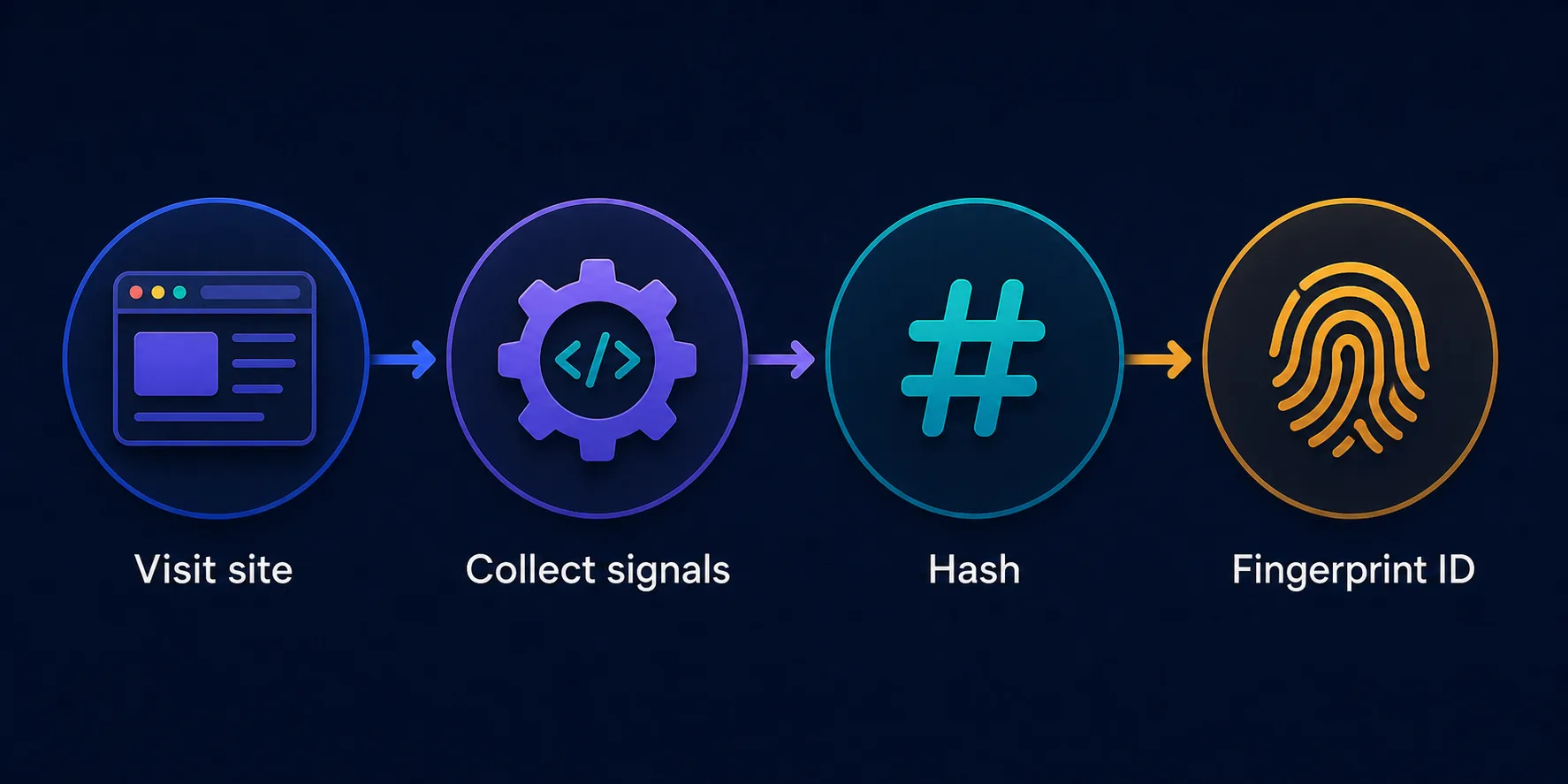
That identifier is remarkably stable: the same device usually produces the same fingerprint each time, so a site can store the hash and recognize you whenever you return — even across different sessions and without any cookie. Ad networks and analytics companies do exactly this across many sites, building a profile of your activity tied to a fingerprint you never set and can't easily delete.
What data makes up a fingerprint?
A fingerprint is built from many small signals, each adding a little uniqueness. The main ones your browser exposes include:
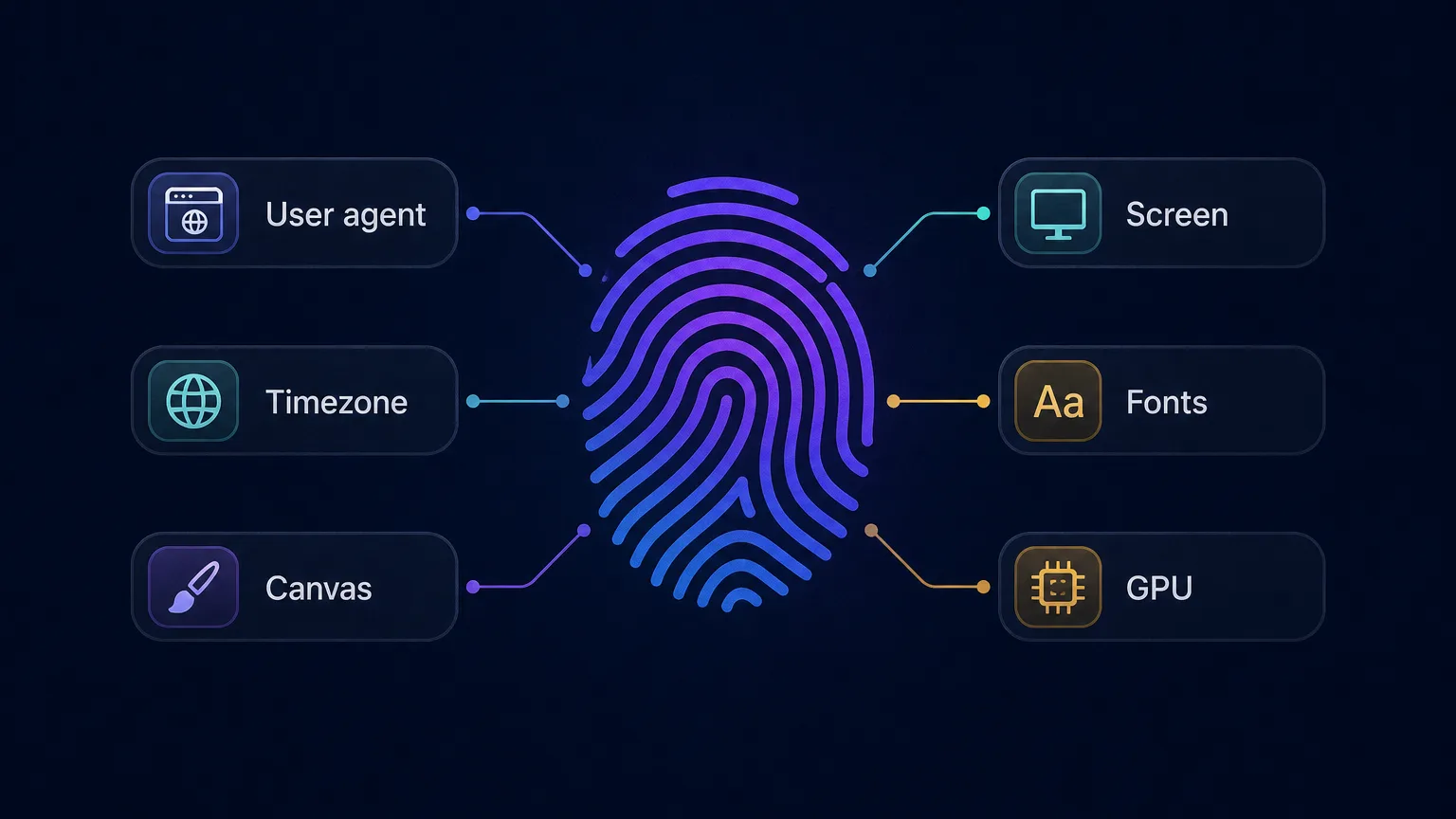
- User agent — your browser name, version, and operating system.
- Screen & window — resolution, color depth, and available screen size.
- Time zone & language — where your device thinks it is and its language settings.
- Installed fonts — the specific set of fonts on your system, which varies widely.
- Hardware hints — CPU core count, device memory, and touch support.
- Canvas & WebGL — how your device renders hidden graphics, the single most powerful signal.
- Audio, plugins & more — audio-processing quirks, browser extensions, and other quiet tells.
Canvas and WebGL: the most powerful signals
The strongest fingerprinting techniques abuse your device's graphics. In canvas fingerprinting, a site asks your browser to draw hidden text and shapes onto an invisible canvas, then reads back the pixels and hashes them. Because tiny differences in your GPU, graphics drivers, operating system, and even anti-aliasing settings change how those pixels render, the result is a highly stable, highly identifying value — produced with no permission prompt and completely invisibly.
WebGL fingerprinting works similarly but taps your graphics card directly, rendering 3D scenes and reading the output plus details like your GPU's vendor and model. Together, canvas and WebGL often contribute more uniqueness than all the other signals combined, which is why they're the backbone of modern fingerprinting.
Active vs passive fingerprinting
Fingerprinting comes in two flavors. Passive fingerprinting reads information that's sent automatically with every request — chiefly your IP address and HTTP headers like the user agent — without running any code. It's limited but invisible.
Active fingerprinting is what makes the technique so powerful: it runs JavaScript in your browser to probe far deeper, querying canvas, WebGL, audio, fonts, and hardware details that headers never reveal. Almost every commercial fingerprinting system is active, because the extra signals dramatically increase how uniquely it can identify you.
Why is fingerprinting so effective?
The power of fingerprinting comes from entropy — a measure of how much identifying information each signal adds. Any one attribute is shared by many people: plenty of users have a 1920×1080 screen or run the latest version of a popular browser. But each additional signal multiplies the possibilities, and it doesn't take many before your specific combination is unique.
The math is stark. If each of ten independent attributes only narrows you down to one in three people, ten of them combined narrow you to roughly one in sixty thousand — and real fingerprints draw on far more than ten signals. That's why a handful of ordinary-looking values, none identifying on their own, can add up to a device that's effectively one of a kind. Fingerprinting exploits the fact that identifying power grows multiplicatively, not additively, as signals stack.
The uniqueness problem
Studies have found that a large majority of browsers produce a fingerprint unique enough to single out that device. Ironically, unusual privacy setups can make you more identifiable, because a rare configuration stands out more than a common one.
A real-world example
Picture visiting a news site that carries ads from a large ad network. As the page loads, the network's script quietly computes your fingerprint and stores it. A day later you visit a completely different site — a shopping blog — that runs ads from the same network. The script computes your fingerprint again, gets the same value, and instantly knows it's you, even though you never logged in, accepted a cookie, or gave any information.
Repeat that across the thousands of sites carrying the network's code, and it assembles a detailed picture of your interests, habits, and location over time — all tied to an identifier you never chose and can't delete. This cross-site recognition, invisible and cookie-free, is exactly why fingerprinting is so valuable to advertisers and so concerning for privacy. The same trick that lets a bank flag a suspicious login also lets a tracker follow you around the web.
What is browser fingerprinting used for?
Fingerprinting isn't inherently malicious — it has legitimate and abusive uses alike:
- Advertising & tracking — the most controversial use: building cross-site profiles of users for targeted ads without consent.
- Fraud prevention — banks and payment processors use it to spot suspicious logins and block account takeovers.
- Bot detection — sites use fingerprints to tell real users from automated traffic and scrapers.
- Anti-abuse & multi-account limits — platforms use it to catch users who create many accounts or evade bans, which is why antidetect browsers exist to spoof it.
Fingerprinting vs cookies: why it's harder to escape
The reason fingerprinting matters so much is that it defeats the defenses people rely on. Cookies are stored on your device, so you can view, block, and delete them, and browsers increasingly restrict them. A fingerprint is derived from your device's properties, so there's nothing to delete — the tracking identity is recreated every time you load a page.
| Aspect | Cookies | Fingerprinting |
|---|---|---|
| Where it lives | Stored on your device | Computed from your device |
| Can you delete it? | Yes | No — nothing to delete |
| Survives incognito? | No | Yes |
| Needs consent? | Often (by law) | Frequently done silently |
| User visibility | Visible in settings | Invisible |
Is browser fingerprinting legal?
Fingerprinting sits in a legal grey area that's tightening. In the EU and UK, privacy laws like the GDPR and ePrivacy rules generally treat fingerprinting the same as cookies: if it's used to identify or track a user, it typically requires informed consent, and regulators have said so explicitly. In practice, though, much fingerprinting still happens silently because it's harder for users and regulators to detect than a cookie banner.
Legitimate uses are treated differently
Using a fingerprint strictly for security — fraud prevention or bot detection — is often viewed more favorably than using it for cross-site advertising, which faces the most scrutiny. The rules vary by region, so the same technique can be compliant in one context and a violation in another.
How to check your own fingerprint
The best way to understand fingerprinting is to see your own. Our free browser fingerprint tool reads the same signals a tracking script would — user agent, screen, time zone, languages, hardware, and your canvas and WebGL hashes — and shows them back to you, along with a composite identifier. Running it in a normal window and then an incognito one is a quick way to prove the point: the fingerprint often barely changes, because incognito mode hides history and cookies but not your device's characteristics.
Does fingerprinting work on phones?
Yes — and mobile devices are fingerprinted just as readily as desktops, sometimes more easily. Phones expose many of the same signals through the browser: screen size, time zone, language, hardware hints, and canvas and WebGL rendering that varies by chipset and OS version. Sensor and touch characteristics can add further entropy that desktops don't have.
There's a twist, though. Because so many people own the same popular phone models running the same OS version, a given handset can be less unique than a heavily customized desktop — many identical iPhones look alike to a fingerprinter. That cuts both ways: it offers a little natural cover, but combined with your IP and behavior, mobile fingerprints are still more than enough to track and recognize a device across sites and apps.
How to reduce browser fingerprinting
You can't become completely invisible, but you can meaningfully lower your uniqueness. A few approaches, from easiest to most thorough:
- Use a mainstream browser at default settings. Blending in with the crowd beats a heavily customized setup that stands out. Counterintuitively, fewer tweaks can mean better anonymity.
- Choose a privacy-focused browser. Browsers like Tor Browser and Brave actively resist fingerprinting — Tor makes many users look identical, and Brave randomizes certain signals.
- Limit extensions. Each unusual extension you install can add identifying signals, so keep the list lean.
- Disable or spoof high-entropy features like canvas and WebGL where your browser allows it, though this can break some sites.
- Use an antidetect browser for multi-account work. These tools generate a distinct, consistent fingerprint per profile so each account looks like a different real device — see our guide to the best antidetect browsers.
A VPN alone isn't enough
A VPN changes your IP address, which is one passive signal — but it does nothing about your canvas, WebGL, fonts, or user agent. Two accounts behind the same VPN still share one fingerprint and can be linked. To truly separate identities you need to change the fingerprint itself, which is what an antidetect browser does.
Common misconceptions
- "Incognito mode stops fingerprinting." No — incognito hides local history and cookies but presents the exact same device signals, so your fingerprint barely changes.
- "A VPN makes me anonymous." A VPN only changes your IP, one small signal. Your canvas, WebGL, fonts, and user agent are untouched, so you can still be fingerprinted and tracked.
- "Blocking cookies is enough." Fingerprinting was designed precisely to work without cookies, so cookie blockers do nothing to stop it.
- "More privacy tweaks always help." Not necessarily — an unusual browser configuration can make you rarer and therefore easier to single out. Blending in often beats standing out.
The bottom line
Browser fingerprinting identifies you not by something stored on your device but by the unique combination of features your browser reveals — screen, time zone, fonts, hardware, and above all how your GPU renders canvas and WebGL graphics. A script collects these signals, hashes them into a stable identifier, and recognizes you on return visits without a single cookie, which is exactly why clearing cookies or going incognito doesn't stop it. It powers everything from fraud prevention to invisible ad tracking. You can reduce your exposure by blending in with a mainstream or privacy-focused browser and trimming extensions, and for serious multi-account work, an antidetect browser changes the fingerprint itself. Start by seeing where you stand with our browser fingerprint tool.
Frequently asked questions
Yes. Fingerprinting is stateless — it stores nothing on your device and is recomputed from the properties your browser already exposes each visit. That's why clearing cookies, using incognito mode, or blocking cookies does not stop it.
No. A VPN only changes your IP address, which is just one weak signal. Your canvas, WebGL, fonts, screen, timezone, and user agent are unchanged, so a site can still fingerprint and recognize your device behind the VPN.
Not meaningfully. Private mode hides your local history and cookies, but it presents the same device and browser signals, so your fingerprint stays almost identical and you remain identifiable.
Use a fingerprinting test tool that shows the signals your browser exposes and how unique the combination is. DriftProxy's free browser fingerprint tool at /tools/my-fingerprint reveals your user agent, screen, timezone, fonts, canvas, and more.
Not entirely, but you can reduce your uniqueness. Anti-detect and hardened privacy browsers spoof or randomize high-entropy signals like canvas and WebGL, and blending in with common configurations helps more than a rare, unusual setup that stands out.
It depends on the region and purpose. In the EU and UK, using fingerprinting to identify or track users generally requires consent under GDPR and ePrivacy rules, while using it strictly for fraud prevention or security is viewed more favorably than cross-site advertising.