










If you manage more than one account on any major platform — social media pages, e-commerce stores, ad accounts, affiliate campaigns — an ordinary browser will eventually get them linked and banned. Websites fingerprint your device so thoroughly that clearing cookies or using incognito mode isn't nearly enough to look like a different person. The professional answer is an antidetect browser: a tool that gives every account its own isolated identity with a unique, believable fingerprint. This guide explains how they work, what to look for, and ranks the five we rate highest for 2026.
What is an antidetect browser?
An antidetect browser is a specialized browser that creates multiple isolated profiles, each with its own distinct digital fingerprint. Where a normal browser presents one identity to every site you visit, an antidetect browser lets Profile A look like a Windows laptop in Chicago and Profile B look like a Mac in Berlin — with separate cookies, storage, and browsing history that never touch. To the websites you visit, each profile appears to be a completely different person on a completely different device.
That isolation is what makes safe multi-account management possible. Instead of juggling logins in one browser and hoping the platform doesn't connect them, you run each account in its own sealed environment. It's the same technology whether you're a solo affiliate running a few campaigns or an agency operating hundreds of client accounts.
How antidetect browsers work
Every browser leaks dozens of data points that together form a fingerprint: user agent, screen resolution, time zone, language, installed fonts, and — most powerfully — how your device renders graphics via the canvas and WebGL APIs. Tracking scripts combine these into an identifier that's often unique enough to recognize you across sessions, even in incognito mode and even after you clear cookies. You can see your own fingerprint with our browser fingerprint tool.
An antidetect browser tackles this in two ways. First, it spoofs the fingerprint for each profile, presenting a different but internally consistent set of values so no single profile stands out as fake. Second, it fully isolates each profile's cookies, cache, local storage, and sessions, so nothing carries over between accounts. Combine that with a separate IP address per profile (from a proxy) and each account becomes a genuinely independent identity that platforms can't cluster together.
Antidetect browser vs incognito mode and VPN
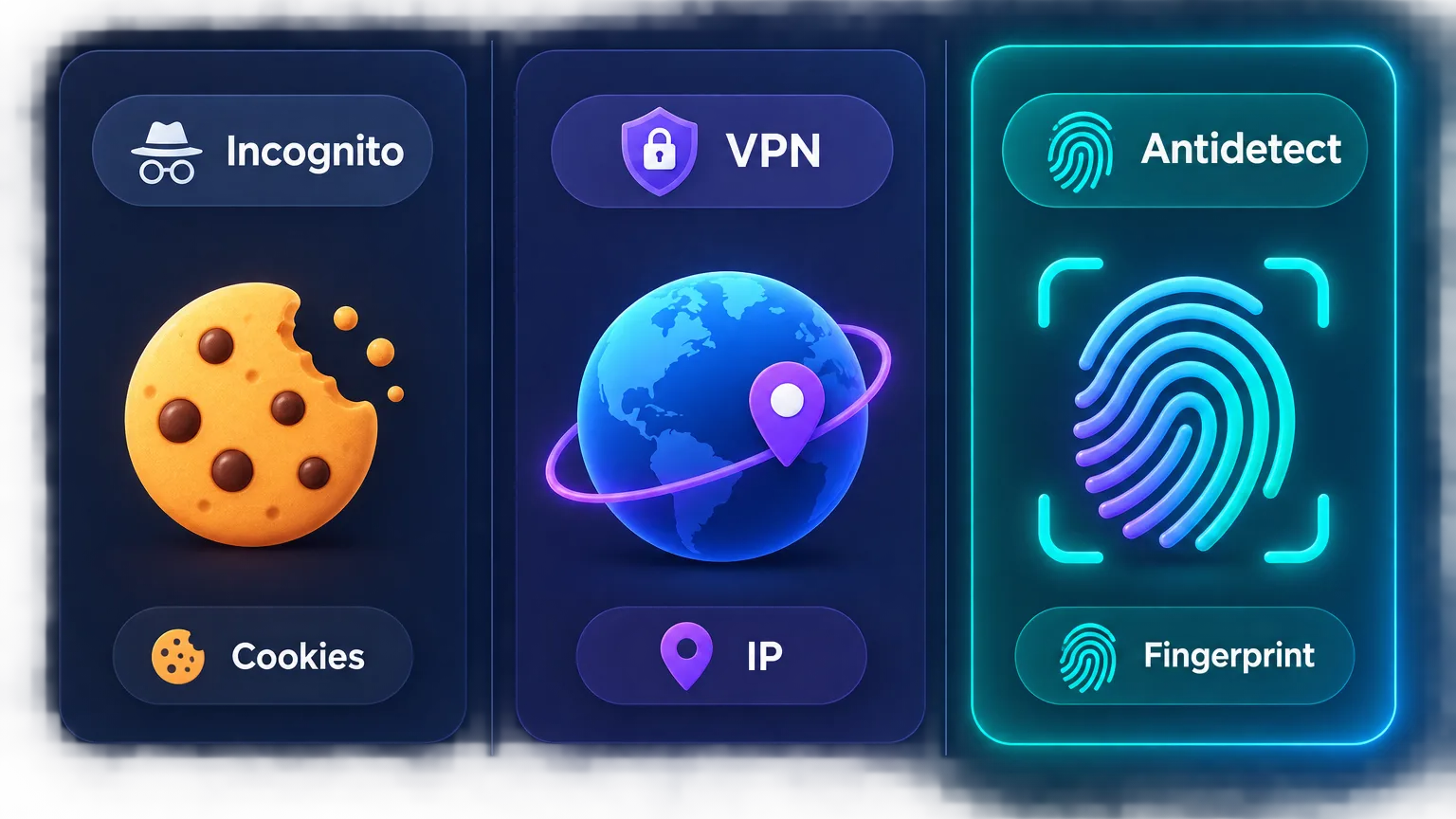
People often assume incognito mode or a VPN already does this job. They don't, and understanding why clarifies what an antidetect browser is for:
- Incognito mode only stops your browser from saving history and cookies locally. It presents the exact same fingerprint to websites, so it does nothing to separate identities — every incognito window still looks like you.
- A VPN changes your IP address and encrypts traffic, which is valuable, but it leaves your device fingerprint completely untouched. Two accounts behind the same VPN still share one fingerprint and get linked.
- Multiple regular browsers (Chrome, Firefox, Edge) give you only a handful of slightly different fingerprints, all tied to one machine — nowhere near enough for real multi-account work.
An antidetect browser is the only tool that changes the fingerprint itself per profile, which is the signal platforms lean on hardest. Paired with a proxy for the IP, it covers what the others miss.
Who uses antidetect browsers?
Antidetect browsers are everyday infrastructure for anyone running many accounts or identities:
- Social media managers handling multiple brand or client accounts on Instagram, TikTok, and Facebook — see our guide to managing multiple TikTok accounts safely.
- Affiliate marketers and media buyers running campaigns across many ad accounts and networks.
- E-commerce and dropshipping sellers operating several storefronts or marketplace accounts.
- Web scrapers and data teams that need many isolated browser sessions.
- Agencies managing large portfolios of accounts on behalf of clients, with team access.
What to look for in an antidetect browser
The category has real quality differences. When we evaluate antidetect browsers, five things matter most:
- Fingerprint quality. The whole point. The best browsers generate fingerprints that are consistent and indistinguishable from real devices — not obviously spoofed values that trip detection.
- Profile management. Creating, organizing, and switching between dozens or hundreds of profiles should be fast, with folders, tags, and bulk actions.
- Team features. Agencies need to share profiles with staff without handing over passwords or breaking isolation, plus roles and permissions.
- Automation. An API or built-in automation (RPA) lets you script repetitive tasks across profiles — essential at scale.
- Proxy integration & pricing. Smooth per-profile proxy setup, broad OS support, and a pricing model that matches how many profiles you actually run.
The best antidetect browsers in 2026
These five lead the category, each with a clear sweet spot. Pricing and free-tier limits change often, so confirm current details with each provider. All five come from our independent, hands-on antidetect browser reviews.
1. Multilogin — best overall for serious operators
Multilogin is the original antidetect browser and still the benchmark for fingerprint quality. Its two engines (Mimic for Chromium, Stealthfox for Firefox) produce some of the most convincing, hardest-to-detect profiles in the category, backed by mature team features, automation, and cloud storage. It's the premium choice — priced accordingly — but for agencies and professionals whose accounts are too valuable to risk on weaker spoofing, it's the safest bet.

The original enterprise antidetect browser.
2. AdsPower — best for scale and automation
AdsPower has become the go-to for operators managing profiles at volume. It combines strong fingerprint isolation with excellent bulk profile management, a powerful automation (RPA) toolkit, robust team features, and a genuinely useful free tier. That blend of scale, automation, and approachable pricing makes it a favorite for social-media agencies and e-commerce sellers running many accounts at once.

Profiles at scale with strong automation.
3. GoLogin — best value with cloud profiles
GoLogin delivers solid fingerprint management at a friendly price, with cloud-based profiles you can access from anywhere and share across a team. Native apps for Windows, macOS, Linux, and even Android make it flexible for distributed teams, and its balance of capability and cost makes it a strong pick for freelancers and small agencies who want reliable isolation without a premium bill.

Affordable antidetect with cloud profiles.
4. Dolphin Anty — best for affiliates and media buyers
Dolphin Anty is built with the affiliate and media-buying crowd in mind, with features tuned to running ad accounts — bulk profile creation, automation, and cookie management — plus a generous free plan that lets you get started at no cost. If your work centers on paid campaigns across many ad accounts, its workflow fits that job better than most general-purpose tools.

5. Incogniton — best for beginners
Incogniton keeps things simple and reliable, making it an easy on-ramp for people new to antidetect browsing. It covers the essentials — solid fingerprint isolation, straightforward profile management, basic automation, and a free tier with a handful of profiles — in an interface that doesn't overwhelm. For solo operators managing a modest number of accounts, it's an approachable, dependable starting point.

Simple, reliable multi-account browsing.
| Browser | Best for | Free tier | Standout strength |
|---|---|---|---|
| Multilogin | Serious operators & agencies | No | Best-in-class fingerprint quality |
| AdsPower | Scale & automation | Yes | Bulk profiles + RPA automation |
| GoLogin | Value & cloud access | Trial | Cloud profiles, cross-platform |
| Dolphin Anty | Affiliates & media buyers | Yes | Ad-account-focused workflow |
| Incogniton | Beginners | Yes | Simple, approachable interface |
How to choose the right one for you
Match the browser to your situation rather than chasing a single "best":
- Agency or high-value accounts? Multilogin — the strongest fingerprinting and team tooling.
- Running many accounts with automation? AdsPower — scale plus a powerful RPA toolkit.
- Want capability on a budget? GoLogin — cloud profiles and cross-platform apps at a fair price.
- Focused on affiliate and ad campaigns? Dolphin Anty — a workflow built for media buyers.
- Just getting started? Incogniton — the gentlest learning curve with a free tier.
What do antidetect browsers cost?
Pricing almost always scales with how many profiles you run, so your account count drives the bill more than the brand. Most providers offer a free tier or trial covering a handful of profiles — enough to learn the tool or run a few accounts — then paid plans that unlock dozens, hundreds, or unlimited profiles along with team seats and automation. Budget tools like GoLogin, Dolphin Anty, and Incogniton start low and suit solo operators, while AdsPower scales affordably into the hundreds and Multilogin sits at the premium end for agencies that need the best fingerprinting. Start on a free tier, confirm the fingerprint quality holds up on your target platforms, then size the plan to your real profile count.
Antidetect browser + proxies: you need both
An antidetect browser hides your fingerprint, but every profile still needs its own IP address — otherwise all your "separate" identities exit through one connection and get linked instantly. The two tools are complementary halves of one setup: the browser isolates the fingerprint, the proxy isolates the IP.
Pair each profile with a clean proxy
Give every profile its own dedicated, sticky proxy in a consistent location. Residential or mobile IPs work best for defended platforms; see our proxy directory and the guide to the best proxies for social media automation for picks that pair well with these browsers.
How to set up an antidetect browser
The workflow is the same across all five tools:
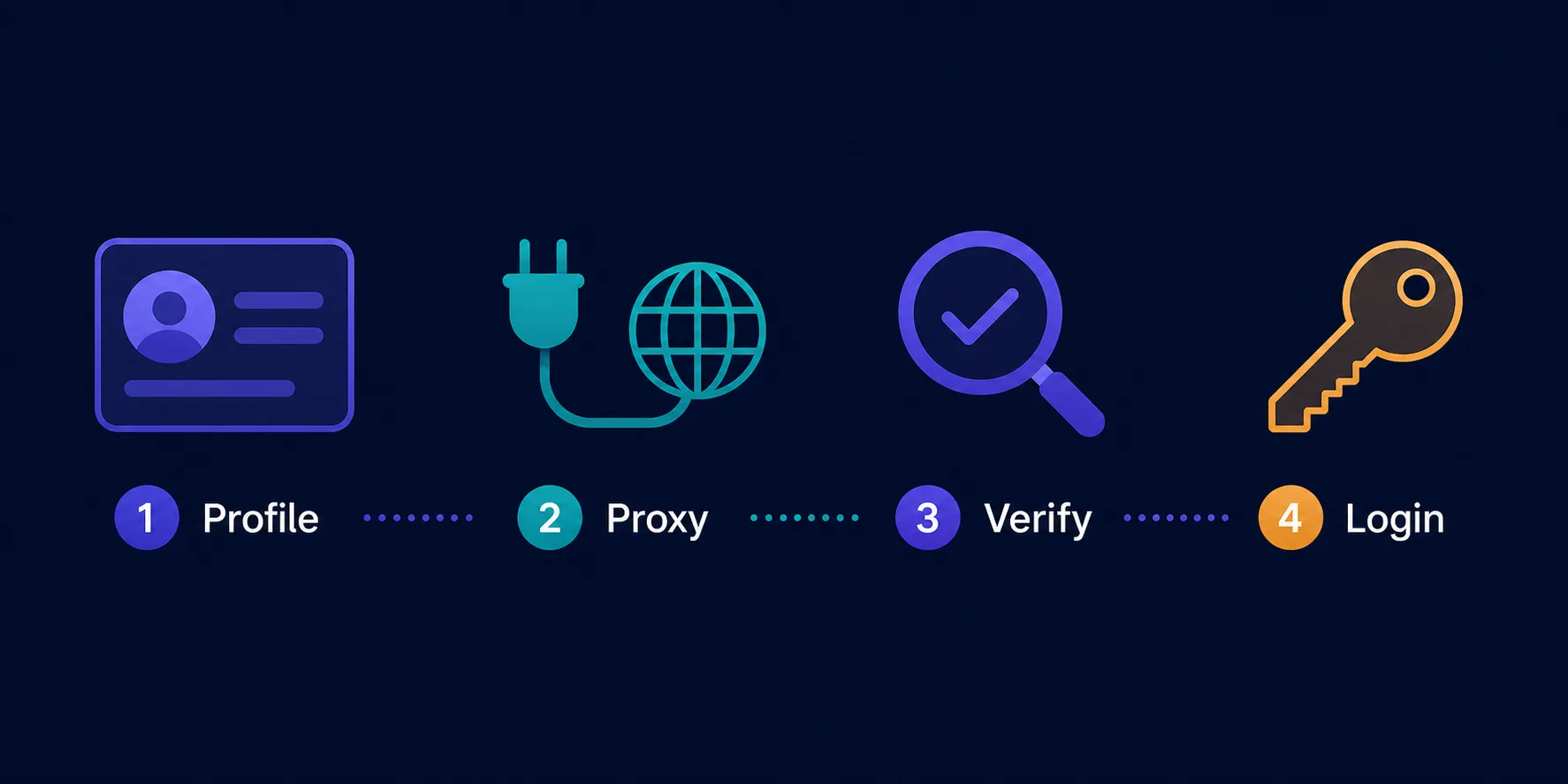
- Create a new profile and let the browser generate a realistic, unique fingerprint for it.
- Assign a dedicated proxy to that profile — one clean IP in the location you want the identity to live, on a sticky session.
- Verify before logging in. Open the profile and confirm the exit IP with an IP lookup, and check the fingerprint looks ordinary with the fingerprint tool — nothing should point back to your real setup.
- Log in to the account inside that isolated profile, and only ever access it from there.
- Record the pairing (account ↔ profile ↔ proxy ↔ location) so you never cross identities later.
Repeat for each account. The discipline of never reusing a profile or IP is what keeps the whole operation safe.
Common mistakes to avoid
Even with the right browser, a few errors undo all the protection:
- Skipping the proxy. A perfect fingerprint means nothing if every profile shares your home IP. One dedicated proxy per profile is non-negotiable.
- Cross-logging accounts. Opening one account inside another profile "just once" can link them permanently. Keep a strict one-account-per-profile rule.
- Reusing IPs across profiles. Assigning the same proxy to several profiles rebuilds the very link you're trying to break. Each profile needs its own address.
- Choosing on price alone. A cheap tool with weak, easily-detected fingerprints is worse than no tool, because it gives false confidence. Judge on fingerprint quality first.
- Inconsistent identities. Switching a profile's location or fingerprint between sessions looks like a compromised account. Set each identity once and keep it stable.
Are antidetect browsers legal?
Antidetect browsers are legal software, and they have plenty of legitimate uses — privacy protection, security research, ad verification, web testing, and managing your own business accounts across platforms. The technology itself isn't the issue.
Use them responsibly
What matters is how you use them. Managing your own legitimate accounts is fine, but many platforms restrict multiple accounts in their terms of service, and using these tools for fraud, spam, or ban evasion for prohibited activity crosses the line. Stay within each platform's rules and applicable law.
The bottom line
An antidetect browser is the foundation of safe multi-account management: it gives every account a unique, believable fingerprint and a sealed environment so platforms can't link them. Multilogin is our top overall pick for its unmatched fingerprint quality, AdsPower wins for scale and automation, GoLogin is the value champion, Dolphin Anty suits affiliates and media buyers, and Incogniton is the friendliest starting point. Whichever you choose, pair each profile with a clean, dedicated proxy, keep every identity consistent, and you can run a whole portfolio of accounts without the bans that catch out operators using ordinary browsers. Compare them in depth in our independent antidetect browser reviews.
Frequently asked questions
An antidetect browser is a specialized browser that creates multiple isolated profiles, each with its own unique device fingerprint and separate cookies, storage, and sessions. Every profile looks like a different person on a different device, which lets you manage many accounts without platforms linking them together.
Yes, antidetect browsers are legal software with many legitimate uses — privacy, security research, ad verification, testing, and managing your own business accounts. What matters is how you use them: managing legitimate accounts is fine, but fraud, spam, or ban evasion for prohibited activity violates platform terms and possibly the law.
Yes. The browser hides your device fingerprint, but every profile still exits through an IP address. Without a separate proxy per profile, all your accounts share one IP and get linked instantly. The browser isolates the fingerprint and the proxy isolates the IP — you need both.
For multi-account work, yes. Incognito only clears local history and keeps the same fingerprint, and a VPN only changes your IP while leaving the fingerprint untouched. An antidetect browser is the only tool that changes the fingerprint itself per profile, which is the strongest signal platforms use to link accounts.
Multilogin is our top overall pick for its best-in-class fingerprint quality, ideal for agencies and high-value accounts. AdsPower wins for scale and automation, GoLogin is the best value, Dolphin Anty suits affiliates and media buyers, and Incogniton is the friendliest for beginners.
Several offer free tiers or trials. AdsPower, Dolphin Anty, and Incogniton include free plans covering a small number of profiles, and GoLogin offers a trial. They're great for learning the tool or running a few accounts; paid plans unlock more profiles, team seats, and automation.