













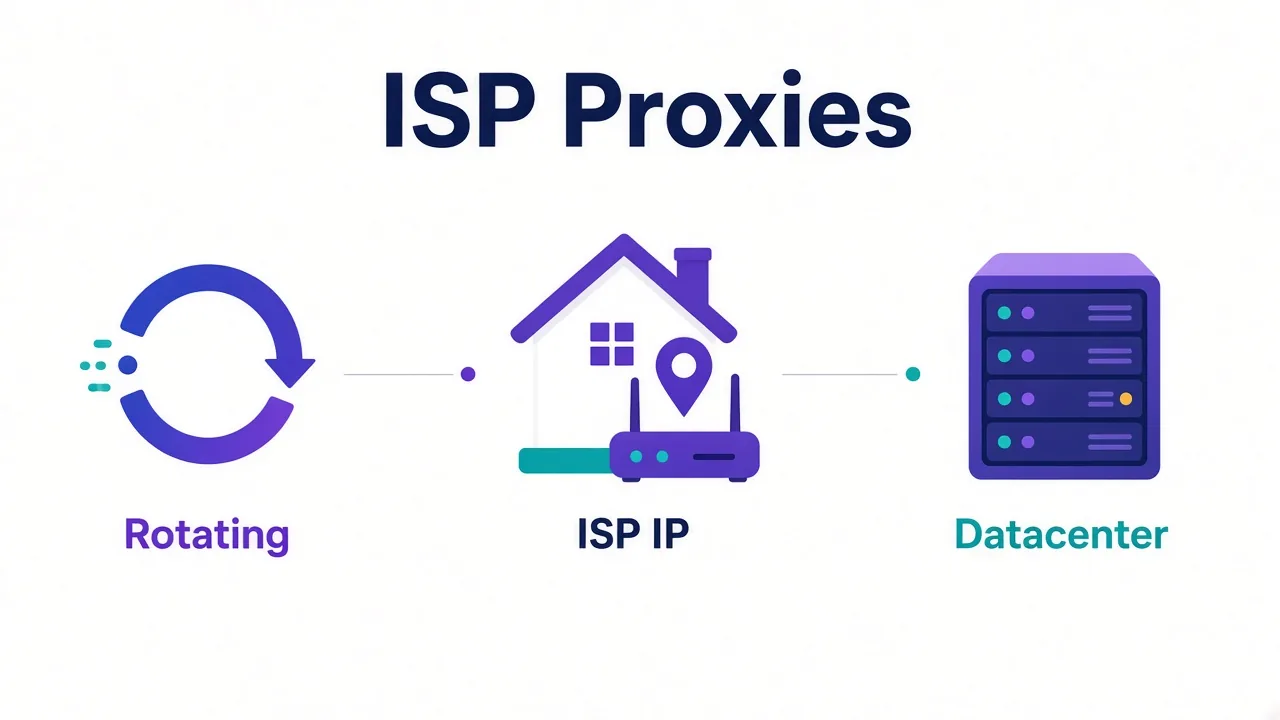
An ISP proxy is a dedicated IP from a real internet provider. The provider leases it to you as a static residential connection.
Websites see a home-looking network. You get the same IP for weeks or months, not a fresh one every few requests.
Sound like rotating residential with better manners? Close.
The interesting part is why that mix costs more, who it helps, and the misuse that burns the whole subnet.
We'll start with what the label really means.
What is an ISP proxy, in plain English?
An ISP proxy sits between your tools and the open web.
Your traffic leaves from an IP registered to a consumer or business internet provider. Think Comcast, Verizon, or BT, not a cloud host.
That part matches residential. The twist is ownership.
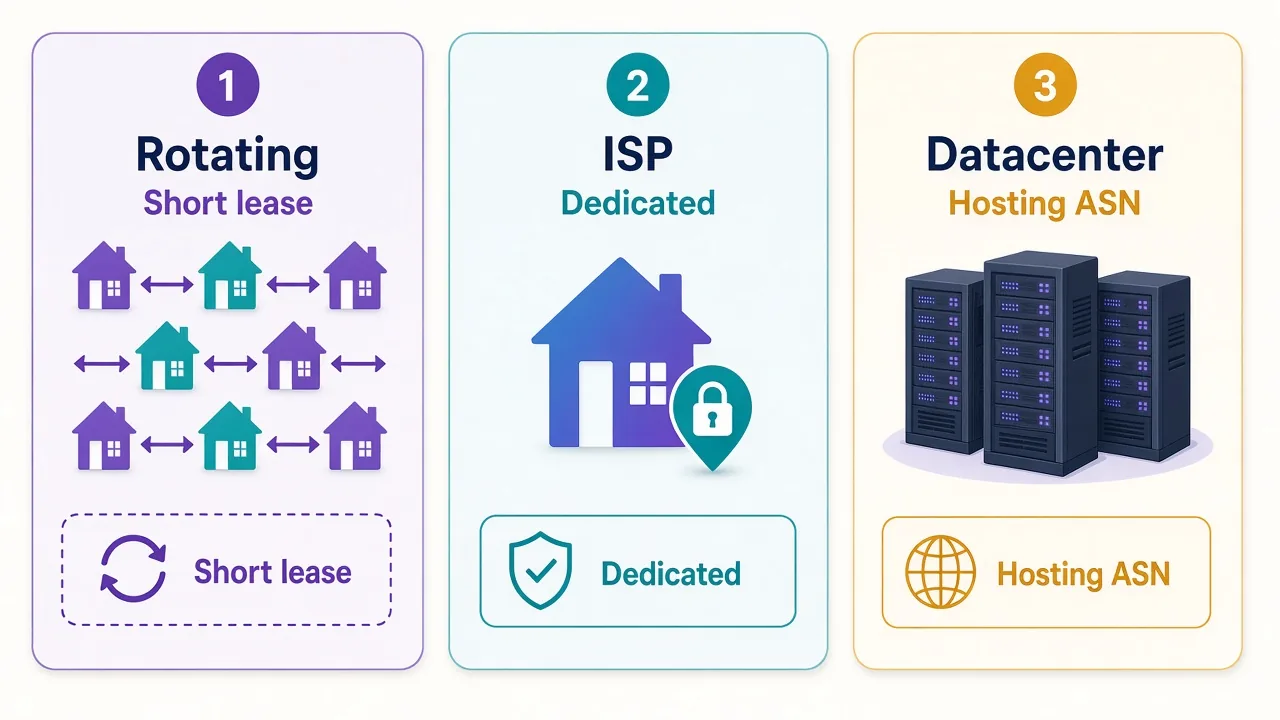
With rotating residential, you borrow an IP for a short sticky window, then the pool hands you another. With an ISP proxy, you usually rent a specific IP for a billing period. It stays yours until you cancel or the provider reclaims it.
Why does that matter? Long sessions hate surprise IP changes. Logins, carts, and account dashboards treat a mid-session change as a red flag.
So the plain definition is: a static IP on a residential ISP network, sold for dedicated use. Marketing also calls it static residential. Same idea, louder packaging.
Why do people also call them static residential?
Vendors hate leaving money on the table. "Residential" sells trust. "Static" sells stability. Smash them together and you get "static residential."
"ISP proxy" is the clearer label. It points at the network type: the IP belongs to an internet service provider's ASN, not a hosting ASN.
You'll also see "dedicated residential," "static ISP," and "residential static." Treat them as cousins unless the product page says otherwise.
Read the fine print. Some "static residential" plans are sticky sessions inside a rotating pool, same IP for 10 or 30 minutes, then a new one. That is not an ISP proxy in the usual sense.
A true ISP product lists IPs you can keep. They're often billed per IP per month, with a city or ASN you picked up front.
Quick check
If you can't name the IP you'll get tomorrow morning, you're on a pool, not a dedicated ISP lease.
Where do ISP IPs actually come from?
Providers don't magic IPs out of thin air. They acquire blocks from ISPs, partners, or hosting setups that still announce under residential-looking ASNs.
The clean mental model: the IP's WHOIS and ASN look like a normal subscriber network. Speed and routing often feel closer to a datacenter line because providers build the hardware for proxy traffic.
That hybrid is the whole product. You want the reputation of residential with the control of a dedicated host.
Is every ISP IP sitting in someone's living room? Usually no. Many ride leased circuits, business broadband, or partner networks that still register as ISP space. What the target site sees is the ASN and history, not your floor plan.
Ethical sourcing varies. Ask how the provider gets space, whether KYC applies, and what happens if an IP gets abused. A cheap IP with a foul reputation is worthless on day two.
Also ask whether the IP is exclusive. Shared "dedicated" products exist, and they defeat the point if three other buyers hammer the same address.
Replacement speed matters too. If a flagged IP sits in your account for a week with no swap, your workflow stalls while you wait on support.
Rotating residential vs ISP: what's the real difference?
Both can show a residential ASN. The session model is where they split.
| Trait | Rotating residential | ISP / static residential |
|---|---|---|
| IP lifespan | Seconds to hours | Days to months |
| Billing | Usually per GB | Usually per IP |
| Best for | Scraping, broad coverage | Logins, long sessions |
| Pool size | Huge shared pool | Scarce, limited stock |
| Burn risk | Spread across many IPs | Concentrated on your IP |
Rotating residential is a firehose. You spray requests across millions of exits. Great when each visit is short and anonymous enough.
ISP is a reserved parking spot. You keep showing up as the same neighbor. Great when the site expects continuity.
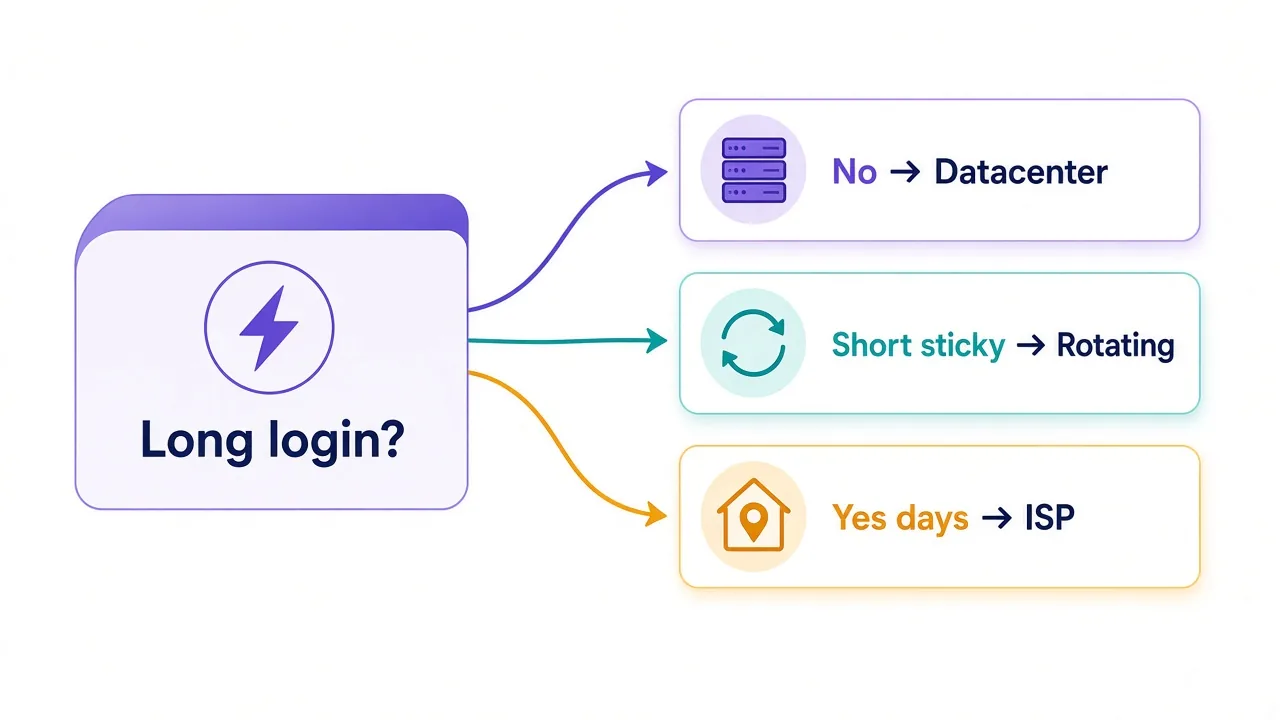
So which should you pick? Ask one question: does this job punish IP changes?
If yes (account warm-ups, multi-step checkouts, antidetect profiles that stay open for hours), lean ISP.
If no (price checks, SERP pulls, bulk page fetches), rotating residential is almost always cheaper and fine.
Our deeper split lives in residential vs datacenter. The rotation mechanics sit in sticky vs rotating.
Datacenter vs ISP: speed, price, and trust
Datacenter proxies come from cloud and hosting ranges. They're fast, cheap, and easy to look up. Many anti-bot systems keep lists of those ASNs.
ISP proxies aim for the opposite reputation signal while keeping dedicated speed. Latency is often excellent because providers build the path for proxy use, not because grandma's Wi-Fi got faster overnight.
Here's the loop we opened earlier: why do ISP IPs cost more than datacenter when the speed looks similar?
You're not paying for megabits. You're paying for scarce, cleaner ASN space and exclusive use of an address that still looks like a subscriber.
Datacenter wins on raw volume and price. ISP wins when the site soft-blocks hosting ASNs but still accepts residential ones. Neither wins if your browser fingerprint, cookies, or behavior scream automation.
Honest catch
An ISP IP won't fix a loud fingerprint. Pair it with a careful browser profile, or you'll burn a pricey address for nothing.
If you mainly need throughput against soft targets, start with datacenter providers. Save ISP budget for the sessions that actually need it.
Who are ISP proxies actually built for?
Not everyone. Here's who they fit.
- Account managers keeping social, ads, or marketplace logins alive for weeks
- Sneaker and commerce ops that need a stable exit through cart and checkout
- Antidetect browser users who bind one profile to one IP
- Long research sessions on sites that flag mid-session IP flips
- Teams that need city or ASN pinning without rotating away from it
Picture this: you run eight shop accounts in an antidetect browser.
Each profile has its own cookies, canvas, and timezone. If two profiles share one datacenter IP, the platform can still cluster them.
Give each an ISP IP in the right city and the network story matches the browser story.
That's the job. Continuity plus a believable network identity.
Who does not need them? One-off scrapers. People who rotate every request on purpose. Anyone still testing a workflow that fails for non-IP reasons. Buy the cheap lesson first.
Agencies sometimes overbuy ISP IPs for every client "just in case." That locks budget into idle addresses. Assign ISP only where a login or checkout actually lives for days.
When should you skip ISP proxies?
Skip them when the target barely cares about ASN type. Internal tools, light sites, and many APIs will take datacenter all day.
Skip them when you need millions of unique exits. ISP stock is small. You'll hit availability walls and pay for scarcity you don't use.
Skip them when your traffic is bursty and disposable. Burning a dedicated IP on a noisy scraper is like renting a furnished flat to throw a one-night party.
Also skip them if the provider only offers "static" as a sticky timer inside a rotating residential pool. That's a different product. Useful, just not ISP.
Still unsure? Start with sticky residential for a week. If sessions die when the sticky window ends, and the site clearly wants one identity, then move those accounts to ISP.
Budget is another reason to wait. If you only need two stable exits, buy two. Expanding later is easier than explaining twenty unused IPs on the invoice.
The catch most buyers miss
Three tradeoffs show up again and again.
Cost. Per-IP pricing looks calm until you need twenty cities. Bandwidth on rotating plans can be cheaper for scrapes even when the sticker shock of ISP feels "premium."
Scarcity. Good IPs in popular cities sell out.
As of October 2026, only 11 of the 44 proxy providers in our directory clearly advertise ISP or static residential.
Stock is not infinite, and quality varies by city.
Detection if you abuse them. Here's the second loop.
Misuse doesn't just hurt you. Aggressive automation from a quiet residential ASN can get that IP, and sometimes neighbors on the same block, flagged.
Providers reclaim dirty IPs. Your "stable" exit disappears overnight.
Treat an ISP IP like a leased identity, not a free firehose. Warm it. Keep concurrency sane. Don't run a scraper's personality through an account's IP.
Don't mix workloads
Never point a high-volume crawler and a precious login at the same ISP IP. You'll poison the reputation you paid for.
How do sticky sessions fit into this?
Sticky sessions are a feature of rotating pools: hold one exit for a set time, then release it. ISP leases are sticky by nature. The IP is yours until the lease ends.
People confuse the words. A 30-minute sticky residential session is temporary continuity. An ISP IP is long-term continuity.
Use sticky rotating when you need short multi-step flows without buying a dedicated IP. Use ISP when the account or checkout expects the same network for days.
We cover rotation itself in what proxy rotation is. The short version: rotate to spread risk; stay put when identity matters.
Remember that setting from the start? Session type is the one most people never touch, and it's why "we bought residential" still fails. Sticky vs dedicated is the next layer of the same idea.
How should you choose an ISP proxy?
Start with the target and the session length, not the marketing pool size.
- List the countries and cities you truly need
- Decide how long each identity must stay put
- Check whether IPs are dedicated to you or quietly shared
- Ask for protocol support (HTTP and SOCKS5) and auth style
- Test reputation: log in, browse, wait, come back tomorrow
- Read replacement policy for banned or dead IPs
Prefer providers that show ASN or ISP name before you pay. Vague "premium static" copy is a smell.
Match the IP to the browser profile. Same timezone, same language, same rough geo. An ISP IP in Dallas with a browser set to Berlin is a gift to fraud systems.
Run a quiet soak test before you trust the IP with money or ads spend. Log in, browse like a human, idle, return the next day. If challenges spike on a fresh quiet IP, ask for a replacement early.
Document which profile owns which IP. When someone leaves the team, you still need that map.
For broader shopping, browse the proxy directory and filter by type. When you only need residential bandwidth, compare residential providers first and graduate specific accounts to ISP later.
Practical rule
Buy the fewest ISP IPs that cover your long-lived identities. Keep everything else on rotating or datacenter.
Can you mix ISP with other proxy types?
Yes, and you should. Serious setups rarely run on one flavor.
Use datacenter for cheap discovery and soft targets. Use rotating residential for breadth and geo coverage. Park the valuable logins on ISP.
Say you monitor prices across 200 sites and also manage 12 storefronts. The monitors don't deserve ISP spend. The storefronts do.
Routing by job beats routing by ego. "We only buy the premium tier" is how teams waste budget on scrapes that never needed a static ASN.
Keep the mix in separate credentials and separate browser profiles. Cross-contamination is how one bad scraper takes down a good account.
Label your proxy groups by job: scrape, warm-up, production login. your future self will thank you when an IP gets noisy and you know which jobs used it.
So which proxy type should you actually use?
Start with the session, not the sticker.
Short, high-volume, low-identity work: datacenter or rotating residential. Long, trusted, login-shaped work: ISP / static residential.
Sticky rotating sits in the middle when you need minutes of continuity without a monthly IP lease.
You don't need ISP proxies for every tab you open. You need them when the site remembers who you were yesterday and expects you to look the same today.
Ready to compare real listings? Open the DriftProxy proxy directory. Shortlist dedicated ISP IPs in your cities, then test one identity before you scale.
Frequently asked questions
An ISP proxy is a dedicated IP registered to an internet provider's network and leased to you as a static residential exit. Sites see a home-looking ASN while you keep the same address for weeks or months.
Usually yes — vendors use both labels for the same product. Confirm you get a named IP you keep, not just a short sticky session inside a rotating residential pool.
Rotating residential borrows many household IPs for short windows and is often billed per GB. ISP proxies lease specific IPs for long sessions and are usually billed per IP.
Use ISP when the target soft-blocks hosting ASNs but accepts residential ones, and you need the same IP for logins or checkouts. Use datacenter for cheap volume on softer targets.
Account managers, sneaker and commerce logins, antidetect browser profiles, and other long sessions that punish mid-flow IP changes. Most short scrapes do not need them.
They cost more per identity, stock is scarce in popular cities, and abuse can flag the IP fast. Treat each address like a leased identity, not a disposable scraper exit.