







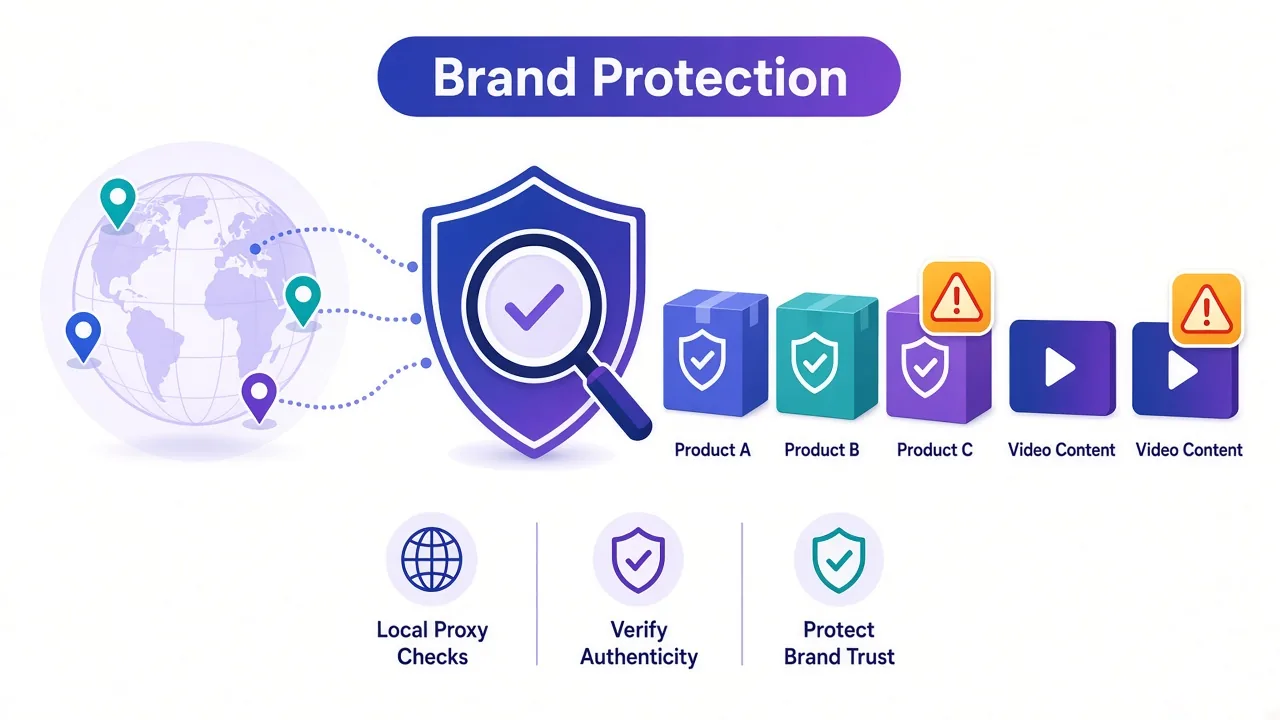
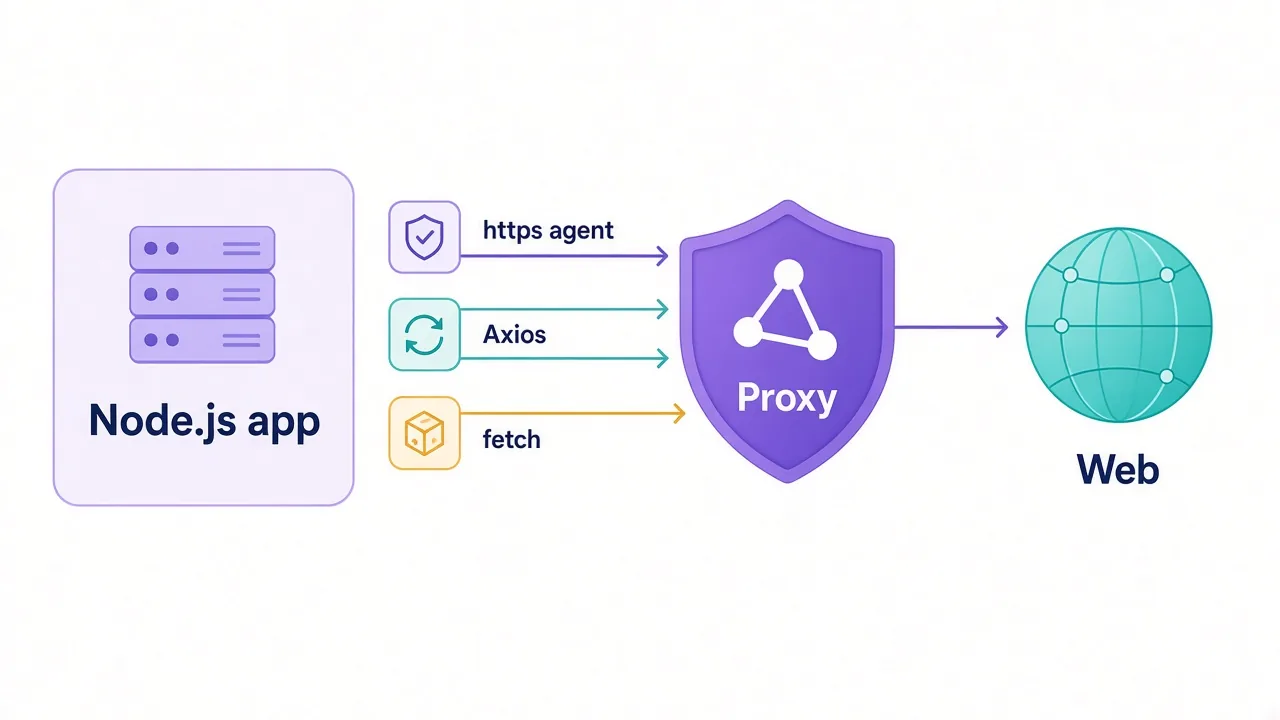
A fake version of your product just showed up on a marketplace in Brazil.
You check from your office. Nothing. The listing isn't there, the knock-off site loads a harmless page, and the "free stream" of your show is a dead link.
Then a customer in São Paulo sends a screenshot of all three.
Sound familiar? The best proxies for brand protection and anti-piracy are residential and mobile IPs with tight country and city targeting. For most teams that means Bright Data or Oxylabs, with Decodo (formerly Smartproxy) as the value pick.
But the IP is only half the fix. Counterfeiters run a trick that hides their pages from brand teams, and it's the reason your checks come back clean. We'll show you how it works, and how to beat it, right after we cover what you're up against.
Why does brand protection need proxies at all?
Brand protection means finding the people who misuse your name, logo or content. Then you collect proof and get it taken down.
That work happens on other people's websites. Marketplaces, social platforms, search ads, app stores, pirate streaming sites and torrent indexes.
None of them want a bot crawling them all day. And the bad actors on them want it even less.
So you hit three walls fast:
- Rate limits and CAPTCHAs once you check more than a few pages.
- Results that change by country, city or device.
- Sites that show you something different from what real shoppers see.
A proxy routes each check through a different IP address in the place you choose. Done right, every request looks like an ordinary local visitor.
That gets you past the first two walls. The third one needs more than an IP, and we'll get there.
New to proxy types? Our guide to residential vs datacenter proxies covers the basics in a few minutes.
What exactly are you monitoring?
"Brand protection" covers a lot of ground. The right proxy setup depends on which job you're doing, so it helps to split them up.
| Job | Where it happens | Proxy that fits |
|---|---|---|
| Counterfeit listings | Marketplaces, social shops | Rotating residential |
| Phishing and fake stores | Look-alike domains | Residential or mobile |
| Trademark abuse in ads | Search and social ads | Residential with city targeting |
| Unauthorized resellers and MAP | Retail sites, price pages | Rotating residential |
| Piracy and leaks | Streaming sites, torrent indexes, cyberlockers | Datacenter, then residential |
| App clones | App stores, APK mirrors | Mobile |
Notice the pattern? Almost every row involves a target that sorts visitors by location. That's the first thing your proxy has to get right.
Why do the same pages look different from your office?
Marketplaces and ad platforms localize almost everything. Search results, ads, prices and even which sellers appear can change from one country to the next.
Counterfeiters know this. Plenty of them only sell into markets where your legal team is weaker or slower. A fake listing aimed at shoppers in Indonesia might never show up for a search from Germany.
Search ads are even pickier. An advertiser bidding on your brand name can target a single city, a time of day or mobile users only. Check from the wrong place and the ad doesn't exist.
So the first rule is simple. Check from where the buyer is. Protect a brand in 15 markets? Then you need IPs in those 15 markets, ideally in their big cities.
This is why country and city targeting matters more here than raw pool size. A provider with millions of IPs is useless to you if it can't put you in Lagos when you ask.
The cloaking trick that hides fakes from brand teams
Here's the trick we promised at the start.
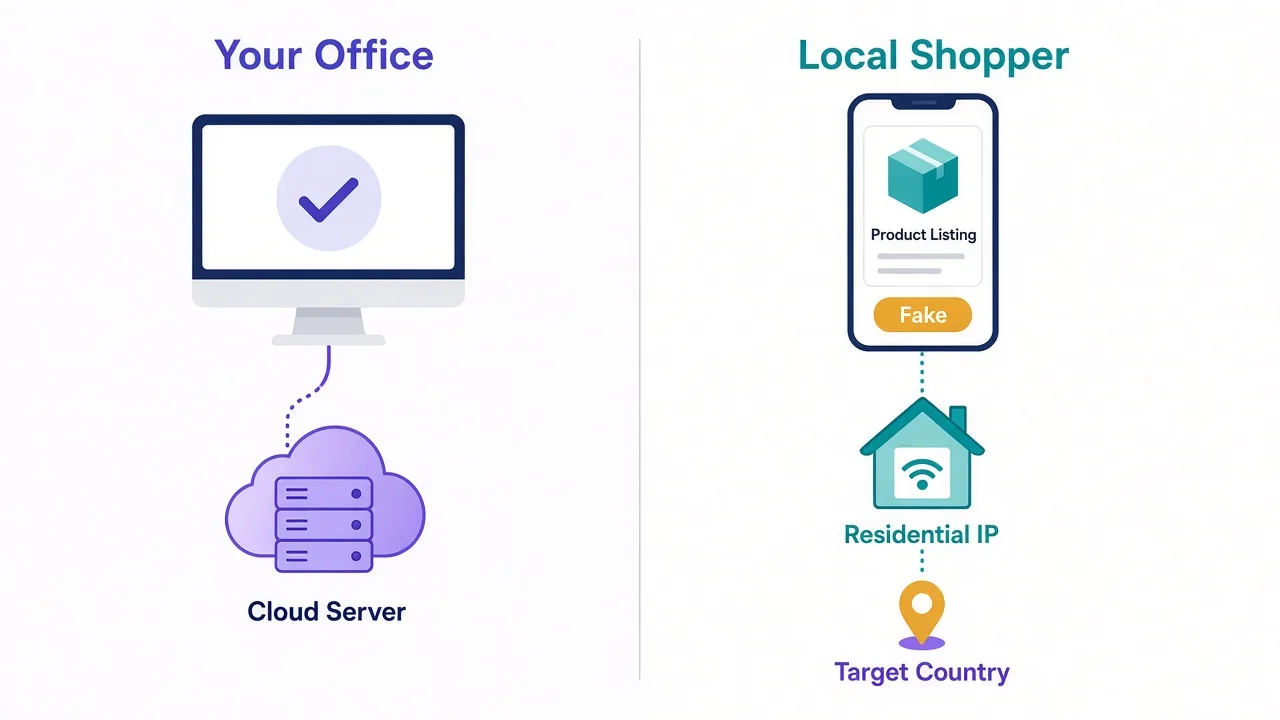
Many phishing kits and counterfeit stores use cloaking. They check every visitor and decide what to show before the page loads.
Real shoppers get the fake store. Anyone who looks like a scanner, a brand protection vendor or a platform reviewer gets a blank page instead.
How do they tell you apart? Mostly with signals you can control:
- The IP belongs to a cloud host or a known security company.
- The IP is in the wrong country for the scam.
- The device looks like a desktop when the scam targets phones.
- The browser has no cookies, no history and a robotic fingerprint.
- The visit didn't come through the ad or link the scammer used.
Datacenter IPs fail the first check almost every time. That's why a check from your cloud server comes back "clean" while customers keep getting scammed.
A clean result can be a false negative
If a reported page looks harmless from your scanner, don't close the case yet. Recheck it from a residential or mobile IP in the victim's country before you mark it resolved.
The fix is to look like the victim. That means a home or mobile IP in the right place, a realistic browser and, for mobile scams, a phone-like device profile.
Want to know what that browser side involves? Our explainer on how browser fingerprinting works covers it.
Residential, mobile or datacenter: which one do you need?
You'll probably end up using more than one type. Here's how they split.
Residential proxies: your everyday workhorse
Residential IPs come from real home connections. To a marketplace or a phishing site, your check looks like a person browsing from their couch.
They're the default for counterfeit sweeps, reseller monitoring and ad checks. The catch is cost. You pay per GB, and image-heavy marketplace pages burn through data fast. Browse our residential proxy providers to compare them.
Mobile proxies: for scams built for phones
Mobile IPs come from carrier networks. Lots of phishing campaigns, especially SMS and social ad scams, only show their real page to phones.
Mobile IPs are also shared by many users at once, so sites are slow to block them. They cost the most, so save them for the cases that need them. Our list of the best mobile proxy providers goes deeper.
Datacenter proxies: cheap and fine for easy targets
Datacenter IPs come from cloud servers. They're fast and cheap, often priced per IP with lots of bandwidth included.
Plenty of pirate sites, torrent indexes and file hosts don't fight bots hard. Datacenter IPs handle those well. Just don't use them on marketplaces or anything that cloaks. Is the target a big platform or a scammer? Then skip datacenter.
The best proxies for brand protection and anti-piracy
Here are our picks. Each one is in our proxy directory, and the cards below show live ratings and pricing.
| Provider | Best for |
|---|---|
| Bright Data | Large brand protection programs |
| Oxylabs | Enterprise marketplace monitoring |
| Decodo (Smartproxy) | Mid-size teams on a budget |
| SOAX | Precise geo and mobile checks |
| IPRoyal | Small teams and pay-as-you-go |
| Webshare | Cheap datacenter IPs for piracy sweeps |
Bright Data: the deepest toolkit for big programs
Bright Data is the pick when brand protection is a full program, not a side task. It offers residential, mobile, ISP and datacenter proxies, plus scraping tools for marketplaces.
Its geo targeting goes down to the city level, which matters for local ad checks. It also runs a know-your-customer review for some products, a plus if your legal team cares how the proxy is used.
The downside? It's priced for companies with real budgets, and the dashboard takes time to learn.

Oxylabs: built for heavy marketplace monitoring
Oxylabs suits teams that sweep big marketplaces every day. Its residential and mobile networks cover a wide spread of countries, and it sells ready-made scraper APIs for e-commerce sites.
That last part saves real engineering time. You send a search, you get structured results back, and the provider handles retries and blocks.
The catch is the same as Bright Data. Entry plans aren't cheap, so small teams will pay for more than they use.

Premium proxies built for enterprise scraping.
Decodo (formerly Smartproxy): the value pick
Decodo gets you most of the enterprise feature set for less. Residential, mobile and datacenter IPs are all there, with country and city targeting.
The setup is friendly, which helps if your brand team doesn't have a full-time engineer. It's our default suggestion for mid-size brands.
Where does it fall short? Its scraping tools are less deep than the two giants, so very large programs may outgrow it.

Powerful proxies without the enterprise price tag.
SOAX: when the exact location matters
SOAX stands out for flexible geo targeting, including city and carrier level options on its mobile network. That fits ad abuse checks and phone-only scams well.
If your problem is "the fake ad only runs in one city on mobile", SOAX is worth a look.
The honest drawback: per-GB pricing adds up quickly if you run heavy page loads through mobile IPs.

Clean, ethically-sourced residential & mobile IPs.
IPRoyal: a cheap way to start
IPRoyal works for small brands and agencies testing the waters. Its residential traffic is sold pay-as-you-go, so you're not locked into a big monthly plan.
That's handy when you only run sweeps after a launch or a leak.
It has fewer advanced tools than the bigger names. For a few hundred checks a day, you won't miss them.

Flexible proxies with true pay-as-you-go.
Webshare: datacenter IPs for piracy sweeps
Webshare is the budget option for the easy part of anti-piracy work. Its datacenter proxies are cheap and fast, which suits crawling torrent indexes, link sites and file hosts.
Use it to find infringing links at scale. Then switch to residential IPs for anything that blocks or cloaks.
Don't expect it to get past marketplaces or phishing kits. That's not what it's for.

The most affordable way to start with proxies.
How should you set up a monitoring workflow?
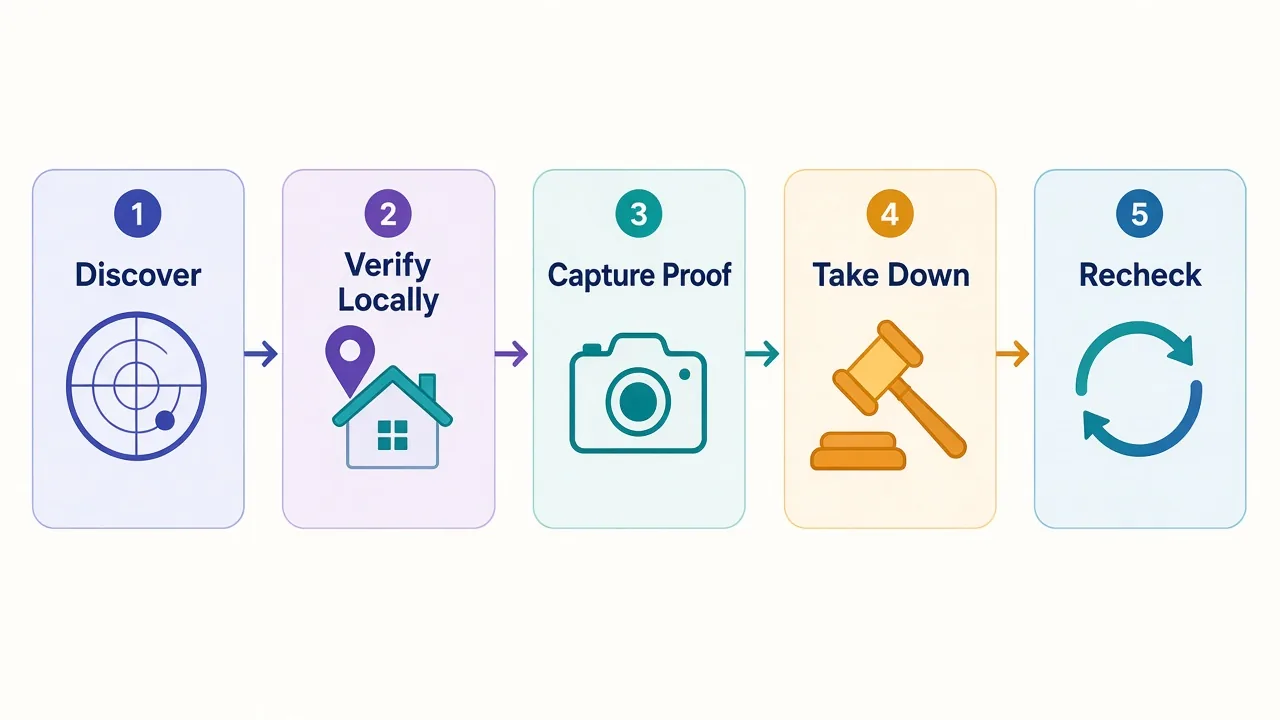
Good proxies won't help much if the workflow behind them is sloppy. Here's a setup that holds up.
- List your targets by job: marketplaces, ads, domains, piracy sites, app stores.
- Map each target to the markets you protect and the proxy type it needs.
- Discover with cheap requests: search pages, APIs or datacenter IPs where they work.
- Verify each hit from a residential or mobile IP in the buyer's market.
- Capture evidence: full-page screenshot, HTML, URL, time and the IP's country.
- File the takedown, then recheck after the deadline from the same market.
Step five deserves extra care. Platforms and courts want to see what a real buyer saw, so record the location you checked from with every capture.
Should you rotate IPs on every request? For discovery, yes.
For verifying a single listing or store, keep one sticky IP for the whole visit. Switching mid-session looks odd and can trigger the cloak you're trying to beat. Our guide to sticky vs rotating proxies explains when to use each.
Why does piracy monitoring work a little differently?
Counterfeits hide. Pirated content wants to be found, at least by its audience.
That changes the job. Pirate streams and leaked files spread through link sites, forums, social posts and messaging channels. Speed matters more than stealth, especially during a live sports match or a release week.
So most anti-piracy crawls start with cheap datacenter IPs. They handle huge volumes of link pages for little money.
The trouble starts at the edges. Some streaming sites geo-block outside their target market. Others hide links behind ad-heavy pages that sort visitors. A few file hosts throttle repeated hits from the same subnet.
A practical split
Run discovery on datacenter IPs. Move only the pages that block, geo-restrict or cloak onto residential IPs. Your per-GB bill stays small.
How much traffic will you burn?
This is where brand teams get surprised. Marketplace pages are heavy, full of images, scripts and recommendation widgets.
A few tricks keep the bill down:
- Use a marketplace's search results or internal JSON instead of full product pages.
- Block images, fonts and video when you only need text.
- Load full pages only for evidence captures.
- Cache pages you've already checked and recheck on a schedule, not constantly.
Not sure how much you'll need? Our guide on how many GB of proxy bandwidth walks through the math. And if you'd rather pay per result than per GB, compare scraping APIs vs proxies.
Is it legal to use proxies for brand protection?
Checking public pages to protect your own trademark or copyright is common, and the law in many places supports takedown requests. But "common" isn't the same as "always allowed".
A few rules keep you on solid ground:
- Collect public data only. Don't log into accounts you don't own.
- Respect each platform's official reporting tools for takedowns.
- Avoid collecting personal data you don't need for the case.
- Pick providers that source their IPs with user consent.
That last point matters more than it sounds. A brand protection team using IPs from people who never agreed to share them is a bad look.
Our piece on ethically sourced proxy IPs covers what to ask a provider. For anything you're unsure about, talk to your lawyer.
Don't buy from the people you're fighting
Some cheap proxy networks have unclear sourcing. Stick to providers that publish how they get their IPs.
Which mistakes waste the most time?
We see the same few slip-ups again and again.
The first is checking from one place. A sweep from your home country misses everything aimed at other markets.
The second is trusting a clean scan. Remember the cloaking trick? A blank page from a datacenter IP proves nothing.
The third is weak evidence. A screenshot with no URL, time or location is easy for a seller to dispute.
The fourth is paying residential prices for easy targets. Pirate link sites rarely need premium IPs.
Fix those four and your takedown rate usually climbs without changing providers. For more on the ad side of this, see our guide to the best proxies for ad verification.
So, which proxy should you actually buy?
Start with where your buyers are, not the biggest IP count.
Running a large program across many markets? Pick Bright Data or Oxylabs. A mid-size brand that wants solid coverage for less should start with Decodo.
Chasing mobile-only scams or city-level ads? Add SOAX.
Just testing? IPRoyal is enough. And keep Webshare for cheap piracy crawls.
Whatever you choose, verify every "clean" result from a local residential or mobile IP.
Ready to compare? See every provider on our brand protection proxies page.
The fakes won't wait.
Frequently asked questions
Rotating residential proxies with country and city targeting work best for most brand protection work. Add mobile proxies for phone-only scams and use cheap datacenter IPs for easy targets like pirate link sites.
It's probably cloaking you. Many fake stores and phishing kits show a blank or harmless page to datacenter IPs, security scanners and visitors from the wrong country. Recheck from a residential or mobile IP in the victim's market.
Yes, for most discovery work on torrent indexes, link sites and file hosts. They're cheap and fast. Switch to residential IPs for streaming sites that geo-block or pages that cloak.
Rotate IPs for broad discovery sweeps and keep one sticky IP when you verify a single listing or store. Switching IPs mid-visit looks unusual and can trigger cloaking.
Ideally, yes. Marketplaces, ads and scam pages are often localized, so you only see what buyers in a market see by checking from an IP in that market, and preferably in its major cities.
Monitoring public pages to protect your own trademarks and copyrights is common, but rules vary by country and platform. Collect only public data, use official takedown tools and check with your lawyer when unsure.