







Your campaign looks perfect from your desk.
Right banner, right landing page, right placement. Then a customer in Manchester sends a screenshot of your ad sitting next to a sketchy casino offer. Or worse, the click lands on a page you've never seen.
How did you miss it? You looked from the wrong place. The best proxies for ad verification are residential and mobile proxies with city-level targeting. For most teams, we'd start with Bright Data or SOAX.
The IP type is only half the story, though. There's one targeting option most "best proxy" lists skip, and it decides whether you see what real users see. We'll get to it after you see how ads hide from checkers.
What is ad verification, and why does it need a proxy?
Ad verification means checking that your ads show up where you paid for them, to the people you paid to reach.
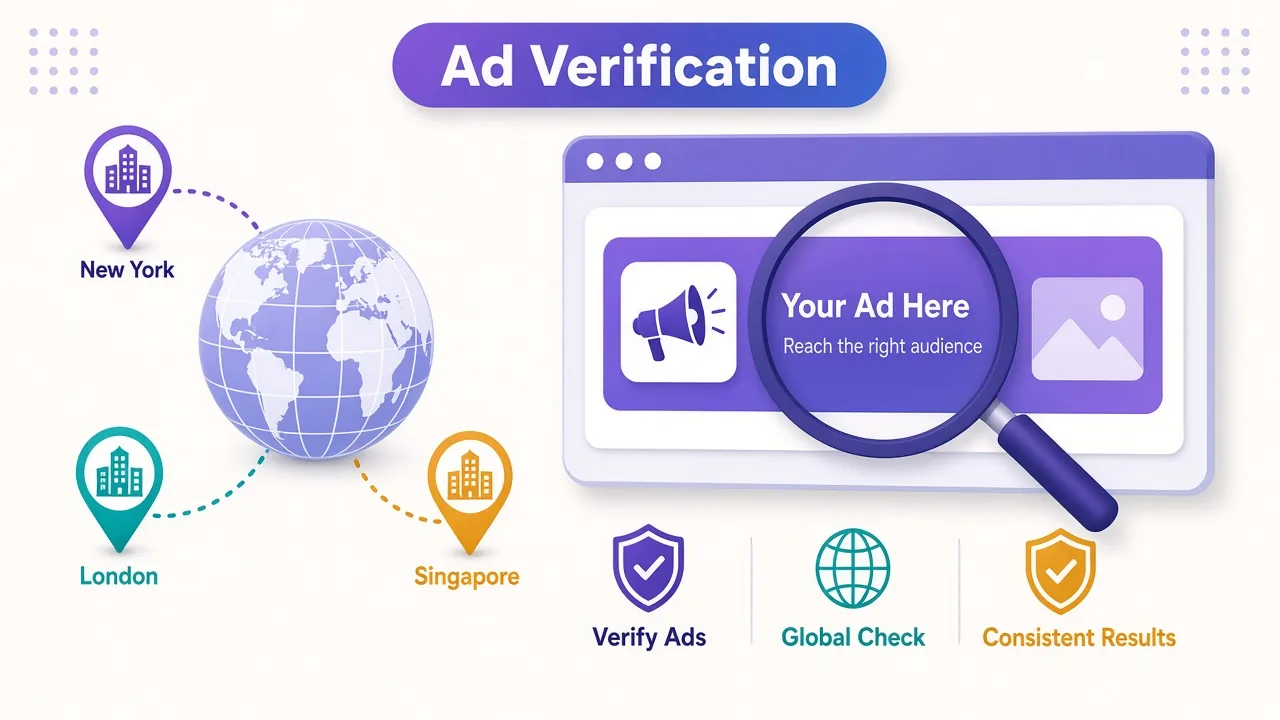
That covers a few separate jobs. You confirm the ad renders in the right country and city.
You also check the page around it is safe for your brand. And you make sure the click goes to your landing page, not somewhere a fraudster swapped in.
Here's the problem. Ad networks and publishers serve different things to different visitors. Location, network type and device all change what loads.
So when you check from your office, you see the version served to your office. That's one view out of thousands.
A proxy lets your checker borrow someone else's connection. Route a request through a residential proxy in Lyon, and the ad server treats you like a person browsing from Lyon. Now you're seeing their version.
Do that across 40 cities and a few carriers, and you get the real picture of your campaign.
Why does your own IP show you the wrong ad?
Three things get in the way, and they stack.
The first is plain geo-targeting. A campaign set to Germany won't serve to an IP in India. You can't verify what you can't load.
The second is frequency capping. Many campaigns stop showing an ad to the same visitor after a few views. Check the same placement 50 times from one IP and the ad simply disappears.
The third is the nasty one: cloaking.
Cloaking is when a bad actor shows one thing to reviewers and another to real people. Their system looks at your IP, sees a hosting company or a known security vendor, and serves a clean page. A visitor on a home or phone connection gets the scam.
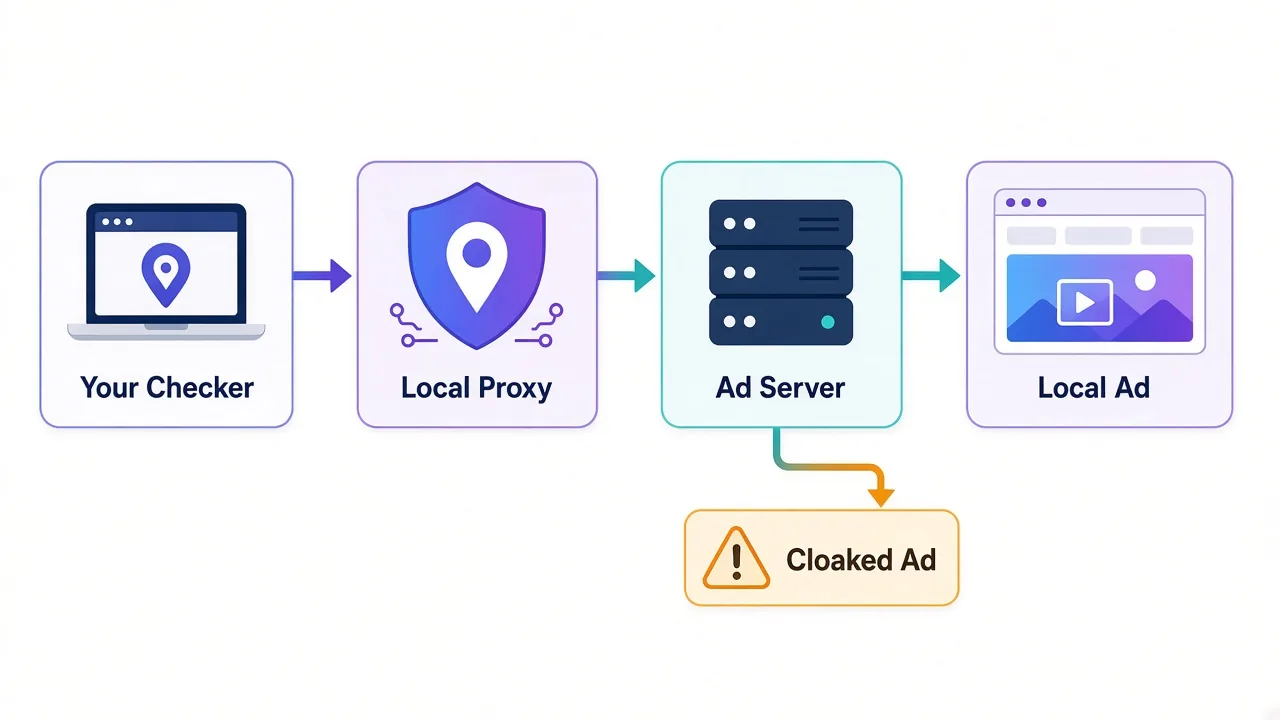
Sound familiar from fraud reports? That's why datacenter IPs make poor ad checkers. Their owner is public, so any cloaking script can spot them in a single lookup.
The fix is to look like the audience. That means home and mobile IPs, in the right places, that nobody has flagged yet.
Residential, mobile or datacenter: which IP sees the real ad?
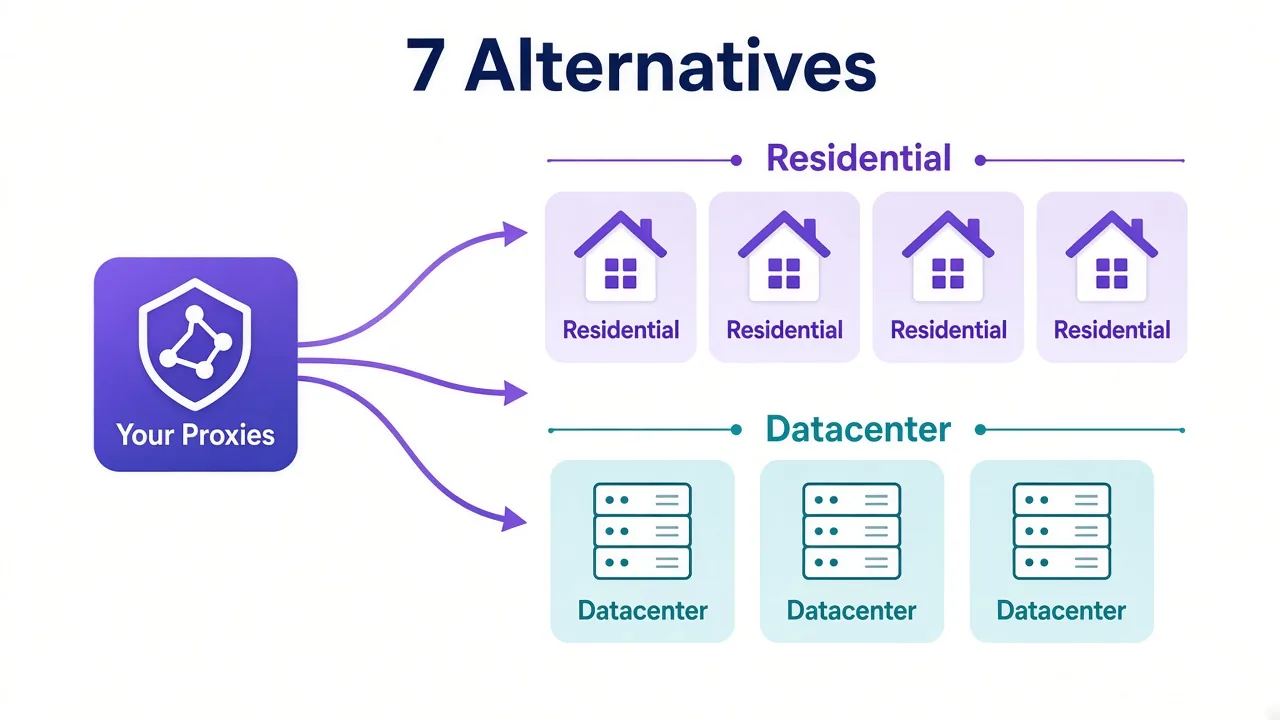
Each proxy type gives the ad server a different story about who you are. Here's how they compare for verification work.
| Proxy type | What the ad server sees | Cloaking risk | Best for |
|---|---|---|---|
| Residential | A home broadband user | Low | Most display, search and video ad checks |
| Mobile (4G/5G) | A phone on a carrier network | Lowest | In-app ads and mobile-only campaigns |
| ISP (static residential) | A fixed home-style IP | Low to medium | Repeat checks of one placement over time |
| Datacenter | A cloud or hosting server | High | Uptime pings, not real verification |
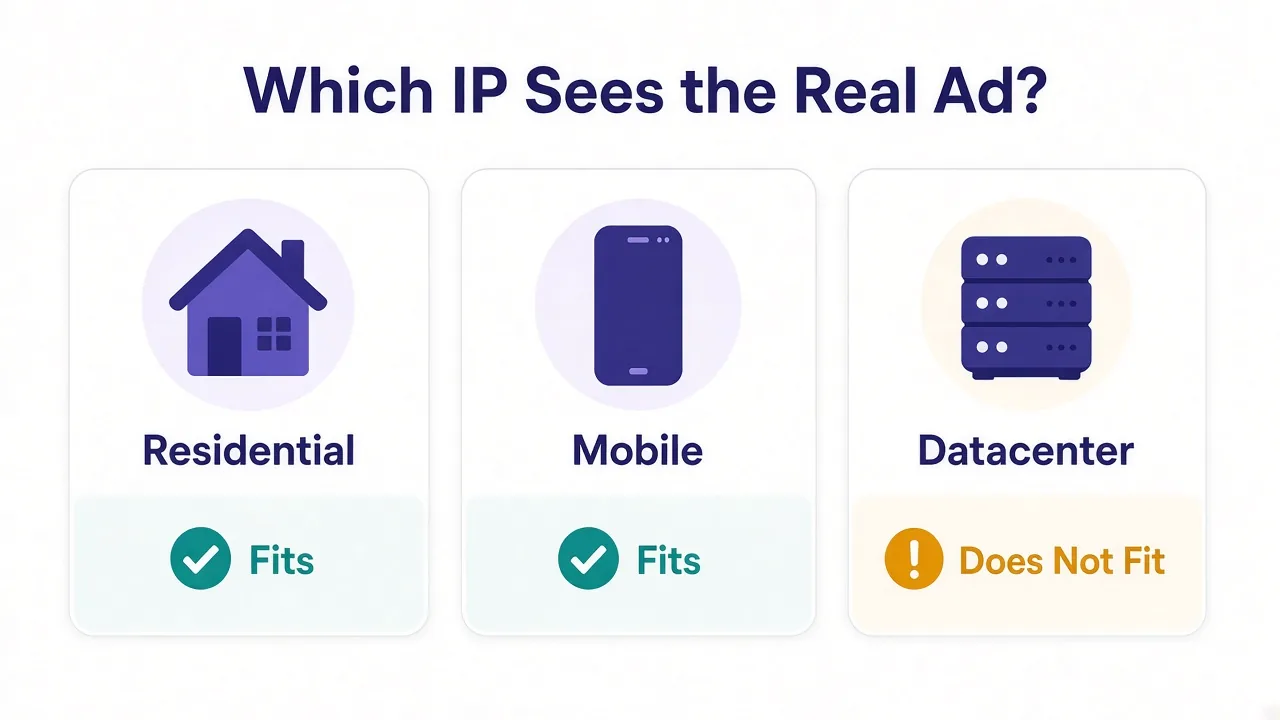
For most teams, residential is the workhorse. It's cheaper per GB than mobile, the pools are huge, and a clean home IP looks like any shopper.
Mobile earns its price for app campaigns. If your budget goes into in-app inventory, you need to load ads the way a phone on a carrier does. We cover that trade-off in mobile vs residential proxies.
Datacenter IPs still have a small job. They're fine for checking that a landing page responds. Just don't trust them to show you what a real visitor gets.
What should an ad verification proxy actually have?
A big IP count looks good on a pricing page. It's not what makes ad checks accurate.
Here's what we'd look for, in order:
- City-level targeting, because many campaigns target metro areas, not whole countries.
- ASN or carrier targeting, so you can pick the exact network your audience uses.
- Wide country coverage, including the smaller markets your campaigns run in.
- Clean IPs that haven't been burned by other users.
- Short sticky sessions, so one check loads every asset from one IP.
- Enough concurrency to run hundreds of checks at the same time.
Remember that targeting option we said most lists skip? It's the second one. ASN targeting lets you choose the network an IP belongs to, like one specific broadband provider or mobile carrier.
Why does that matter? Some ad fraud only fires on certain networks. A cloaker might show the scam to visitors on one carrier and the clean page to everyone else.
Country targeting alone won't catch that. You'd need to check from the right city on the right network, and only a few providers let you set both.
Quick test before you buy
Use a free trial to load one of your live ads from three cities. If the provider can't pin a city reliably, it won't hold up at campaign scale.
How many providers cover enough countries for ad checks?
More than you'd guess, but coverage on paper isn't the same as depth.
As of November 2026, 24 of the 44 proxy providers in our proxy directory list coverage in 190 or more countries. On a spec sheet, most of the big names look equal.
The difference shows up in the details. A provider might list Vietnam but only have a thin slice of IPs there, all in one city. That's fine for a quick look and useless for a regional campaign.
So check two things during a trial. Can you target the cities your campaigns run in? And can you get fresh IPs there across a day of testing?
If you run campaigns in a single market, a smaller provider with deep coverage there can beat a giant. If you run in 30 markets, you'll want one of the large networks below.
The best proxies for ad verification, at a glance
Here are our seven picks and who each one suits. Live prices and ratings show in the cards under each write-up.
| Provider | Best for |
|---|---|
| Bright Data | Enterprise ad verification at global scale |
| SOAX | City, ISP and carrier targeting on a mid budget |
| Oxylabs | High-volume teams that want a huge pool |
| Smartproxy | Agencies that want city and ASN targeting without enterprise overhead |
| Froxy | Smaller teams that need city and ASN targeting |
| NodeMaven | Clean IPs for checks on well-defended publishers |
| IPRoyal | Budget, bursty verification jobs |
Bright Data: the deepest toolbox for big campaigns
If you verify ads for many brands in many markets, Bright Data is the safe pick. Our directory lists 72M+ residential and 7M+ mobile IPs, with targeting down to city and ASN or carrier.
That last part is the reason it tops this list. You can load an ad from one city on one specific network, which is how you catch network-targeted cloaking.
The catch? It's among the priciest per GB, and the dashboard has a real learning curve. Onboarding includes KYC checks, which can slow down a small account.

SOAX: precise targeting without the enterprise bill
SOAX is the pick we'd hand a mid-sized agency. Its strength is geo-targeting down to city, ISP and carrier, and it offers a solid mobile network for in-app checks.
The pool is smaller than the giants, at 8.5M+ residential IPs in our listing. For most verification work, that's plenty, since you need the right locations more than raw numbers.
Where it falls short is huge parallel jobs. If you plan to fire thousands of checks a minute, a bigger network will hold up better.

Clean, ethically-sourced residential & mobile IPs.
More strong picks for different budgets
Oxylabs: built for very high volume
Running checks across every placement, every hour? Oxylabs handles that kind of load. Our directory lists a 100M+ residential pool and SOC 2 compliance, which helps when a client's security team asks questions.
It's honestly overkill for a single brand's campaigns. Pricing starts near the top of the market, and onboarding for residential IPs can require verification.

Premium proxies built for enterprise scraping.
Smartproxy: the agency all-rounder
Smartproxy sits in the sweet spot for agencies. You get a 55M+ residential pool with city and ASN targeting, a clean dashboard, and sub-users for each client or teammate.
A free trial makes it easy to test your own ads first. The honest drawback is success rates on the hardest targets, which can trail the premium networks.

Powerful proxies without the enterprise price tag.
Froxy: targeting depth for smaller teams
Froxy is less famous, but it lists city and ASN targeting across 190+ countries. That's exactly the combo ad checks need, at a lower entry point than the big names.
It supports both rotating and sticky sessions, plus mobile IPs. Watch the per-GB billing, though. Checks that load heavy video ads burn bandwidth fast.

Residential and mobile proxies with city and ASN targeting
NodeMaven: clean IPs for picky publishers
Some publishers and ad tech platforms fight bots hard. NodeMaven filters its IPs in real time, so you're less likely to land on one that's already flagged.
It also offers city and ISP targeting and long sticky sessions. The pool is mid-sized, so test the specific cities you need before you commit.
Sticky residential and mobile IPs with strong filtering and clean pools.
IPRoyal: the budget pick for bursty work
Not every team runs checks all month. If you verify a few big launches a quarter, IPRoyal's residential traffic doesn't expire, so unused GB carry over.
You get country, state and city targeting, which covers most campaigns. What you don't get is ASN targeting in its headline features, and there's no free trial to test first.

Flexible proxies with true pay-as-you-go.
Rotating or sticky: how should you run ad checks?
Here's where a lot of verification setups quietly break.
A single ad check isn't one request. The page loads, then the ad tag, then the creative, then tracking pixels and maybe a redirect chain. That's often dozens of requests.
If your proxy rotates IPs on every request, those pieces come from different addresses. The ad server sees a visitor who jumps cities mid-page, and you get a broken or blank slot.
So use a sticky session for each check. Hold one IP for a few minutes, load everything, take your screenshot, then let it go.
Between checks, rotate. Each new check should look like a new person, which also keeps frequency caps from hiding your ad. Our guide to sticky vs rotating proxies covers the settings in more detail.
A setup that works
One sticky session per check, about 5 to 10 minutes long. A fresh IP for the next check. That single pattern fixes most "the ad didn't load" reports.
Which mistakes make your ad checks lie?
Even with good proxies, a few habits give you false results. These are the ones we'd fix first.
- Checking with a headless browser that screams "bot". Some cloakers read the browser, not just the IP.
- Leaving the browser's time zone and language on your own settings while the IP says Tokyo.
- Reusing one IP for many checks, so frequency caps hide the ad.
- Testing only at one time of day, when dayparted campaigns aren't even running.
- Ignoring redirects, so you never see where the click actually lands.
The first two are the sneaky ones. A clean residential IP paired with a browser set to your home locale tells a story that doesn't add up.
Match the browser to the proxy. Same time zone, same language, a normal screen size. If you're curious what sites read from your browser, start with how browser fingerprinting works.
Watch the bandwidth
Video and rich media ads are heavy. A few thousand checks with video can eat far more GB than you'd expect, so estimate first with our proxy bandwidth guide.
Is it fine to use proxies for ad verification?
Yes, for checking your own campaigns. Brands, agencies and ad tech firms do this as a normal part of protecting their spend.
Two things are worth keeping straight. First, don't click ads you're checking from proxy IPs, since that can count as invalid traffic on your own bill. Load and screenshot instead.
Second, pick providers that source IPs with user consent. Ad verification exists to fight fraud, so it would be odd to run it on a pool built on shady apps. We explain what to look for in ethically sourced proxy IPs.
Stay inside the ad platform's terms, keep your checks to campaigns you run or manage, and you're on solid ground.
So, which provider should you actually pick?
Start with how many markets you check, not the size of the pool.
Verifying campaigns in dozens of countries for several brands? Go with Bright Data or Oxylabs.
Running a mid-sized agency that needs city and carrier targeting? SOAX or Smartproxy will cover you.
Checking a few launches on a tight budget? IPRoyal or Froxy does the job.
Whatever you choose, run a trial with your own live ads from three cities first. Then compare the rest of the field in our best residential proxy providers guide.
You'll know within an afternoon.
Frequently asked questions
Residential proxies with city-level targeting are best for most ad verification work. Use mobile proxies for in-app and mobile-only campaigns, and avoid datacenter IPs, which cloaking scripts spot easily.
Your own IP only shows the version of an ad served to your location and network. Geo-targeting, frequency caps and cloaking all change what loads, so you need IPs in your audience's cities to see their version.
Ad cloaking is when a bad actor shows a clean page to reviewers and a different, often fraudulent page to real users. It usually works by checking the visitor's IP type and location.
Use a sticky session for each check and rotate between checks. One IP should load the page, ad tag and creative together, then a fresh IP keeps frequency caps from hiding the ad next time.
ASN targeting lets you pick the exact network an IP belongs to, such as one broadband provider or mobile carrier. Some ad fraud only fires on certain networks, so country targeting alone can miss it.
Yes, checking your own or your clients' campaigns through proxies is a standard practice. Don't click the ads from proxy IPs, stay within the ad platform's terms, and choose providers with consent-based IP sourcing.