












Your scraper works on Monday. By Thursday, half the requests come back as CAPTCHA pages, and you're shopping for a fix.
Two options keep showing up. Buy proxies and keep running your own scraper, or pay a scraping API to fetch the pages for you. Which one do you need?
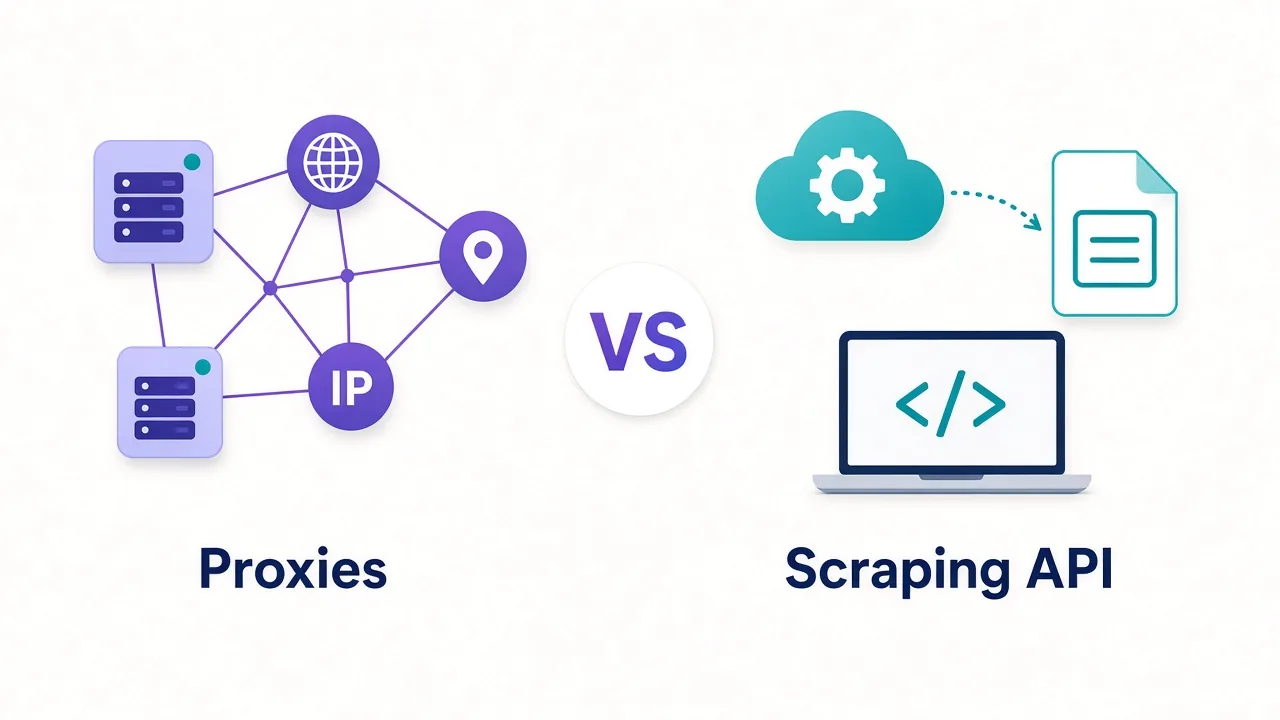
Here's the short answer to scraping API vs proxies: proxies are cheaper raw material, while a scraping API is a finished service. Proxies win when you have engineering time. APIs win when you don't.
But there's one number that decides this for most teams, and it isn't the price per GB. We'll get to it once you've seen what each option does under the hood.
What are you actually paying for with each one?
Start with the plain difference, because the marketing pages blur it.
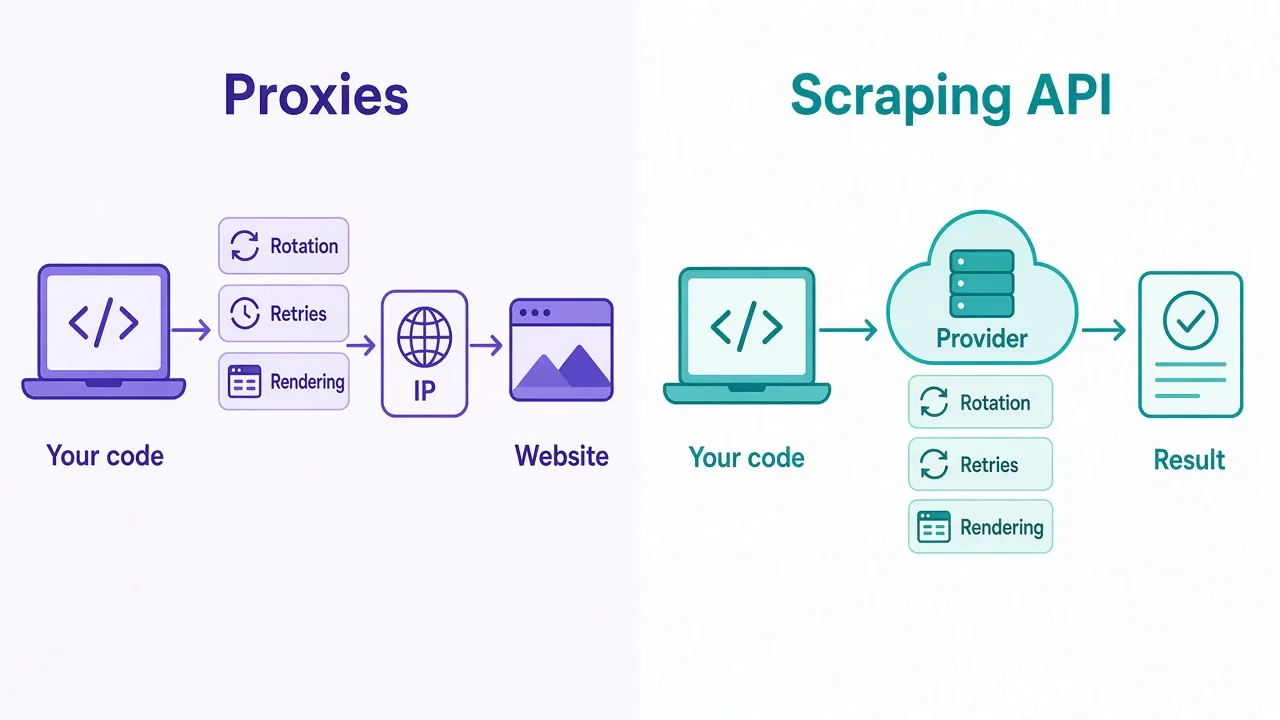
A proxy sells you IP addresses. Your code sends a request through someone else's connection, and the website sees that IP instead of yours. Everything else is still your job.
A scraping API sells you results. You send it a URL, and it sends back the page, often as clean HTML or JSON. It picks the IP, retries failures, solves or avoids CAPTCHAs, and renders JavaScript if you ask.
So you're comparing a part with a product. That's why the prices look so different.
| Question | Proxies | Scraping API |
|---|---|---|
| What you get | IP addresses to route traffic through | The fetched page or parsed data |
| Who handles blocks | You | The provider |
| Who handles retries | Your code | The provider |
| JavaScript rendering | You run a headless browser | Usually a flag in the request |
| Usual billing | Per GB, per IP or per port | Per request or per successful result |
| Control over details | Full | Limited to the options exposed |
Neither column is better on its own. The right pick depends on what your target fights back with, and how much of that fight you want to own.
How does a proxy request work when you run your own scraper?
With proxies, your scraper stays in charge. It builds the request, sets the headers, sends it through the proxy and reads the answer.
If you've followed our guide on using proxies with Python Requests, you've seen how little code the proxy part takes. One line of config, and your traffic leaves from a new IP.
The hard part is everything around that line.
- Choosing the right residential, datacenter or mobile IP type for the target.
- Deciding when to rotate and when to keep a sticky session.
- Spotting soft blocks, like a 200 response that holds a CAPTCHA page.
- Retrying with backoff so you don't hammer the site.
- Matching your user agent, headers and fingerprint to look like a real browser.
None of that is exotic. It's ordinary engineering. But it never stops, because sites keep changing their defenses.
Good to know
A proxy only changes where your request comes from. It doesn't change what your request looks like. Plenty of scrapers get blocked on clean residential IPs because their headers scream "bot".
What does a scraping API do on your behalf?
A scraping API takes that whole list and moves it to the provider's side.
You make one call with the target URL and a few options. Behind the scenes, the service picks a proxy from its own pool. It sets browser-like headers, retries when it hits a block, and can load the page in a real browser to run JavaScript.
Some APIs go a step further. They return structured data for popular targets, like search results or product pages, so you skip writing a parser too.
Big proxy networks such as Bright Data, Oxylabs and Decodo sell scraping APIs next to their proxy plans. There are also API-first services like ScraperAPI and Zyte that focus on the fetched result. Feature sets and prices vary a lot, so check each one's docs before you commit.
The catch? You give up control. If the API's browser behaves oddly on your target, you can't open it up and fix it. You can only change the options it gives you, or open a support ticket.
Scraping API vs proxies: how does the pricing really compare?
This is where most comparisons go wrong. They line up a per-GB price against a per-request price and call the proxy "cheaper".
The units don't match, so the comparison doesn't either.
Proxies usually bill by bandwidth for residential and mobile IPs, and by IP or port for datacenter and ISP proxies. Page weight adds up fast once images and scripts load. Our post on how many GB of proxy bandwidth you need walks through the math.
Scraping APIs usually bill per request, often in credits. Many charge extra credits for JavaScript rendering or for tougher targets. Some only count successful requests, which matters more than it sounds.
So how do you compare them fairly? Turn both into the same unit.
The number that decides it
Work out your cost per successful page. Add up everything you spend in a month, then divide by the pages you actually got. That's the only price that matters.
Remember the number we promised in the intro? This is it. Price per GB and price per request are inputs. Cost per successful page is the answer.
Why does the cheaper option often cost more?
Say you scrape a site that blocks about a third of plain requests. Your proxy bill covers every attempt, including the failed ones and the retries.
Now add the page weight of the failures. A CAPTCHA page still costs bandwidth. A retry costs it again.
Then add the part nobody puts in a spreadsheet: your time. Someone has to notice the block rate climbing, find the cause, and ship a fix.
That might be an afternoon. On a site with heavy anti-bot defenses, it might be a week. And it tends to happen right when you need the data most.
A scraping API that bills only for successful results flips this. Failed attempts are its problem, not yours. The per-request price looks high, but it already includes the retries and the maintenance.
That doesn't mean APIs always win. On an easy target with few blocks, your proxy cost per page can be a small fraction of an API's. The point is to measure, not guess.
Here's a rough way to run the math for one target:
- Run a small test batch through proxies and log successes, failures and bandwidth.
- Run the same batch through an API trial and log successes and credits used.
- Estimate the hours per month you'd spend keeping your own scraper working.
- Divide each total by successful pages, with your hours priced in.
Most providers offer a trial or a small starter plan, so this test costs little. It beats arguing from pricing pages.
When are proxies the right buy?
Proxies make sense when you have the skills and the volume to make your own setup pay off.
Pick proxies if most of these sound like you:
- You scrape at high volume, where per-request API pricing adds up fast.
- Your targets are mostly easy, with light or no bot protection.
- You need full control over headers, cookies, sessions or browser behavior.
- You run logged-in sessions or account work, not just page fetching.
- You already have a developer who enjoys this kind of problem.
That fourth point gets missed a lot. Providers design scraping APIs to fetch public pages. If you manage accounts in an antidetect browser, you need proxies, full stop.
Proxies also win on flexibility. You can test any library you like, from Playwright to plain cURL, and you're never stuck waiting on a provider's roadmap.
Watch out
Cheap datacenter IPs feel like a bargain until a target blocks the whole range. Check what your target allows before you buy in bulk.
If you're leaning this way, start with our guides to the best residential proxy providers and the best datacenter proxy providers.
When is a scraping API the right buy?
A scraping API makes sense when your time is worth more than the markup.
Pick an API if most of these sound like you:
- Your targets fight back hard, with CAPTCHAs, fingerprinting and JavaScript challenges.
- You don't have a developer to babysit a scraper every week.
- You need data from a handful of well-known sites the API already supports.
- Your volume is modest, so per-request pricing stays reasonable.
- You want predictable costs, with failed requests not counted.
Picture a small marketing team that needs search rankings every morning. They don't want to learn about rotation, headers or rendering. They want a spreadsheet by nine.
For them, an API that returns parsed search results is the obvious pick. Writing and maintaining that scraper in-house would cost far more in hours than the API bill.
APIs also cut your setup time to almost nothing. You can go from signup to first result in an afternoon. That's hard to beat when a project needs to start this week.
What do scraping APIs still get wrong?
APIs aren't magic, and it helps to know the weak spots before you sign up.
First, they're slower per request. Retries and browser rendering happen inside the call, so one request can take many seconds. If you need fast, low-latency fetches, that hurts.
Second, you're limited to the knobs they expose. Need a specific cookie flow, a custom wait condition or a rare country? Some APIs handle it well. Others don't support it at all.
Third, credit pricing can surprise you. A request that needs JavaScript rendering, or a premium target, can cost several times the base rate. Read the credit table, not just the headline price.
And finally, you depend on one vendor. If their success rate drops on your target, your pipeline drops with it. That's the trade you make for not owning the problem.
Can you mix proxies and a scraping API?
Yes, and plenty of teams end up here once they've run the numbers.
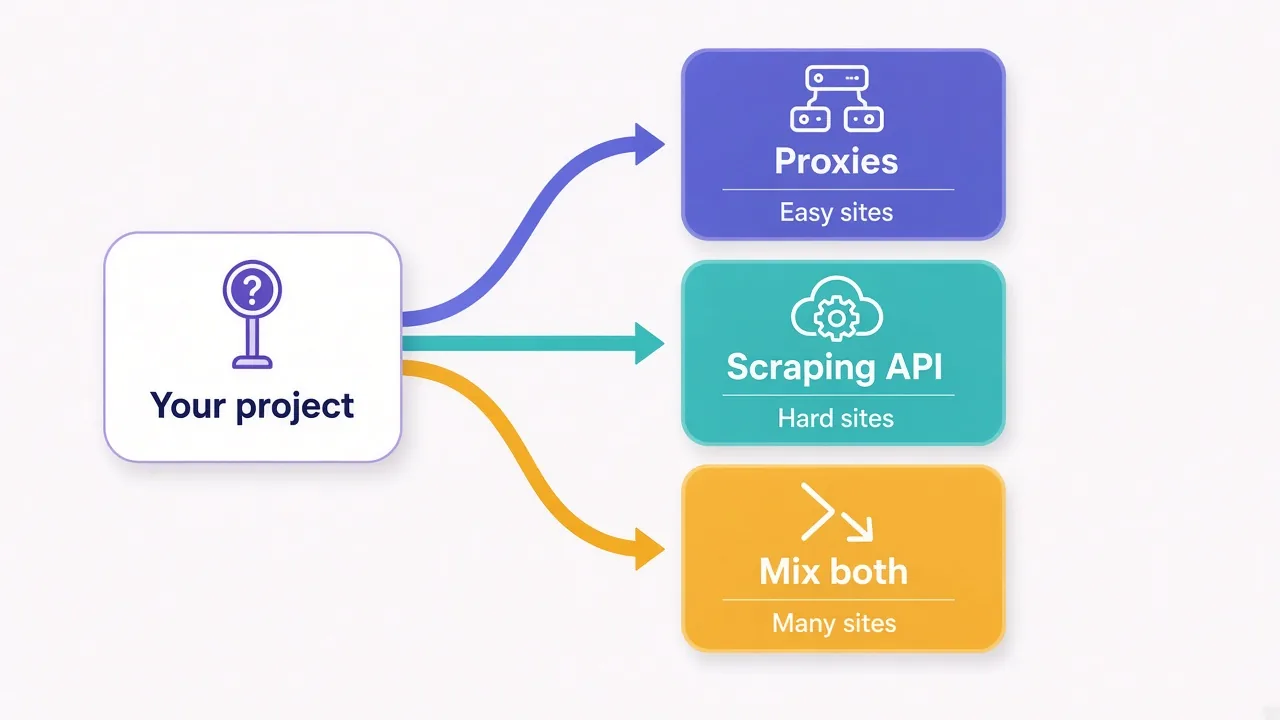
The idea is simple. Send easy targets through your own scraper and cheap proxies. Send the hard ones through an API that bills per success.
You get low costs where blocks are rare, and someone else carries the pain where they're common. You also keep a fallback if one side has a bad week.
The cost is complexity. You now run two systems, track two bills and route each target to the right one. For a small project, that's overkill. For a team scraping dozens of sites, it often pays for itself.
A good rule for routing: track your proxy success rate per target. When one drops too low, move that target to the API. Then check whether your cost per page improves.
What should you ask before you pay for either one?
Whichever way you lean, a few questions save you from a bad first month.
For proxies, ask:
- Which IP types are offered, and in which countries?
- Is billing per GB, per IP or per port, and do unused GB expire?
- Can you choose sticky or rotating sessions, and how long can a session last?
- Is there a trial, or a small plan to test with?
For scraping APIs, ask:
- Are you billed for failed requests, or only for successes?
- How many credits does a JavaScript-rendered request cost?
- Does it support your exact targets and countries?
- What are the concurrency limits on each plan?
Get these answers in writing from the pricing page or docs. If a provider won't say whether failures count, assume they do.
You can browse plans side by side in the proxy directory, where each listing shows its pricing model and features.
So, which one should you actually buy?
Start with your target and your time, not the price tag.
Easy sites, big volume and a developer who likes tinkering? Buy proxies and run your own scraper. Tough sites, a small team and a deadline? Pay for a scraping API and let it carry the blocks.
Not sure? Run one small batch through each and compare cost per successful page. The numbers will tell you in a day.
Ready to test? Compare providers in the DriftProxy directory and pick one with a trial.
Frequently asked questions
A proxy gives you IP addresses to route your own requests through, while a scraping API fetches the page for you and returns the result. With an API, the provider handles rotation, retries, CAPTCHAs and JavaScript rendering.
Not per request, but it can be cheaper per successful page on hard targets. Compare total monthly cost, including retries and your own maintenance time, divided by the pages you actually got.
Yes, scraping APIs route requests through their own proxy pools behind the scenes. You pay for the result instead of managing the IPs, headers and retries yourself.
Use proxies when you scrape at high volume, target sites with light protection, or need full control over sessions and headers. You also need proxies for logged-in account work, which scraping APIs aren't designed for.
Yes, many teams send easy targets through their own scraper and cheap proxies, and hard targets through an API. Track success rate per target to decide where each one goes.
Most scraping APIs charge per request, often in credits, with extra credits for JavaScript rendering or premium targets. Check whether failed requests count before you buy.