












You add a proxy to your script, run it, and everything looks fine. Then you check the target's logs and see your own IP on half the requests.
Sound familiar? It's one of the most common slips with Python's requests library, and it doesn't raise a single error.
Using proxies with Python requests comes down to one dict. You pass proxies with http and https keys, and requests sends each call through the matching proxy.
The details are where scripts break. One missing key quietly sends traffic from your real IP, and one environment variable can override your session settings. We'll fix both, then work through the errors you'll hit on the way.
What does the proxies dict actually tell requests?
The proxies dict is a lookup table. Its keys are the scheme of the URL you're requesting, and its values are the proxy that should carry that traffic.
import requests

proxies = {
    "http": "http://203.0.113.10:8080",
    "https": "http://203.0.113.10:8080",
}

response = requests.get("https://httpbin.org/ip", proxies=proxies, timeout=10)
print(response.json())
When you request an https:// page, requests looks at that scheme and grabs the proxy under the https key. A plain http:// URL uses the http key instead.
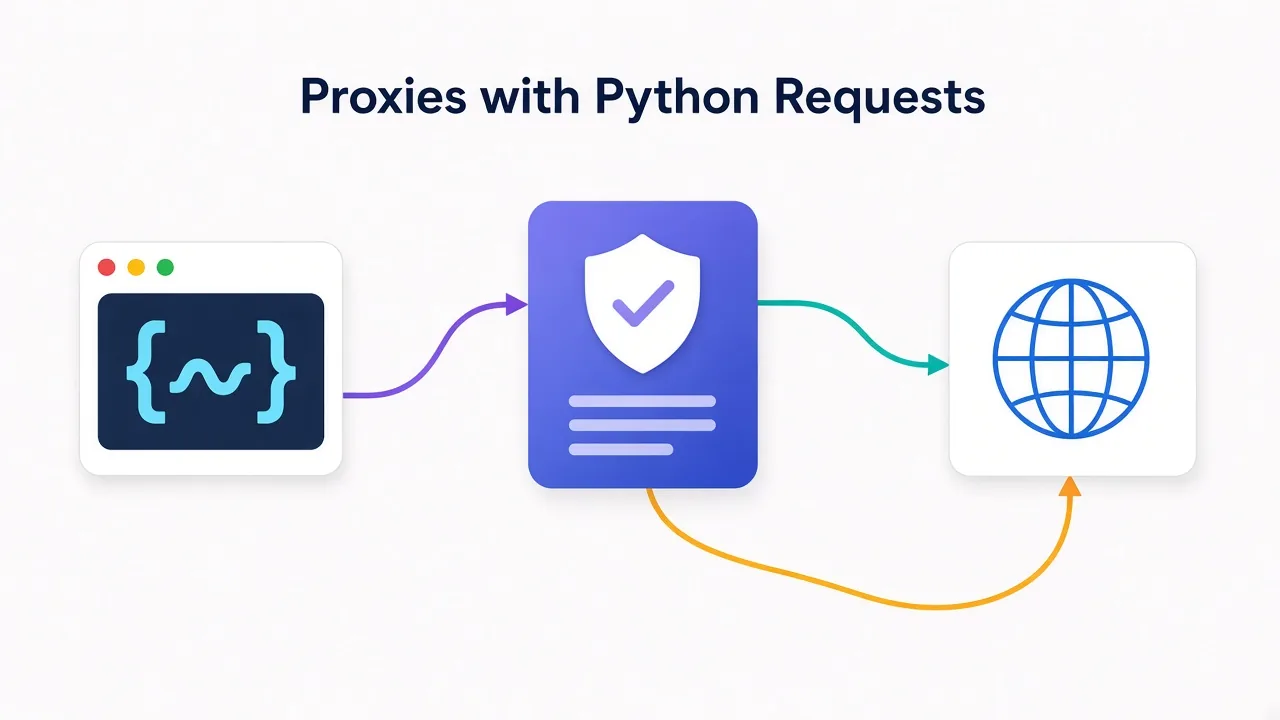
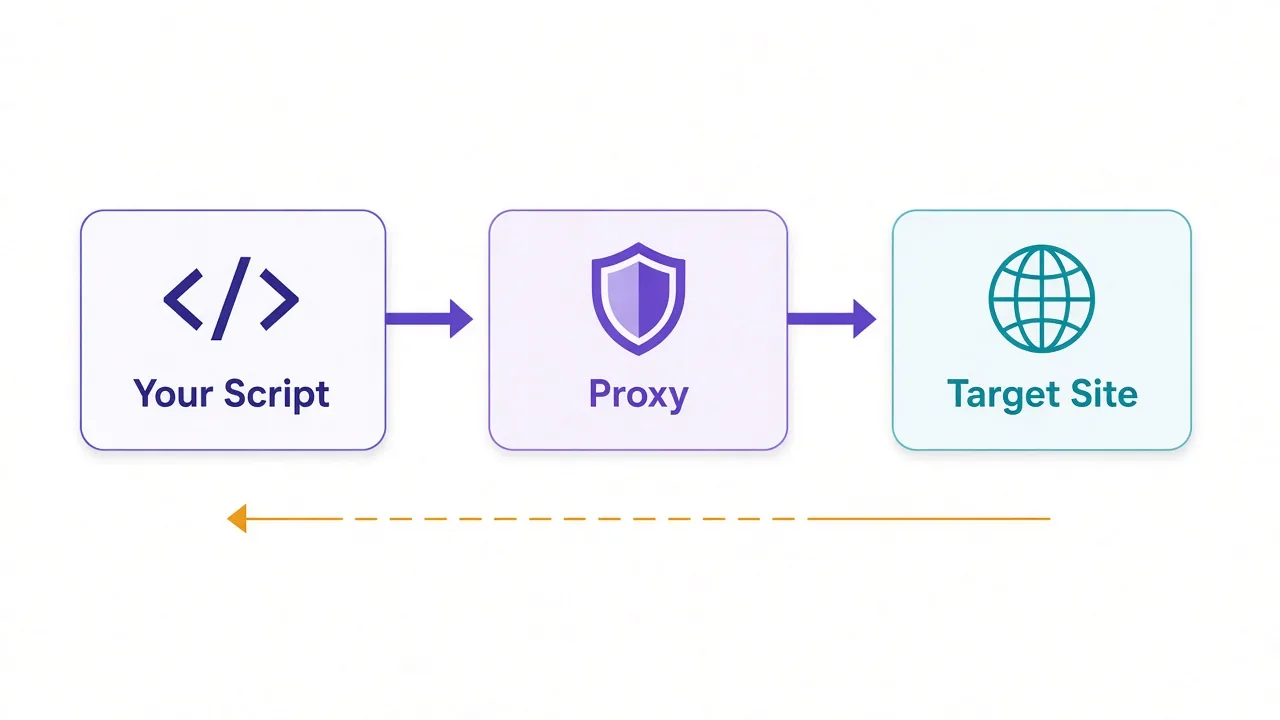
Your script then opens a connection to the proxy, not the website. The proxy makes the request on your behalf and passes the response back.
The target only ever sees the proxy's IP address.
So what happens if a key is missing? Remember that leak from the intro? This is it.
Say you only set http and then request an https:// page. Requests finds no matching proxy, so it connects directly. There's no warning and no error, and your real IP goes straight to the target.
Always set both keys
Most sites run on HTTPS now, so the https key does most of the work. Point both keys at the same proxy unless you have a reason not to.
You can get more specific if you need to. A key like "https://example.com" applies a proxy to one host only. An "all" key works as a fallback for any scheme. Most scripts never need either.
Why does the "https" key still point to an http:// proxy?
This trips up almost everyone the first time. You see "https": "http://..." and assume it's a typo.
It isn't. The key names the scheme of the site you're visiting. The scheme inside the value describes how your script talks to the proxy itself.
For an HTTPS site, requests sends the proxy a short plain-text CONNECT message. That message asks the proxy to open a tunnel to the target.
Once the tunnel is up, your script runs the TLS handshake with the website through it. A standard proxy just passes encrypted bytes back and forth, so it can't read the page or your form data.
That's why the proxy URL usually starts with http://, even under the https key. Your connection to the site is still encrypted end to end.
What if you write https:// for the proxy anyway?
Recent versions of urllib3, the library that does the networking under requests, take you at your word. They try to open an encrypted connection to the proxy itself.
Most provider ports don't speak TLS. So instead of a working request, you get an SSLError, often one that mentions a wrong version number.
Only use an https:// proxy URL when your provider says the endpoint accepts TLS connections. Otherwise, stick with http:// and let the tunnel handle the encryption.
How do you add a username and password to the proxy?
Most paid proxies use login auth. You put the credentials straight into the proxy URL, in the form http://user:pass@host:port.
Requests pulls them out and sends them to the proxy in a Proxy-Authorization header. You don't have to build that header yourself.
The catch? Passwords with special characters.
A @, :, / or # in your password confuses the URL parser, because those characters already mean something in a URL. The parser splits your password in the wrong place, and the proxy sees garbage.
The fix is to URL-encode each part with urllib.parse.quote before you build the string:
from urllib.parse import quote

import requests

user = "customer-123"
password = "p@ss:w/rd#1"
host = "gate.example.com"
port = 7000

auth = f"{quote(user, safe='')}:{quote(password, safe='')}"
proxy_url = f"http://{auth}@{host}:{port}"

proxies = {"http": proxy_url, "https": proxy_url}

r = requests.get("https://httpbin.org/ip", proxies=proxies, timeout=10)
print(r.status_code, r.json())
Look at the safe='' argument. By default, quote leaves forward slashes alone, which is exactly what you don't want here.
With safe='', every reserved character gets encoded. Requests decodes the credentials again before it sends them, so the proxy sees your real password.
Some providers also pack session or country options into the username. Encode the full username the same way, and those options pass through intact.
Using IP allowlisting instead?
If your plan authenticates by your machine's IP, leave the credentials out of the URL. Add any new server or changed home IP to the allowlist first, or the proxy turns it away.
How do you know the proxy is really working?
Don't trust a 200 status code. A request that skipped the proxy returns 200 too.
The reliable check is an IP echo endpoint, a URL that replies with the IP address it sees. The https://httpbin.org/ip endpoint returns a small JSON object with an origin field.
Compare the result with and without the proxy, over both schemes:
import requests

PROXY = "http://user:pass@gate.example.com:7000"
proxies = {"http": PROXY, "https": PROXY}

direct = requests.get("https://httpbin.org/ip", timeout=10).json()["origin"]
print("Direct:       ", direct)

for url in ("http://httpbin.org/ip", "https://httpbin.org/ip"):
    seen = requests.get(url, proxies=proxies, timeout=10).json()["origin"]
    print(f"{url:<24}", seen)
    if seen == direct:
        print("  Warning: this request did not go through the proxy")
If a proxied line prints your direct address, the proxy isn't in the path for that scheme. Check the dict keys first, then your environment variables, which we'll get to shortly.
Why test both schemes? A dict with only one key passes one check and fails the other. That's exactly the bug you want to catch here, not after a day of scraping.
Keep in mind that httpbin is a free public service, so it's sometimes slow or down. If it times out, try another echo service such as https://api.ipify.org?format=json before you blame your proxy.
With a rotating gateway, run the check a few times. You should see a new IP on most runs, unless you've set a sticky session that holds one IP for a while.
Should you set proxies on a Session or on every request?
If you make more than a handful of calls, use a requests.Session. It reuses connections and keeps your settings in one place, proxies included.
import requests

PROXY = "http://user:pass@gate.example.com:7000"

session = requests.Session()
session.proxies.update({"http": PROXY, "https": PROXY})

r = session.get("https://httpbin.org/ip", timeout=10)
print(r.json())
Every call on that session now goes through the proxy. You can still override it for one call by passing proxies= to that request, and the per-request value wins.
Now for the part most people skip.
The requests documentation warns that session.proxies can be overwritten by proxy environment variables. If HTTPS_PROXY is set on the machine, it can beat the value you put on the session.
That's the second problem from the intro. It explains the classic bug where the script uses your proxy on your laptop and ignores it on the server.
The server had a proxy variable set, and your session setting lost.
You've got two clean fixes:
- Pass
proxies=on each request, which is what the docs recommend. - Set
session.trust_env = Falseso the session ignores proxy environment variables.
The second fix also stops the session from reading .netrc credentials and CA bundle variables. That's usually fine for a scraper, but check before you flip it inside a bigger app.
What do HTTP_PROXY, HTTPS_PROXY and NO_PROXY actually do?
Requests reads proxy settings from your environment by default. That's handy when you want to point a script at a proxy without editing its code.
export HTTP_PROXY="http://user:pass@gate.example.com:7000"
export HTTPS_PROXY="http://user:pass@gate.example.com:7000"
export NO_PROXY="localhost,127.0.0.1,.internal.example.com"

python scraper.py
These variables work like the two dict keys. They're matched by the target's scheme, so the value in HTTPS_PROXY usually starts with http:// as well.
| Variable | What it controls |
|---|---|
| HTTP_PROXY | Proxy for http:// URLs |
| HTTPS_PROXY | Proxy for https:// URLs |
| ALL_PROXY | Fallback proxy for any scheme |
| NO_PROXY | Hosts that skip the proxy |
The NO_PROXY value is a comma-separated list of hosts. Use it for localhost, internal APIs and anything that shouldn't leave your network through a third party.
Lowercase names like https_proxy work too. That's worth checking, because a stray lowercase variable in a shell profile is easy to forget about.
Not sure what your script will pick up? Ask requests directly:
import requests

print(requests.utils.get_environ_proxies("https://httpbin.org/ip"))
If that prints a proxy you didn't expect, you've found why your session settings look ignored. Unset the variable, or use trust_env = False as shown above.
How do you use a SOCKS5 proxy with requests?
Requests doesn't speak SOCKS out of the box. You need the optional extra, which installs the PySocks package:
pip install "requests[socks]"Skip that step and requests raises an InvalidSchema error about missing dependencies for SOCKS support. It's the first thing to check when a SOCKS URL fails instantly.
Once it's installed, the setup looks the same as HTTP. Only the scheme in the proxy URL changes:
import requests

SOCKS = "socks5h://user:pass@gate.example.com:1080"
proxies = {"http": SOCKS, "https": SOCKS}

r = requests.get("https://httpbin.org/ip", proxies=proxies, timeout=10)
print(r.json())
So why socks5h and not socks5?
The difference is where the domain name gets looked up. With socks5://, your machine resolves the hostname through your own DNS, then hands the proxy an IP address.
With socks5h://, the proxy resolves the name for you. Your local DNS never sees the domain.
socks5:// can leak your lookups
Local lookups tell your DNS resolver every domain you visit. Geo-based DNS can also hand you a server near you instead of near the proxy. Use socks5h:// unless you have a reason not to.
Do you need SOCKS at all? For plain web scraping, an HTTP proxy does the same job with fewer moving parts. Our HTTP vs SOCKS5 comparison covers when the switch pays off.
Why does every proxied request need a timeout?
Requests has no default timeout. If a proxy accepts your connection and then goes quiet, your script waits. And waits.
That's annoying on your own network. Through a proxy it's a real risk, because you've added a second machine that can stall.
Pass a timeout on every call. A tuple sets the connect and read limits separately:
r = requests.get(
    "https://httpbin.org/ip",
    proxies=proxies,
    timeout=(5, 20),  # (connect seconds, read seconds)
)
The first number caps how long requests waits to open the connection. The second caps how long it waits between bytes of the response once it's connected.
That second number is easy to misread. It doesn't limit total download time, so a slow trickle of data can still run past 20 seconds.
What numbers should you pick? Residential IPs route through real home connections and tend to be slower than datacenter IPs, so give them more headroom. Our residential vs datacenter guide explains the trade-off.
Start with a short connect timeout and a longer read timeout, then tune both after you watch real traffic. A proxy that can't connect in five seconds is rarely worth waiting for.
How do you rotate proxies with a simple list and retry?
One proxy works until the target notices it. After that you'll start seeing 403s, 429s or timeouts from that IP.
The simplest fix is a list of proxies and a retry loop. Each attempt uses a different proxy, and anything that looks like a block moves on to the next one.
import random
import time

import requests

PROXIES = [
    "http://user:pass@203.0.113.10:8080",
    "http://user:pass@203.0.113.11:8080",
    "http://user:pass@203.0.113.12:8080",
]

RETRY_STATUSES = {403, 429, 503}


def fetch(url, attempts=3):
    last_error = None
    picks = random.sample(PROXIES, k=min(attempts, len(PROXIES)))

    for i, proxy in enumerate(picks, start=1):
        proxies = {"http": proxy, "https": proxy}
        try:
            r = requests.get(url, proxies=proxies, timeout=(5, 20))
        except (requests.exceptions.ConnectionError,
                requests.exceptions.Timeout) as e:
            last_error = type(e).__name__
        else:
            if r.status_code not in RETRY_STATUSES:
                return r
            last_error = f"HTTP {r.status_code}"

        if i < len(picks):
            time.sleep(2 ** i)

    raise RuntimeError(f"All {len(picks)} attempts failed, last error: {last_error}")


r = fetch("https://httpbin.org/ip")
print(r.json())
Here's what that function does on each attempt:
- Picks an untried proxy, so a retry never reuses the IP that just failed.
- Treats connection errors, timeouts and block statuses as a reason to move on.
- Waits a little longer before each new attempt, which helps with rate limits.
- Returns the first response that isn't a block, and raises if every attempt fails.
Catching ConnectionError and Timeout covers a lot. ProxyError, SSLError and ConnectTimeout are all subclasses of ConnectionError, and ReadTimeout is a subclass of Timeout.
Notice the error message leaves out the proxy URL. Proxy URLs carry your password, and they end up in logs faster than you'd think.
Is this enough for a big job? Not really. It doesn't track which proxies keep failing or spread the load evenly. Our guide to rotating proxies in Python builds a sturdier pool.
And if you pay for a rotating gateway, you might not need a list at all. The provider swaps the exit IP behind one host and port, so the retry loop alone does the job.
Why do proxied requests fail, and how do you fix each error?
When a proxied request fails, the error usually tells you which link broke. Was it the hop from your script to the proxy, or the hop from the proxy to the site?
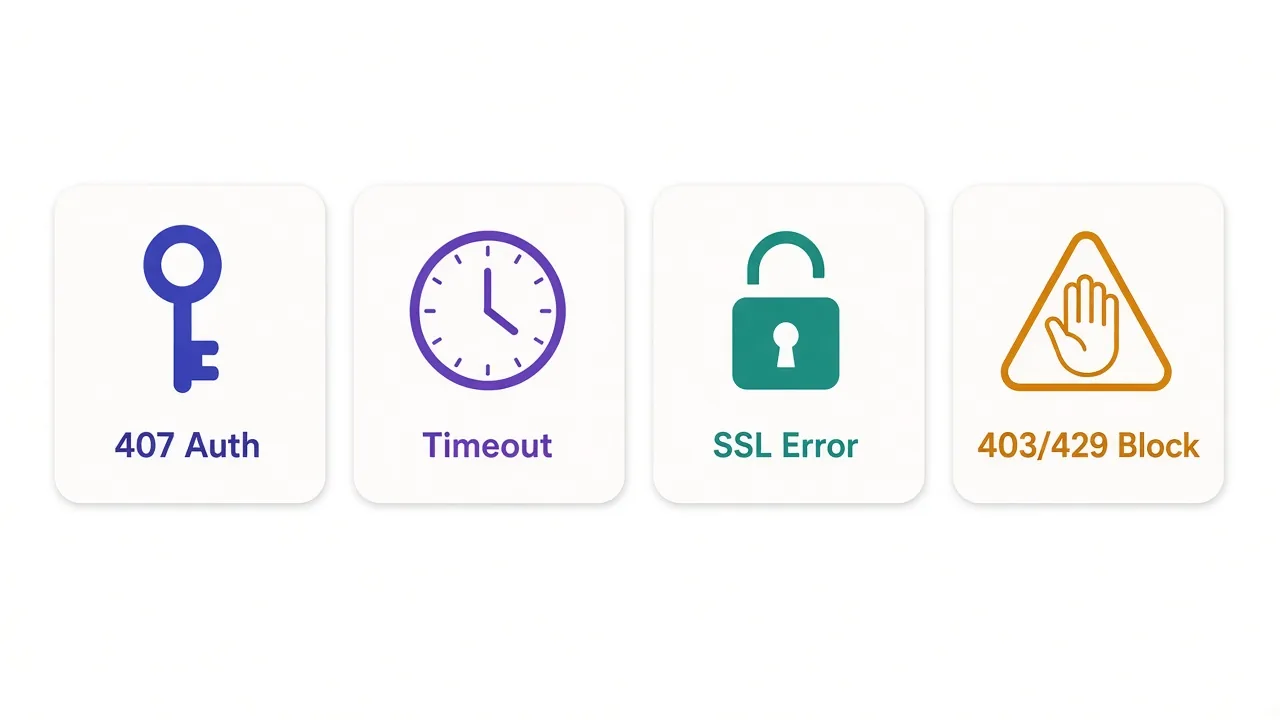
Most failures land in one of a few buckets. Here's the quick map before the details.
| What you see | What it usually means | First thing to try |
|---|---|---|
| ProxyError: Unable to connect to proxy | Wrong host, port or scheme, or the proxy is down | Re-check the proxy URL |
| 407 Proxy Authentication Required | Missing, wrong or badly encoded credentials | URL-encode the username and password |
| ConnectTimeout or ReadTimeout | The proxy or target is too slow to answer | Retry on a different proxy |
| SSLError | TLS failed, often from an https:// proxy URL | Switch the proxy URL to http:// |
| 403 or 429 from the target | The site blocked or rate-limited the IP | Slow down, rotate, or change IP type |
It helps to catch each one separately while you debug. That way the message tells you which bucket you're in:
import requests
from requests.exceptions import ConnectTimeout, HTTPError, ProxyError, ReadTimeout, SSLError

PROXY = "http://user:pass@gate.example.com:7000"
proxies = {"http": PROXY, "https": PROXY}

try:
    r = requests.get("https://httpbin.org/ip", proxies=proxies, timeout=(5, 20))
    r.raise_for_status()
    print(r.json())
except ProxyError as e:
    print("Proxy unreachable or refused the tunnel:", e)
except ConnectTimeout:
    print("Could not open a connection in time")
except ReadTimeout:
    print("Connected, but the response stalled")
except SSLError as e:
    print("TLS problem:", e)
except HTTPError as e:
    print("Target answered with an error:", e.response.status_code)
ProxyError: can't reach the proxy
A ProxyError means requests couldn't get a working connection through the proxy. The message often says it was unable to connect to the proxy.
Check the boring stuff first: the host, the port and the scheme. A SOCKS port addressed with http://, or the reverse, tends to fail here too.
A proxy that never answers can also land here. Depending on your urllib3 version, you get a ProxyError with a timeout buried inside the message. Read the whole traceback, not only the last line.
407 Proxy Authentication Required
A 407 means the proxy got your request and rejected the credentials. How it shows up depends on the target's scheme.
For an http:// target, you get a normal response with a 407 status code. For an https:// target, the tunnel never opens, so requests raises a ProxyError that mentions the 407.
The usual causes are a typo, an unencoded special character in the password, or an allowlist that doesn't include your current IP. Re-check the encoding step from earlier before you contact support.
ConnectTimeout and ReadTimeout
A ConnectTimeout means the connection didn't open within your connect limit. A ReadTimeout means it opened, but the response went quiet for longer than your read limit.
Both are good reasons to retry on a different proxy. If every proxy times out, look closer to home, like a firewall that blocks outbound traffic to the proxy's port.
SSLError
An SSLError through a proxy usually comes from the scheme mix-up we covered earlier. Check that your proxy URL starts with http:// unless your provider says otherwise.
Some unblocker products inspect TLS on purpose and ask you to trust their certificate. In that case, point verify at their CA file rather than switching verification off:
r = requests.get(
    "https://example.com",
    proxies=proxies,
    verify="/path/to/provider-ca.pem",
    timeout=(5, 20),
)
Setting verify=False makes the error go away, but it also stops requests from checking who it's talking to. Keep it for a quick local test, never for a real job.
403 and 429 from the target
These aren't proxy errors at all. The proxy did its job, and the website looked at your request and said no.
A 429 means you're sending too fast. Check for a Retry-After header and wait at least that long before you try again.
A 403 usually means the site doesn't trust the IP or the request. Don't forget the request part. By default, requests sends a python-requests User-Agent, which plenty of sites refuse on sight.
Sending a realistic browser User-Agent fixes some 403s without changing proxies. If the blocks keep coming, the IP type is usually the problem, and residential IPs hold up better on strict sites.
Want a starting point? Our list of the best residential proxy providers compares the options. These two both give you a single gateway with username and password auth, which drops straight into the code above:

Flexible proxies with true pay-as-you-go.

Transparent pay-as-you-go residential proxies with no minimums
So what should your proxied requests setup look like?
Keep it boring and explicit. Set both keys, encode your credentials, and pass a timeout on every call.
Then prove it works. Hit an IP echo endpoint over both schemes before you point the script at anything that matters.
If your settings ever seem ignored, check the environment variables first. That one bug catches more people than anything else on this page.
Ready to pick the proxies themselves? Browse the proxies we've reviewed, choose the type your target needs, and plug it into the dict.
You'll have it running in minutes.
Frequently asked questions
Pass a proxies dict to the call, like requests.get(url, proxies={"http": proxy, "https": proxy}). Set both keys, because a missing https key sends HTTPS traffic straight from your own IP.
The key names the target site's scheme, while the URL's scheme says how requests talks to the proxy. For HTTPS sites, requests opens a CONNECT tunnel over plain HTTP and runs TLS inside it.
URL-encode the username and password with urllib.parse.quote(value, safe='') before you build the proxy URL. Requests decodes them before sending, so characters like @, : and / stop breaking the URL.
With socks5:// your machine resolves domain names locally; with socks5h:// the proxy resolves them. Use socks5h:// to keep lookups off your own DNS. Both need pip install "requests[socks]".
Proxy environment variables like HTTPS_PROXY can override session.proxies while trust_env is on. Pass proxies= on each request, or set session.trust_env = False so the session ignores those variables.
Check that your credentials are correct and URL-encoded, and that your current IP is allowlisted if your plan uses IP auth. For HTTPS targets, the 407 shows up inside a ProxyError rather than as a response.