









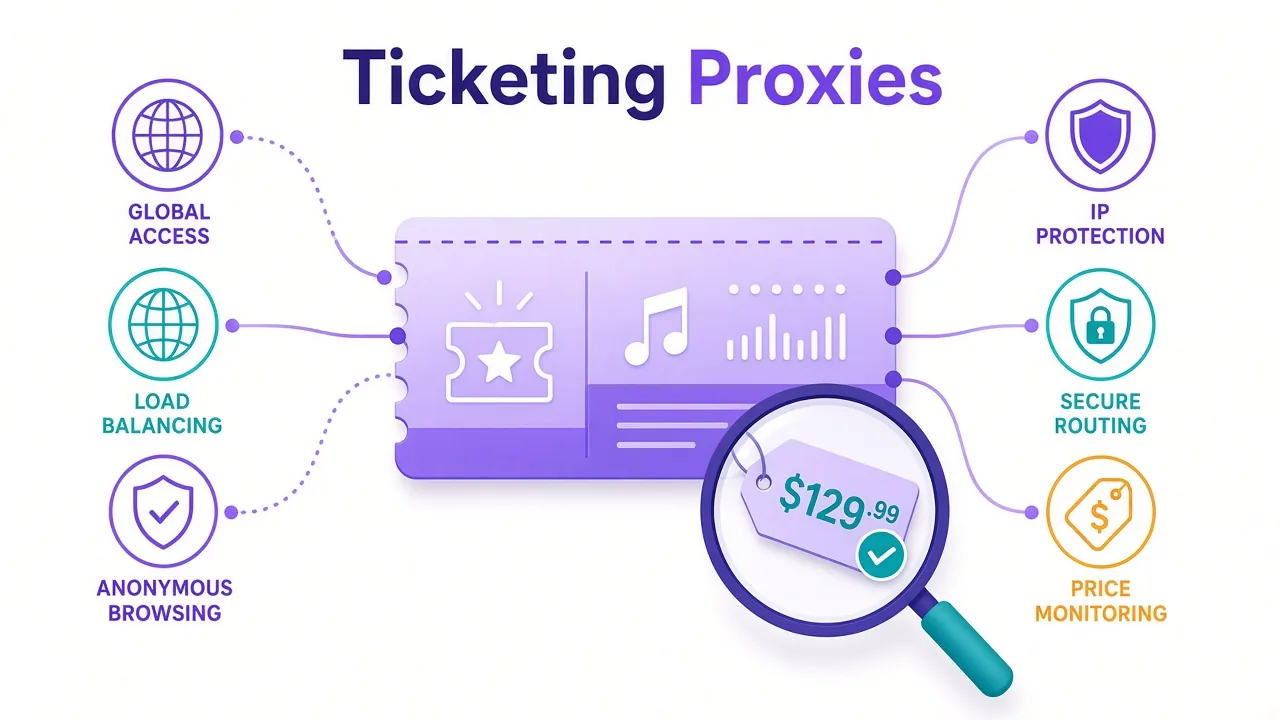
The presale opens at 10:00. You're logged in, card saved, coffee poured.
Then the page says "access denied", or your price tracker hasn't pulled a single listing since lunch. Same laptop, same code. Something on the ticketing side just decided you look wrong.
So which proxy actually helps here? As of October 2026, our top picks are Live Proxies for clean, sticky sessions and Oxylabs for large-scale price monitoring.
But there's a catch most "best proxies" lists skip. Some of what people want proxies for on ticket sites is illegal, and no IP will change that. We'll draw that line first, then get to the setting that matters more than the brand.
What can you legally use proxies for on ticketing sites?
Let's get the awkward part out of the way.
In the US, the BOTS Act makes it unlawful to get around a ticket site's security measures, purchase limits or access controls. The FTC enforces it.
The UK's Digital Economy Act 2017 goes further. Using software to buy more tickets than a site allows is an offence there.
So skipping queues, beating ticket caps and running fleets of buying accounts are off the table. We won't help with that, and you shouldn't want the legal bill.
What's left is still a big, real market.
- Tracking resale prices across marketplaces and regions.
- Watching inventory and seat maps for an event you plan to cover or analyse.
- Checking how ads, affiliate links and listings appear in different countries.
- Reaching a regional box office from abroad to buy your own ticket.
- QA testing a ticketing site you run, from real consumer IPs.
Notice the pattern? Most legitimate ticketing work is reading pages, not buying. That changes which proxy type wins.
Read the terms first
Even legal monitoring can break a site's terms of service. Check them, keep your request rate polite, and use official APIs or partner feeds where they exist.
Why do ticketing sites block you so fast?
Ticket sites sit under some of the heaviest bot traffic on the web. Big on-sales draw scalper bots by the thousands, so the defences are tuned to be jumpy.
That means honest traffic gets caught too.
Most large ticketing platforms run a virtual waiting room, often from a vendor like Queue-it. Many layer bot detection on top. Ticketmaster adds its own Verified Fan presale system, which ties access to a registered account and a code.
Here's what those layers tend to look at when your request lands:
- The IP's network. Home broadband, mobile carrier or cloud server?
- The IP's history. Has this address been noisy on ticket sites lately?
- Request pace. Ten page loads a second from one address isn't a fan.
- Browser signals. Headless browsers, odd fingerprints and missing cookies stand out.
A proxy only helps with the first two. Keep that in mind, because it explains why some setups still fail with "premium" IPs.
If fingerprints are new to you, our guide to how browser fingerprinting works covers the browser side.
Residential, ISP, mobile or datacenter: which type fits ticketing?
For ticket sites, the proxy type matters more than the logo on the pricing page.
Pick the wrong type and you'll burn money on IPs the site rejects on sight. Here's how each one tends to behave.
| Type | Good for | Weak for |
|---|---|---|
| Rotating residential | Price and inventory monitoring | Staying logged in |
| Sticky residential | Logged-in sessions and seat maps | Very high request volume |
| ISP (static residential) | One steady identity per account | Wide geo spread |
| Mobile | Sites that block almost everything else | Tight budgets |
| Datacenter | Your own QA and soft targets | Major ticket platforms |
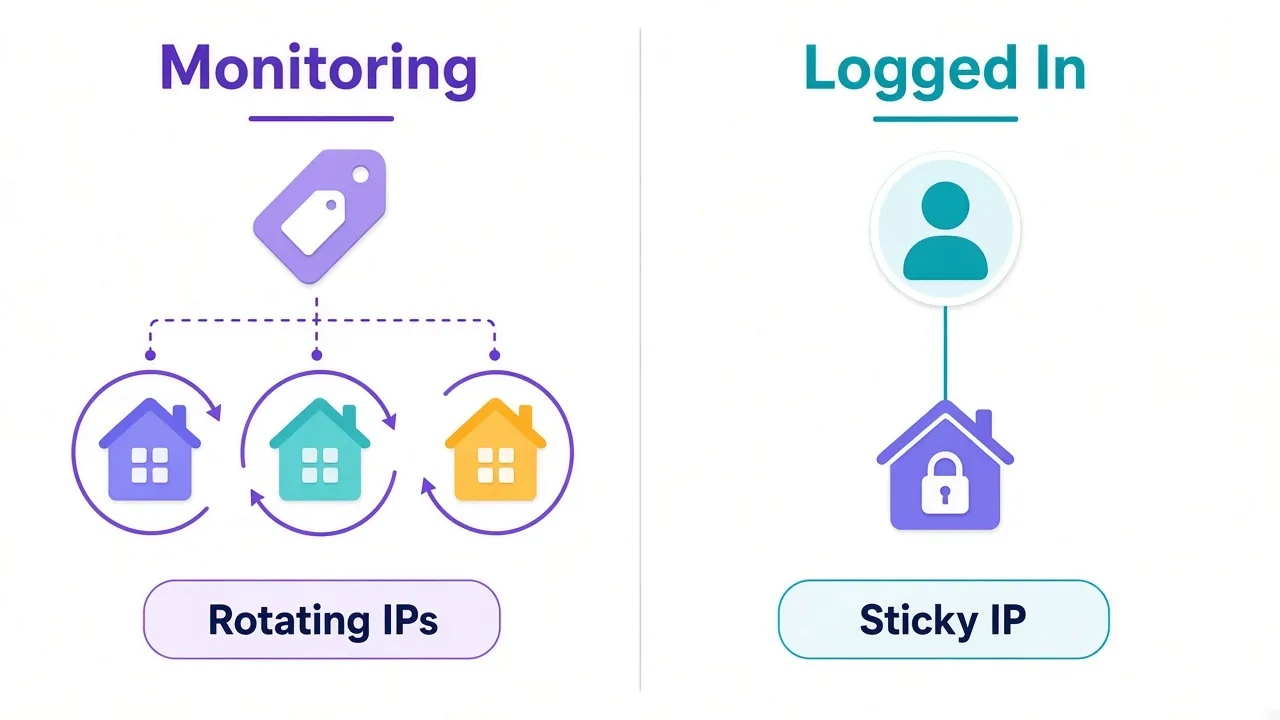
Rotating residential hands you a new home IP per request or on a timer. That's ideal for checking prices across hundreds of event pages, because no single IP gets loud.
Sticky residential holds one home IP for a set time, like 10 or 30 minutes. You want that whenever you're logged in. An account that hops between cities mid-session looks hijacked.
ISP proxies (also called static residential) sit on real ISP ranges but stay yours for days or weeks. Our ISP proxies explainer goes deeper on how they differ.
And datacenter? Fast and cheap, but their IP ranges are public. Big ticket platforms can see "cloud host" in a single lookup and treat you accordingly.
Rotating or sticky: which setting keeps you unblocked?
Remember the setting we promised at the top? This is it.
Most ticketing blocks we hear about come from using the wrong session type for the job, not from a bad provider. People rotate when they should stick, or stick when they should rotate.
Say you're tracking resale prices for 200 concerts. You load each event page a few times a day.
Rotate here. Each page view comes from a different household, at a human pace, and no address builds up a suspicious history.
Now say you're logged into your own account, buying one pair of tickets from a regional box office while you travel.
Stick here, for 10 to 30 minutes, in the same country as the box office. The site sees one person in one place from login to payment.
The rule of thumb
Logged in? Go sticky. Just reading public pages? Rotate. Mixing both on one IP is how honest setups get flagged.
Our sticky vs rotating proxies guide walks through session lengths in more detail.
Which proxy providers fit ticketing work right now?
Below are seven providers from the DriftProxy directory, as of October 2026. Each one earns its spot for a ticketing-shaped reason, with an honest drawback attached.
Prices and ratings in the cards below are live from our listings, so they'll stay current even when this post doesn't.
Live Proxies: our pick for clean logged-in sessions
Live Proxies focuses on curated, private residential pools for US, UK and EU targets. Those happen to be where most big ticketing platforms live.
Best for: sticky sessions on a single account where IP history matters. Our editor score is 4.3, and plans start at $2.00 in our listing.
The drawback? Coverage is about 40 countries, far fewer than the giants. If you need prices from South America or Southeast Asia, look elsewhere.

Curated, private residential pools for US, UK and EU targets
Oxylabs: built for monitoring at scale
If your project is price tracking across many events and markets, Oxylabs is the safe heavy hitter. Our listing shows a 100M+ pool across 195 countries and an editor score of 4.4.
Best for: teams running steady, high-volume monitoring with proper tooling and support.
The catch is cost. Residential starts at $8.00 in our listing, and enterprise features are priced like it. Solo projects will feel that.

Premium proxies built for enterprise scraping.
Bright Data: the widest targeting options
Bright Data runs one of the biggest networks we list, at 72M+ IPs in 195 countries. Its city and carrier targeting help when you need prices from one specific market.
Best for: research teams comparing ticket prices city by city.
The honest downside? The dashboard has a learning curve, and it's easy to overspend if you don't set limits. Read our Bright Data pricing breakdown before you commit.

NodeMaven: sticky sessions with filtered IPs
NodeMaven's whole pitch is clean pools and long sticky sessions, on both residential and mobile IPs. That's a good match for ticket sites that judge IP history harshly.
Best for: holding one identity steady for longer sessions without inheriting a noisy address.
The drawback is scale. At 30M+ IPs, it's mid-sized next to the biggest pools, so very wide monitoring jobs may fit a larger network better.

Sticky residential and mobile IPs with strong filtering and clean pools.
Decodo (Smartproxy): the balanced middle ground
Decodo, the provider formerly called Smartproxy, sits between budget and enterprise. We list a 55M+ pool, 195 countries and plans from $3.50.
Best for: small teams who want rotating and sticky options in one clean dashboard.
It doesn't lead on any single spec. For most ticketing monitors that's fine, but power users may outgrow the targeting.

Powerful proxies without the enterprise price tag.
IPRoyal: pay-as-you-go for small projects
Not every ticketing project runs every day. IPRoyal's residential traffic doesn't expire on the plans we list, which suits a tracker you only run around big on-sales.
Best for: hobby price trackers and occasional regional checks. Plans start at $1.75 in our listing.
The drawback? No free trial in our listing, so you'll pay to test it on your target.

Flexible proxies with true pay-as-you-go.
SOAX: mobile IPs when nothing else gets through
SOAX pairs residential with mobile IPs. Mobile carrier addresses are shared by many real people, so sites are slow to block them outright.
Best for: the stubborn platform that rejects every residential IP you try.
Mobile traffic costs more per GB, and our 3.9 editor score reflects a smaller pool. Use it as a fallback, not your default. Our SOAX pricing guide has the plan details.

Clean, ethically-sourced residential & mobile IPs.
How do the picks compare side by side?
Here's the short version, based on what each listing does best.
| Provider | Best ticketing use | Main trade-off |
|---|---|---|
| Live Proxies | Clean sticky sessions | About 40 countries |
| Oxylabs | High-volume monitoring | Higher entry price |
| Bright Data | City-level price research | Easy to overspend |
| NodeMaven | Long, filtered sticky IPs | Smaller pool |
| Decodo | Balanced small-team setup | No standout spec |
| IPRoyal | Occasional trackers | No free trial |
| SOAX | Mobile fallback | Pricier traffic |
Want to see every residential option we list? Browse the proxy directory and filter by type.
How should you set up a ticket price monitor?
Most legal ticketing work is monitoring, so let's make that part solid.
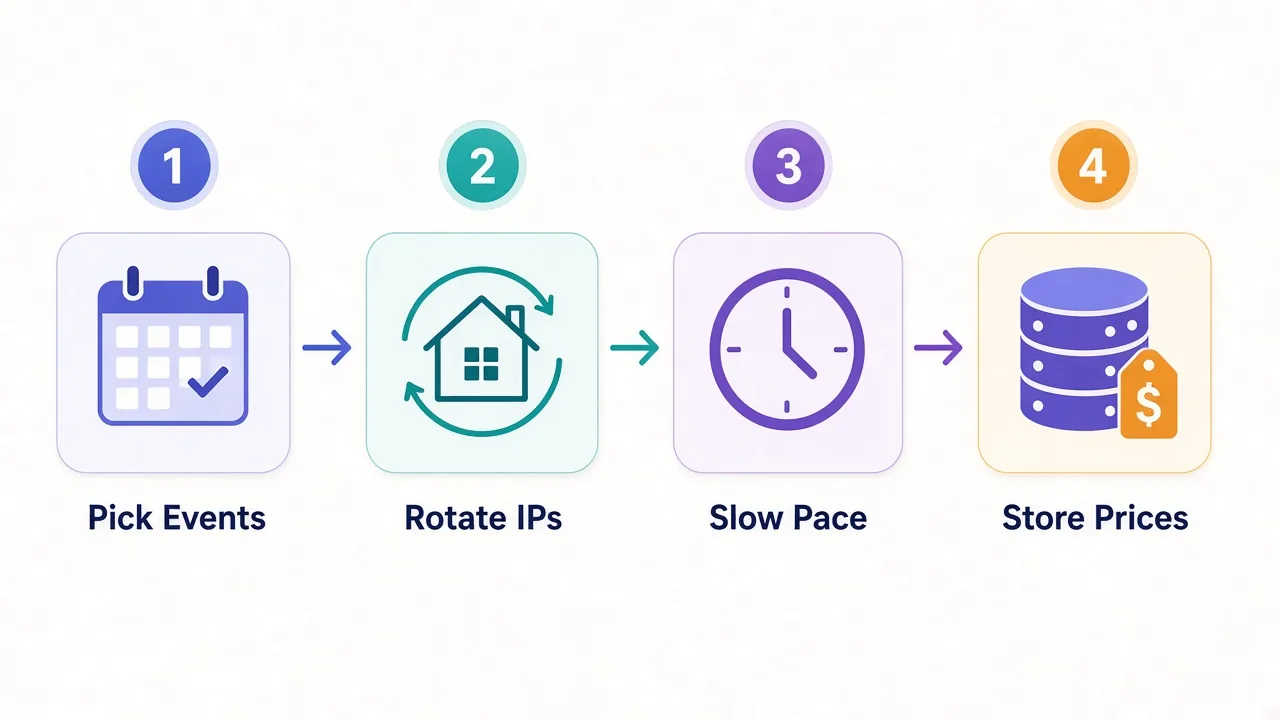
- Pick a short list of events. Fewer pages, fetched well, beat thousands fetched badly.
- Use rotating residential IPs in the country of each event.
- Pace your requests. Add random delays of several seconds between page loads.
- Cache and compare. Store each price with a timestamp, and only re-check when it's worth it.
Why the slow pace? Waiting rooms and bot scores react to bursts. A gentle, steady crawl draws far less attention than a fast one.
Check whether the marketplace offers an official API or affiliate feed first. When one exists, it's cleaner and safer than any proxy setup.
Writing your own script? Our tutorials on proxies with Python Requests and Playwright show the wiring.
How much bandwidth does ticket monitoring use?
Less than you'd fear, if you're careful.
Why does that matter? Residential and mobile plans usually bill by the gigabyte. A wasteful monitor can quietly eat a month's traffic in a few days, right before the on-sale you cared about.
Event pages on big platforms are heavy, with scripts, images and seat maps. Load them in a full browser and each view can pull several megabytes.
So block images and fonts where your tool allows it. Fetch the data call behind the page when you can find it, rather than the full page.
Then do the maths for your own setup: pages per day, times average page size, times 30. Our proxy bandwidth guide walks through that calculation step by step.
Start small
Buy the smallest plan, run your monitor for a week and measure real usage. Then size up. Guessing usually means overpaying.
Why do good proxies still get blocked on ticket sites?
You picked a solid provider and the right session type. Blocks keep coming. What's left?
Usually it's one of these:
- A headless browser with default settings, which bot scripts spot quickly.
- Cookies and fingerprints reused across many sessions.
- A request pace that spikes right as an on-sale opens.
- An IP country that doesn't match the account's home country.
Picture a tracker that worked fine for weeks. Then a huge tour announcement lands, traffic on the site spikes, and the platform tightens its bot rules overnight. Your setup didn't change. The site's tolerance did.
The proxy can't fix any of those. A consistent browser profile, a sensible pace and a matching geo do more than a pricier IP.
Our post on why proxies get banned covers the full list of causes.
Don't fight the waiting room
If a site puts you in a queue, wait in it. Trying to get around a queue is exactly what the BOTS Act targets.
So, which proxy should you actually pick for ticketing?
Start with the job, not the brand.
Monitoring prices and inventory across many events? Go rotating residential, with Oxylabs or Bright Data for scale and IPRoyal for a lighter budget.
Logged into your own account from abroad? Go sticky, with Live Proxies or NodeMaven in the right country.
Keep it legal, keep it slow, and let the queue be the queue. Then compare the residential providers we've reviewed and pick the one that fits.
You'll know within a week.
Frequently asked questions
Using proxies for monitoring prices or reaching a regional site is generally legal, but using them to dodge queues or purchase limits is not. In the US the BOTS Act bans getting around ticket site security, and the UK has similar rules.
Rotating residential proxies work best for ticket price monitoring. Each page view comes from a different home IP, so no single address builds up a suspicious history. Keep your request pace slow as well.
Use a sticky proxy when you're logged in. Hold one IP for 10 to 30 minutes in the account's home country, so the site sees one person in one place from login to payment.
Usually not well. Datacenter IP ranges are public, so big ticketing platforms can spot cloud hosts in one lookup. They're fine for testing your own site or softer targets.
Most blocks that survive a good proxy come from the browser or the pace, not the IP. Default headless browsers, reused fingerprints, traffic spikes at on-sale time and geo mismatches all trigger bot checks.
No, and you shouldn't try. Getting around a virtual waiting room is exactly what the BOTS Act targets, and sites detect and cancel those attempts. Wait in the queue like everyone else.