












Your Playwright script opens Chromium fine.
Then the target site serves a CAPTCHA, a soft block, or the wrong country's catalog.
Sound familiar? You do not need a new browser. You need a proxy with Playwright wired the way the API expects.
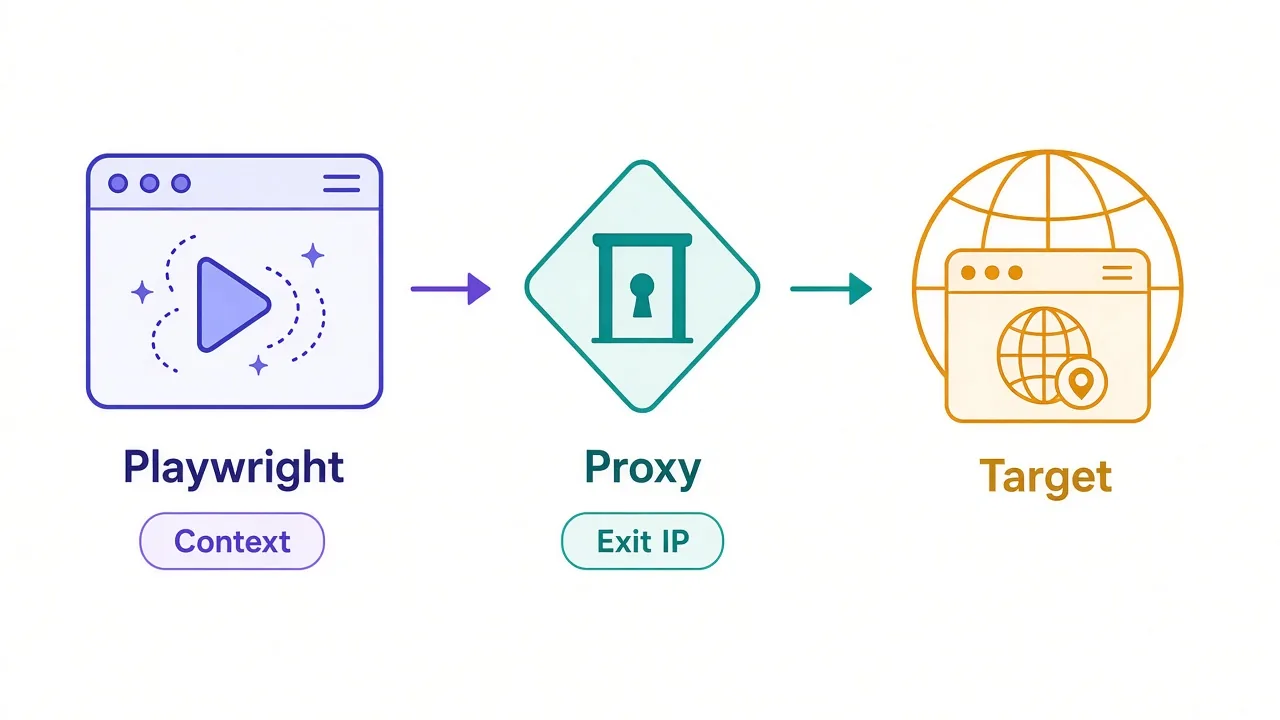
Playwright can send every request through an HTTP or SOCKS proxy at launch or per context. The hard part isn't the option name. It's auth shape, session type, and knowing when a proxy slows you down instead of helping.
We'll set that up in Node.js first, then cover the traps that waste a weekend. One of them fails silently with a blank page. We'll name it before you hit it.
Why put a proxy in front of Playwright at all?
Playwright drives a real browser. That is great for JavaScript-heavy pages. It also means every navigation, XHR, and asset request exits from one machine's IP.
If that IP is your office, a CI runner, or a cloud VM, soft targets may still load. Harder sites watch rate, geography, and ASN reputation.
A proxy sits between Playwright and the destination. The site sees the proxy's exit IP, not your laptop.
That helps when you need:
- A different country or city than your server sits in
- More IPs so one address is not hammered all day
- Separation between jobs, accounts, or test tenants
It doesn't fix a bad fingerprint by itself. It also doesn't make illegal scraping okay. Use proxies for work you're allowed to do, and respect site terms.
Say your CI box sits in one region, but the catalog you care about only shows local stock in another. A proxy is the clean way to move the exit without moving the server.
So when does the setup actually start? With a small proxy object.
How do you set a proxy in Playwright?
Playwright takes a proxy as an object, not as a full URL with credentials baked in.
The same four fields work on chromium.launch() and on browser.newContext():
server— required;http://host:portorsocks5://host:portusername/password— optional HTTP(S) proxy authbypass— optional comma-separated hosts that skip the proxy
Here is a minimal Node.js example that routes one context through an authenticated HTTP proxy:
import { chromium } from 'playwright';

const browser = await chromium.launch();
const context = await browser.newContext({
  proxy: {
    server: 'http://proxy.example.com:8080',
    username: process.env.PROXY_USER,
    password: process.env.PROXY_PASS,
  },
});

const page = await context.newPage();
await page.goto('https://example.com', { waitUntil: 'domcontentloaded' });
console.log(await page.title());

await context.close();
await browser.close();
Short form without a scheme, like proxy.example.com:8080, counts as HTTP.
Keep secrets in env vars. Don't commit them next to the script. If a teammate can clone the repo and find a password, you've already lost.
Quick check that the exit IP changed
Hit a simple IP echo page from the proxied page, or log the response from your provider's check URL. If the IP matches your machine, the proxy never attached.
That covers the happy path. The next choice is where to put the proxy: on the browser, or on each context.
Launch vs context: which proxy setting should you use?
You can set proxy in two places. They are not interchangeable in practice.
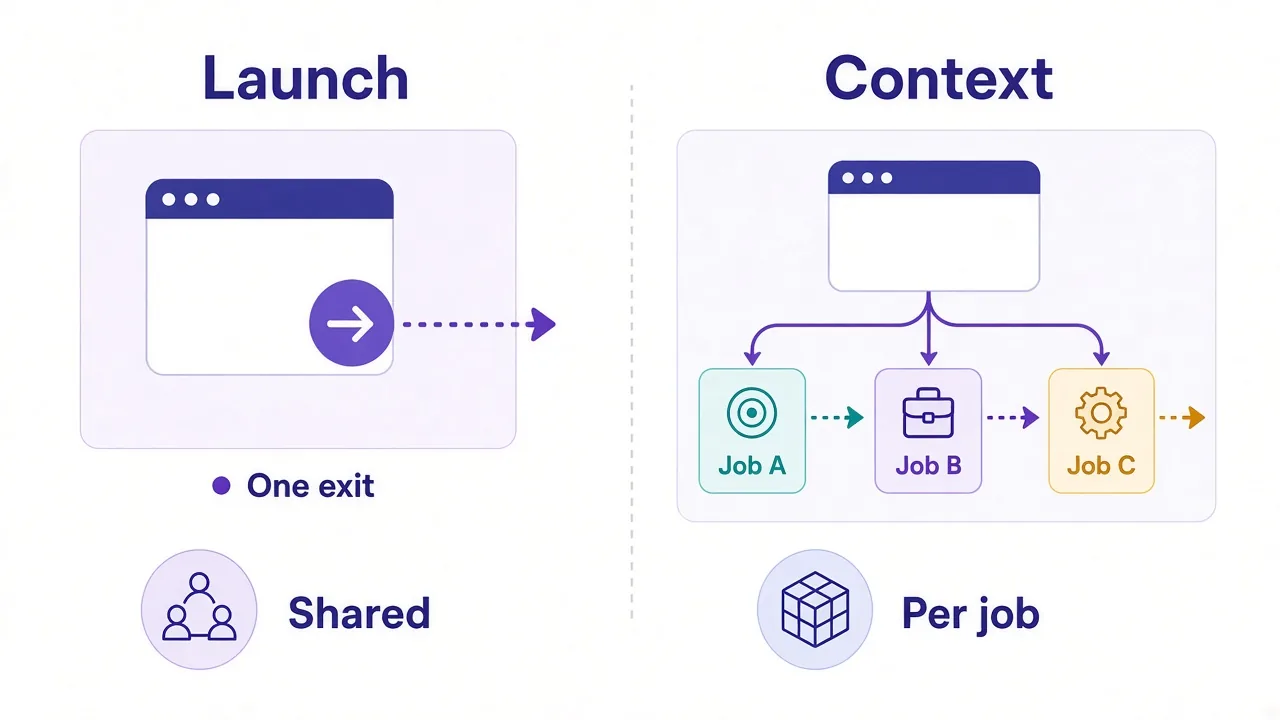
Launch-level (chromium.launch({ proxy })) applies for the life of that browser process. Every context and page shares it unless a context overrides with its own settings. Treat launch-level as "this whole browser exits here."
Context-level (browser.newContext({ proxy })) scopes the proxy to that isolated profile: cookies, storage, and exit IP travel together. Close the context, and that session's gone.
If you're running one long crawl from one country, launch-level is fine. If you're juggling ten jobs with ten exits, context-level saves you from relaunching Chromium all day.
Which should you pick?
| Goal | Prefer |
|---|---|
| One fixed exit for a long scrape | Launch or a single long-lived context |
| Many jobs, many IPs | New context per job with its own proxy |
| Playwright Test default for the suite | use.proxy in config, override per test when needed |
| Localhost and provider dashboards direct | Same setup, plus a bypass list |
For scraping and multi-account work, context-level wins most weeks. You keep one browser warm and swap exits without relaunching Chromium every time.
There's a second benefit people miss: a crashed job can close one context and leave the browser running. That's less drama in a worker pool.
Remember the silent failure we flagged at the start? It shows up as soon as you add a username.
How do you pass username and password without breaking auth?
This is the trap that looks like "Playwright ignores my proxy."
People paste a curl-style URL:
// Wrong: credentials inside server are not how Playwright auth works
proxy: {
  server: 'http://user:pass@proxy.example.com:8080',
}
Playwright expects username and password as sibling fields. Credentials stuffed into server aren't a reliable auth path. You often get a 407 Proxy Authentication Required, a hung navigation, or a blank page.
That's the silent failure. The script doesn't always throw a clear "bad proxy password" error. It just sits there looking broken.
Do this instead:
proxy: {
  server: 'http://proxy.example.com:8080',
  username: process.env.PROXY_USER,
  password: process.env.PROXY_PASS,
}
Many residential providers encode session IDs in the username (sticky token, country, city). That still belongs in the username field, not in the host string.
proxy: {
  server: 'http://gate.example.com:10000',
  username: 'user-session-abc123-country-us',
  password: process.env.PROXY_PASS,
}
If auth still fails, confirm the provider expects HTTP proxy auth, not IP allowlisting only. Some plans ignore username/password and only accept your server's IP on a whitelist.
It's worth asking support which mode your plan uses before you rewrite half the scraper.
407 is a proxy problem, not a site problem
When the proxy rejects credentials, fix auth before you tune headless flags or user agents. The target site never saw the request.
Auth shape is one half. Protocol choice is the other.
HTTP vs SOCKS5 in Playwright: does it matter?
Playwright documents both http:// and socks5:// servers. For most scraping, HTTP/HTTPS proxies are the default that providers document for browser automation.
SOCKS5 is fine when you need a lower-level tunnel and your endpoint allows it. The catch for Chromium: authenticated SOCKS5 isn't a supported combo the way HTTP auth is. If you need SOCKS, prefer IP-allowlist access, or stick to HTTP with username/password.
Don't pick SOCKS because a forum said it's "more private." In Playwright, exit quality and session control matter more than the tunnel label.
Need a fuller protocol comparison outside Playwright? See our guide on HTTP vs SOCKS5 proxies.
Practical rule for this stack:
- Browser automation with user/pass → HTTP proxy
- SOCKS only if the provider gives IP auth and you have a reason
- Do not assume "SOCKS is more anonymous" in Playwright; the exit IP quality still matters more
Protocol picked. Next up: should that IP stick around, or change every request?
Sticky or rotating sessions for scraping with Playwright?
Playwright doesn't invent sticky sessions. Your proxy provider does. You choose the product mode, then pass the matching gateway and username pattern.
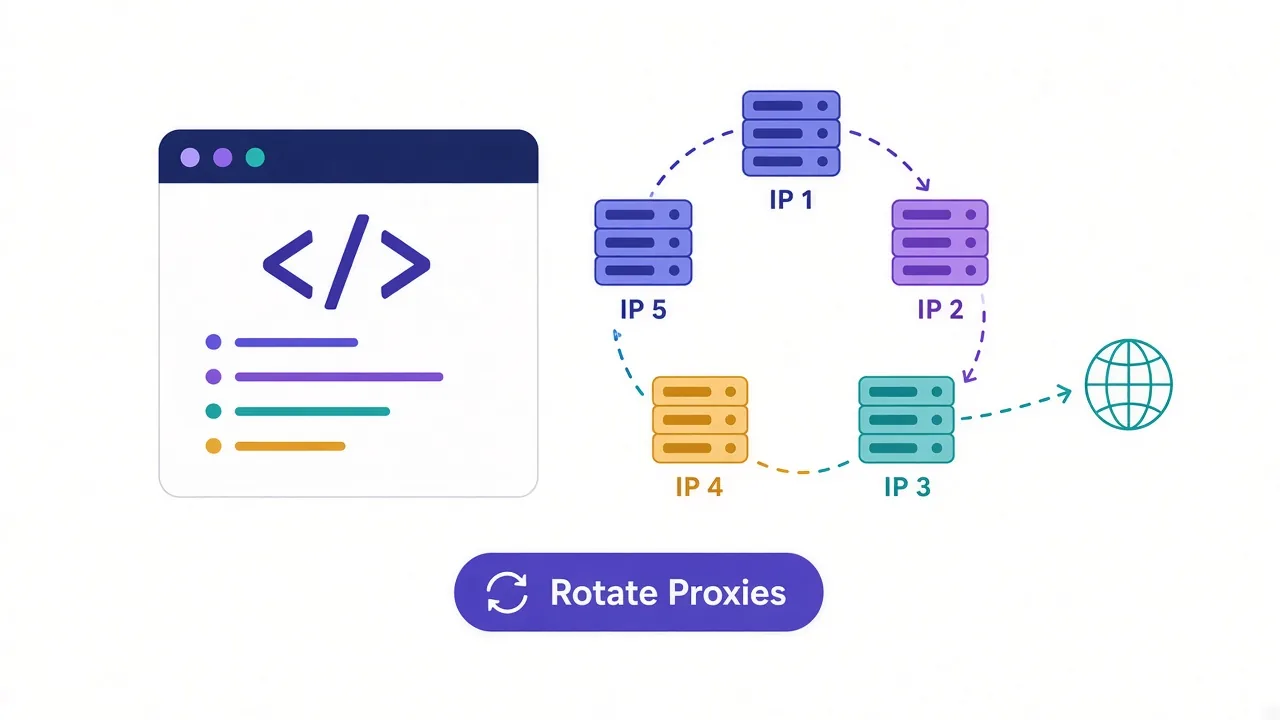
Rotating means a new exit IP on a schedule or per connection. Good for wide crawls on soft targets where you do not need the same IP for logins or carts.
Sticky (sometimes called a session) keeps the same IP for a set window, like 5–30 minutes. Good when cookies, logins, or multi-step flows must look like one visitor.
With a real browser, sticky is often the better default. A checkout that hops IPs mid-flow looks weird. A login that starts in one city and continues in another looks worse.
You're driving Chromium, not a bare HTTP client. The site sees cookies, pacing, and IP continuity together. Break one of those on purpose only when the job is truly one-shot.
Rotating still wins for:
- High-volume public pages with light protection
- Jobs that are one GET and done
- Fan-out across many low-value targets
Want the decision rule in more depth? Read sticky vs rotating proxies.
How do you actually rotate inside a Playwright process without restarting Chromium each time?
How do you rotate proxies across browser contexts?
This is where context-level proxy pays off.
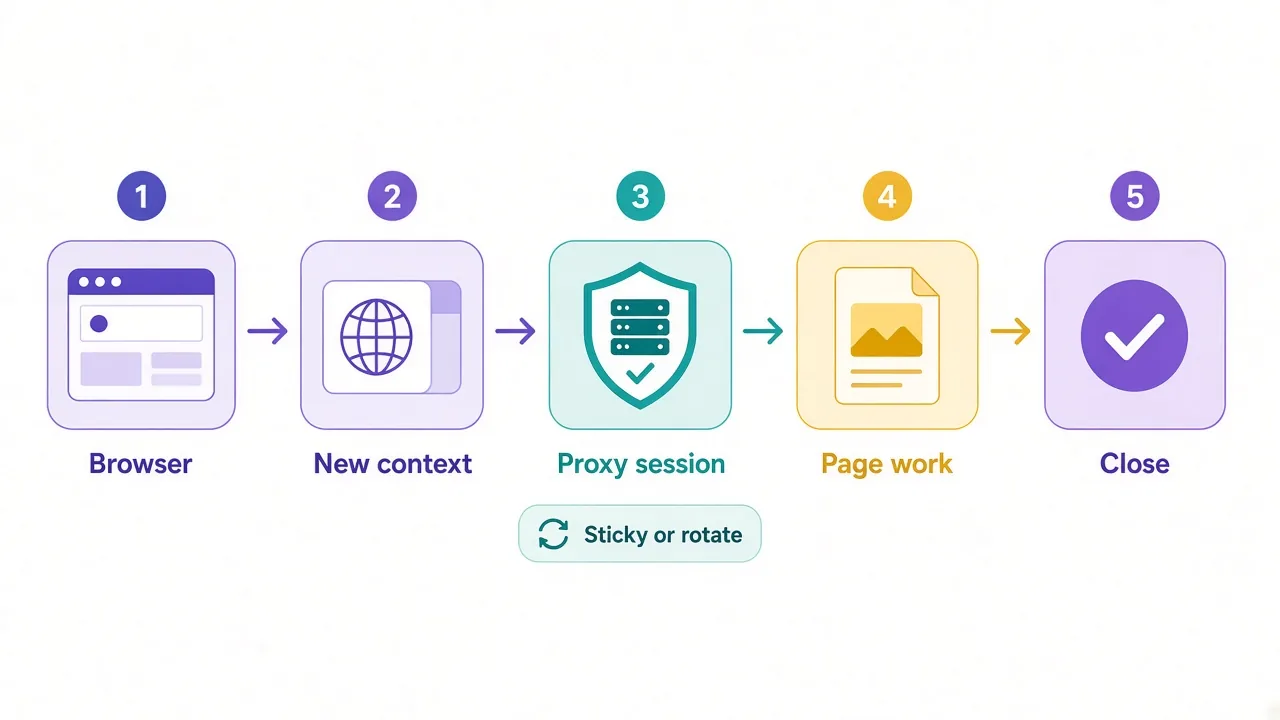
Keep one browser. For each job, open a context with that job's proxy string, run the page work, then close the context. Cookies and the exit leave together.
You're not rotating "inside" a single page session. You're giving each job a clean room.
import { chromium } from 'playwright';

const browser = await chromium.launch();

const jobs = [
  { server: 'http://gate.example.com:10000', username: 'user-session-a', password: process.env.PROXY_PASS },
  { server: 'http://gate.example.com:10000', username: 'user-session-b', password: process.env.PROXY_PASS },
];

for (const job of jobs) {
  const context = await browser.newContext({
    proxy: {
      server: job.server,
      username: job.username,
      password: job.password,
    },
  });
  const page = await context.newPage();
  await page.goto('https://example.com', { waitUntil: 'domcontentloaded' });
  // scrape or assert here
  await context.close();
}

await browser.close();
Tips that keep this stable:
- Bound concurrency. A hundred contexts at once will thrash memory and your proxy plan.
- Close contexts in
finallyso failures do not leak browsers. - Reuse one browser per worker process; relaunch only on crash.
- If the provider rotates on every new connection, a new context is enough. If they need a new session id in the username, change that string each job.
Pattern that scales
Worker process → one Chromium → N contexts → one proxy session each → close context → next job. Simple, and easy to reason about when something breaks.
Library mode is clear. What about Playwright Test and Python?
What about Playwright Test config and Python?
If you use @playwright/test, put a default proxy in config and override in a single test when needed.
// playwright.config.ts
import { defineConfig } from '@playwright/test';

export default defineConfig({
  use: {
    proxy: {
      server: 'http://proxy.example.com:8080',
      username: process.env.PROXY_USER,
      password: process.env.PROXY_PASS,
    },
  },
});
Per test with a custom context:
import { test } from '@playwright/test';

test('geo check via proxy', async ({ browser }) => {
  const context = await browser.newContext({
    proxy: {
      server: 'http://proxy.example.com:8080',
      username: process.env.PROXY_USER,
      password: process.env.PROXY_PASS,
    },
  });
  const page = await context.newPage();
  await page.goto('https://example.com');
  await context.close();
});
Python looks the same, with dict keys:
from playwright.async_api import async_playwright
import os

async def main():
    async with async_playwright() as p:
        browser = await p.chromium.launch()
        context = await browser.new_context(
            proxy={
                "server": "http://proxy.example.com:8080",
                "username": os.environ["PROXY_USER"],
                "password": os.environ["PROXY_PASS"],
            }
        )
        page = await context.new_page()
        await page.goto("https://example.com")
        await context.close()
        await browser.close()
Same rules: separate username/password, prefer context scope for rotation, verify the exit IP before you scale workers.
If you're on Python sync APIs, the shape doesn't change. You still pass a proxy dict with server, username, and password.
Now for the bugs that burn hours.
Common pitfalls that look like "the proxy is broken"
When a proxied run fails, walk this list before you rewrite the scraper.
1. Credentials in the server string. Split them. Recheck for 407s.
2. SOCKS5 + username/password on Chromium. Switch to HTTP auth or IP allowlisting.
3. Mixed content and bypass mistakes. Local tooling, package registries, or internal APIs may need bypass: 'localhost,127.0.0.1,.internal.example' so they do not go through a residential gateway.
4. Provider plan vs browser traffic. Full page loads pull CSS, fonts, and images. That burns bandwidth fast on residential plans. Block heavy assets with page.route when you only need HTML and XHR.
await page.route('**/*.{png,jpg,jpeg,webp,svg,woff2}', (route) => route.abort());5. Headless defaults and bot scores. A proxy changes the IP. It doesn't rewrite every browser signal. If you still get blocked after a clean exit IP, the issue is elsewhere: rate, fingerprint, or behavior.
6. DNS and WebRTC edge cases. For most Playwright scraping, stick to provider HTTPS proxies and normal navigation. Obsessing over WebRTC leaks isn't the first fix. Get auth, session type, and rate right first.
7. Forgetting to close contexts. Leaked contexts hold pages, proxies, and memory. Always close. If you're not sure, wrap the work in try/finally and close there.
Still stuck? Log the navigation error text, the proxy host (not the password), and whether a direct non-proxied request works from the same machine. That split tells you if the proxy path is the culprit.
Do not debug three things at once
Change auth, session type, or concurrency one at a time. Otherwise you will not know which fix worked.
One more honest question: should you use a proxy every time?
When a proxy helps Playwright — and when it hurts
Proxies help when IP reputation, geography, or per-IP rate limits are the bottleneck. They hurt when bandwidth cost, latency, or browser realism is the real limit.
Use a proxy when:
- The target is geo-specific and your server is in the wrong place
- You need many exits for parallel public crawls
- Accounts or tenants must not share one office IP
Skip or slim the proxy when:
- You are developing locally against staging that allowlists your IP
- The site barely rate-limits and a datacenter IP is enough — see best datacenter proxy providers
- Every extra hop makes flaky tests worse and you do not need geo
- Residential GB cost will dwarf the value of the data
A blunt take: if your script fails on a clean residential IP with human-like pacing, buying more IPs won't save it. Fix the flow first.
Also remember Chrome OS-level proxy settings are a different path than Playwright's API. If you ever need the browser UI route, we covered how to set a proxy in Chrome separately.
And if blocks keep clustering on hosting ASNs, step up from cheap datacenter exits to residential. Don't guess forever — match the IP type to the target.
So, what setup should you actually ship?
Start simple.
Use Node.js, context-level HTTP proxy, username and password as separate fields, and sticky sessions for any multi-step flow. Rotate by opening a new context with a new session id. Verify the exit IP once per worker boot.
Scale concurrency only after a single worker is stable. Block fat assets if your provider bills by the gigabyte. Keep Playwright Test's use.proxy for suite defaults, and override per test when a case needs another country.
Still choosing a pool? Compare providers in our proxy directory, then wire the gateway string into the snippet above.
You don't need a clever framework on day one. You need a proxy object Playwright accepts, a session mode that matches the flow, and logs that show the exit IP.
Get the auth shape right once. The rest of the pipeline gets a lot quieter.
Frequently asked questions
Pass a proxy object with server, and optional username, password, and bypass to chromium.launch() or browser.newContext(). Prefer context-level for per-job exits.
Yes for HTTP/HTTPS proxies. Put username and password in separate fields, not inside the server URL. Authenticated SOCKS5 is not reliably supported in Chromium.
Use launch for one fixed exit for the whole browser. Use newContext when each job needs its own IP, cookies, and clean teardown.
Yes via a socks5:// server string. For browser automation with credentials, HTTP proxies are usually simpler because Chromium does not handle SOCKS5 auth like HTTP auth.
Prefer sticky sessions for logins and multi-step flows in a real browser. Use rotating for one-shot public pages where the IP can change freely.
Most often credentials were embedded in the server string. Split username and password, confirm the plan allows HTTP proxy auth, then retest the exit IP.