













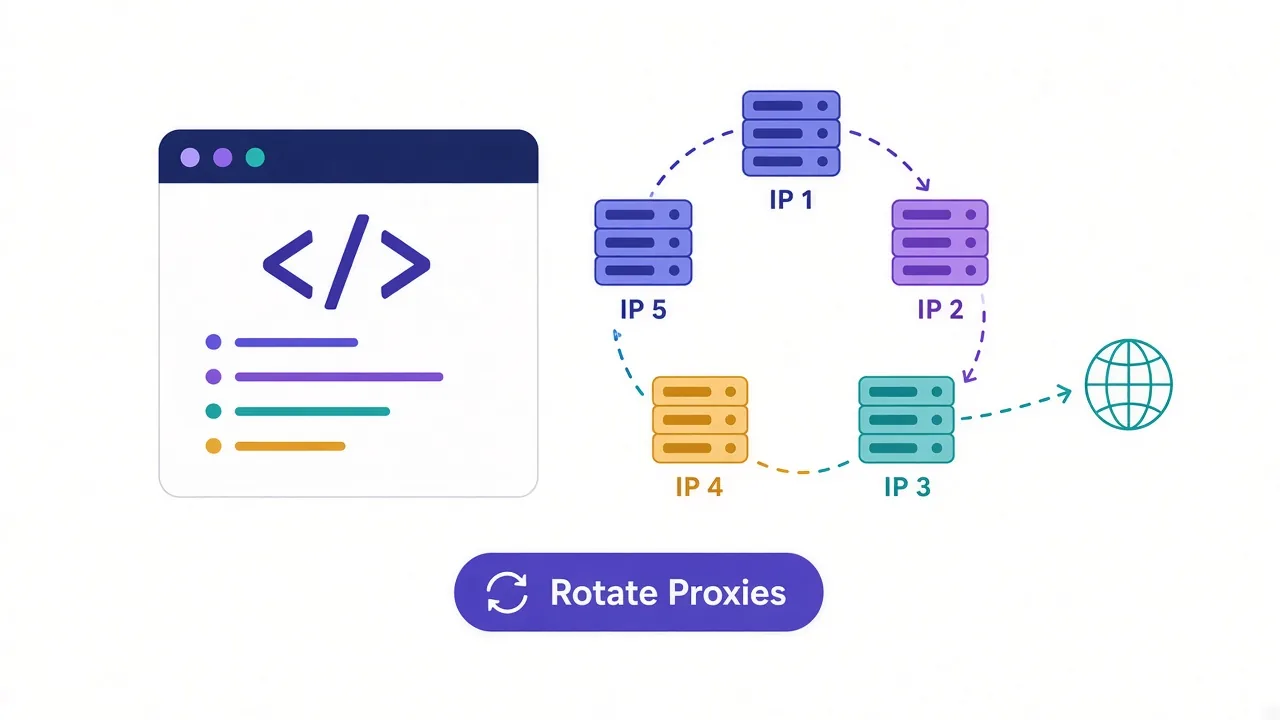
Your scraper reached page 400. Then every response came back 429. Same script, same proxy, same rhythm. The site finally counted your requests.
Sound familiar? The fix is to rotate proxies in Python. Each request leaves from a different IP, so no single address piles up enough traffic to get flagged.
The basic version takes about ten lines. But one common Python habit can quietly pin you to a single IP, even when your code looks perfect.
We'll get to that line. First, let's work out which kind of rotation you need.
Two ways to rotate proxies in Python
Rotation means changing the IP address your requests come from. In Python, you do it one of two ways.
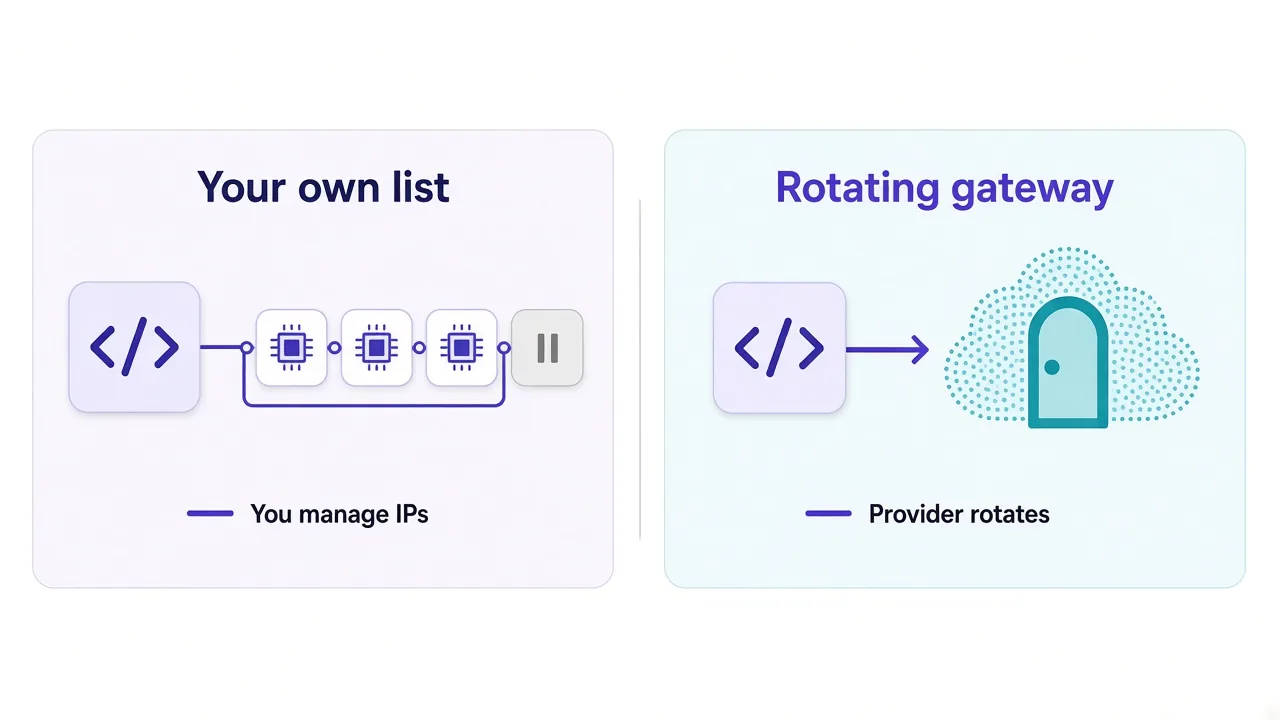
- You hold a list of proxies and pick a different one for each request.
- You send everything to one rotating gateway, and the provider swaps the exit IP for you.
The list gives you control. You choose the order, you drop the bad ones, and you can mix providers. It's the usual setup with a batch of datacenter proxies sold as IP and port pairs.
The gateway gives you scale. Most residential plans hand you a single hostname and port, and each new connection comes out somewhere else in a large pool.
Which one do you have? Look at what your provider gave you. A text file of addresses means list rotation, while one host plus a username usually means a gateway.
We'll build both, starting with the list, because it shows you what a gateway does behind the curtain. If the idea itself is new, our explainer on what proxy rotation is covers the theory first.
What do you need before you write a line?
Not much. You need Python 3, the requests library and a few working proxies.
pip install requestsProxies use a standard URL format. Write them like this, with the scheme at the front:
http://username:password@203.0.113.10:8080The addresses in this guide come from a range reserved for documentation, so swap in your own. Leave out the username and password if your provider whitelists your IP instead.
Keep credentials out of your code
Load the proxy list from a file or an environment variable. That way one pushed commit doesn't leak a paid login to the whole internet.
One more check before you rotate anything. Make sure each proxy works on its own.
A rotation loop built on dead proxies just fails in a more interesting order.
The simplest way to rotate proxies with requests
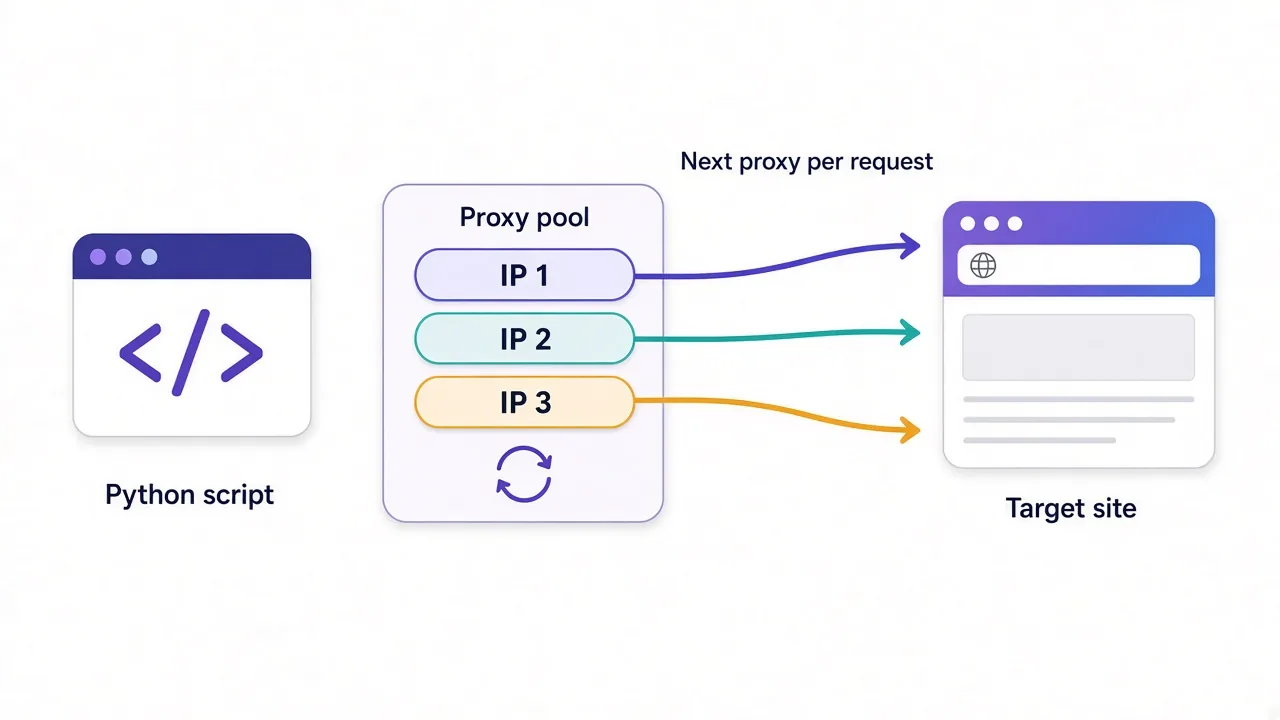
Here's round-robin rotation with the standard library and requests. Each call takes the next proxy in the list, and the list loops forever.
import itertools
import requests

PROXIES = [
    "http://user:pass@203.0.113.10:8080",
    "http://user:pass@203.0.113.11:8080",
    "http://user:pass@203.0.113.12:8080",
]
proxy_pool = itertools.cycle(PROXIES)

def fetch(url):
    proxy = next(proxy_pool)
    proxies = {"http": proxy, "https": proxy}
    return requests.get(url, proxies=proxies, timeout=10)

for page in range(1, 6):
    r = fetch(f"https://example.com/products?page={page}")
    print(page, r.status_code)
Two details trip people up here. The proxies dict needs both keys, http and https.
Miss the https key, and your HTTPS requests skip the proxy entirely. They go out from your real IP, and nothing in the output warns you.
The https value usually still starts with http://. That scheme describes how you talk to the proxy, not to the site. Most proxies carry HTTPS traffic through a plain HTTP tunnel.
The timeout matters too. Without it, one stalled proxy can hang the whole script. Ten seconds is a sane default for most targets.
Want to watch the rotation happen? Point fetch at an IP echo page like https://httpbin.org/ip and print the body. You should see a different address on each line.
Round-robin or random: does the order matter?
A little. Round-robin spreads traffic evenly, so every proxy gets the same share. That's what you want when the pool is small.
Random choice looks less mechanical. With random.choice, there's no fixed cycle a site could line up against your timing.
import random

def fetch(url):
    proxy = random.choice(PROXIES)
    proxies = {"http": proxy, "https": proxy}
    return requests.get(url, proxies=proxies, timeout=10)
The downside of random is clumping. With five proxies, the same one will sometimes come up three times in a row. On a strict target, that's three hits from one IP in a few seconds.
Honestly, the order matters less than the pace.
Ten proxies firing as fast as your laptop allows still means each IP makes a lot of requests per minute. Add a short random pause between requests, and either method holds up far longer.
import time

time.sleep(random.uniform(1.0, 3.0))
Pauses feel slow. They're still cheaper than buying a bigger pool to make up for a pace no human would ever keep.
Why your rotation might not rotate at all
Remember that habit from the start? It's requests.Session.
Sessions are handy. They keep cookies, reuse headers and hold connections open so repeat requests run faster. That last part is the problem.
With a list of proxies, you're mostly fine, since each new proxy needs its own connection. A rotating gateway is different. It usually picks a new exit IP per connection, not per request.
So if a Session keeps one connection alive to the gateway, request after request can leave from the same IP. Your code looks like it rotates. The target sees one visitor.
The fix depends on what you want:
- Need a new IP on every request? Use plain
requests.get, or send aConnection: closeheader. - Need cookies and a stable IP for a while? Keep the Session, and treat it as a sticky session on purpose.
- Need both? Create a fresh Session for each task, then throw it away.
Cookies give you away too. If one Session carries the same login cookie through ten IPs, the site can link every request to you anyway. Rotation hides the address, not the cookie jar.
Test what the target sees
Before a big run, hit an IP echo page ten times with your real setup, Session and all. If the same IP comes back every time, your rotation isn't working yet.
How do you know when a proxy is burned?
A loop without health checks keeps sending traffic to proxies that died an hour ago. You want it to notice and move on.
These are the signals worth watching:
| Signal | Usually means | What to do |
|---|---|---|
| Timeout or connection error | The proxy is down or overloaded | Retry on another proxy and count the failure |
| 407 Proxy Authentication Required | Wrong login, or your IP isn't whitelisted | Fix the config; retrying won't help |
| 403 Forbidden | The target blocked this IP | Rest that proxy and retry elsewhere |
| 429 Too Many Requests | You're going too fast | Slow down, then retry on a different IP |
| 200 with a CAPTCHA page | A soft block | Treat it like a 403 |
That last row catches a lot of people. A 200 doesn't mean you got the real page. Check for a word you expect, or for CAPTCHA markup, before you count it as a win.
Here's a small pool that retries on a different proxy and benches the ones that keep failing:
import random
import time
import requests

class ProxyPool:
    def __init__(self, proxies, max_fails=3, cooldown=300):
        self.proxies = list(proxies)
        self.fails = {p: 0 for p in self.proxies}
        self.benched = {}
        self.max_fails = max_fails
        self.cooldown = cooldown

    def get(self):
        now = time.time()
        for p, until in list(self.benched.items()):
            if now >= until:
                del self.benched[p]
                self.fails[p] = 0
        live = [p for p in self.proxies if p not in self.benched]
        if not live:
            raise RuntimeError("No live proxies left")
        return random.choice(live)

    def report(self, proxy, ok):
        if ok:
            self.fails[proxy] = 0
            return
        self.fails[proxy] += 1
        if self.fails[proxy] >= self.max_fails:
            self.benched[proxy] = time.time() + self.cooldown

pool = ProxyPool(PROXIES)

def fetch(url, attempts=4):
    for _ in range(attempts):
        proxy = pool.get()
        proxies = {"http": proxy, "https": proxy}
        try:
            r = requests.get(url, proxies=proxies, timeout=10)
        except requests.RequestException:
            pool.report(proxy, ok=False)
            continue
        if r.status_code in (403, 429):
            pool.report(proxy, ok=False)
            time.sleep(random.uniform(2, 5))
            continue
        pool.report(proxy, ok=True)
        return r
    raise RuntimeError(f"Gave up on {url}")
Tuning the pool without guesswork
Benched proxies come back after five minutes, so one bad stretch doesn't retire an IP forever. If the pool empties completely, the script stops loudly instead of looping in silence.
That's a feature. A crash at 3 a.m. is annoying, but a silent loop that burns bandwidth until morning is worse.
The max_fails and cooldown values are starting points, not magic numbers. Tighten them for strict targets, and loosen them if your proxies are flaky but not banned.
What about a 407? The pool above doesn't special-case it, and you might want it to. A login error means every proxy will fail the same way, so stop the run and fix the config.
Our guide on why proxies get banned goes deeper into what triggers each kind of block.
Rotating gateways: let the provider do the work
A list works well up to a few dozen proxies. Past that, babysitting health checks gets old fast.
A rotating gateway moves that work to the provider. You get one endpoint, and the provider picks a fresh IP from its pool for each new connection.
import requests

GATEWAY = "http://USERNAME:PASSWORD@gate.provider.example:7000"
proxies = {"http": GATEWAY, "https": GATEWAY}

for _ in range(5):
    r = requests.get("https://httpbin.org/ip", proxies=proxies, timeout=15)
    print(r.json()["origin"])
Notice there's no Session in that loop. That's on purpose, for the keep-alive reason we covered earlier.
Gateways usually let you steer rotation through the username. You add parameters for country, city or a session ID. The exact format differs by provider, so copy it from your dashboard instead of guessing.
The trade-off? You lose fine control. You can't bench one bad IP, because you never see the pool. When a request fails, you retry, and the gateway hands you another address.
Most gateways sit in front of residential proxies, which providers usually bill by the gigabyte. Every retry costs bandwidth, so the health-check habits above still save you money.
When should you stop rotating?
Here's the part most tutorials skip. Rotating on every request is wrong for anything that involves logging in.
Picture a site that sees your session cookie arrive from Ohio, then Poland, then Brazil, all inside one minute. No real person does that. The rotation that protects a crawler gets an account flagged.
That's where sticky sessions come in. A sticky session keeps the same IP for a set window. Depending on the provider, that's usually a few minutes up to about half an hour.
In code, it often looks like a session ID baked into the gateway username. Change the ID, and you get a new IP. Keep it, and the IP holds.
import uuid
import requests

def sticky_proxy():
    session_id = uuid.uuid4().hex[:8]
    # The username format varies by provider: check your dashboard
    user = f"USERNAME-session-{session_id}"
    url = f"http://{user}:PASSWORD@gate.provider.example:7000"
    return {"http": url, "https": url}

proxies = sticky_proxy()
s = requests.Session()
s.get("https://example.com/login", proxies=proxies, timeout=15)
# keep passing the same proxies dict for the rest of the task
Pass the proxies on every call rather than setting them once on the Session. Proxy environment variables on your machine can quietly override the Session setting.
A simple rule covers most projects. Logging in or filling a cart? Stay sticky for the whole task. Crawling public pages? Rotate freely.
Rotate per task, not per request
For account work, think in units of one user doing one thing. Give that unit one IP, then rotate when the task ends.
Our sticky vs rotating proxies breakdown covers the edge cases, like long checkouts and sessions that expire mid-task.
Rotating proxies in Python with httpx and asyncio
Sequential requests top out quickly. Once you need hundreds of pages a minute, async is the cleaner path.
With httpx, the proxy belongs to the client, not to each request. So you rotate by giving each task its own short-lived client.
import asyncio
import random
import httpx

async def fetch(url, proxy):
    async with httpx.AsyncClient(proxy=proxy, timeout=15) as client:
        r = await client.get(url)
        return r.status_code

async def main(urls):
    sem = asyncio.Semaphore(10)

    async def worker(url):
        async with sem:
            return await fetch(url, random.choice(PROXIES))

    return await asyncio.gather(*(worker(u) for u in urls))

results = asyncio.run(main(["https://example.com"] * 30))
The semaphore caps you at ten requests in flight. Without it, gather fires everything at once, and the target sees a spike no pool can hide.
One version note. Recent httpx releases take a single proxy= argument. Older tutorials use proxies=, which current versions no longer accept, so a TypeError there is your clue.
Using aiohttp instead? It takes a proxy= argument on each request, so you can rotate per call without new sessions. Browser automation works differently again, so see our guide to using a proxy with Playwright.
What about rotating SOCKS5 proxies?
Same idea, one extra install. requests needs its SOCKS extra:
pip install "requests[socks]"Then use socks5h:// in the proxy URL. The h matters. It tells the proxy to resolve domain names, so your DNS lookups don't leak from your own machine.
proxy = "socks5h://user:pass@203.0.113.20:1080"
proxies = {"http": proxy, "https": proxy}
requests.get(url, proxies=proxies, timeout=10)
Everything else in this guide works unchanged. The pool class, the retries and the pauses don't care which protocol sits underneath.
Not sure which protocol you need? Our HTTP vs SOCKS5 comparison helps you pick.
Which rotation setup fits your project?
You've seen five patterns now. Here's how they map to real jobs.
| Your project | Proxy source | Rotation style | Python tools |
|---|---|---|---|
| Small crawl of a lenient site | A list of datacenter IPs | Round-robin with pauses | requests and itertools |
| Price or search monitoring at volume | Rotating residential gateway | New IP per request | httpx with asyncio |
| Account logins or checkouts | Gateway with session IDs | Sticky per task | requests.Session |
| Strict targets or mixed providers | Your own list | Random with health checks | A custom pool class |
Most people start in the first row and grow out of it. Moving to a gateway later only means swapping the proxy URL, so you're never locked in.
So, what should you build first?
Start with the pool class and an IP echo test. Get rotation working where you can see it before you aim it at a real target.
Then match rotation to the job. Crawling public pages? Rotate every request and keep a pause. Logging in? Stay sticky until the task ends.
The proxies matter as much as the code. Compare the providers in our proxy directory side by side, and pick a pool that suits your target.
Ten lines of Python handle the rest.
Frequently asked questions
Keep a list of proxy URLs and pass a different one to each request through the proxies argument in requests. Use itertools.cycle for round-robin order or random.choice for random order, and switch to a rotating gateway once your pool gets large.
Usually a requests Session or client is reusing one open connection to the gateway. Gateways typically assign a new IP per connection, so make plain requests or send a Connection: close header when you need a fresh IP every time.
Only for public pages you're crawling. For logins, carts or anything that carries cookies, keep one IP for the whole task with a sticky session, then rotate when the task ends.
It depends on how many requests you send per minute and how strict the target is. Start with a small pool and random pauses, watch your 403 and 429 rate, and grow the pool only when blocks climb at a sane pace.
Yes. Install requests[socks] and use socks5h:// proxy URLs, which also send DNS lookups through the proxy. The rotation, retry and health-check code stays the same as for HTTP proxies.