












You open SOAX's pricing page expecting a price per GB.
Instead you get plan fees, credits, three geo tiers and a rate table with fifteen numbers in it. Which one is your price?
Here's the plain version.
SOAX pricing now runs on a monthly plan that buys prepaid credits. You spend those credits per GB, at a rate set by your plan and your exit IP's country. Paid plans start at $200 a month.
That's the what. The interesting part is how the same 50 GB can cost very different amounts. There's also one expiry rule that quietly eats credits. Let's start with how SOAX builds the bill.
How does SOAX pricing work in 2026?
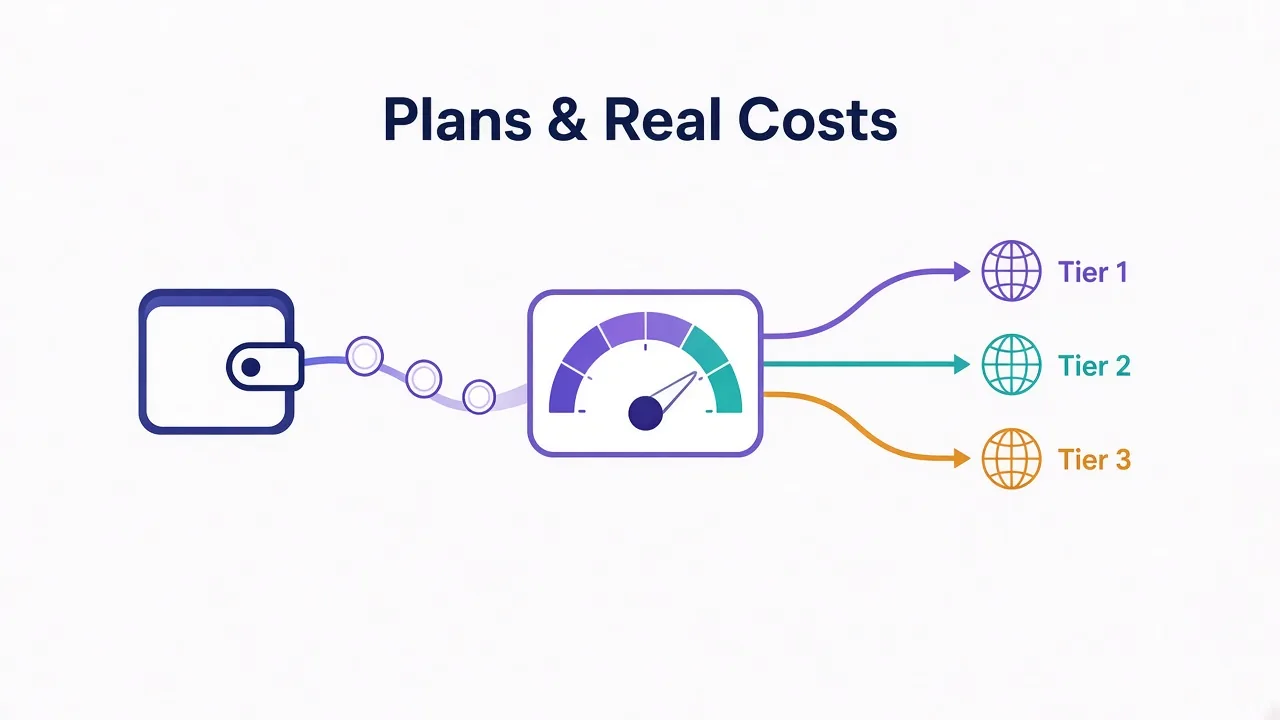
SOAX bills in three layers. Once you see them, the rate table stops looking scary.
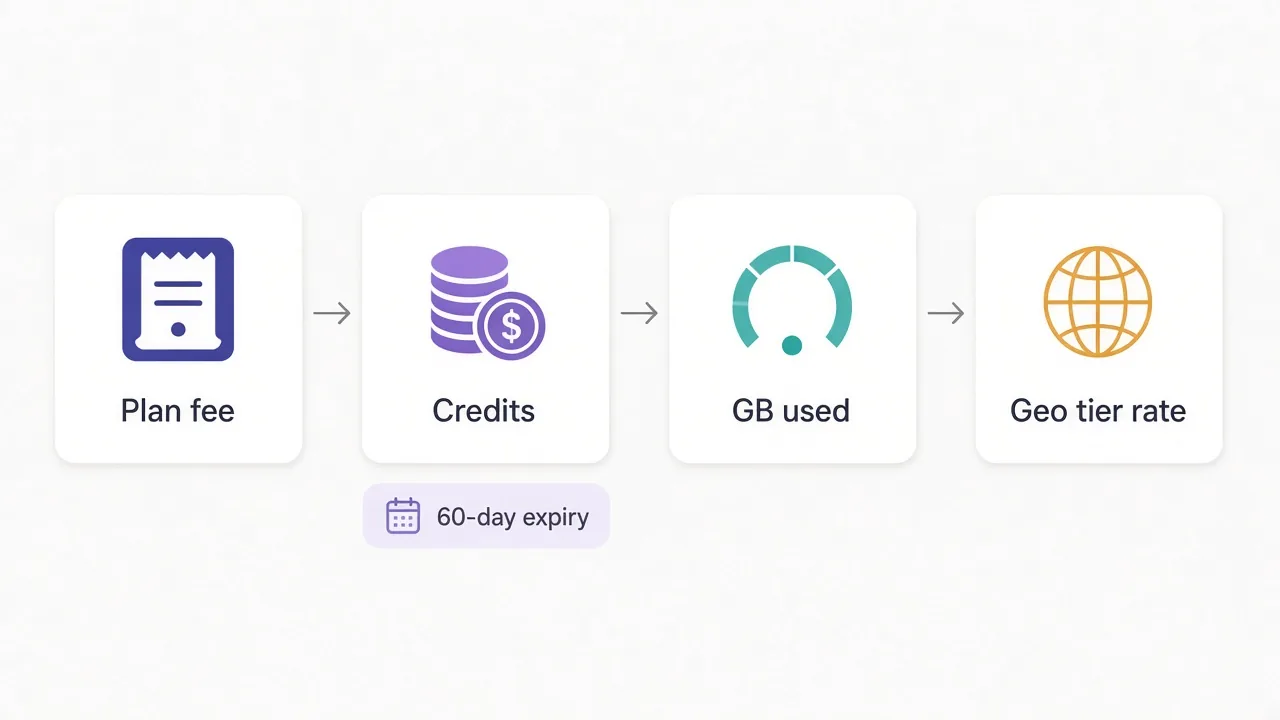
- You pick a plan and pay its monthly fee upfront.
- The fee turns into prepaid credits. SOAX says one credit is roughly $1 of usage.
- Every GB you push through a proxy burns credits at your plan's rate for that geo tier.
So your real cost per GB depends on two things: the plan you're on and where your traffic exits. The website you're scraping doesn't change it. Neither does where you sit.
One detail surprised us. SOAX charges one rate across residential and mobile traffic. Most providers charge a clear premium for mobile proxies, so this matters if your targets are mobile apps or tough social platforms.
The same credit balance covers every SOAX product on your account. You don't keep separate wallets for residential and mobile.
The three things that set your bill
Plan fee, geo tier of the exit IP, and total GB moved in both directions. Change any one and the bill moves.

Clean, ethically-sourced residential & mobile IPs.
What does each SOAX plan cost?
Here are the self-service plans from SOAX's pricing page as of October 2026. Prices exclude VAT.
| Plan | Monthly fee | Credits included | Tier 1 / GB | Tier 2 / GB | Tier 3 / GB |
|---|---|---|---|---|---|
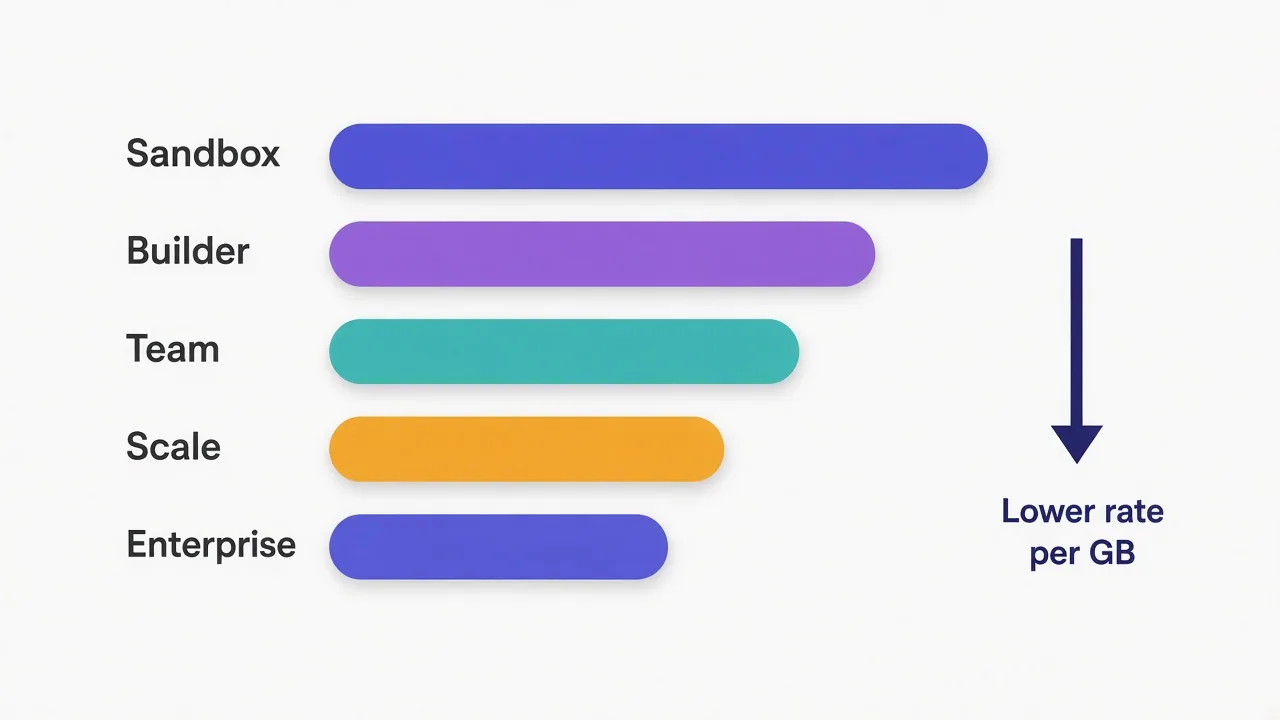
| Sandbox | Free | None | $5.00 | $4.00 | $2.00 |
| Builder | $200 | 200 | $3.00 | $2.25 | $1.20 |
| Team | $500 | 500 | $2.20 | $1.65 | $0.90 |
| Scale | $1,500 | 1,500 | $1.50 | $1.15 | $0.60 |
| Enterprise | $3,000 | 3,000 | from $0.85 | from $0.55 | from $0.35 |
Notice that the fee and the credits match. A $500 plan hands you 500 credits. In practice you're not paying a subscription on top of usage.
You're prepaying usage, and the plan size decides the discount.
That changes how you should read the table. The question isn't "can I afford $500 a month?" It's "will I use at least that much traffic?"
If you will, the bigger plan is cheaper per GB and costs you nothing extra. If you won't, you're prepaying for credits that might expire. More on that soon.
What are SOAX geo tiers, and why does the US cost more?
SOAX sorts countries into three geo tiers based on what it costs them to serve each market. Tier 1 is the most expensive. Tier 3 is the cheapest.
SOAX gives two examples in its own FAQ. The United States sits in tier 1. India sits in tier 2.
The tier follows the egress IP, the proxy address that connects to the website. Say you sit in Mumbai and scrape a US store through a US exit IP. You pay the tier 1 rate.
Flip it around. A US-based team checking Indian search results through Indian IPs pays the tier 2 rate.
Why does that matter so much? On Builder, a GB through a tier 1 country costs $3.00. Through a tier 3 country it costs $1.20. That's two and a half times the price for the same bytes.
So before you budget, list the countries you'll target. If most of your traffic exits through US IPs, budget at tier 1 rates. Treat anything cheaper as a bonus.
Don't budget at the cheapest rate
The tier 3 numbers look great in a screenshot. If your targets are US sites, those rates won't apply to you, so plan on the tier you'll really use.
What does a real month on SOAX cost?
Numbers on a pricing page only make sense once you run your own usage through them. Let's do that with a few hypothetical setups.
Say you run a price tracker on US retail sites. It moves about 50 GB a month, all through US exit IPs.
- On Sandbox, 50 GB at $5.00 costs $250 in top-up credits.
- On Builder, the $200 fee buys 200 credits. At $3.00 per GB that covers about 66 GB.
Builder costs less and leaves you around 16 GB of tier 1 credit to spare. The "free" plan is the expensive one here.
Now say the same tracker grows to 200 GB a month.
On Builder you'd need about 600 credits, so roughly $400 more in top-ups on top of your $200 fee. On Team, $500 buys enough credit for about 227 GB of tier 1 traffic. Team wins, and by a decent margin.
These estimates assume top-ups cost close to $1 per credit, which is SOAX's own rough guide. Checkout shows the exact top-up price, so check it before you rely on our math.
When does a bigger SOAX plan pay for itself?
You can work out the break-even points yourself. Divide each plan fee by the rate of the plan below it.
For tier 1 traffic, using SOAX's published rates, here's roughly where each step up starts to make sense:
| Your monthly tier 1 traffic | Cheapest plan | GB the plan's credits cover |
|---|---|---|
| Under 40 GB | Sandbox (pay as you go) | Whatever you top up |
| 40 to about 167 GB | Builder | About 66 GB |
| About 167 to 680 GB | Team | About 227 GB |
| About 680 to 2,000 GB | Scale | About 1,000 GB |
| Over 2,000 GB | Enterprise | About 3,500 GB at the first band |
Where do these come from? Take Sandbox versus Builder. Forty GB at $5.00 is $200, the same as the Builder fee. Past that, Builder is cheaper.
The other rows follow the same logic. At about 167 GB, Builder's $3.00 rate adds up to Team's $500 fee. Beyond that point, Team's lower rate wins.
Tier 2 and tier 3 traffic shift those lines, because cheaper GB means each plan's credits stretch further. If most of your traffic sits in cheaper tiers, rerun the numbers with those rates.
Is there a SOAX free trial?
No. SOAX's billing FAQ says it plainly: there's no free trial.
What you get instead is Sandbox. It has no monthly fee and no included credits. You sign up without a card, then buy top-up credits when you want to send traffic.
So Sandbox is free to open, not free to use.
Every GB you move costs Sandbox rates, which are the highest on the page. That's the trade for skipping the monthly fee.
Is it still worth starting there? For a first test, yes. You can check targeting, wire up authentication and see how your scraper behaves without committing $200.
Sandbox also comes with limits. You get 2 proxy packages, 1 seat and basic support. That's fine for one developer testing one project.
Once you know your monthly volume, move off it. As the table above shows, Sandbox gets expensive fast once you pass 40 GB of tier 1 traffic.
The credit expiry rule most people miss
Remember the rule from the start that quietly eats credits? Here it is.
Credits on Sandbox and monthly plans expire 60 days after SOAX adds them. Each top-up or renewal creates its own block of credits with its own fixed expiry date.
SOAX spends the block that expires first. That's fair. But the 60-day clock never resets, even if you renew, upgrade or downgrade.
Here's what that looks like in practice. Say you're on Team and only use 300 of your 500 credits in October. The leftover 200 can carry into November.
If November is quiet too, some of those October credits expire before you touch them. Unused credit is money you already spent.
The fix is simple. Size your plan to your quiet months, not your busiest month. Then top up on busy months instead of prepaying for them.
Cancelling doesn't refund unused time
If you cancel, your plan runs to the end of the paid period, then drops to Sandbox. Leftover credits stay usable but get spent at Sandbox rates, so they buy fewer GB.
What else changes between SOAX plans?
Price per GB is the headline, but the plans also differ in limits that matter once a team gets involved.
| Plan | Proxy packages | Team seats | Targeting | Support |
|---|---|---|---|---|
| Sandbox | 2 | 1 | Country, region, city, ISP | Basic |
| Builder | 3 | 2 | Country, region, city, ISP | 24/7 |
| Team | 5 | 3 | Country, region, city, ISP | 24/7 |
| Scale | 7 | 5 | Adds ASN and ZIP | 24/7 |
| Enterprise | 10 | 10 | Same as Scale | 24/7 plus a customer success manager |
A proxy package is SOAX's way of splitting access by project. Each one gets its own login, routing rules, limits and usage tracking.
That's handy if you run a scraper and a social media tool side by side. You can cap one without touching the other.
The targeting row is the one to watch. ASN targeting (choosing IPs by the network that owns them, like a specific mobile carrier) and ZIP targeting only unlock on Scale.
If your job depends on local results down to a postcode, that alone can push you to a $1,500 plan.
All plans include both the residential and mobile networks, plus filtering. Rotation is under your control too. You can rotate per request, after a set count, or after a set time. Or hold a sticky session on one IP.
How does SOAX Enterprise pricing work?
Enterprise Monthly costs $3,000 a month and includes 3,000 credits. It adds postpaid billing for approved businesses, dedicated IP pools, a premium SLA and longer credit options.
The rates also work differently. Each geo tier has three volume bands, and the price per GB drops as you move through them during the billing period.
SOAX shows a worked example on its pricing page. Take 20 TB through US and German IPs (both tier 1) in one month:
- The first 5 TB costs 0.85 credits per GB.
- The next 10 TB costs 0.75 credits per GB.
- The last 5 TB costs 0.50 credits per GB.
By our math, that comes to about 14,250 credits for 20 TB. That's roughly $0.71 per GB on average for tier 1 traffic.
SOAX counts each tier separately, and the bands reset every billing period. A lower band only applies to traffic past that threshold. It doesn't reprice what you've already used.
Then there's Enterprise Annual. It isn't self-service. You need business verification and a 12-month contract, and SOAX locks each tier at its lowest band rate from the first GB.
For most readers, Enterprise is overkill.
It only makes sense once you're moving several terabytes a month and need contract terms, postpaid billing or a dedicated pool. Below about 2,000 GB of tier 1 traffic, Scale costs less.
Which hidden costs push a SOAX bill up?
A few rules in SOAX's FAQ add to your bill without showing up in the rate table. None of them are unusual, but they add up.
- Traffic counts in both directions, uploads as well as downloads.
- Retries, partial responses and dropped connections all count.
- One GB means one billion bytes, so it's slightly less data than some tools report.
- VAT or local sales tax is added at checkout unless your business qualifies for reverse charge.
- Plans, top-ups and overage are generally non-refundable.
The retry rule is the one that bites scrapers. If a target blocks 30% of your requests and your code retries each one, you pay for every failed attempt.
So a cleaner setup saves money directly. Block images and fonts you don't need, and back off before you retry a blocked page. Our guide to rotating proxies in Python covers retry logic that won't burn your balance.
Payment is flexible. SOAX takes cards instantly and bank transfer within 1 to 3 days. Crypto works after a KYC check.
Is SOAX expensive compared with other providers?
At the entry level, yes. At volume, it gets competitive.
Here's how headline starting prices compare in our proxy directory as of October 2026. These are each provider's lowest listed entry price, so the units and plan shapes differ.
| Provider | Listed starting price | Where it fits |
|---|---|---|
| DataImpulse | $1.00 | Low-cost residential at small volume |
| IPRoyal | $1.75 | Pay-as-you-go residential with no big commitment |
| Live Proxies | $2.00 | Residential with a free trial |
| Decodo (Smartproxy) | $3.50 | Mid-priced all-rounder |
| Bright Data | $5.04 | Premium pool and tooling |
| Oxylabs | $8.00 | Enterprise-grade scraping |
As of October 2026, 29 of the 44 published proxy providers in our directory list a starting price under $4.
So SOAX isn't the cheap pick for a small project. The $200 floor rules it out if you only need a few GB a month.
Where it earns its price is mobile traffic and precise targeting. Paying residential rates for mobile IPs is unusual. So is city and ISP-level targeting on every plan.
If cost per GB is all that matters and your targets are easy, the cheaper picks above will do the job. Our best residential proxy providers roundup goes deeper.

Flexible proxies with true pay-as-you-go.

Transparent pay-as-you-go residential proxies with no minimums
So, which SOAX plan should you buy?
Start with your monthly traffic and the countries it exits from, not the plan names.
Testing, or under about 40 GB of US-type traffic? Stay on Sandbox and top up. Steady volume between 40 and 170 GB? Builder. Past that, Team, and only go higher when you need ASN or ZIP targeting or real volume.
Then size the plan to your quiet months.
That one habit keeps the 60-day expiry from eating credits you already paid for, and top-ups cover the busy weeks.
Still weighing SOAX against the rest? Compare residential proxy providers side by side and pick the one that fits your target.
Frequently asked questions
SOAX paid plans start at $200 a month for Builder, then $500 Team, $1,500 Scale and $3,000 Enterprise, all plus VAT. Each fee converts into the same number of prepaid credits, spent per GB at your plan's geo tier rate (SOAX pricing page, October 2026).
No, SOAX says it doesn't offer a free trial. Its free Sandbox account has no monthly fee and no included credits, so you buy top-up credits and pay Sandbox rates of $2.00 to $5.00 per GB.
One SOAX credit is roughly $1 of usage, and your plan fee turns into prepaid credits each month. Credits on Sandbox and monthly plans expire 60 days after they're added, and SOAX spends the oldest block first.
SOAX groups countries into three geo tiers by its cost to serve them, and tier 1 is the most expensive. The tier follows your exit IP's country; SOAX lists the US as tier 1 and India as tier 2.
SOAX charges one rate for residential and mobile traffic, so mobile IPs cost the same per GB as residential. Many providers charge a premium for mobile, which makes SOAX relatively good value there.
Pick by monthly traffic and target countries. For tier 1 traffic, Sandbox suits under about 40 GB, Builder about 40 to 167 GB, Team about 167 to 680 GB, and Scale beyond that, assuming top-ups near $1 per credit.