









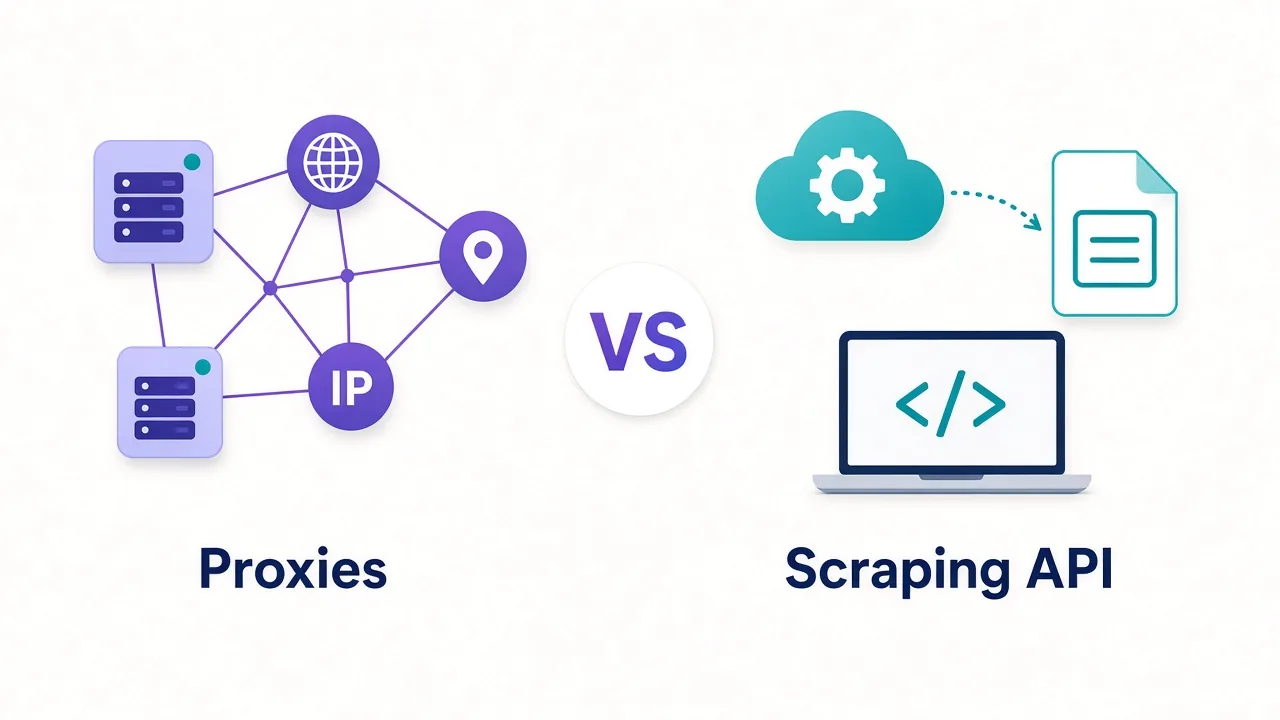

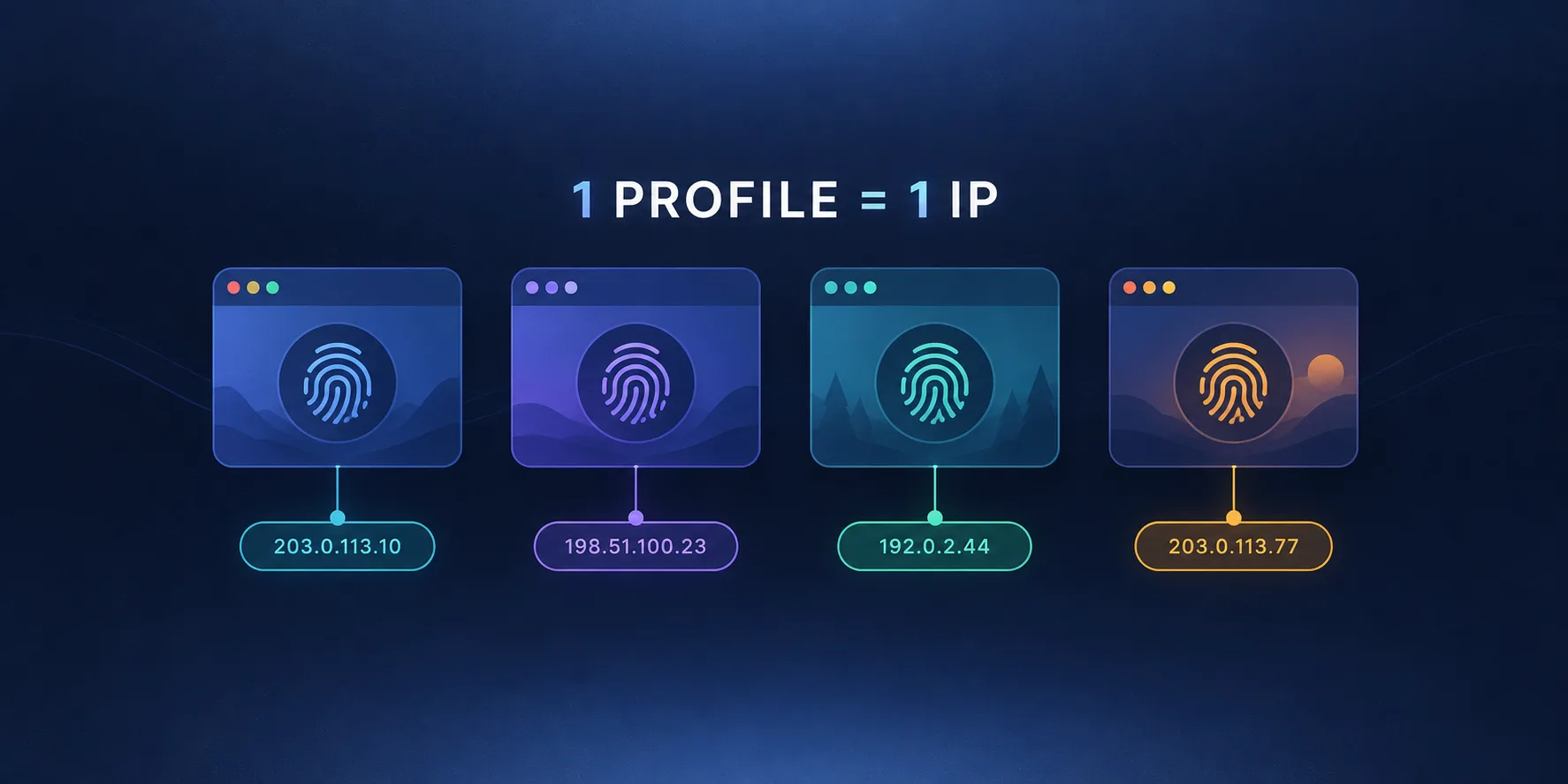
An antidetect browser without a proxy is half a disguise. The browser gives each profile a distinct fingerprint — its own canvas hash, fonts, user agent, and screen metrics — but every one of those profiles still leaves your building from the same IP address. To a platform's anti-fraud system, twenty perfectly distinct browser profiles all arriving from one residential IP is not twenty people; it's one person running twenty accounts. Choosing the right proxy is what completes the disguise, and the requirements are genuinely different from the ones that matter for scraping.
The division of labour
An antidetect setup has exactly two layers, and each covers what the other cannot.
The browser handles everything the page can measure about your device: canvas and WebGL rendering, installed fonts, hardware hints, time zone reported by JavaScript. If that side is weak, no proxy saves you — the platform links your accounts by fingerprint regardless of IP. Our explainers on how browser fingerprinting works and what makes a fingerprint unique cover that half in depth.
The proxy handles the one thing the browser cannot fake: the network address your packets actually originate from. No amount of fingerprint spoofing changes the IP in the TCP handshake. Get either layer wrong and the whole profile is compromised — which is why the two must be chosen together rather than separately.
The consistency trap
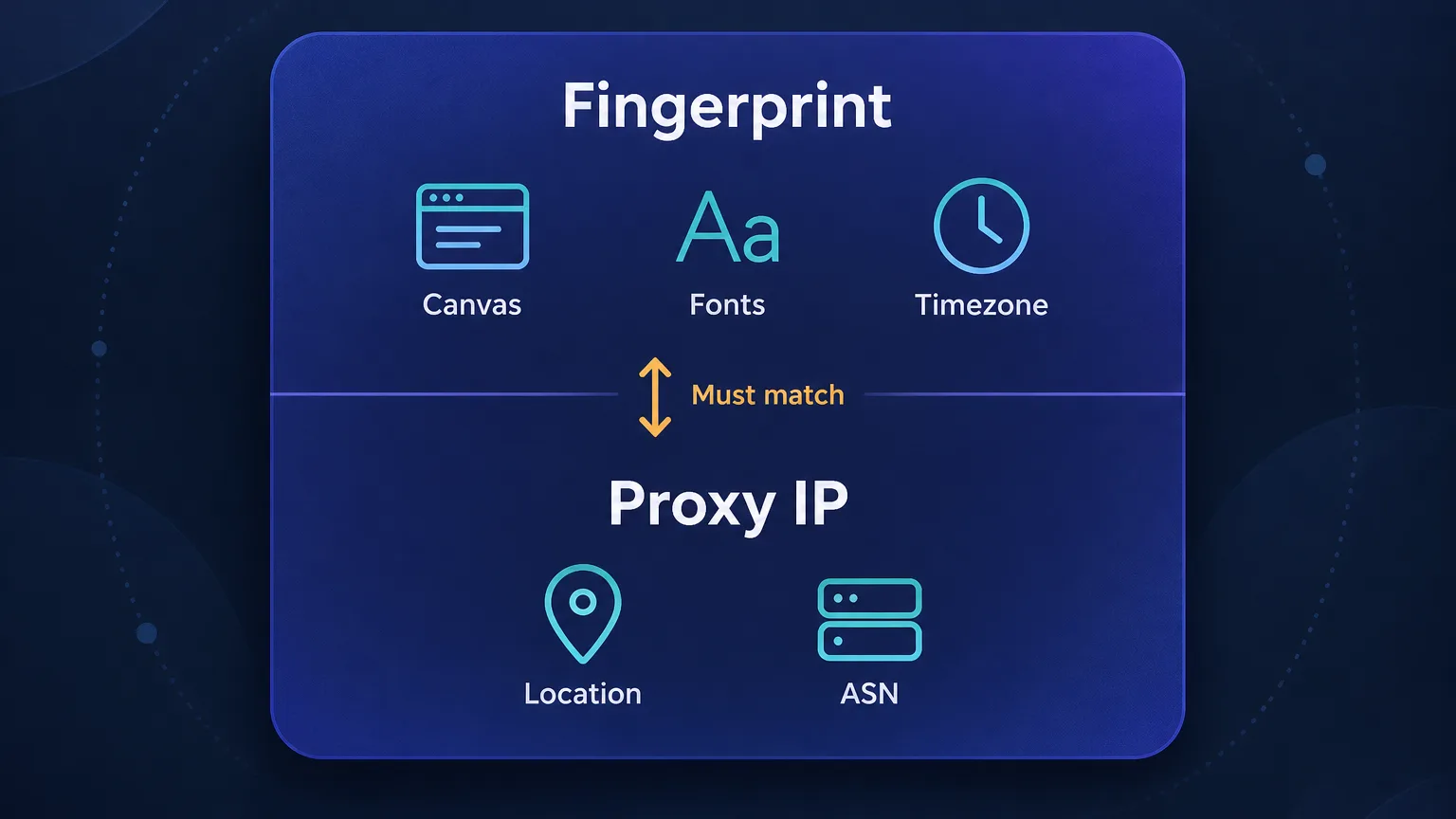
Here is the failure mode that catches more people than any other, and it's specific to antidetect work: your fingerprint and your IP have to agree with each other.
Suppose your browser profile reports a Berlin time zone, German language preferences, and a European locale — but your proxy exits in Ohio. Every individual signal looks fine in isolation. Together they describe a person whose phone thinks it's in Germany while their internet connection is in the American Midwest. That combination is rare among real users and trivially detectable, and platforms check for it explicitly.
Mismatch is worse than no disguise
An inconsistent profile is more identifying than a plain one. Ordinary users almost never present a German locale on a US IP, so the contradiction itself becomes a strong signal — you've handed the platform a reason to look harder rather than blending in. Match time zone, language, and locale to the proxy's actual exit location, every time.
Good antidetect browsers automate part of this, offering to set the profile's time zone and geolocation from the proxy's IP. Turn that on. Where it isn't automatic, set it by hand and verify before you log in — this is the single highest-value habit in the whole workflow.
Sticky, not rotating — the rule that surprises people
If you've read anything about proxies for scraping, you've been told rotation is the goal: fresh IP per request, spread the load, avoid rate limits. For antidetect browsing that advice is inverted.
Accounts are identities, and identities have stable homes. A real person logs into Instagram from broadly the same connection day after day. If your account appears from Warsaw at 9am, São Paulo at 11am, and Toronto after lunch, you've described something no human does. Rotation — the whole point of which is covered in our guide to proxy rotation — actively works against you here.
The rule: one profile, one IP, permanently
Assign each browser profile a dedicated sticky IP and keep it for the life of that account. Never share an IP across profiles that must look unrelated, and never let a profile's IP wander between sessions. This one principle prevents most avoidable bans.
Which proxy type for which profile
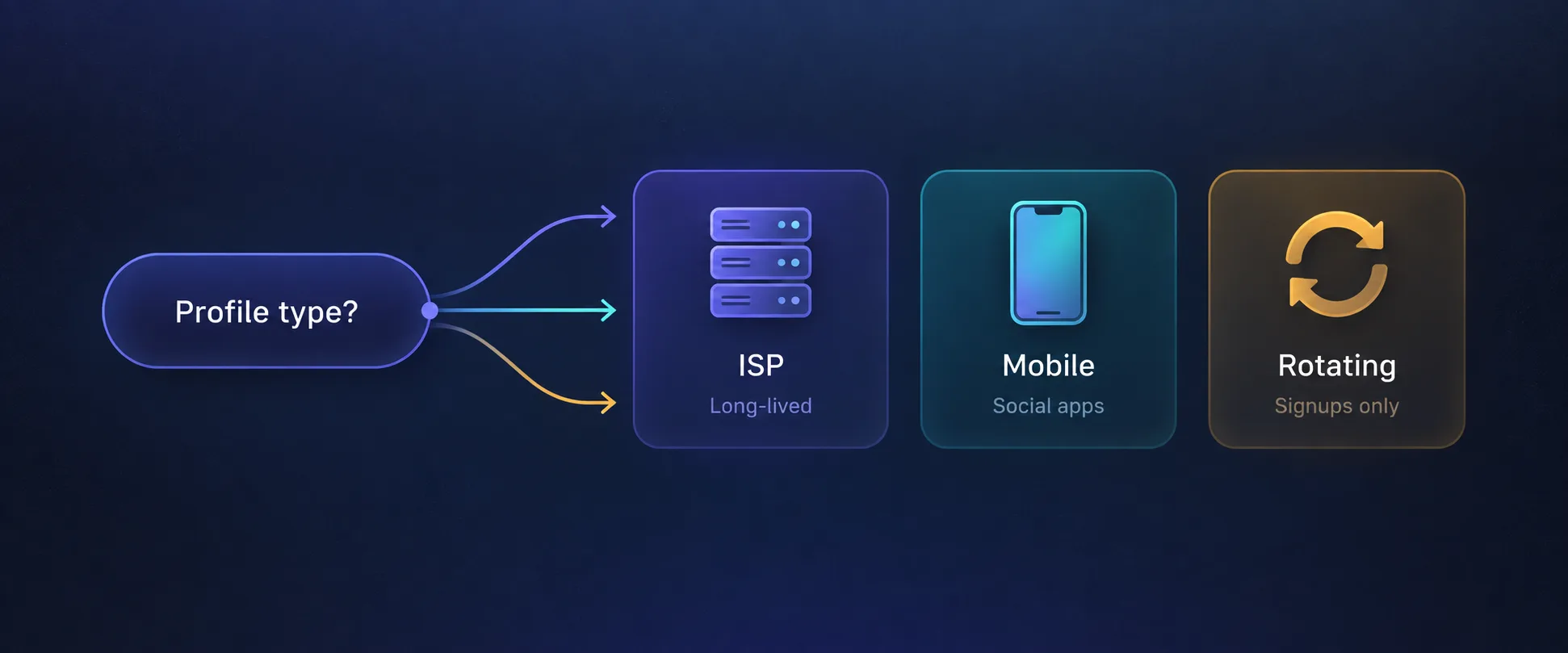
Not every profile needs the same class of IP, and matching the type to the job is where most of the cost savings live.
| Proxy type | Session behaviour | Typical cost | Best for antidetect use |
|---|---|---|---|
| ISP / static residential | Fixed IP, very stable | Per IP, monthly | Long-lived logged-in accounts |
| Mobile | Carrier NAT, high trust | $3–10+/GB or per port | Instagram, TikTok, Facebook |
| Sticky residential | Same IP for a session | $2–8/GB | Medium-lifespan accounts |
| Rotating residential | New IP frequently | $1–8/GB | Registration bursts only |
| Datacenter | Fixed but low trust | Under $1/GB | Rarely — easily detected |
In practice most serious operators run ISP proxies for accounts they intend to keep and mobile for the mobile-first social platforms, which treat carrier IPs as native. Rotating residential has a narrow role — bulk registration, where each signup wants a different IP and none of them need to persist. Datacenter IPs are a false economy for account work; they're the first thing a platform's risk engine flags.
What to look for in a proxy for antidetect use
The buying criteria here differ from a general proxy purchase:
- True sticky sessions — ideally hours, not the two or ten minutes some providers call "sticky."
- Clean, unflagged IPs. An IP that someone else already burned on your target platform will sink a brand-new account immediately.
- SOCKS5 support, since it handles all traffic and passes DNS through the proxy rather than leaking lookups locally.
- City-level geo targeting, so you can align the IP with the profile's declared location rather than just its country.
- Per-profile credentials — separate username/password or port per profile, so profiles never collide.
- Non-expiring bandwidth, because idle profiles still need their IP reserved between bursts of activity.
Never use free or shared proxy lists
Free proxies are shared with unknown numbers of strangers, frequently already blacklisted on the exact platforms you care about, and sometimes operated specifically to harvest credentials. Pairing a premium antidetect browser with a free proxy wastes the browser entirely — and risks the accounts it was protecting.
The best proxies for antidetect browsers
1. NodeMaven — best overall
NodeMaven reads like it was designed for this exact workflow. Real-time filtering screens out already-flagged addresses before you receive them, which directly addresses the biggest risk in account work — inheriting someone else's burned IP. Its sticky sessions are unusually long, granular city and ISP targeting makes geo matching straightforward, and bandwidth doesn't expire on most plans, so dormant profiles don't cost you.
At $3.50/GB it's mid-market rather than cheap, and the 30M+ pool is smaller than the enterprise networks — but pool size matters far less here than IP cleanliness.
Sticky residential and mobile IPs with strong filtering and clean pools.
2. Live Proxies — best for social accounts
Live Proxies runs curated private pools rather than a shared mega-network, and for account work that distinction matters more than raw scale. Its US, UK, and EU IPs are markedly less crowded and less flagged than shared pools, which is exactly what social platforms punish hardest. At $2.00/GB it's well priced for the quality.
The trade-off is deliberate narrowness: roughly 500K IPs across about 40 countries, so if your profiles need long-tail geographies, look elsewhere.

Curated, private residential pools for US, UK and EU targets
3. NetNut — best ISP proxies for long-lived logins
For accounts you intend to keep for months, a static ISP address beats rotating residential every time — the IP simply never changes, so the account's "home" stays put. NetNut's ISP-direct architecture delivers exactly that with 0.6s average response times and unusually stable sessions, plus residential and mobile in the same account if your profiles need a mix.
Entry pricing from $2.95/GB is competitive, though the best rates need larger commitments.

ISP-backed residential proxies built for speed and stability at scale
4. Smartproxy — best all-rounder
Smartproxy (rebranding as Decodo) is the easiest option to wire into an antidetect setup. Sub-user management lets you issue separate credentials per profile without juggling one shared login, the dashboard is the clearest in the category, and at 0.55s it's the fastest network here. From $3.50/GB with a free trial to validate on your platforms first.

Powerful proxies without the enterprise price tag.
5. IPRoyal — best for running many profiles cheaply
Profile counts add up, and IPRoyal's non-expiring pay-as-you-go traffic from $1.75/GB suits the bursty pattern of account work — heavy during setup, near-idle afterwards. It also offers static residential alongside rotating, so you can pin long-lived profiles to fixed addresses. The catch is no free trial, so your first evaluation costs money.

Flexible proxies with true pay-as-you-go.
6. Mars Proxies — best for sneaker drops and timed releases
Mars Proxies is purpose-built for sneaker copping, which is the most latency-sensitive antidetect use case there is — a checkout that resolves 200ms slower loses the drop. Low-latency ISP and residential IPs from $3.00 across a focused set of about 20 countries make it a specialist rather than a generalist, and the narrow geographic scope is a deliberate consequence of that focus.

Low-latency ISP and residential proxies built for sneaker copping
7. Froxy — best for precise geo matching
If your profiles need to sit convincingly in specific cities, Froxy's city and ASN targeting across 190 countries at $2.00/GB gives you the control to align each IP with its profile's declared location — the practical answer to the consistency trap above. The 10M+ pool is modest and it's a smaller brand with less proven support depth, but for targeting precision per dollar it stands out.

Residential and mobile proxies with city and ASN targeting
Setting it up correctly, per profile
- Buy the right type first. Decide ISP, mobile, or sticky residential based on the profile's job, not on price.
- Create one set of credentials per profile. Separate username/password or port — never one shared connection across profiles that must look unrelated.
- Paste the proxy into the profile before you ever open it. An antidetect profile that touches the internet once on your real IP has already leaked.
- Enable IP-based time zone and geolocation so the fingerprint inherits the proxy's location automatically.
- Verify before logging in. Open the profile and check what the internet actually sees with our IP lookup tool — confirm the country matches and your real IP is nowhere in sight.
- Keep the pairing stable. Record which IP belongs to which profile and don't reshuffle them later.
Common mistakes to avoid
- Opening a profile before assigning the proxy. The most common and most costly error — one unproxied load links the profile to your real address.
- Sharing one IP across several profiles. Instantly links the accounts you were trying to separate.
- Letting the IP rotate on a logged-in account. Looks like account takeover to the platform's risk engine.
- Ignoring the time zone mismatch. Covered above, and still the most overlooked check.
- Using datacenter IPs to save money. They're flagged on arrival for social platforms; the saving is illusory.
- Assuming a VPN will do. A VPN gives every profile the same exit IP, which is the exact opposite of what you need.
If accounts are still getting flagged after you've fixed all six, the problem is usually behavioural rather than technical — our guide on why proxies get banned covers what to check next.
Which antidetect browser to pair them with
The proxy is half the setup; the browser is the other half. Multilogin remains the premium choice on fingerprint quality, with per-profile proxy fields built in — see our Multilogin pricing breakdown. AdsPower covers similar ground at a much lower entry price with a free tier, which makes it the sensible starting point if you're testing the workflow before committing budget. Our full roundup of the best antidetect browsers compares the field.

The original enterprise antidetect browser.

Profiles at scale with strong automation.
The bottom line
The proxy you pair with an antidetect browser has a different job than the one you'd buy for scraping, and the requirements follow from that: sticky rather than rotating, clean rather than merely plentiful, and geographically aligned with the fingerprint sitting on top of it. Assign one dedicated IP per profile and keep it there permanently; match time zone, language, and locale to the proxy's real exit location; and reach for ISP proxies on accounts you intend to keep, mobile on the social platforms that expect carrier IPs. NodeMaven is the strongest all-round starting point thanks to its IP filtering and long sticky sessions, Live Proxies is the pick for social account work, and NetNut is the answer when a profile needs a permanent home. Whichever you choose, verify each profile's exit IP before you log in — that thirty-second check prevents more bans than any purchase decision.
Frequently asked questions
Yes. The browser gives each profile a unique fingerprint, but without a proxy every profile still exits from the same IP address. Anti-fraud systems link accounts by IP as readily as by fingerprint, so many distinct profiles arriving from one address reads as one person running many accounts.
Sticky, almost always. Rotation is the right approach for scraping but the wrong one for account work, because a real person does not log in from three countries in one day. Assign each profile a dedicated IP and keep it for the life of the account.
ISP (static residential) proxies are best for accounts you intend to keep long term, since the IP never changes. Mobile proxies are best for Instagram, TikTok and Facebook, which treat carrier IPs as native. Rotating residential suits bulk registration only, and datacenter IPs are usually flagged immediately.
No, not for profiles that must look unrelated. Sharing an IP across profiles links those accounts together and defeats the purpose of separate fingerprints. Use separate credentials or a separate port for every profile.
The most common cause is a mismatch between the fingerprint and the IP — for example a profile reporting a German time zone while the proxy exits in the United States. Enable IP-based timezone and geolocation in your browser so the profile inherits the proxy's real location, and verify the exit IP before logging in.
No. A VPN routes every profile through the same exit IP, which is the opposite of what multi-accounting needs. Antidetect work requires a different, dedicated IP per profile, which only proxies with per-profile credentials can provide.