










You connect to a VPN, the app says "Protected," and you assume your real IP address is hidden. Most of the time it is — but not always. VPNs can and do leak your real IP, and the unsettling part is that it happens silently: the connection still shows as active while your true address slips out through a side channel your VPN never covered. This guide explains every way a VPN can leak your IP, how each leak actually works, how to test for them in a few minutes, and how to fix or prevent them for good.
The short answer: yes, VPNs can leak your IP
A VPN works by wrapping your traffic in an encrypted tunnel and routing it through a remote server, so websites see the server's IP instead of yours. That's the theory. In practice, your device has several ways of talking to the internet, and a leak happens whenever any of those paths bypasses the tunnel.
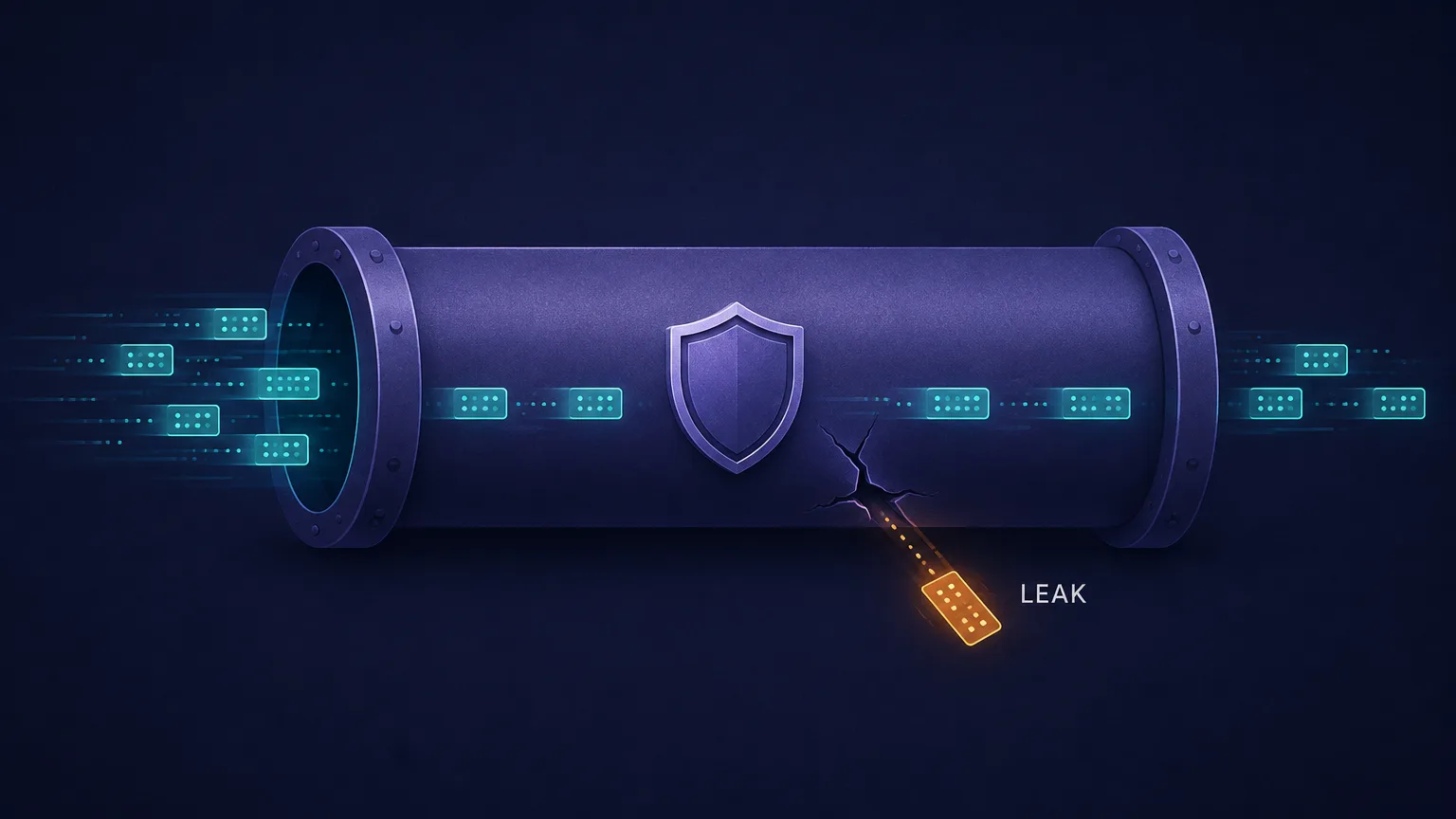
The critical thing to understand is that a leak isn't the same as a VPN "failing." Your VPN can be fully connected and encrypting your web browsing perfectly while a browser API, a DNS request, or an IPv6 packet quietly travels outside the tunnel carrying your real address. The VPN doesn't know it happened, and neither do you — unless you test.
A leak defeats the whole point
It only takes one leaked request for a website, advertiser, or observer to tie your session back to your real IP — and by extension your ISP, your approximate location, and your identity. Partial protection is functionally the same as no protection if the thing you're hiding from sees the leak.
How VPN IP leaks happen
Every leak follows the same basic pattern: some piece of network traffic takes a route that skips the encrypted tunnel. The traffic reaches its destination normally, so nothing appears broken — but it arrives stamped with your ISP-assigned IP rather than the VPN server's.
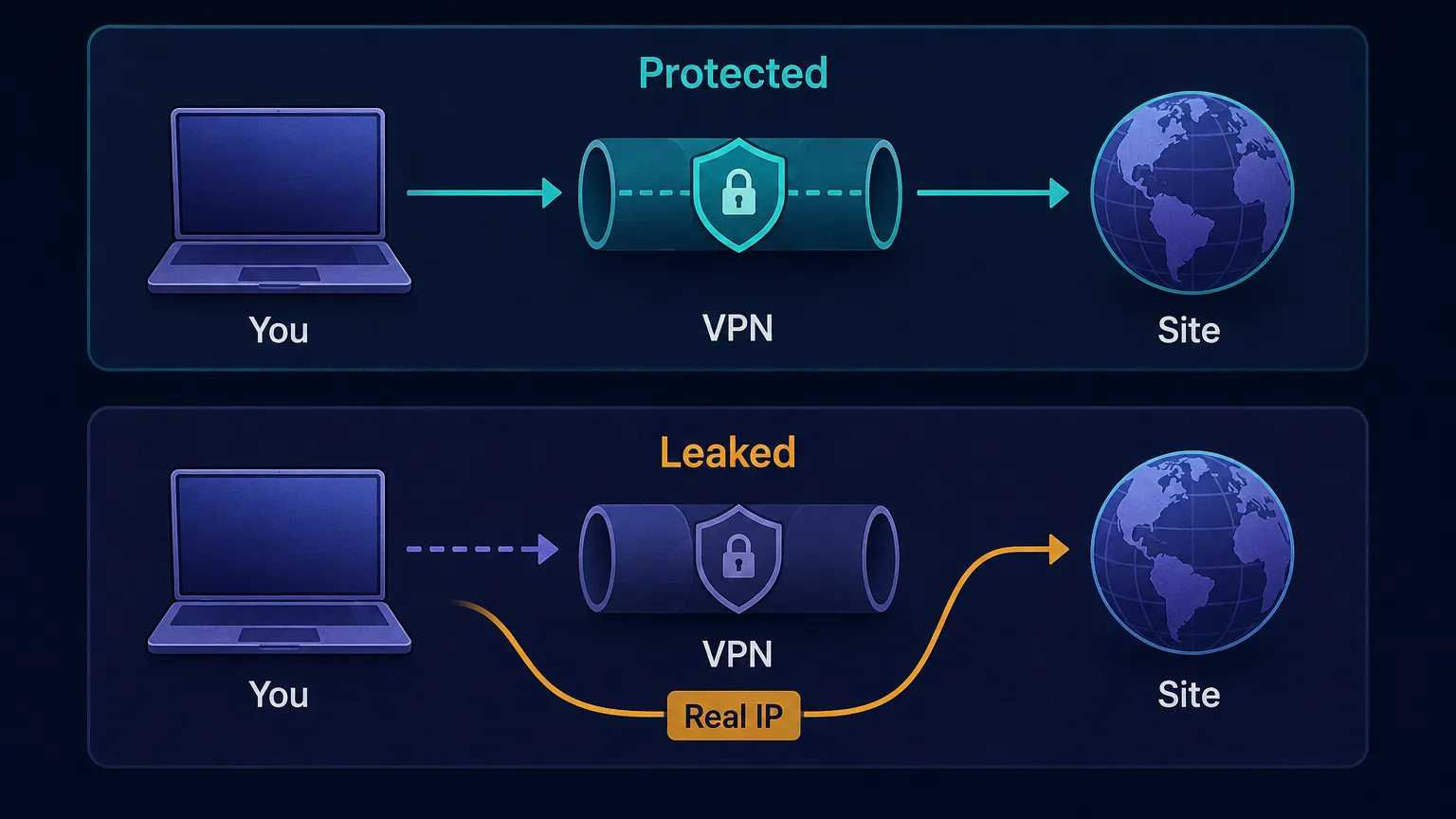
The bypass can be caused by your operating system (choosing a route the VPN didn't claim), your browser (an API that reaches the network directly), your network (a protocol the VPN doesn't handle), or simply a dropped connection. Each of those produces a distinct leak type, and they need different fixes.
The main types of VPN leaks
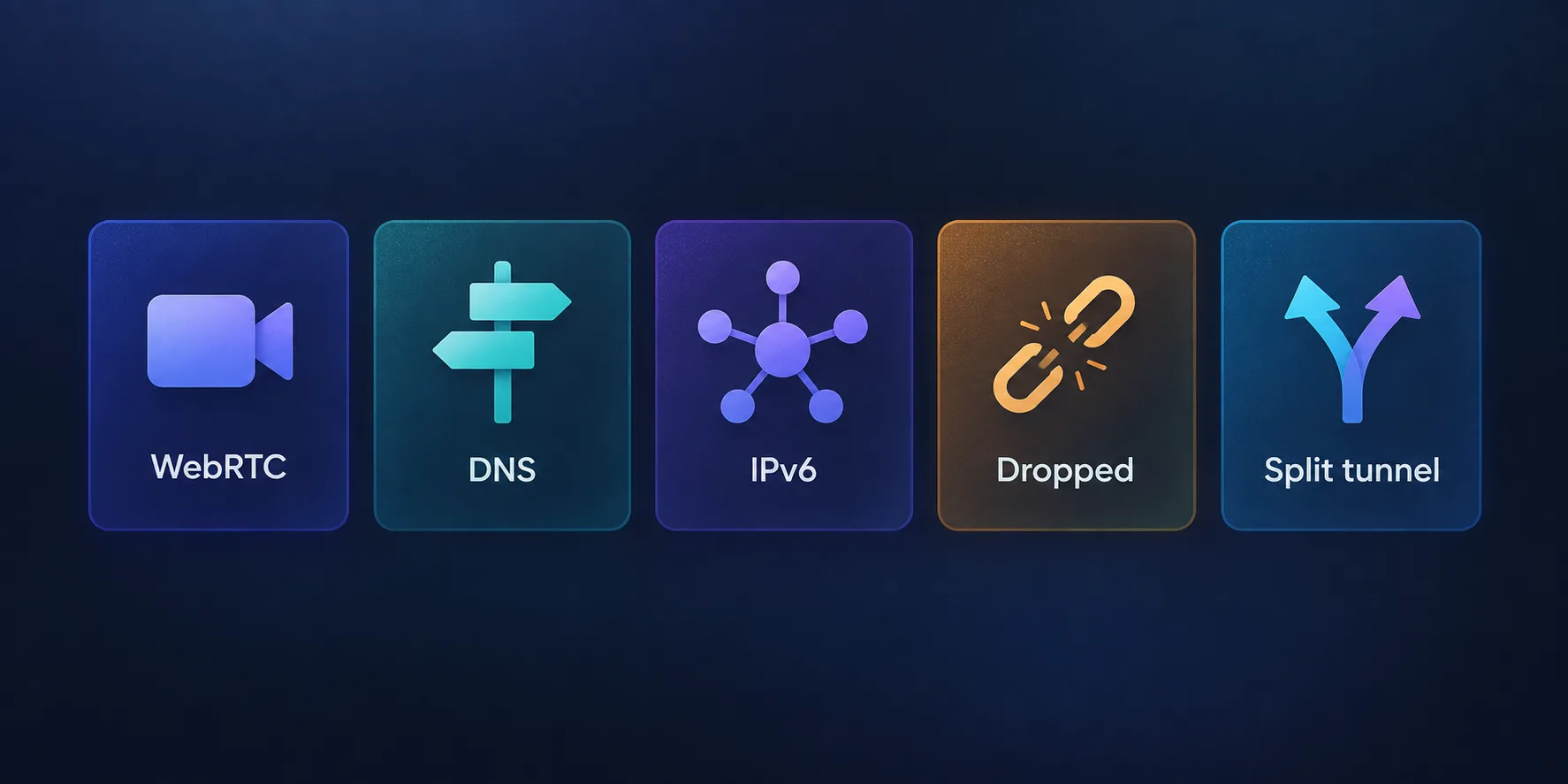
There are five leaks worth knowing. Each exposes your real IP through a different channel:
1. WebRTC leaks
WebRTC is a browser technology that powers video calls and peer-to-peer connections. To connect two people directly, it needs to discover the real network addresses of each device — so it asks a STUN server "what is my public IP?" and it does this from inside the browser, often bypassing the VPN's routing entirely.
The result is that a website running a few lines of JavaScript can ask your browser for its WebRTC candidates and receive your genuine IP address, even while your VPN is connected and every other request is properly tunnelled. This is the single most common VPN leak, and because it's browser-level rather than network-level, many VPNs don't catch it.
2. DNS leaks
Before your device can load a website, it converts the domain name into an IP address through a DNS query. A DNS leak happens when those queries go to your ISP's DNS resolver instead of through the VPN tunnel to the VPN's own resolver.
Your traffic content may still be encrypted, but your ISP now has a complete log of every domain you visited — and the DNS server sees requests arriving from your real IP. For anyone whose threat model includes their ISP or a network operator, a DNS leak is as damaging as an IP leak, because the browsing record is exposed even though the tunnel technically held.
3. IPv6 leaks
Most VPNs were built around IPv4, but modern networks increasingly assign IPv6 addresses too. If your ISP gives you an IPv6 address and your VPN only tunnels IPv4 traffic, then any connection to an IPv6-capable site travels outside the tunnel, carrying your real IPv6 address.
This leak is invisible in everyday use because the site loads perfectly — it just loaded over a route your VPN never touched. Good VPNs either tunnel IPv6 properly or disable it outright at the system level; weak ones ignore it and leak.
4. Dropped-connection leaks
VPN connections are not perfectly stable. Wi-Fi drops, you move between networks, your laptop wakes from sleep, or the VPN server hiccups. In the seconds between the tunnel dropping and reconnecting, your operating system does the natural thing: it sends your traffic over the normal, unprotected connection.
That brief window is enough to expose your real IP to whatever you were connected to — a torrent swarm, a website, a logged-in session. This is precisely what a kill switch exists to prevent, by blocking all internet traffic whenever the tunnel isn't up.
5. Split-tunnelling misconfiguration
Split tunnelling is a feature, not a bug — it lets you route some apps through the VPN and others directly, which is useful for things like local network printing or banking apps that block VPNs. But it's also a leak by design: any app you exclude uses your real IP. Misconfigure it, forget you enabled it, or let an app default to the excluded list, and you'll be exposed without any warning.
Leak types compared
Here's how the five leaks differ in what they expose and how you stop them:
| Leak type | What leaks | Root cause | Main fix |
|---|---|---|---|
| WebRTC | Real IP (to any website) | Browser API bypasses tunnel | Disable WebRTC / use blocking extension |
| DNS | Browsing history + real IP | Queries go to ISP resolver | VPN-provided DNS + leak protection |
| IPv6 | Real IPv6 address | VPN only tunnels IPv4 | IPv6 tunnelling or disable IPv6 |
| Dropped connection | Real IP, briefly | Tunnel drops, traffic falls back | Kill switch |
| Split tunnelling | Real IP for excluded apps | Misconfiguration | Audit or disable the exclusion list |
How to test whether your VPN is leaking
Testing takes about five minutes and you should do it whenever you install a new VPN, switch servers, or update your OS. The method is simple: establish a baseline, then check what the internet sees with the VPN on.
- Note your real IP first. With the VPN disconnected, check your public IP and write it down — this is the value that must never appear again. Our free IP address lookup tool shows it instantly.
- Connect the VPN. Wait for the app to confirm the tunnel is up and note the server location you chose.
- Re-check your IP. It should now show the VPN server's address and country. If your real IP still appears, the VPN isn't routing at all.
- Run a WebRTC check. This is the one most people miss, and it needs a browser-based test specifically — a plain IP check won't catch it.
- Check DNS. Confirm the resolvers shown belong to your VPN provider, not your ISP.
- Test a reconnect. Disable your Wi-Fi briefly or switch servers, and watch whether traffic is blocked (kill switch working) or flows unprotected.
One rule for reading the results
If the IP address you wrote down in step one appears anywhere in any test while the VPN is connected — main IP, WebRTC candidate, DNS resolver, or IPv6 field — you have a leak. There is no "partially acceptable" result here.
How to fix and prevent VPN leaks
Most leaks have a straightforward fix, and a few settings prevent the majority of them permanently:
- Turn on the kill switch. This is the highest-value setting in any VPN app. It blocks all traffic if the tunnel drops, eliminating dropped-connection leaks entirely. Enable it and leave it on.
- Enable built-in leak protection. Reputable VPNs ship DNS and IPv6 leak protection; make sure both are switched on rather than assuming they're default.
- Disable WebRTC in your browser. In Firefox, set
media.peerconnection.enabledto false inabout:config. Chrome and Edge need an extension, since there's no native toggle. Brave has a built-in setting under privacy. - Handle IPv6 deliberately. Either confirm your VPN tunnels IPv6 or disable IPv6 at the OS/router level so there's no unprotected path.
- Audit split tunnelling. Open the exclusion list and confirm nothing sensitive is on it. If you don't specifically need the feature, turn it off.
- Keep everything updated. Leak bugs get patched — an outdated VPN client is a common source of fixed-but-still-present leaks.
The two settings that matter most
If you do nothing else: enable the kill switch and disable WebRTC in your browser. Between them, these two cover the most likely and most damaging leak paths for a typical user.
Does a VPN hide everything about you?
Even a perfectly leak-free VPN has a limited job description. It hides your IP address and encrypts your traffic in transit — that's it. It does not stop browser fingerprinting, which identifies your device by its canvas, WebGL, fonts, and dozens of other signals that a VPN never touches. Two accounts behind the same VPN share an identical fingerprint and can be linked trivially.
Nor does a VPN log you out of anything. If you're signed into an account, that account knows exactly who you are regardless of which IP you arrive from. Cookies persist, trackers still fire, and your behavioural patterns remain. A VPN is one layer of privacy, and treating it as total anonymity is the most common mistake people make.
Who is most at risk from a leak?
Not every leak carries the same consequences. For someone using a VPN to watch a different streaming catalogue, a brief WebRTC leak is an annoyance at worst. For others, it's genuinely serious:
- Journalists, activists and researchers working in restrictive environments, where a single exposed IP can identify a person to an authority actively looking for them.
- Torrent and P2P users, since peers in a swarm can see connecting IPs directly — a dropped-connection leak here is immediately visible to everyone in that swarm.
- Anyone on public Wi-Fi, where the network operator and other users on the same network are exactly the parties a VPN is meant to shield you from.
- Multi-account operators, where a leak links two identities that were supposed to look unrelated and gets both accounts banned at once.
Match your testing rigour to your stakes. If a leak would merely be inconvenient, the basic settings are enough; if it would be dangerous, test after every update and treat any appearance of your real IP as a reason to change providers.
Choosing a VPN that doesn't leak
Leak resistance is a product-quality issue, and it varies enormously between providers. When evaluating a VPN, look for a kill switch on every platform (not just desktop), full IPv6 handling, private DNS resolvers run by the provider itself, published independent audits, and a genuine no-logs policy — because if it does leak, you want a provider that has nothing to hand over.
For privacy purists, Mullvad is consistently one of the strongest choices on leak protection and transparency:

Proton VPN pairs strong leak protection with independent audits and a credible free tier:

Privacy-first, from the makers of Proton Mail.
And for a well-rounded mainstream option with a reliable kill switch across platforms, NordVPN is a solid pick:

Free VPNs and leaks
Free VPNs deserve a specific warning here. Independent research has repeatedly found that a significant share of free VPN apps leak DNS or IP data, lack kill switches, or ship with weak or absent IPv6 handling. Some go further and monetise the traffic they were supposedly protecting.
The economics explain it: running a secure VPN network costs real money, and if you aren't paying, the product is usually your data. If budget is the constraint, a reputable provider's free tier — one from a company whose paid product is the actual business — is far safer than an ad-supported app you've never heard of.
The bottom line
Yes, VPNs can leak your real IP, and a connected VPN is not automatically a leak-free one. The five channels to know are WebRTC (a browser API that asks the network directly), DNS (queries escaping to your ISP), IPv6 (traffic on a protocol the tunnel doesn't cover), dropped connections (the gap before reconnect), and split tunnelling (leaking by configuration). The good news is that testing takes five minutes and the fixes are mostly a matter of enabling settings that already exist: turn on the kill switch, enable DNS and IPv6 leak protection, disable WebRTC in your browser, and audit your exclusion list. Do that, verify with a test, and re-verify after updates — because the leak you never check for is the one that exposes you. Start by finding out what the internet currently sees with our IP address lookup tool.
Frequently asked questions
Yes. A VPN can be fully connected while traffic still escapes the tunnel through a side channel — most commonly WebRTC in your browser, DNS queries going to your ISP, IPv6 traffic the VPN does not tunnel, or a brief drop in the connection. The VPN app will still show as protected, which is why testing matters.
WebRTC is a browser feature for video calls and peer-to-peer connections that asks a STUN server for your real IP, often bypassing the VPN entirely. Any website can request this with a few lines of JavaScript. Fix it by disabling WebRTC — set media.peerconnection.enabled to false in Firefox's about:config, use an extension in Chrome or Edge, or the built-in toggle in Brave.
First note your real public IP with the VPN disconnected. Then connect the VPN and re-check your IP, run a browser-based WebRTC test, confirm your DNS resolvers belong to the VPN rather than your ISP, and test a reconnect to verify the kill switch. If your original IP appears anywhere while connected, you have a leak.
A kill switch prevents one specific and common leak: the exposure that happens when the VPN tunnel drops and your traffic falls back to the normal connection. It blocks all internet traffic until the tunnel is restored. It does not prevent WebRTC, DNS, or IPv6 leaks, which need their own protections.
No. A VPN hides your IP address and encrypts traffic in transit, but it does not stop browser fingerprinting, which identifies your device by canvas, WebGL, fonts and other signals. It also does not log you out of accounts or remove cookies, so any service you are signed into still knows who you are.
Generally yes. Independent research has repeatedly found that many free VPN apps leak DNS or IP data, lack kill switches, or handle IPv6 poorly, and some monetise user traffic. If budget matters, a reputable paid provider's free tier is far safer than an unknown ad-supported app.