









Price monitoring is one of the most demanding things you can ask a proxy network to do — not because the pages are hard to fetch, but because the data has to be right. A scraper that returns a price is useless if that price was personalised, geo-shifted, or served from a bot-detection fallback. Retailers show different numbers to different visitors depending on where they appear to be and how trustworthy they look, which means your proxy isn't just an access tool here. It's part of your measurement instrument. This guide covers the eight providers we rate highest for price monitoring in 2026, the requirements that make this use case different, and the cost maths that decides whether you build or buy.
Why price monitoring has unusual proxy requirements
Most scraping guides optimise for one thing: getting the page. Price monitoring adds two constraints that change every decision downstream.
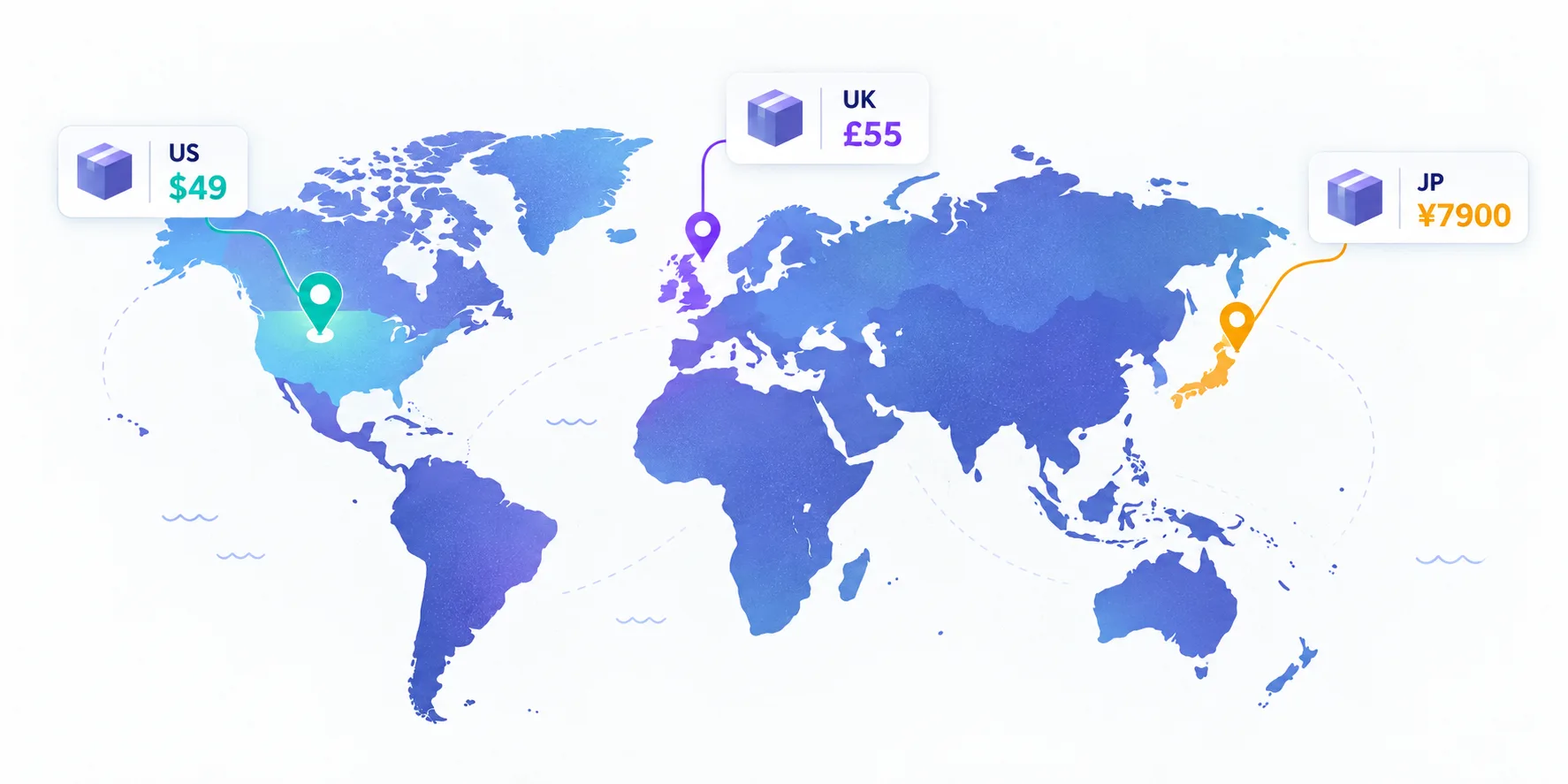
First, geography is the product, not a workaround. You aren't picking a country to dodge a block — you're picking it because the price genuinely differs there. The same SKU can carry different numbers in Germany, the UK, and Japan, and a competitor's US-only promotion is invisible from a European exit node. Your proxy's location is a variable in your dataset.
Second, monitoring is continuous. A one-off crawl grabs 50,000 pages once; price monitoring grabs them every day, or every hour, forever. That turns per-page cost from a rounding error into the single biggest line item in the project, and it means small inefficiencies compound into real money over a year.
The accuracy trap: bad data is worse than no data
This is the failure mode specific to price monitoring, and it's insidious because nothing looks broken. Your scraper returns 200s, your pipeline fills, your dashboard updates — and the numbers are wrong.
Retailers vary prices and offers by detected location, and some sites serve degraded or cached pages to visitors that look automated rather than blocking them outright. A flagged IP might quietly receive stale prices or a generic page while a clean one sees the live promotion. You'd never know from the HTTP status code.
A silent wrong answer beats a loud failure — for the site, not for you
A hard block is honest: you retry or escalate. A soft-served fallback page poisons your dataset invisibly, and decisions get made on it. This is why IP cleanliness matters more for monitoring than for one-off scraping — and why you should spot-check scraped prices against a manual browser visit regularly.
The practical defences are straightforward: use clean residential IPs in the exact market you're measuring, keep sessions short and neutral so you're never served a personalised price, and never scrape logged in — an account's price is not the public price.
Rotate here, don't stick
If you've set up proxies for account management, unlearn that instinct. Multi-accounting needs one sticky IP per identity; price monitoring wants the opposite. You have no identity to maintain — you want to look like thousands of unrelated first-time shoppers, each seeing the public price.
Rotate per request or per small batch, keep sessions short, and never let a single IP hammer one retailer. Our guide to proxy rotation covers the mechanics; the price-monitoring specific rule is that rotation should stay within your target market so every sample remains geographically valid.
Escalate up the ladder, don't start at the top
Many retail sites still serve datacenter traffic without complaint. Test datacenter proxies first at well under $1/GB, escalate to residential only for the domains that actually block you, and reserve premium networks for the handful of aggressively defended targets. Teams that run everything through residential typically overpay several times over.
The cost maths that decides everything
Price monitoring economics are simple enough to model on the back of an envelope, and doing so usually changes the plan.
A product page with images and unnecessary assets blocked transfers roughly 500 KB, so one gigabyte covers about 2,000 pages. Monitoring 10,000 SKUs daily is 10,000 pages a day, roughly 5 GB, or about 150 GB a month. At $3.50/GB residential that's around $525 monthly. Move the easy 70% of those domains to datacenter proxies at under $1/GB and the same job lands nearer $250.
Three levers, in order of impact
1. Block assets. Images, fonts, and video are most of a page's weight and none of its price data — blocking them can halve your bill outright. 2. Right-size frequency. Not every SKU needs hourly checks; tier your catalogue so volatile items are polled often and stable ones daily. 3. Match proxy type to domain. Per-domain escalation beats a single blanket contract.
Build or buy: raw proxies vs scraping APIs
Price monitoring is the use case where managed scraping APIs genuinely compete with raw proxies, so it's worth deciding deliberately rather than by default.
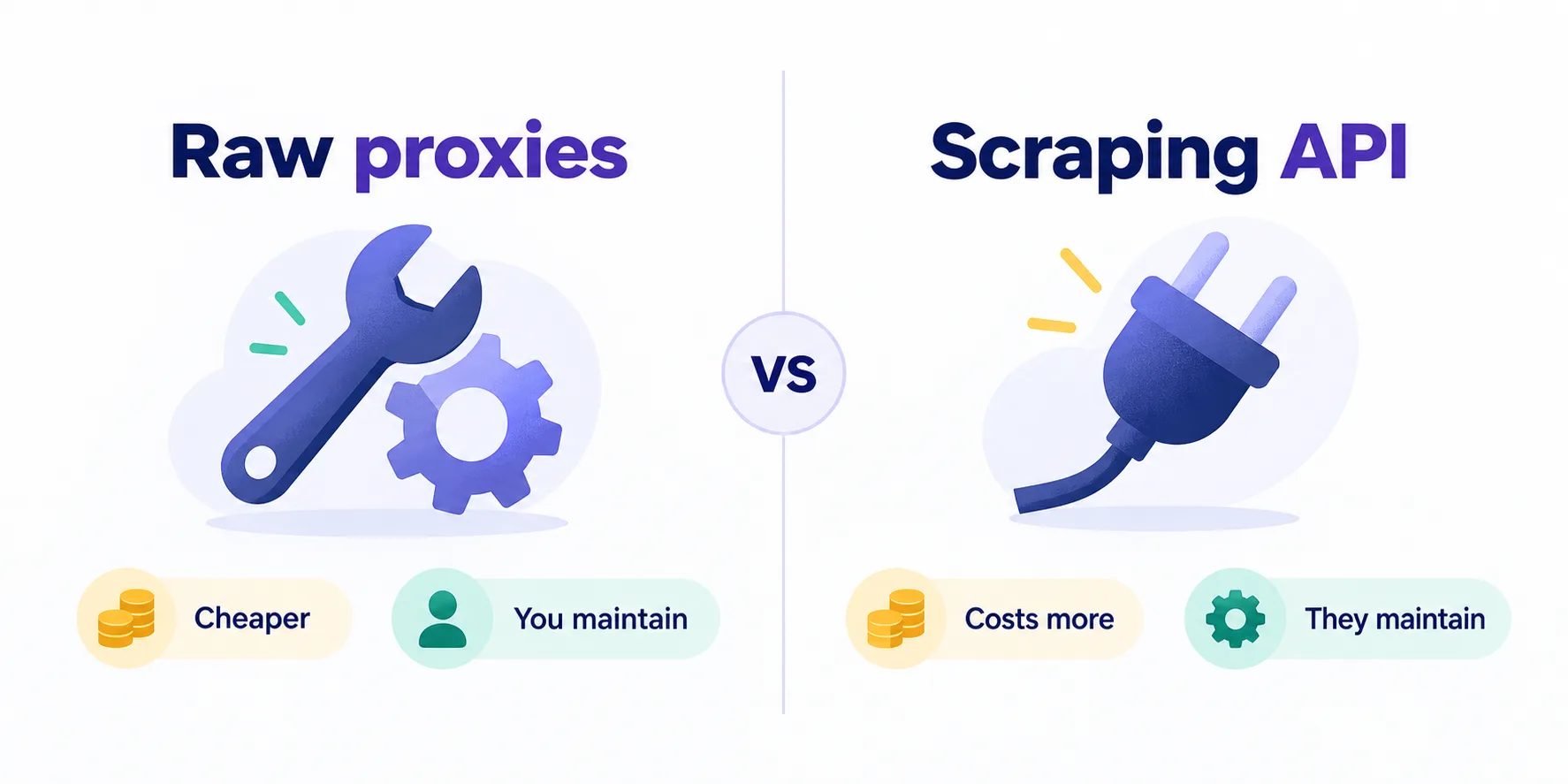
Raw proxies are far cheaper per page and give you total control, but you own the whole anti-blocking problem: rotation logic, retries, header management, CAPTCHA handling, and the ongoing maintenance as target sites change their defences. That's a real engineering commitment, not a one-off.
Scraping APIs charge per successful request and absorb all of that. The per-unit price looks worse until you cost in an engineer's time — and for a small team monitoring a few thousand SKUs, an API is frequently cheaper all-in. The rule of thumb: if you have dedicated scraping engineers, buy proxies; if you don't, buy an API.
Best raw proxies for price monitoring
1. Smartproxy — best overall
Smartproxy (rebranding as Decodo) hits the balance most price-monitoring teams need: a 55M+ residential pool across 195 countries with city-level targeting, the fastest average response here at 0.55s, and fair pricing from $3.50/GB. Speed matters more than usual for monitoring because you're re-fetching the same catalogue on a schedule — shaving latency compounds across millions of requests. It also ships no-code scrapers and ready-made scraping APIs, so you can start managed and move to raw proxies later without changing vendor.

Powerful proxies without the enterprise price tag.
2. Bright Data — best for hard retail targets
Some large retailers run genuinely sophisticated anti-bot systems, and this is where Bright Data earns its premium. Targeting down to city and ASN gives you precise market sampling, Web Unlocker automates CAPTCHA and block handling, and 99.99% uptime matters when your pipeline runs on a schedule. From $5.04/GB with a dense dashboard and KYC onboarding — overkill for easy targets, decisive on hard ones.

3. Froxy — best city-level geo targeting on a budget
Prices vary within countries as well as between them, and Froxy's city and ASN targeting across 190 countries at $2.00/GB is the cheapest way to sample at that granularity. If your dataset needs regional price variation rather than just national, this is strong value. The 10M+ pool is modest and support depth is less proven than the incumbents.

Residential and mobile proxies with city and ASN targeting
4. Webshare — best cheap start for easy targets
Before paying residential rates, find out whether you need to. Webshare starts at $0.99/GB with 0.5s responses across 195 countries, and for the substantial share of retail sites that don't scrutinise datacenter traffic, it does the job at a fraction of the cost. Use it as the first rung of the escalation ladder and reserve residential for the domains that actually reject it.

The most affordable way to start with proxies.
Best scraping APIs for price monitoring
5. Zyte — best value managed API
Built by the creators of Scrapy, Zyte brings the most mature ban-handling technology in the category and entry pricing from $0.30. If your team already works in Python, the Scrapy and Scrapy Cloud integration makes it the path of least resistance, and AI-assisted extraction reduces the parser maintenance that usually eats price-monitoring projects alive. Response times around 5s reflect the rendering and retry work happening behind each call.

Enterprise web scraping API and proxy management from the team behind Scrapy
6. ScraperAPI — best simple drop-in
ScraperAPI does one thing cleanly: you send a URL, it handles rotation, retries, and CAPTCHAs across a 40M+ pool and returns the page. From $0.30 it's priced for volume, and the integration is genuinely a one-line change for most scrapers. Coverage spans about 50 countries, which is narrower than the residential networks — check your target markets are included before committing.

Web scraping API with automatic proxy rotation, retries and CAPTCHA handling
7. Oxylabs — best enterprise e-commerce API
Oxylabs pairs a 100M+ residential network with dedicated e-commerce scraping products, which matters when you need structured product data rather than raw HTML. SOC 2 compliance and account management suit teams whose procurement scrutinises vendors. It's the most expensive option here at $8.00/GB for proxies with scraper APIs billed separately — see our Oxylabs pricing breakdown before you model costs.

Premium proxies built for enterprise scraping.
8. Nimble — best fully-managed pipelines
Nimble goes furthest toward removing the engineering burden: AI-driven unblocking plus managed e-commerce and SERP APIs that return structured data rather than pages to parse. For teams that treat pricing data as a product but don't want to own a scraping stack, that trade is often worth the premium platform pricing. It's more than you need if all you want is rotating IPs.

AI-driven web data platform with residential proxies and managed data pipelines
Comparing the options
| Provider | Type | From | Countries | Best for |
|---|---|---|---|---|
| Smartproxy | Proxies | $3.50/GB | 195 | Best overall |
| Bright Data | Proxies + tools | $5.04/GB | 195 | Hard retail targets |
| Froxy | Proxies | $2.00/GB | 190 | City-level sampling |
| Webshare | Proxies | $0.99/GB | 195 | Cheap first rung |
| Zyte | API | $0.30 | 100 | Value managed API |
| ScraperAPI | API | $0.30 | 50 | Simple drop-in |
| Oxylabs | Proxies + API | $8.00/GB | 195 | Enterprise e-commerce |
| Nimble | Managed platform | $8 | 195 | Structured pipelines |
Practical setup advice
- Pin each target market to its own proxy pool. A German price should be fetched from a German IP, every time, or your time series mixes markets.
- Block images and heavy assets at the request level. This is the single biggest cost lever available.
- Tier your scrape frequency. Volatile SKUs hourly, the long tail daily or weekly. Uniform frequency wastes most of a budget.
- Scrape logged out, always. Account pricing and cart state contaminate public price data.
- Validate against a human check weekly — open a handful of monitored pages manually and confirm the numbers match your pipeline.
- Alert on anomalies, not just failures. A sudden uniform price shift usually means a scraping problem, not a market event.
How often should you actually re-scrape?
Frequency is the one variable that multiplies your entire bill, and most teams set it once by instinct and never revisit it. Doubling your polling rate doubles your proxy spend exactly, so the question deserves more thought than it usually gets.
The honest answer is that it depends on how fast the price moves. Airline fares and marketplace listings with algorithmic repricing can shift hourly and genuinely warrant frequent checks. A furniture retailer's catalogue may not change for weeks, and polling it hourly buys you nothing but 168 identical rows per SKU per week. The productive approach is to measure before you decide: scrape a sample of your catalogue frequently for a fortnight, look at how often values actually changed, then set each tier's cadence to match observed volatility rather than assumption.
Most catalogues sort into roughly three tiers — a small volatile head that justifies hourly or four-hourly checks, a larger body that daily covers comfortably, and a long tail where weekly is plenty. Tiering that way commonly cuts total request volume by half or more against a flat hourly schedule, with no meaningful loss of signal.
Is price monitoring legal?
Collecting publicly available pricing data is a long-established and generally lawful business practice — it underpins comparison shopping, retail analytics, and competitive research across the economy. The nuances that matter are practical: respect the site's terms where they bind you contractually, don't scrape behind logins, avoid collecting personal data incidentally, and keep request rates low enough that you're not degrading the service for real customers.
Rate limiting is also self-interested. Aggressive crawling is the fastest way to get a domain-wide block that costs you the dataset entirely — our guide on why proxies get banned covers the behavioural patterns that trigger it.
The bottom line
Price monitoring asks something specific of a proxy: not just access, but geographically accurate, uncontaminated access, repeated indefinitely at a cost that scales. Choose Smartproxy as the default for its balance of speed, coverage, and fair pricing; Bright Data when a major retailer's defences justify the premium; Froxy when you need city-level price sampling cheaply; and Webshare as the first rung to prove whether you need residential at all. If you don't have engineers to maintain a scraper, buy the outcome instead — Zyte and ScraperAPI at $0.30 entry are usually cheaper all-in than proxies plus salary. Whatever you pick, block your assets, tier your frequency, and spot-check the prices your pipeline reports against what a human browser sees. Bad pricing data doesn't announce itself.
Frequently asked questions
Smartproxy is the best all-round choice, combining a 55M+ residential pool across 195 countries with city-level targeting and the fastest response times here at 0.55s from $3.50/GB. Bright Data is stronger on aggressively defended retailers, while Webshare at $0.99/GB is worth testing first for sites that do not block datacenter traffic.
Not always. Many retail sites serve datacenter traffic without complaint, and datacenter proxies cost well under a dollar per GB. Test datacenter first and escalate to residential only for the domains that actually block you — running an entire catalogue through residential is how most teams overspend.
That is usually correct behaviour, not a bug. Retailers vary prices and promotions by detected location, so a German IP and a US IP legitimately see different numbers. The problem case is a flagged IP being served a stale or generic page, which is why clean IPs and periodic manual spot-checks matter.
With images blocked a product page is roughly 500 KB, so one gigabyte covers about 2,000 pages. Monitoring 10,000 SKUs daily uses around 150 GB a month, or about $525 at $3.50/GB. Blocking assets and moving easy domains to datacenter proxies can cut that by more than half.
If you do not have engineers to maintain a scraper, yes. APIs like Zyte and ScraperAPI start around $0.30 and absorb rotation, retries and CAPTCHA handling. Raw proxies are cheaper per page but you own the anti-blocking work permanently, so factor engineering time into the comparison.
Collecting publicly available pricing data is a long-established and generally lawful practice that underpins comparison shopping and retail analytics. Keep it clean by not scraping behind logins, avoiding incidental personal data, respecting contractual terms, and rate-limiting so you do not degrade the site for real customers.