










Oxylabs is one of the largest and most respected proxy and web-scraping providers in the world, used by enterprises for large-scale data collection, price monitoring, and market research. It's also known for premium pricing — Oxylabs sits firmly at the enterprise end of the market, and its cost structure spans several products and billing models that can be confusing at first glance. This guide breaks down Oxylabs' 2026 pricing product by product, explains how the per-GB, per-IP, and per-result models actually work, weighs the performance you're paying for, and helps you decide whether Oxylabs is the right fit or whether a cheaper alternative makes more sense.
What is Oxylabs?
Oxylabs is a proxy network and data-collection platform that gives businesses the infrastructure to gather public web data at scale without getting blocked. Its core offering is one of the biggest residential proxy pools in the industry — tens of millions of IPs across virtually every country — alongside datacenter proxies, mobile proxies, ISP (static residential) proxies, and a suite of ready-made scraping APIs that handle blocking, rendering, and parsing for you.
The company targets serious, high-volume users: e-commerce brands tracking competitor prices, travel aggregators pulling fares, SEO platforms monitoring search results, and data teams feeding machine-learning pipelines. That enterprise focus is reflected in both the quality of the network and the price you pay for it.

Premium proxies built for enterprise scraping.
How Oxylabs pricing works
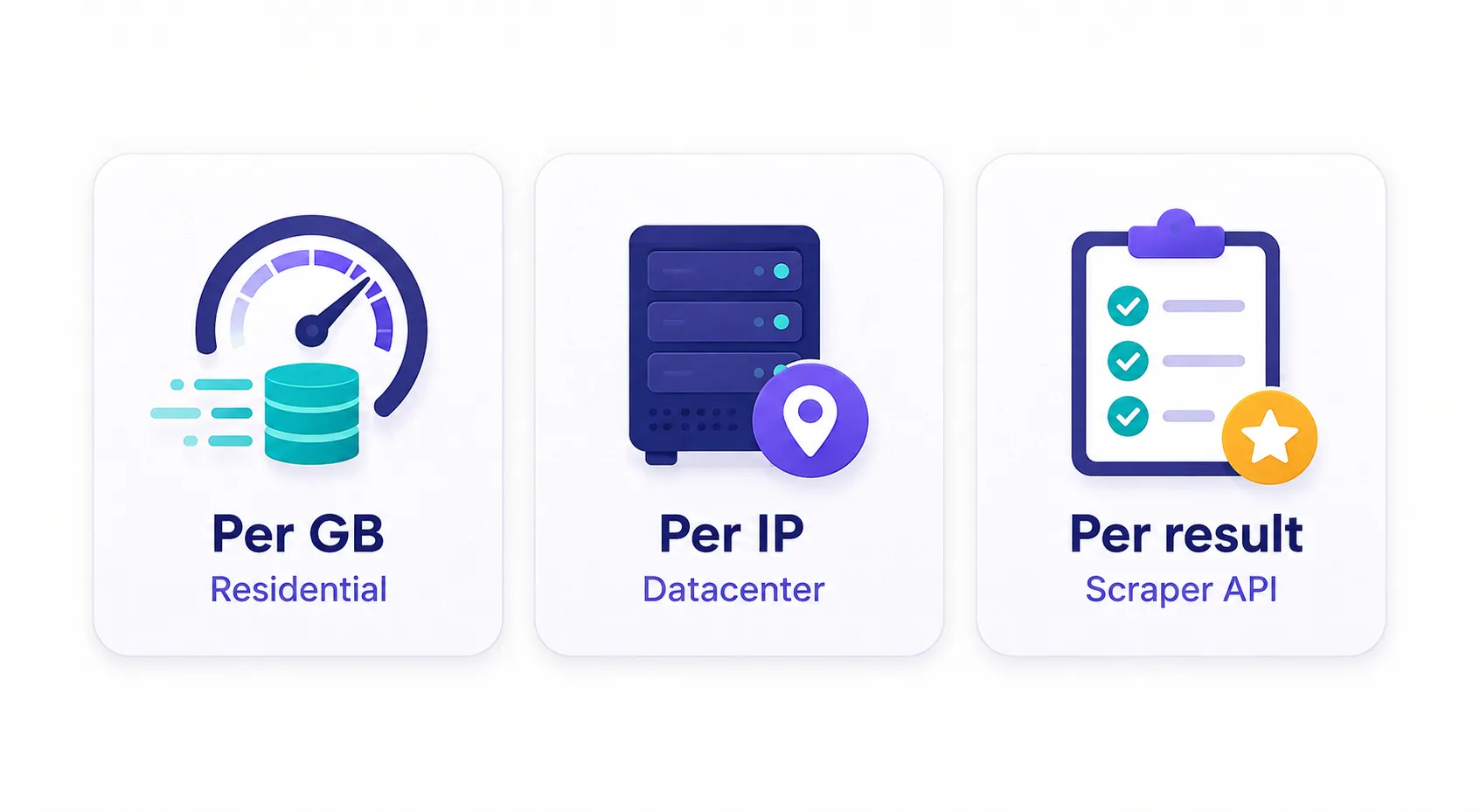
Oxylabs doesn't have a single price — it has several products, each with its own billing model. Understanding the three underlying models is the key to reading any Oxylabs quote:
- Pay per GB (bandwidth) — used for residential and mobile proxies. You pay for the volume of data you route through the network, regardless of how many IPs or requests that involves. This is the dominant model for residential traffic.
- Pay per IP — used for some datacenter and ISP proxy plans. You rent a fixed number of dedicated IP addresses for a flat monthly fee and can use unlimited bandwidth through them.
- Pay per result — used for the Web Scraper API products. You're billed per successful request or per 1,000 results returned, with the proxy rotation, retries, and parsing bundled in.
On top of the model, Oxylabs offers pay-as-you-go rates (higher per-unit, no commitment) and monthly subscription plans (lower per-unit in exchange for a committed spend). The more you commit, the lower your effective rate — the classic volume-discount curve.
Prices here are indicative
Proxy pricing shifts frequently, and Oxylabs runs custom enterprise quotes, regional pricing, and periodic promotions. Treat the numbers below as a guide to the structure and rough ranges; always confirm the exact current rate on the live pricing page or with a sales quote before committing. The "Visit" button on the Oxylabs card above links to the current offer.
Oxylabs products & pricing at a glance
Here's how the main Oxylabs products compare on billing model and rough entry pricing:
| Product | Billing model | Rough entry price | Best for |
|---|---|---|---|
| Residential Proxies | Per GB | From ~$8/GB (less at volume) | Hard targets, geo-coverage |
| Mobile Proxies | Per GB | From ~$9/GB | Mobile-only targets, hardest blocks |
| ISP (Static Residential) | Per IP | From a few $/IP per month | Sticky sessions, speed + trust |
| Datacenter Proxies | Per IP or per GB | From ~$0.50–1/GB | Easy targets, cost-sensitive volume |
| Web Scraper API | Per result | From ~$2–4 per 1K results | Hands-off scraping at scale |
Residential Proxies pricing
Residential proxies are Oxylabs' flagship and the product most people mean when they talk about Oxylabs pricing. These route your traffic through real devices on real ISP connections, which makes them extremely hard to detect and block — the reason they command a premium. Billing is per gigabyte of traffic.
Pay-as-you-go rates start in the region of $8 per GB, but the effective price drops substantially as you commit to a monthly plan: mid-tier plans often land around $5–7/GB, and high-volume enterprise commitments can push well below that. If you're new to how these work, our explainer on how residential proxies work covers the mechanics. The practical takeaway: your monthly bill is bandwidth × rate, so controlling how much data you pull matters as much as the headline price.
Mobile Proxies pricing
Mobile proxies route through real 3G/4G/5G cellular connections, giving you IPs that look like ordinary phone users. Because mobile IPs are shared among many real users and rotate naturally, they're the hardest of all to block — and typically the most expensive per GB, starting around $9/GB and up. They're overkill for most jobs, but for the toughest mobile-first targets (certain social platforms and apps), they're sometimes the only thing that works reliably.
ISP & Datacenter Proxies pricing
Two products serve users who want speed and predictable cost rather than the deepest stealth:
- ISP (static residential) proxies combine the trust of a residential IP with the speed and stability of a datacenter connection. They're billed per IP as a flat monthly fee, so bandwidth is effectively unlimited — ideal for tasks that need a stable, sticky identity over time.
- Datacenter proxies are the cheapest option, hosted on server IPs. They're fast and inexpensive — often well under a dollar per GB, or rented per IP — but easier for sophisticated targets to detect. They're the right call for easy targets and cost-sensitive, high-volume work where the occasional block is acceptable.
Match the proxy to the target
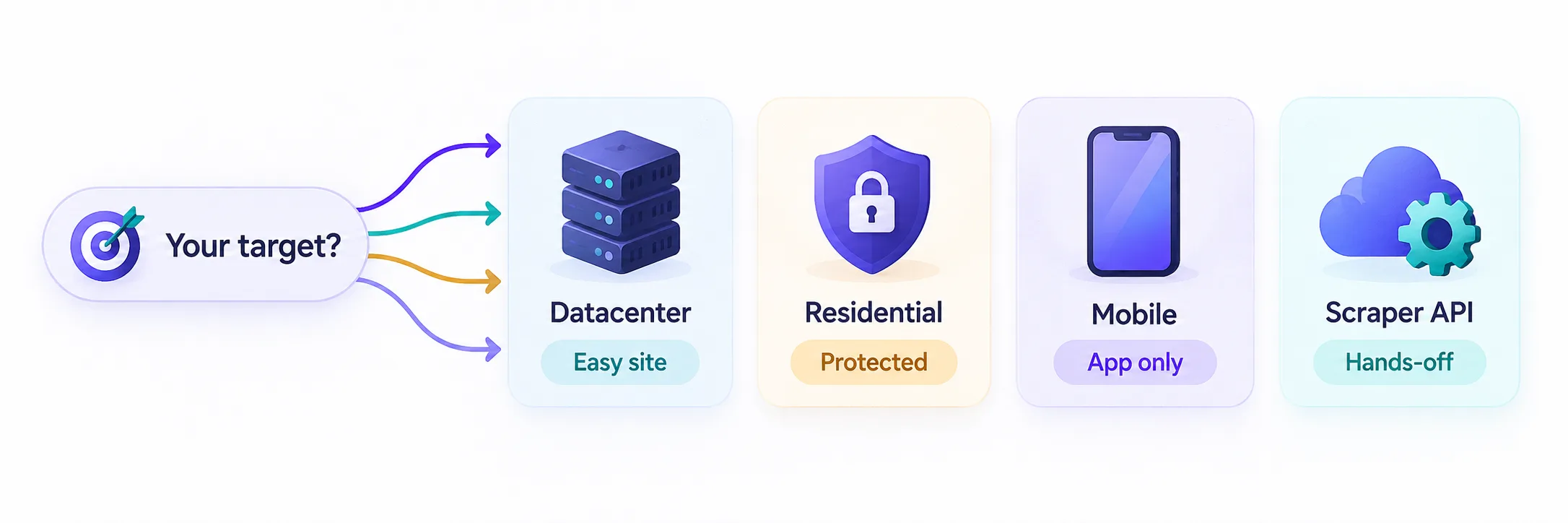
The cheapest proxy that reliably works is the right one. Use datacenter proxies for easy sites, residential for protected ones, and mobile only for the hardest mobile targets. Over-buying residential bandwidth for a job datacenter proxies could handle is the most common way teams overspend.
Web Scraper API pricing
Oxylabs' Web Scraper API (which consolidates its older SERP, E-Commerce, and Web scrapers) is a different beast: instead of renting proxies and building your own scraper, you send a target URL and Oxylabs returns the parsed data, handling proxy rotation, browser rendering, CAPTCHAs, and retries behind the scenes. It's billed per result — roughly $2–4 per 1,000 successful results depending on your plan tier, with a free trial to start.
This model is more expensive per request than raw proxies, but it can be cheaper overall once you factor in the engineering time you'd otherwise spend building and maintaining anti-block infrastructure. For teams that want data, not a scraping stack to babysit, the API often wins on total cost of ownership.
What Oxylabs' performance buys you
The premium price is inseparable from what Oxylabs delivers on the technical side. A few things you're paying for:
- Network size and quality. One of the largest residential pools in the industry means better geo-coverage and a lower chance that a given target has already blocked the IPs you're assigned.
- High success rates. Oxylabs consistently posts strong success rates on hard targets, which directly affects your real cost — a proxy that fails half the time doubles your effective price.
- Speed and uptime. Low response times and enterprise-grade uptime SLAs matter when you're pulling millions of pages on a schedule.
- Support and compliance. Dedicated account managers, a strong compliance and ethics stance on sourcing IPs, and responsive support are part of the enterprise package.
Success rate is the hidden price
Two providers can quote the same $/GB, but if one has a 99% success rate and the other 85%, the cheaper-looking one is actually more expensive per successful request. Always evaluate proxies on cost-per-success, not headline rate — this is where premium networks like Oxylabs justify their price.
A worked example: what a real bill looks like
Abstract per-GB rates are hard to reason about, so here's a concrete scenario. Say you're scraping product pages from a protected e-commerce site and each page (with images blocked) transfers about 500 KB. That means one gigabyte of residential traffic covers roughly 2,000 pages.
At a mid-tier rate of $6/GB, scraping 100,000 pages a month would use about 50 GB and cost around $300. Switch those same 100,000 pages to datacenter proxies at, say, $1/GB and the bill drops to about $50 — but only if the target doesn't block datacenter IPs. That gap is the whole game: the same job can cost six times as much on the wrong product. It's also why blocking images and unnecessary assets matters so much — halving your per-page bytes halves your bill directly, since you're billed purely on volume.
Does Oxylabs offer a free trial?
Oxylabs does provide ways to test before committing, though the specifics vary by product. The Web Scraper API typically comes with a free trial period and a batch of free results, and proxy products often have trial access for verified businesses, sometimes arranged through sales rather than a self-serve signup. There's no permanent free tier — Oxylabs is an enterprise product — so the realistic path is a trial to validate that the network works on your specific targets before you sign a monthly commitment.
Because entry pricing is steep, many smaller teams start on a more accessible pay-as-you-go provider to prototype, then move to Oxylabs once volume and reliability requirements justify the premium. Testing on your actual target sites is essential — success rates vary by target, and the only bill that matters is cost per successful request.
Oxylabs vs the alternatives
Oxylabs competes at the top of the market, but several strong providers offer similar products at different price points. The right choice depends on your scale and budget:
| Provider | Residential (rough) | Positioning |
|---|---|---|
| Oxylabs | From ~$8/GB | Enterprise-grade, huge network, premium support |
| Bright Data | From ~$8/GB | Largest feature set, most products, enterprise focus |
| SOAX | From ~$4–6/GB | Flexible, mid-market friendly, strong targeting |
| Smartproxy | From ~$3.5–7/GB | Value-focused, easy to start, good for smaller teams |
If you want a more budget-friendly residential network with flexible targeting, SOAX is a common cross-shop:

Clean, ethically-sourced residential & mobile IPs.
And for teams prioritizing value and an easy on-ramp, Smartproxy is a strong pick:

Powerful proxies without the enterprise price tag.
Is Oxylabs worth it?
Whether Oxylabs justifies its price comes down to scale and stakes. If you're running mission-critical, high-volume data collection where reliability and success rates translate directly into revenue — enterprise price monitoring, large-scale SEO, ad verification — then the premium is easy to justify. The network quality, success rates, and support reduce the hidden costs (failed requests, engineering firefighting) that make cheaper providers more expensive than they look.
If you're a solo developer, a small startup, or you're running modest volumes, Oxylabs is likely more than you need. A value-focused provider with lower entry pricing and pay-as-you-go flexibility will serve you better until your volume grows enough to negotiate an enterprise rate. The honest summary: Oxylabs is built for teams that treat web data as core infrastructure, and overkill for those who don't yet.
How to choose the right plan — and save
Getting Oxylabs' cost under control is mostly about matching the product to the job and committing wisely:
- Use the cheapest proxy that works. Test datacenter first; only escalate to residential or mobile when a target actually blocks you. This single habit saves the most money.
- Commit for the discount. If your volume is predictable, a monthly plan cuts your per-GB rate meaningfully versus pay-as-you-go.
- Control bandwidth. Since residential is billed per GB, block images and unnecessary assets, request only what you need, and cache aggressively to shrink data usage.
- Consider the API for hard targets. If you're spending heavy engineering time fighting blocks, the per-result Web Scraper API can be cheaper all-in than raw proxies plus maintenance.
- Negotiate at scale. Enterprise rates are custom — if you're spending seriously, talk to sales for a quote below the public numbers.
The bottom line
Oxylabs' 2026 pricing spans three billing models — per GB for residential and mobile proxies, per IP for ISP and datacenter, and per result for the Web Scraper API — with pay-as-you-go rates that drop as you commit to monthly volume. It sits at the premium, enterprise end of the proxy market, and it earns that position with one of the largest, highest-quality networks, strong success rates, and serious support. It's the right call for teams whose business depends on reliable web data at scale, and probably overkill for hobbyists or small projects, who are better served by a value-focused alternative. Whatever your scale, match the product to your target's difficulty, control your bandwidth, and confirm the current rate on Oxylabs' live pricing page before you commit. For more context, compare the field in our guide to how residential proxies work.
Frequently asked questions
Oxylabs pricing depends on the product and billing model. Residential proxies start around $8/GB pay-as-you-go and drop to roughly $5-7/GB on monthly plans, datacenter proxies run well under a dollar per GB, and the Web Scraper API is billed per result at roughly $2-4 per 1,000. Enterprise rates are custom, so confirm current pricing on the live page.
Oxylabs targets enterprise users and prices for network quality rather than volume discounts alone. You're paying for one of the largest residential IP pools, high success rates on hard targets, strong uptime, and dedicated support. On cost-per-successful-request, a premium network is often cheaper than a budget one with a lower success rate.
Yes, in limited forms. The Web Scraper API typically includes a free trial with a batch of free results, and proxy products often offer trial access for verified businesses, sometimes arranged through sales. There is no permanent free tier, since Oxylabs is an enterprise product.
For high-volume, mission-critical data collection where reliability drives revenue, yes — the success rates and support reduce hidden costs like failed requests and engineering firefighting. For solo developers or small projects with modest volume, a value-focused provider like Smartproxy or SOAX is usually the better starting point.
It depends on the product. Residential and mobile proxies are billed per gigabyte of bandwidth, ISP and some datacenter plans are billed per IP as a flat monthly fee with unlimited bandwidth, and the Web Scraper API is billed per successful result.
Use the cheapest proxy type that reliably works — test datacenter before escalating to residential. Commit to a monthly plan for a lower per-GB rate, block images and unnecessary assets to cut bandwidth, cache aggressively, and negotiate a custom rate if you spend at scale.