














When you connect to a VPN, a protocol decides how your traffic is encrypted and tunneled — and the two that dominate are WireGuard and OpenVPN. WireGuard is the fast, modern newcomer; OpenVPN is the battle-tested veteran. Both are secure and widely trusted, but they make different trade-offs in speed, flexibility, and how well they slip past network blocks. This guide compares them across every dimension that matters and helps you decide which to use — and when.
The short answer
Choose WireGuard for the best speed and battery life on everyday connections — it's faster, leaner, and reconnects instantly. Choose OpenVPN when you need to get through restrictive networks or censorship, since it can disguise itself as regular HTTPS traffic. For most people on a modern VPN app, WireGuard is the better default; OpenVPN is the reliable fallback.
What is a VPN protocol?
A VPN protocol is the set of rules that governs how your device and the VPN server establish an encrypted tunnel and move data through it. It determines the encryption used, how the two ends authenticate each other, and how packets are wrapped and sent. Different protocols optimize for different things — raw speed, maximum compatibility, or the ability to evade blocking — which is why your VPN app usually lets you pick one. If you're still deciding whether you even need a VPN, our proxy vs VPN comparison is a good starting point.
What is WireGuard?
WireGuard is a modern VPN protocol first released in 2016 and merged into the Linux kernel in 2020. Its defining trait is simplicity: the entire codebase is only around 4,000 lines, compared to hundreds of thousands for older protocols. That leanness makes it faster, easier to audit for security flaws, and lighter on your device's battery and CPU.
WireGuard uses a fixed, modern set of cryptography — ChaCha20 for encryption, Curve25519 for key exchange, and other state-of-the-art primitives — rather than letting you configure dozens of options. It runs over UDP, connects almost instantly, and handles network changes (like switching from Wi-Fi to mobile data) seamlessly. It's now the default protocol in most major VPN apps, often under a provider's own name.
What is OpenVPN?
OpenVPN is the long-established open-source protocol that has been the industry standard since 2001. It's extraordinarily flexible and battle-tested: it can run over either UDP (for speed) or TCP (for reliability), uses the mature OpenSSL library so it supports a huge range of ciphers, and works on virtually every platform. Two decades of scrutiny have made it a trusted, well-understood choice.
The trade-off for that flexibility is bulk. OpenVPN's codebase is enormous — hundreds of thousands of lines — which makes it slower, heavier, and harder to audit than WireGuard. Its killer feature, though, is stealth: because it can run on TCP port 443, the same port normal HTTPS websites use, OpenVPN traffic can be very hard to distinguish from ordinary web browsing, which matters enormously on restrictive networks.
WireGuard vs OpenVPN: the key differences
The two protocols overlap on security — both are strong when properly implemented — but diverge sharply elsewhere:
| Aspect | WireGuard | OpenVPN |
|---|---|---|
| Speed | Faster, lower latency | Slower, more overhead |
| Code size | ~4,000 lines | ~400,000+ lines |
| Encryption | Fixed modern crypto | Configurable (OpenSSL) |
| Transport | UDP only | UDP or TCP |
| Bypassing blocks | Easier to detect/block | Can hide as HTTPS |
| Reconnection | Instant, seamless roaming | Slower to reconnect |
| Battery / CPU | Very efficient | Heavier |
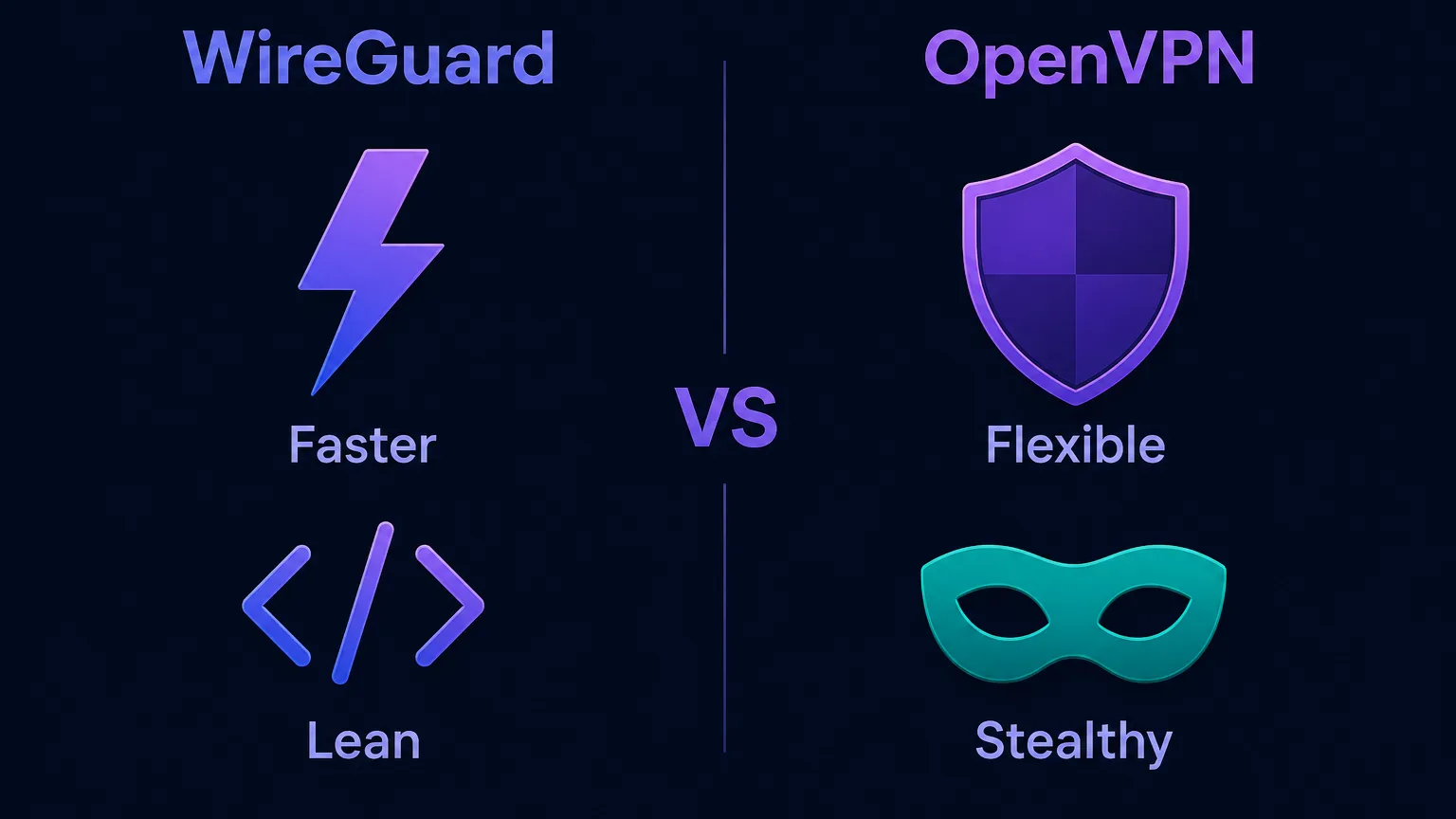
Speed: WireGuard wins clearly
Speed is WireGuard's headline advantage, and it's not close. Because it runs in the kernel with a tiny, streamlined codebase and lightweight modern cryptography, WireGuard adds far less overhead to each packet than OpenVPN. In real-world tests it consistently delivers higher throughput and noticeably lower latency, and it connects in milliseconds where OpenVPN can take several seconds.
For everyday use — streaming in 4K, gaming, large downloads, or just browsing on the go — that speed and the lower battery drain make WireGuard the more pleasant experience. OpenVPN is fast enough for most tasks, especially over UDP, but on a like-for-like comparison WireGuard is the quicker protocol.
Security and encryption
Both protocols are highly secure when implemented properly, so this isn't a case of one being "safe" and the other not. They take different philosophies, though. WireGuard uses a single, fixed, modern cipher suite with no configuration knobs — you can't accidentally choose a weak setting, and its tiny codebase means fewer places for bugs to hide, making it easier to audit thoroughly.
OpenVPN relies on the mature OpenSSL library and lets you configure the cipher, which offers flexibility and proven, decades-audited cryptography, but also more surface area and the risk of a misconfiguration. One historical nuance is that WireGuard, by default, keeps a record of the last-connected IP on the server for a short time; reputable VPN providers work around this (for example with double-NAT systems) to preserve their no-logs promise.
Both are secure
Neither protocol is a security weak point on a reputable VPN. WireGuard is simpler and easier to audit; OpenVPN is more configurable and battle-tested. Your provider's implementation and no-logs policy matter more than the protocol choice for real-world privacy.
Stability and reconnection
WireGuard shines when your network changes. Because of how it's designed, switching between Wi-Fi and cellular, or coming back from sleep, is nearly instant and invisible — your connection just persists. This "roaming" behavior makes it excellent on mobile devices.
OpenVPN is rock-solid once connected and, thanks to its TCP mode, can maintain a reliable tunnel even on lossy or heavily filtered networks where UDP traffic struggles. It's slower to re-establish a dropped connection, but its resilience on difficult networks is a genuine strength, especially for stationary setups like a router or a server.
Bypassing blocks and censorship
This is OpenVPN's standout advantage. WireGuard only runs over UDP, and its traffic has a recognizable signature, so networks and countries that block VPNs can detect and stop it relatively easily. OpenVPN, by contrast, can run over TCP on port 443 — the exact port and protocol used by every HTTPS website — which lets its traffic blend in with normal web browsing and slip through firewalls that would block WireGuard outright.
In restrictive environments, OpenVPN often wins
If you're on a school or workplace network, or in a country with heavy VPN blocking, OpenVPN over TCP 443 is frequently the protocol that still connects. Many providers also add obfuscation layers to WireGuard to close this gap, so check whether yours offers a "stealth" or obfuscated mode.
Compatibility and ease of use
Both protocols are widely supported, but in slightly different ways. OpenVPN has had two decades to spread everywhere — it runs on practically any operating system, router, and device, and there's a mature ecosystem of clients and configs. WireGuard is newer but has caught up fast: it's built into the Linux kernel, has official apps for every major platform, and is now the default in most commercial VPN clients. For a typical user tapping "connect" in a VPN app, both are equally easy; the differences only surface with manual configuration, where WireGuard's simplicity makes it far quicker to set up.
WireGuard-based protocols: NordLynx and others
You'll often see VPNs advertise their own protocol names rather than "WireGuard." Many of these are WireGuard under the hood, wrapped to solve its privacy nuance. NordVPN's NordLynx, for instance, is WireGuard combined with a double-NAT system that avoids storing user IPs on the server, giving you WireGuard's speed with a stronger no-logs guarantee. Other providers ship similar in-house variants. The takeaway: if your VPN offers a fast, modern protocol under a branded name, it's very likely WireGuard-based — so you get its performance benefits automatically.
Which protocol should you use?
For most people, the choice is simple once you know your priority:
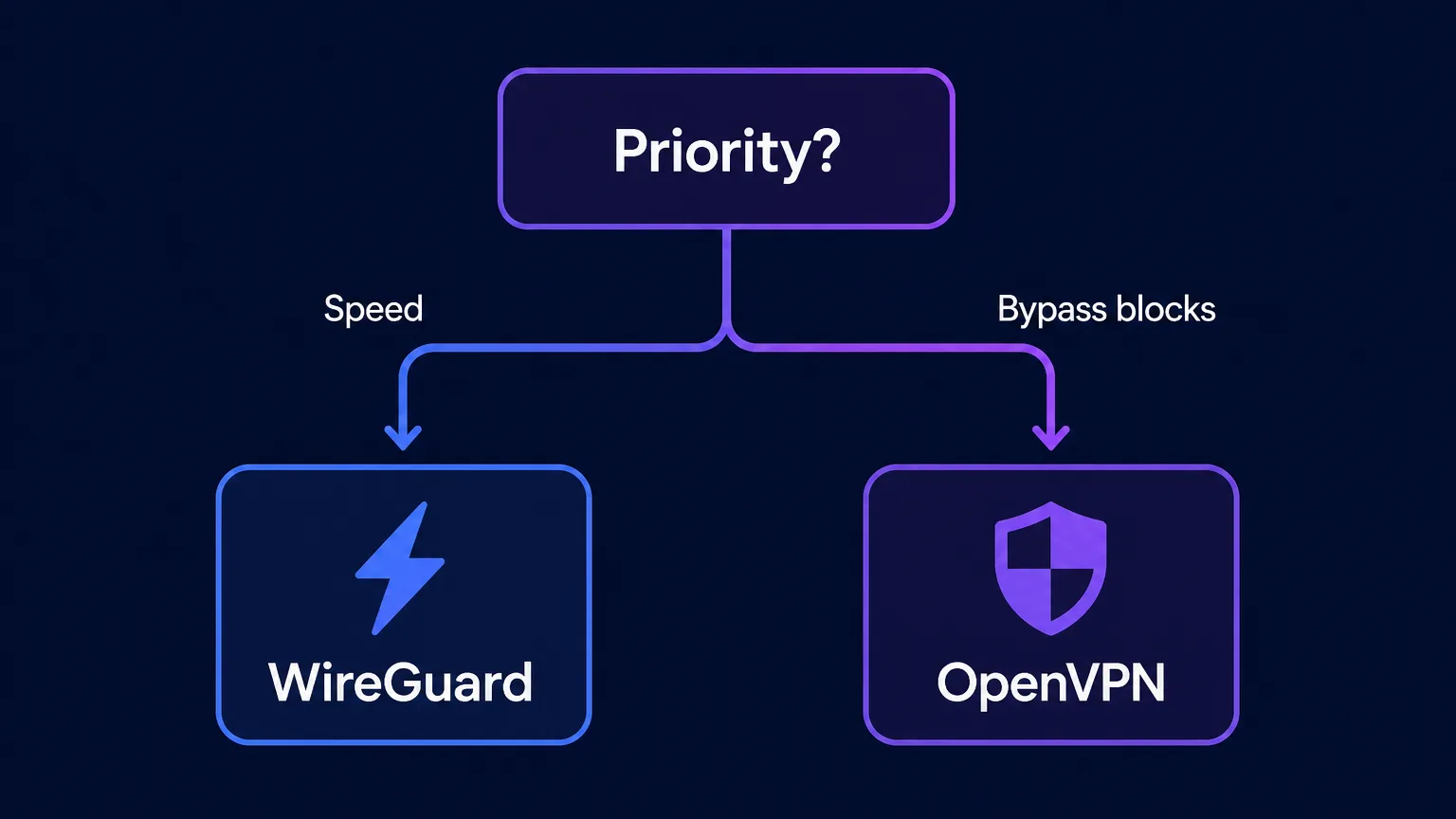
- Choose WireGuard for the fastest speeds, lowest latency, best battery life, and seamless switching between networks — ideal for streaming, gaming, mobile use, and general browsing.
- Choose OpenVPN when you need to bypass VPN blocking on restrictive networks or in censored regions, or when you want maximum configurability and a protocol with the longest track record.
Rule of thumb
Default to WireGuard (or your provider's WireGuard-based protocol) and switch to OpenVPN over TCP 443 only when WireGuard won't connect. Most quality VPN apps let you change protocols in a couple of taps, so you can keep both in your back pocket.
How to switch your VPN protocol
You rarely have to configure any of this by hand — quality VPN apps expose the protocol as a simple setting. The process is the same across most providers:
- Open your VPN app's settings and find the "Protocol" or "Connection" section.
- Pick the protocol. Choose WireGuard (or the provider's branded WireGuard variant, like NordLynx) for speed, or OpenVPN for stubborn networks.
- For OpenVPN, select TCP if you're being blocked — TCP over port 443 is the mode that blends in with normal HTTPS traffic.
- Reconnect and test. If a title won't stream or a page won't load on one protocol, switching often fixes it in seconds.
Because the change takes a couple of taps, the smart move is to keep WireGuard as your everyday default and reach for OpenVPN only when you hit a wall. There's no need to commit to one forever.
Common misconceptions
- "WireGuard is less secure because it's new." Its small, heavily-audited codebase and modern cryptography make it very secure; newness isn't a weakness here.
- "OpenVPN is obsolete." Far from it — its ability to disguise traffic as HTTPS keeps it essential on restrictive and censored networks.
- "The protocol is the biggest factor in VPN privacy." Your provider's no-logs policy, jurisdiction, and implementation matter more; both protocols are secure when done right.
- "WireGuard always leaks your IP." Vanilla WireGuard briefly stores the last IP server-side, but reputable providers engineer around this (e.g. NordLynx's double-NAT) to keep no-logs promises intact.
What about other protocols?
WireGuard and OpenVPN dominate, but they aren't the only options. IKEv2/IPsec is fast and excellent at reconnecting, making it popular on mobile, though it's more easily blocked. Older protocols like L2TP/IPsec and especially PPTP still appear in some apps but are slower or insecure and best avoided. Some providers also offer proprietary protocols — ExpressVPN's Lightway, for example — designed for a similar blend of speed and reliability. For nearly everyone, though, the real decision comes down to WireGuard versus OpenVPN, with the others as situational alternatives.
Which is better for streaming and gaming?
For streaming and gaming, WireGuard is usually the better pick thanks to its higher throughput and much lower latency — 4K video is less likely to buffer, and games feel more responsive because there's less lag added to each round trip. Its instant reconnection also helps if your connection hiccups mid-session. The main exception is when a streaming service or network actively blocks VPNs: there, OpenVPN over TCP 443 may be the only protocol that gets through, even if it's a touch slower. In practice, try WireGuard first for the smoothest experience and fall back to OpenVPN only if you hit a block. If unblocking specific services is your goal, our guides to the best VPNs for Netflix and Disney+ cover which providers do it reliably.
The bottom line
WireGuard and OpenVPN are both excellent, secure protocols that suit different needs. WireGuard is the modern default: dramatically faster, leaner, easier to audit, and seamless when your network changes — the right pick for streaming, gaming, and everyday mobile use. OpenVPN is the flexible veteran: slower and heavier, but unmatched at disguising itself as normal HTTPS to punch through restrictive networks and censorship. The best approach is to use WireGuard (or a WireGuard-based protocol like NordLynx) by default and keep OpenVPN over TCP 443 as your fallback for tough networks. Since almost every quality provider offers both, the real question isn't which VPN protocol is "best" overall — it's which is best for the connection in front of you. Compare providers that support both in our independent VPN reviews.
Frequently asked questions
Yes, clearly. WireGuard's tiny codebase and lightweight modern cryptography add far less overhead per packet, so it delivers higher throughput, lower latency, and near-instant connections. OpenVPN is fast enough for most tasks, especially over UDP, but WireGuard wins a like-for-like speed comparison.
Both are highly secure when properly implemented, so neither is a weak point on a reputable VPN. WireGuard uses a fixed modern cipher suite and a small, easily-audited codebase, while OpenVPN offers configurable, decades-tested cryptography via OpenSSL. Your provider's no-logs policy and implementation matter more than the protocol itself.
OpenVPN can run over TCP on port 443 — the same port and protocol as normal HTTPS websites — so its traffic blends in with ordinary browsing and slips through firewalls. WireGuard only uses UDP and has a recognizable signature, making it easier for restrictive networks and censors to detect and block.
Use WireGuard by default for the best speed, battery life, and seamless reconnection — ideal for streaming, gaming, and mobile use. Switch to OpenVPN over TCP 443 when you need to get through restrictive networks or censorship. Most VPN apps let you change protocols in a couple of taps, so keep both available.
Essentially yes — NordLynx is NordVPN's implementation of WireGuard combined with a double-NAT system that avoids storing user IPs on the server. It gives you WireGuard's speed with a stronger no-logs guarantee. Several providers ship similar WireGuard-based variants under their own names.
Yes. Its higher speeds and lower latency make 4K streaming less likely to buffer, and its instant reconnection helps if your connection hiccups. The exception is when a service actively blocks VPNs, where OpenVPN over TCP 443 may be the only protocol that connects.