









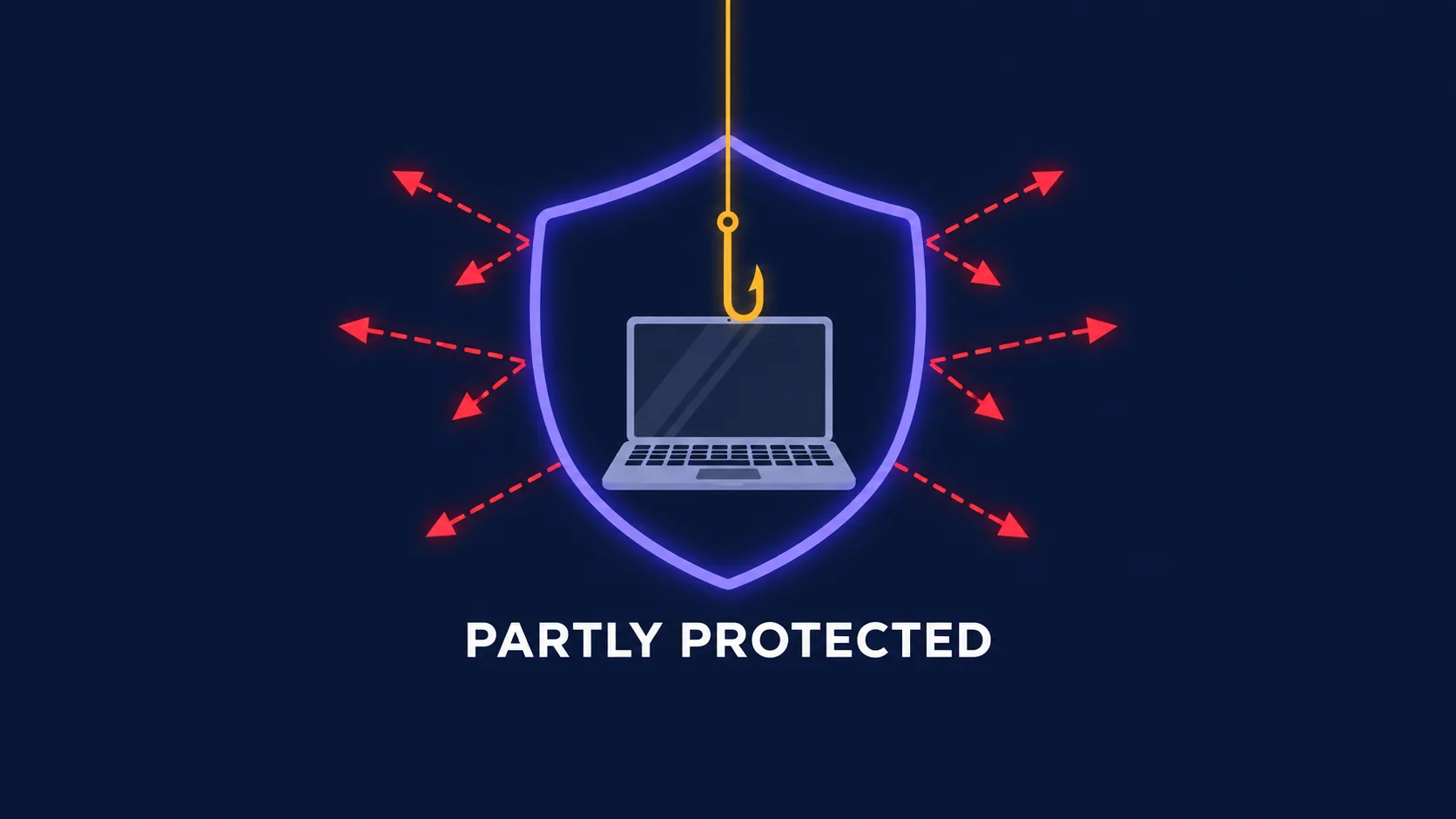
A VPN protects you against some hackers, some of the time — and against the attacks that compromise most people, it does very little. That's not a knock on VPNs; it's a matter of what they're built to do. A VPN encrypts the connection between your device and the VPN server and hides your IP address. That shuts down a specific set of network-level attacks. But most real-world hacks don't target your connection at all: they target your password, your inbox, your downloads, or your trust. This guide gives you an honest map of which threats a VPN stops, which it doesn't touch, and what actually keeps you safe.
The short answer
A VPN is a network security tool. It protects data while it travels and conceals where it comes from. It is not antivirus, not a password manager, and not a filter for scams. If an attacker's plan depends on watching or tampering with your network traffic, a VPN is a strong defence. If their plan depends on tricking you, stealing your credentials, or getting malicious software onto your device, a VPN is largely irrelevant.
The uncomfortable truth for VPN marketing is that the second category is where the overwhelming majority of personal compromises happen. Phishing, reused passwords, and malware account for far more hacked accounts than intercepted Wi-Fi traffic. A VPN is worth having for what it does, but treating it as a force field gives you a false sense of security — which can be more dangerous than having no VPN at all.
How a VPN actually works (and where its protection ends)
When you connect, your device builds an encrypted tunnel to a VPN server. Everything you send travels scrambled through that tunnel, so anyone between you and the server — the owner of a café's Wi-Fi, your internet provider, someone snooping on the local network — sees only unreadable data headed to one address. At the VPN server your traffic is decrypted and sent on to its destination, which sees the server's IP address rather than yours.
That's the whole mechanism, and it defines the boundaries of the protection precisely. A VPN guards the journey between your device and the VPN server. It does nothing about what's already on your device, nothing about the website you ultimately reach, and nothing about what you choose to click or type. If the site is fake, the file is infected, or your password is already in a breach database, the tunnel faithfully delivers you straight to the problem — encrypted.
What a VPN does protect you against
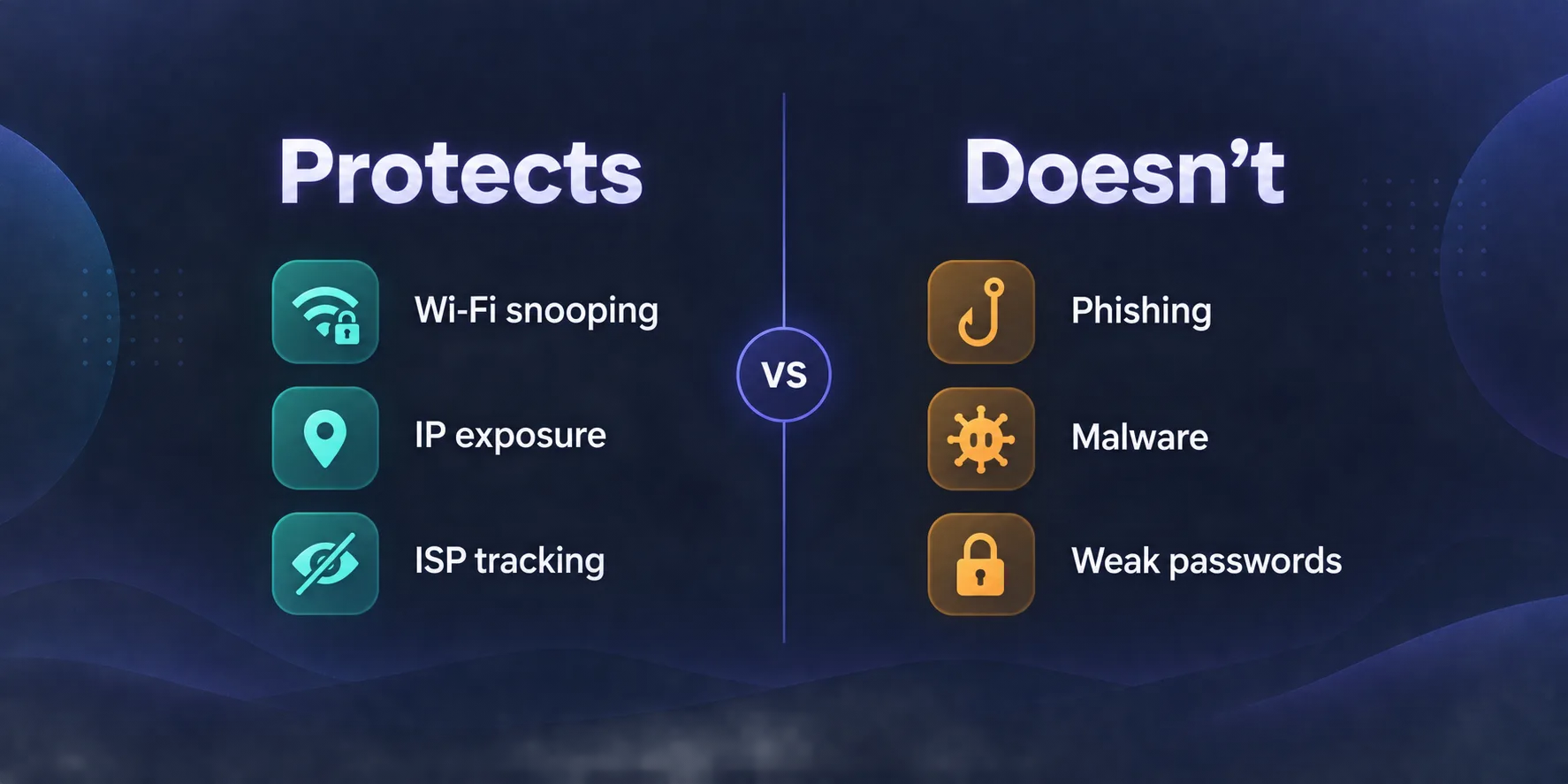
Snooping on public Wi-Fi
On an open or shared network — cafés, airports, hotels, conference venues — other people on the same network may be able to observe traffic passing through it, and whoever runs the network can see it all. A VPN encrypts everything before it leaves your device, so even a hostile network sees only noise. This is the classic VPN use case, and it remains a real one.
Rogue and "evil twin" hotspots
Attackers sometimes set up a free Wi-Fi network with a convincing name, like "Airport_Free_WiFi," to lure people into routing traffic through their hardware. A VPN limits what they can learn and tamper with, because your traffic leaves your device already encrypted and heads straight to the VPN server. It's not bulletproof — the attacker still controls the network you're on — but it removes most of the value of the trap.
Exposure of your IP address
Your IP address reveals your approximate location and your internet provider, and it's the address attackers target for network-level attacks. Gamers and streamers are a common target for DDoS attacks, where an opponent floods their connection to knock them offline. With a VPN, the public-facing address belongs to the VPN server, which is usually far better equipped to absorb that kind of attack than a home connection.
ISP and network-level surveillance
Without a VPN, your internet provider can see which domains you visit. On networks that tamper with traffic — injecting ads, redirecting DNS lookups, or blocking certain sites — a VPN stops them seeing and manipulating what passes through. This is more about privacy than hacking, but DNS hijacking is a genuine attack technique, and encrypted tunnelling helps defeat it.
HTTPS already does a lot of this
Most websites now use HTTPS, which encrypts the content of your traffic end-to-end even without a VPN. That means a snooper on public Wi-Fi typically can't read your passwords or messages anyway — they see which sites you visit, not what you do there. A VPN closes the remaining gap and protects older or misconfigured sites and apps, but the public Wi-Fi risk is smaller today than much VPN advertising suggests.
What a VPN does NOT protect you against
Phishing
Phishing is the single most common way accounts get compromised, and a VPN does nothing to stop it. If a convincing email sends you to a fake login page and you type your password, you've handed it over voluntarily — the VPN just encrypts the journey to the attacker's site. Some VPNs include blocklists that stop known malicious domains, which helps at the margins, but freshly created phishing sites routinely slip past blocklists.
Malware and ransomware
A VPN is not antivirus. If you download an infected attachment, install a pirated app, or open a malicious document, the malware runs on your device regardless of how your traffic is routed. Once malicious software is on your machine, it can read your screen, log your keystrokes, and exfiltrate data straight through the VPN tunnel along with everything else.
Weak and reused passwords
When a service you use suffers a data breach, attackers feed the leaked email-and-password pairs into automated login attempts on hundreds of other sites. This credential stuffing works whenever you've reused a password, and it never touches your network connection — so a VPN is irrelevant. Check how resilient your passwords are with our password strength tester, and create unique ones with the password generator.
Breaches of the services you use
If a retailer, social network, or app you rely on is hacked, your data leaks from their servers. Nothing about your own connection — VPN or not — changes what was stored on theirs.
Tracking by the sites you're logged into
A VPN hides your IP, but the moment you sign into an account, that service knows exactly who you are. Cookies, logged-in sessions, and browser fingerprinting all identify you independently of your IP address, so a VPN doesn't make you anonymous to the sites you actually use.
Social engineering and SIM swapping
Attackers who phone a mobile carrier pretending to be you, or trick a support agent into resetting your account, never interact with your network at all. These attacks are aimed at people and processes, not traffic.
Threat by threat: does a VPN help?
| Threat | Does a VPN help? | What actually protects you |
|---|---|---|
| Snooping on public Wi-Fi | Yes | VPN, plus HTTPS-only browsing |
| Evil twin hotspots | Mostly | VPN, and avoiding unknown networks |
| DDoS on your home IP | Yes | VPN hiding your real IP |
| ISP tracking & DNS tampering | Yes | VPN with private DNS |
| Phishing | Barely | Passkeys, 2FA, checking URLs |
| Malware & ransomware | No | Updates, antivirus, careful downloads |
| Credential stuffing | No | Unique passwords, password manager |
| Data breaches at services | No | Unique passwords, breach alerts |
| Account tracking & fingerprinting | No | Privacy browser, fewer logged-in sessions |
| SIM swapping | No | Carrier PIN, app-based 2FA instead of SMS |
Can a VPN itself be a security risk?
Yes — and this is the part most guides skip. When you use a VPN, you move your trust from your internet provider to the VPN provider. They now see the traffic your ISP used to see. Choosing a trustworthy provider is therefore a security decision, not just a price decision.
- Free VPNs often fund themselves by logging and selling browsing data, injecting ads, or bundling adware. Independent research has repeatedly found free VPN apps requesting excessive permissions and, in some cases, containing malware. If you aren't paying, examine very carefully what you're paying with.
- Unaudited "no-logs" claims are just marketing. Favour providers whose no-logs policies have been independently audited, or better still tested in real legal proceedings.
- Leaks can expose your real IP even while the VPN shows as connected. We cover the causes and fixes in can VPNs leak your real IP?
- Outdated apps and protocols may carry known vulnerabilities. Keep the app updated and prefer modern protocols like WireGuard.
A bad VPN is worse than no VPN
Routing all of your traffic through an untrustworthy provider concentrates your exposure in one place — the exact opposite of what you wanted. A reputable paid VPN with an audited no-logs policy is a security improvement; a shady free one can be a downgrade.
What about VPN "threat protection" features?
Many VPNs now bundle extras that block malicious domains, trackers, and ads — NordVPN's Threat Protection, Surfshark's CleanWeb, and Proton VPN's NetShield are well-known examples. These work by refusing connections to domains on known-bad lists, and they genuinely help: they can stop you reaching a known malware host or a phishing domain that's already been reported.
But they're a supplement, not a substitute. Blocklists only know about threats that have already been identified, so brand-new phishing pages and fresh malware campaigns often get through. Treat these features as a useful extra layer on top of proper security habits, not as antivirus.
How to actually protect yourself from hackers
Real protection comes from layers, each covering what the others miss. A VPN is one of those layers — just not the most important one.
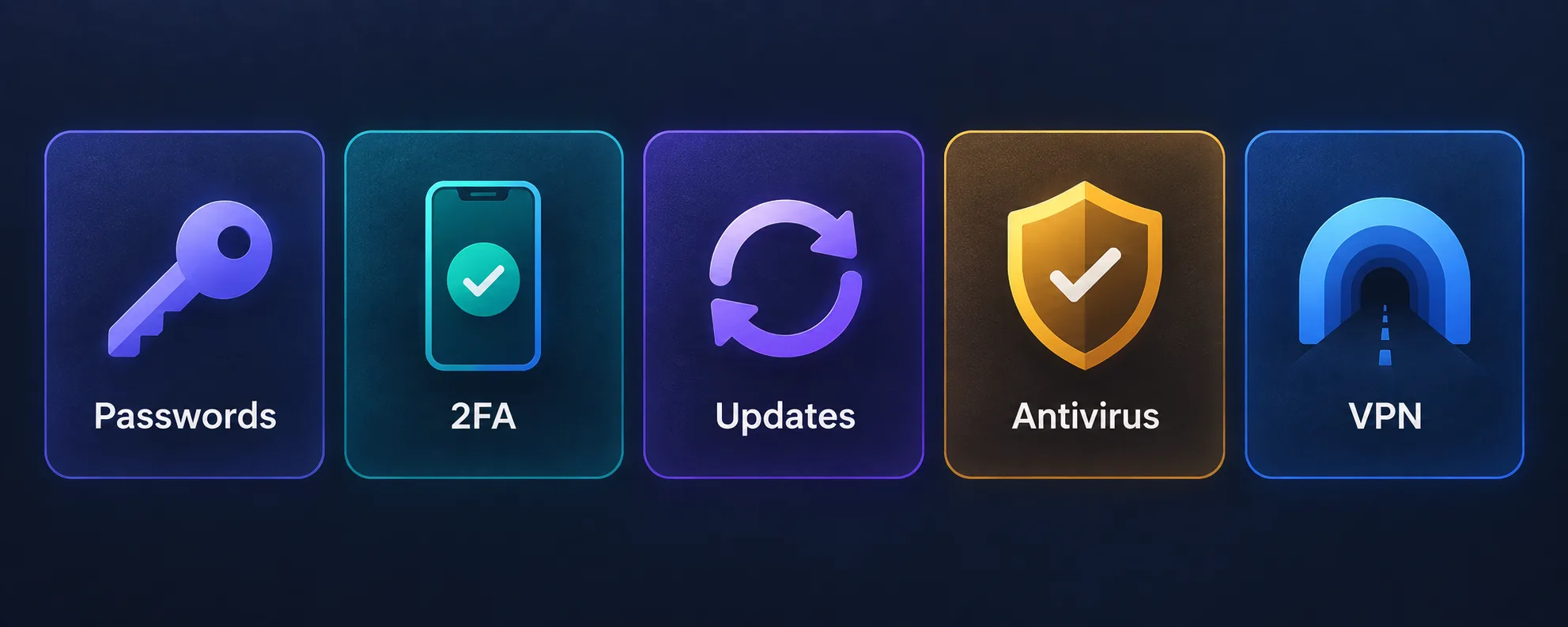
- Use unique passwords everywhere. A password manager makes this painless, and it neutralises credential stuffing outright. This is the highest-impact single step for most people.
- Turn on two-factor authentication — or passkeys. Prefer an authenticator app or passkey over SMS codes, which SIM swapping can intercept. Even a stolen password becomes useless without the second factor.
- Keep everything updated. Operating systems, browsers, and apps patch the vulnerabilities attackers actively exploit. Enable automatic updates.
- Use reputable antivirus and download carefully. Avoid pirated software, unexpected attachments, and apps from outside official stores.
- Be suspicious of urgency. Most phishing works by rushing you. Go to sites directly rather than clicking links in messages, and double-check sender addresses.
- Use a VPN on networks you don't control. Public Wi-Fi, hotel networks, and shared connections are exactly where a VPN earns its place.
Who genuinely benefits most from a VPN for security
- Frequent travellers and remote workers who regularly connect to networks they don't control.
- Gamers and streamers at risk of DDoS attacks targeting their home IP address.
- People on restrictive or monitored networks where traffic tampering and DNS hijacking are common.
- Anyone handling sensitive work data on public connections, where an encrypted tunnel adds a sensible extra safeguard.
If you mostly browse from your own home network on modern HTTPS sites, a VPN's security benefit is real but modest — its main value for you is likely to be privacy rather than protection from hackers. And if you're choosing between a VPN and a proxy for this purpose, note that most proxies don't encrypt traffic at all; our proxy vs VPN guide explains the difference.
VPNs with built-in threat blocking
If you want your VPN to add a little more security beyond the encrypted tunnel, these providers from our directory include domain-level blocking of malware and trackers alongside audited no-logs policies.
NordVPN's Threat Protection blocks malicious sites and trackers, alongside Double VPN and a diskless RAM-only server network:

Surfshark's CleanWeb blocks ads, trackers, and malware, and it allows unlimited simultaneous devices so every device in a household stays covered:

Proton VPN's NetShield filters malware and trackers at the network level, with fully open-source, independently audited apps and a genuinely free plan:

Privacy-first, from the makers of Proton Mail.
The bottom line
A VPN protects you against hackers who target your connection: snoopers on public Wi-Fi, rogue hotspots, DDoS attacks aimed at your home IP, and network-level tampering. It does not protect you against the attacks that compromise most people — phishing, malware, reused passwords, service data breaches, and social engineering — because none of those depend on intercepting your traffic. Use a reputable, audited VPN on networks you don't control, and treat its threat-blocking extras as a bonus layer. Then do the things that stop real-world hacks: unique passwords in a password manager, two-factor authentication or passkeys, prompt updates, and a healthy suspicion of anything urgent. A VPN is a valuable part of a security setup, not the whole of it.
Frequently asked questions
Someone snooping on your local network, such as public Wi-Fi, sees only encrypted traffic heading to the VPN server. But a VPN does not protect you if malware is already on your device, or if you log into a fake site, and the sites you sign into still know who you are.
Barely. Phishing tricks you into handing over your credentials, and a VPN simply encrypts the connection to the attacker's fake site. Some VPNs block known malicious domains, but new phishing pages often slip past; passkeys, two-factor authentication and checking URLs are the real defences.
No. A VPN is not antivirus, and malware you download runs on your device regardless of how your traffic is routed. Threat-blocking features in some VPNs can stop you reaching known malware sites, but you still need updates, antivirus and careful downloading.
A VPN makes public Wi-Fi much safer by encrypting everything you send, which defeats snooping and limits the value of rogue hotspots. Most sites already use HTTPS, so the risk without a VPN is smaller than it once was, but a VPN closes the remaining gaps.
Yes. DDoS attacks target your IP address, and a VPN replaces your home IP with the VPN server's address, which is usually far better able to absorb an attack. This is especially useful for gamers and streamers who are common DDoS targets.
Often not. Many free VPNs fund themselves by logging or selling data, injecting ads, or bundling adware, and some have been found to contain malware. Because a VPN sees all your traffic, a reputable paid provider with an audited no-logs policy is a far safer choice.