










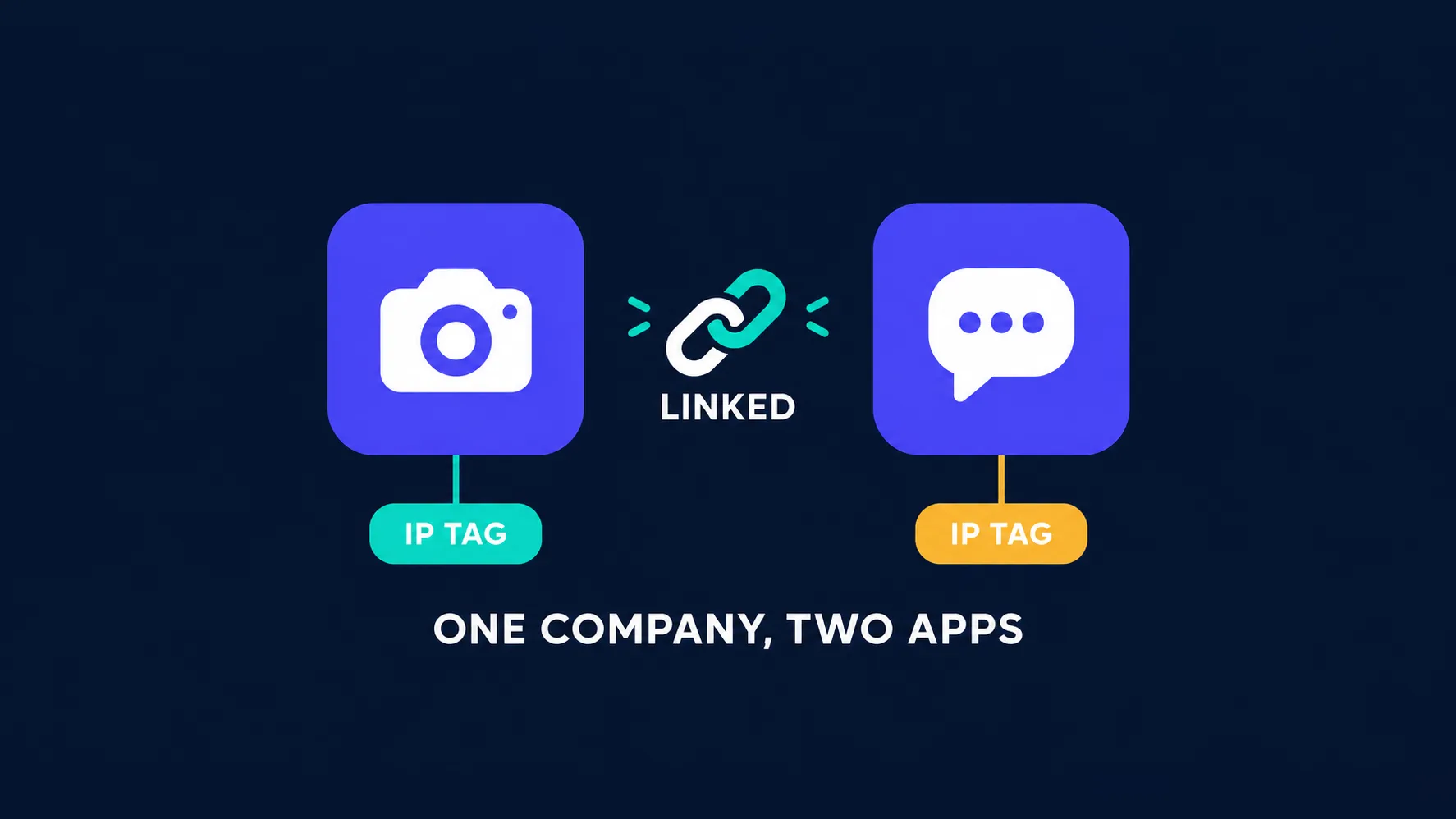
Facebook and Instagram are the hardest places on the internet to run multiple accounts, and for one specific reason: they're the same company. Meta doesn't treat them as two separate services that happen to share an owner — it links identities across both platforms, so an Instagram profile can be connected to a Facebook account you never linked deliberately. The IP address your accounts appear from is the strongest signal in that machinery, which makes choosing the right proxy the single most consequential decision in a Meta multi-account setup. This guide covers the seven proxy providers we rate highest for Facebook and Instagram, what Meta actually uses to connect accounts, and how to set each one up so it survives.
Why Meta is harder than other platforms
Most platforms try to spot multiple accounts within their own walls. Meta operates an identity graph that spans Facebook, Instagram, Messenger, and its advertising systems, and it has spent years refining it to fight coordinated inauthentic behaviour. Two practical consequences follow.
First, a mistake on one platform can cost you the other. Accounts linked through the shared Accounts Center, a reused phone number, or simply the same IP can be actioned together. Operators regularly report losing Instagram profiles after a Facebook ban, and vice versa. Second, the stakes rise sharply once advertising is involved: ad accounts, payment methods, and Business Manager assets attract far more scrutiny than ordinary profiles, and a restriction there can freeze campaigns and spend.
One weak account can take down a cluster
Because Meta links accounts rather than judging them purely one at a time, a single profile that shares an IP or device fingerprint with the rest can expose the whole set. That's why "one identity, one IP, one browser profile" is not over-engineering here — it's the baseline.
What Meta actually uses to link accounts
A proxy solves one part of a larger problem. It helps to know exactly which part.
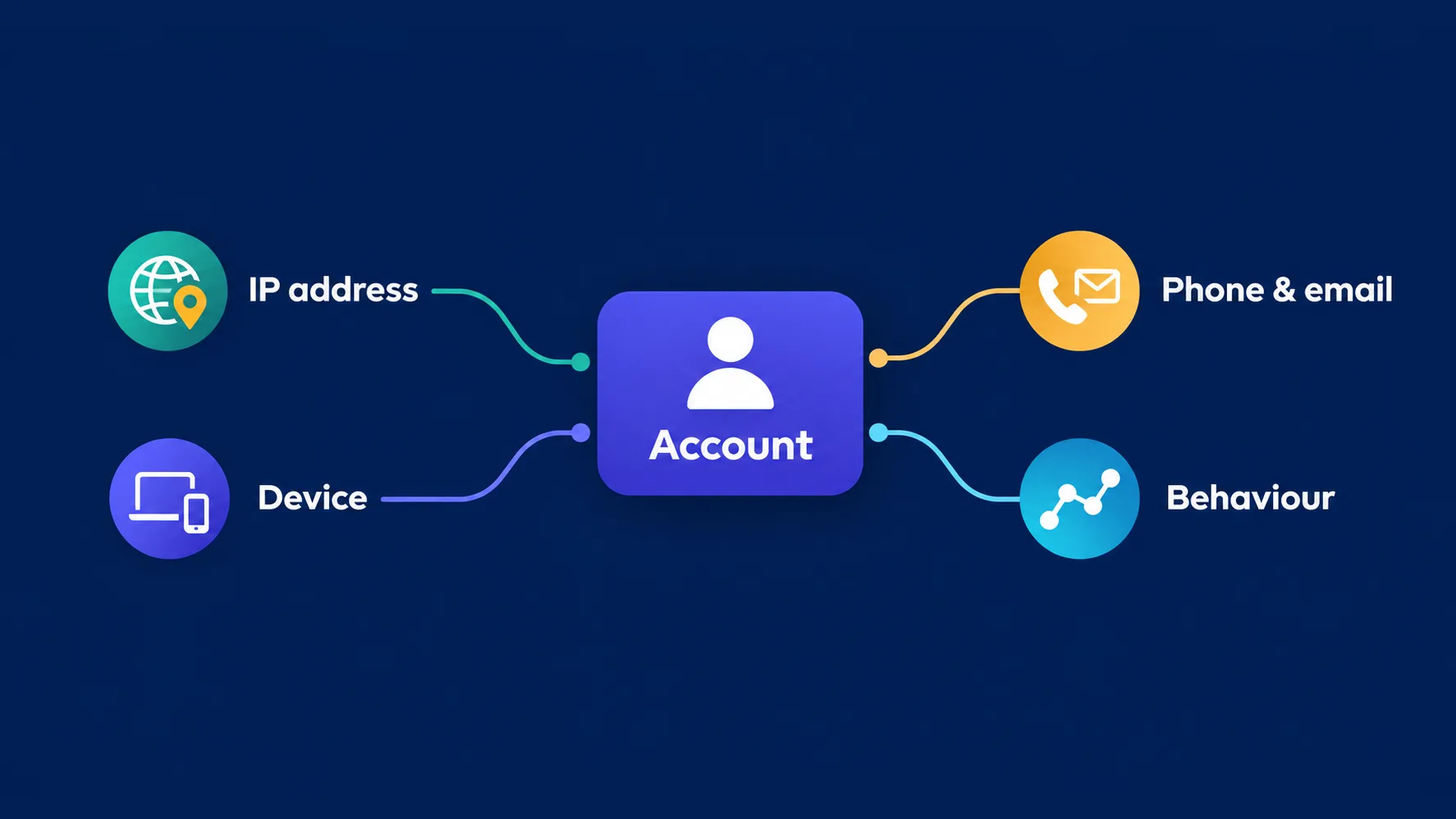
- IP address. The strongest and cheapest signal to check. Several "unrelated" accounts acting from one address is the classic pattern Meta looks for.
- Device and browser fingerprint. Canvas, fonts, screen metrics, and dozens of other attributes identify a device even across different IPs — see how browser fingerprinting works.
- Contact details. Reused phone numbers, recovery emails, and payment methods link accounts directly and permanently.
- Behaviour. Posting on a robotic schedule, identical activity windows, or sudden bursts of follows all flag automation.
A proxy removes the first signal completely and does nothing about the other three. That's why every serious Meta setup pairs proxies with an antidetect browser and disciplined behaviour, a pairing we cover in proxies for antidetect browsers.
What makes a proxy safe for Facebook and Instagram
- Clean, unflagged IPs. An address someone else already burned on Meta will sink a new account immediately. IP quality matters more here than pool size.
- Long sticky sessions. A logged-in account needs a stable address. Rotating mid-session looks like a hijacked login and triggers checkpoints.
- Mobile IPs for Instagram. Instagram is mobile-first, and carrier IPs are shared by thousands of real subscribers, which makes Meta reluctant to ban them — the reasoning in our mobile proxy guide.
- City-level geo consistency. An account created in Madrid should keep appearing from Madrid. Country-level targeting isn't always enough.
- One IP per account. Never share an address between profiles that must look unrelated.
Never use datacenter proxies on Meta
Datacenter IP ranges are trivially identifiable as hosting providers, and Meta flags them on sight. They are the fastest way to lose a new account, and the saving over residential is irrelevant next to the cost of a banned ad account.
Which proxy type for which Meta job
| Use case | Best proxy type | Why |
|---|---|---|
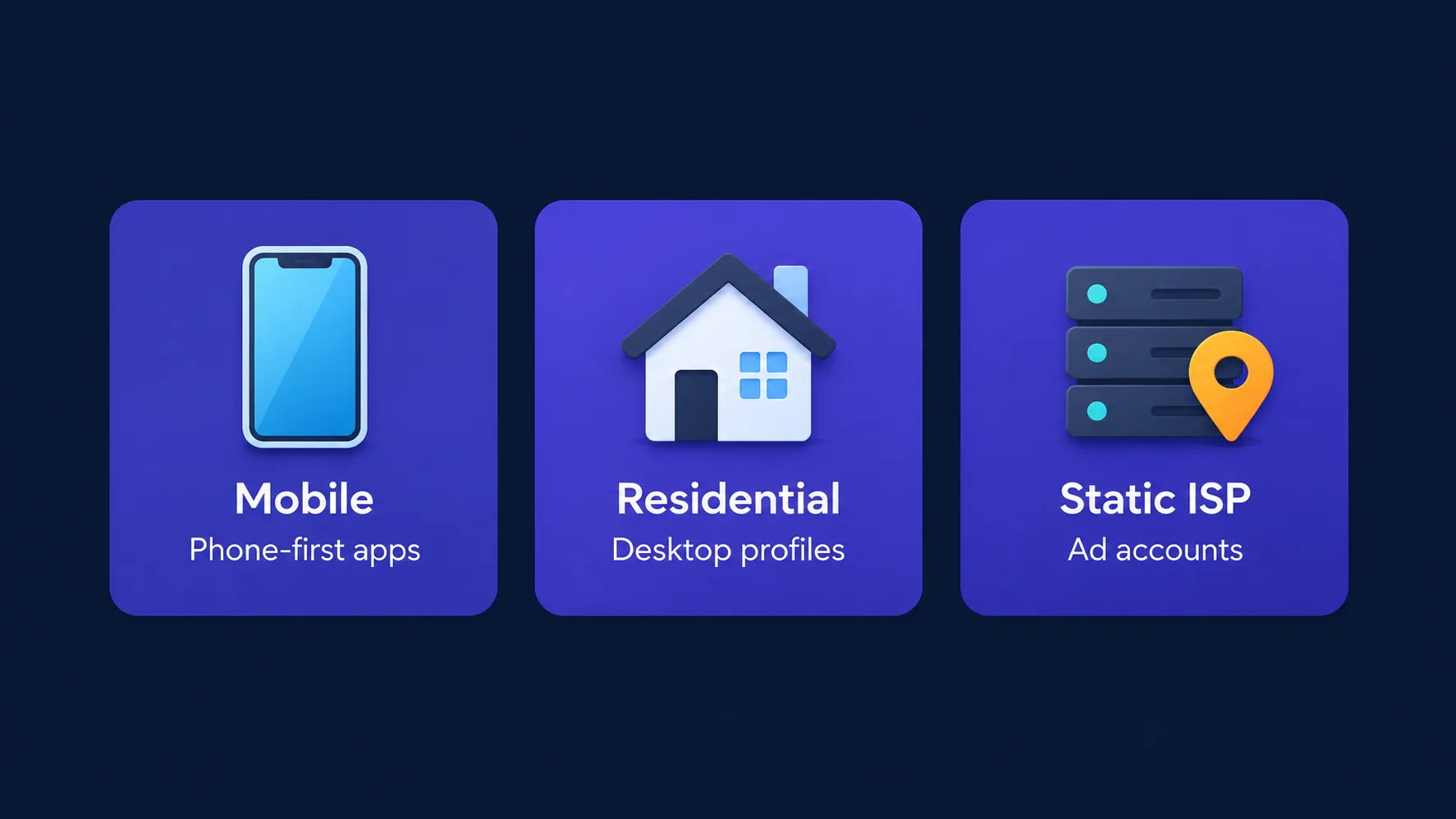
| Instagram accounts | Mobile | Mobile-first platform; carrier IPs carry the most trust |
| Facebook profiles | Residential (sticky) | Desktop use is normal; clean residential blends in |
| Ad accounts & Business Manager | Static residential / ISP | A permanent, unchanging home for high-value assets |
| Bulk registration | Rotating residential | Each signup wants a different clean IP |
| Any Meta use | Not datacenter | Flagged on arrival |
The best proxies for Facebook and Instagram
1. NodeMaven — best overall
NodeMaven treats IP cleanliness as the product, screening addresses in real time so you receive unflagged IPs rather than inheriting someone else's damage — the single biggest risk in Meta account work. Its sticky sessions are unusually long, which suits logged-in profiles, and city and ISP targeting keeps each identity geographically consistent. Residential and mobile are both available from $3.50/GB, and bandwidth doesn't expire on most plans, so dormant accounts don't burn budget.
Its 30M+ pool is smaller than the enterprise networks, but for account work that matters far less than how clean the IPs are.
Sticky residential and mobile IPs with strong filtering and clean pools.
2. Live Proxies — best for high-value profiles
Live Proxies runs curated private pools rather than a shared mega-network, and its listing calls out social media as a core use case. Private US, UK, and EU addresses are markedly less crowded than shared pools, which is exactly what Meta punishes hardest. At $2.00/GB it's well priced for the quality.
The scope is deliberately narrow — roughly 500K IPs across about 40 countries — so if your accounts need long-tail geographies, look elsewhere.

Curated, private residential pools for US, UK and EU targets
3. ProxyEmpire — best for Instagram
Instagram rewards carrier IPs, and ProxyEmpire's rotating mobile network is its strongest asset. Targeting reaches country, city, carrier, and ASN across roughly 170 countries, so an account can keep appearing from one plausible mobile connection. Bandwidth rollover suits the stop-start rhythm of account management, where a quiet week shouldn't cost you the traffic you paid for, and there's a free trial from $3.50/GB.
The 10M+ residential pool is modest next to the leaders, and mobile pricing climbs at higher volumes.

Rollover-friendly residential and mobile proxies with granular targeting
4. IPBurger — best for account safety features
IPBurger's listing puts account safety and social-media use at the centre of its offering, and its product range fits Meta work neatly: rotating residential for registration, static residential for accounts you intend to keep, dedicated options for the highest-value profiles, and mobile for Instagram. Country and city targeting are available across a large 90M+ pool.
Entry pricing from around $8 is higher than most here, and there's no free trial, so the first test costs money.
Residential, static residential and dedicated proxies plus a privacy-focused VPN
5. SOAX — best for precise geo-targeting
SOAX pairs ethically sourced residential and mobile IPs with what its listing describes as best-in-class targeting down to city, ISP, and carrier — useful when an account's declared location has to match its IP exactly. It's explicitly suited to social-media management and localized work, and covers 195 countries.
Its overall editor score sits below the providers above it, and at $4.00/GB it isn't the cheapest, but for geo precision on Meta accounts it earns its place.

Clean, ethically-sourced residential & mobile IPs.
6. Bright Data — best for agencies at scale
For teams running Meta accounts and ad operations at volume, Bright Data brings 72M+ residential and 7M+ mobile IPs with targeting down to city and ASN or carrier, plus the compliance posture that procurement teams ask for. If you need a specific carrier in a specific city for dozens of profiles, few networks can deliver it as reliably.
It's premium-priced from $5.04/GB, the dashboard has a real learning curve, and KYC can slow onboarding for smaller accounts.

7. IPRoyal — best on a budget
Account work is bursty — heavy during setup, near-idle afterwards — and IPRoyal's non-expiring pay-as-you-go traffic from $1.75/GB fits that pattern better than a monthly allowance that evaporates. It offers country, state, and city targeting with flexible sticky-session controls across 195 countries, plus static options for accounts that need a fixed home.
There's no free trial, so your first evaluation costs money, and success rates trail the premium tier on the toughest targets.

Flexible proxies with true pay-as-you-go.
Comparing the picks
| Provider | From | Mobile | Countries | Best for |
|---|---|---|---|---|
| NodeMaven | $3.50/GB | Yes | 150 | Best overall, clean IPs |
| Live Proxies | $2.00/GB | No | 40 | High-value profiles |
| ProxyEmpire | $3.50/GB | Yes | 170 | |
| IPBurger | $8/GB | Yes | 195 | Account-safety features |
| SOAX | $4.00/GB | Yes | 195 | Precise geo-targeting |
| Bright Data | $5.04/GB | Yes | 195 | Agencies at scale |
| IPRoyal | $1.75/GB | Yes | 195 | Budget, irregular use |
Ad accounts and Business Manager need more care
Advertising assets are the highest-stakes part of a Meta setup, and they deserve stricter rules than ordinary profiles. An ad account carries payment details, spend history, and often a client's brand, so a restriction there costs real money rather than an afternoon of rebuilding.
Treat each Business Manager as a permanent identity: give it a static residential or ISP address that never changes, access it from one consistent browser profile, and resist the temptation to log into several from the same machine. Add new ad accounts gradually rather than in bursts, keep payment methods separate where you can, and avoid logging into a Business Manager from a rotating pool — a shifting IP on an account that spends money is exactly the pattern Meta's risk systems escalate.
Warming accounts and behaving like a person
A clean IP buys you a fair hearing, not immunity. New Meta accounts are watched closely for their first few weeks, and behaviour is what gets them through.
- Warm up slowly. Browse, scroll, and interact lightly for days before posting or following at any volume.
- Keep hours human. Activity at 3am every night, or identical timing across accounts, is a giveaway.
- Cap daily actions. Follows, likes, comments, and messages all have informal thresholds; staying well under them is cheaper than appealing a ban.
- Vary the accounts. Profiles that post the same content in the same pattern look like one operator, because they are.
- Complete the profile. Empty profiles with immediate automation are the easiest to action.
The same discipline applies across platforms — our guides to proxies for social media automation and managing multiple TikTok accounts cover the wider workflow.
Setting up and verifying a Meta proxy
- Buy the right type first — mobile for Instagram, sticky residential for Facebook, static ISP for ad accounts.
- Create separate credentials per account so profiles never collide on one connection.
- Assign the proxy before the first login. A profile that touches Meta once on your real IP has already linked itself.
- Match the profile's timezone and language to the proxy's exit location — a mismatch is more identifying than no disguise at all.
- Verify the exit address with our IP lookup tool before logging in, and confirm the country and city look right.
- Keep the pairing permanent. Record which IP belongs to which account and never reshuffle them.
Common mistakes
- Logging in before assigning the proxy. The most common and least recoverable error.
- Sharing one IP across profiles. Instantly links the accounts you were separating.
- Rotating IPs on a logged-in account. Reads as account takeover and triggers checkpoints.
- Reusing phone numbers or recovery emails. Links accounts independently of any network fix.
- Using a VPN instead of proxies. A VPN gives every profile the same exit IP — the opposite of what you need.
- Scaling too fast. Ten new accounts in a day from one setup is a pattern no amount of IP quality hides.
If accounts keep getting restricted after you've fixed all six, the cause is usually behavioural — our guide to why proxies get banned covers what to check next.
Is this allowed?
Proxies are legal routing tools, and using them to manage your own legitimate accounts — a brand's profiles, a client's ad accounts, regional pages for different markets — is ordinary business practice. What matters is Meta's terms of service, which restrict things like operating fake accounts, coordinated inauthentic behaviour, and evading enforcement. Managing genuine business accounts from clean, consistent IPs is a very different activity from running a network of fake profiles, and this guide is written for the former. If your work involves client accounts, make sure you have their authorisation in writing.
The bottom line
Meta links Facebook and Instagram identities through one shared system, so the IP behind each account is the signal that matters most. NodeMaven is the strongest all-round choice thanks to real-time IP filtering and long sticky sessions, Live Proxies suits high-value profiles with its curated private pools, and ProxyEmpire is the pick for Instagram thanks to its rotating mobile network and carrier-level targeting. Choose IPBurger or SOAX when account-safety features and geo precision lead, Bright Data for agency-scale operations, and IPRoyal when budget and irregular usage matter most. Whichever you pick: one clean IP per account, sticky sessions, matching geo and timezone, a separate browser profile, and a proxy assigned before the very first login.
Frequently asked questions
NodeMaven is the strongest all-round pick thanks to real-time IP filtering and long sticky sessions that suit logged-in accounts. Live Proxies is excellent for high-value profiles with its curated private pools, and ProxyEmpire is the pick for Instagram because of its rotating mobile network and carrier-level targeting.
They are the safest option. Instagram is mobile-first, and carrier IPs are shared by thousands of real subscribers, so platforms are reluctant to ban them. Clean residential IPs can work for lower-risk accounts, but mobile carries the most trust for valuable or heavily used profiles.
Meta detects datacenter IP ranges easily and treats them with suspicion, which is why they should never be used for account work. Clean residential and mobile IPs look like ordinary connections. Detection usually comes from sharing one IP across accounts, rotating mid-session, or a mismatch between the account's location and the IP.
No, not for accounts that must look unrelated. The IP is the strongest signal Meta uses to link profiles, and sharing one address across accounts is the pattern its systems are built to catch. Give every account its own dedicated IP and its own browser profile.
A proxy only removes the IP link. Meta also correlates device fingerprints, reused phone numbers and recovery emails, and behaviour patterns. Common causes are logging in once before assigning the proxy, a timezone that doesn't match the IP, reused contact details, or scaling and automating too aggressively on a new account.
Proxies are legal tools, and managing your own or a client's legitimate accounts from clean IPs is ordinary business practice. Meta's terms restrict fake accounts, coordinated inauthentic behaviour and evading enforcement, so how you use them matters. If you manage client accounts, get their authorisation in writing.