









You hit "checkout" at the exact second the drop goes live.
The queue loads. Your card gets declined. Or the site just says sold out while bots elsewhere walk away with pairs.
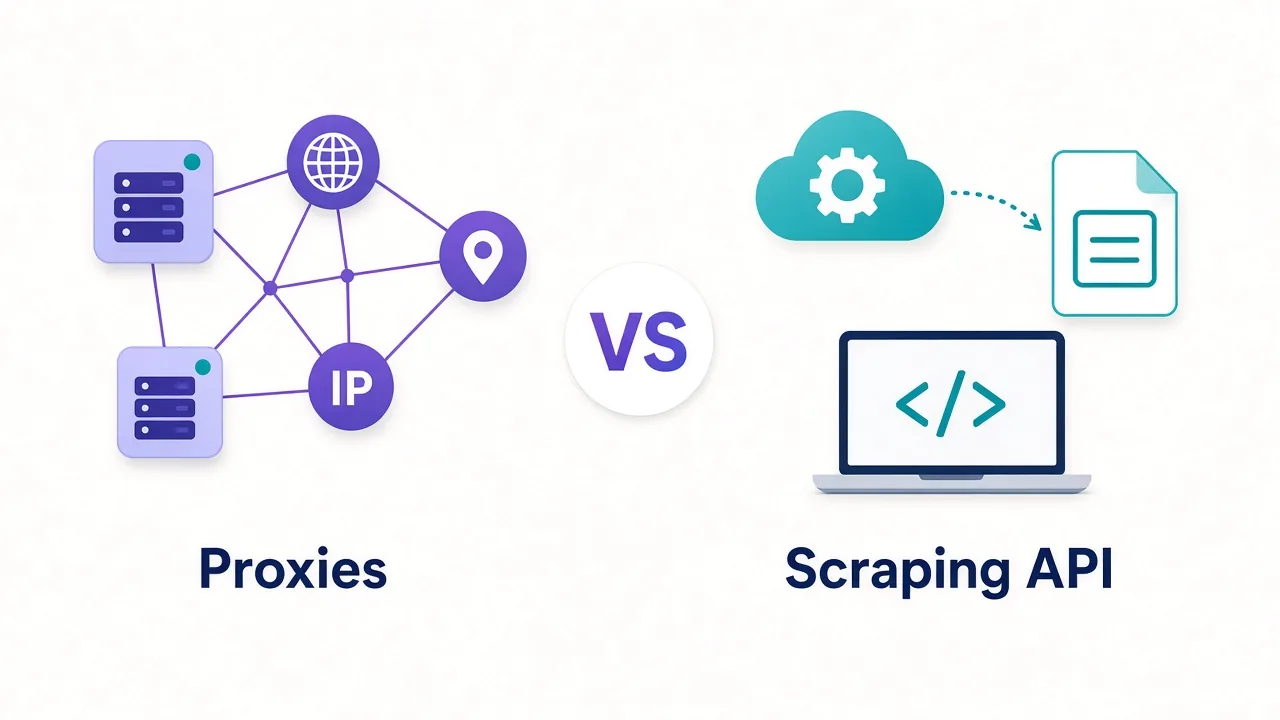
Sound familiar? For most sneaker drops, the fix isn't a bigger residential GB pack. It's the right IP type for the session you're in.
As of October 2026, our top picks for sneaker copping are Mars Proxies and Live Proxies.
Choose them when you need clean ISP or private residential IPs. The other six win on sticky length, per-IP SOCKS, pool size or mobile.
There's also a reason datacenter proxies die on SNKRS even when they're fast. And a sticky-session length that works better than "as long as possible." We'll get to both.
First, let's look at why your IPs burn on drop day.
Why do your IPs die on drop day?
Sneaker sites don't wait for a ban list to catch up. They score you in the moment.
Nike SNKRS, Adidas Confirmed, Footsites and Shopify raffles all watch how you arrive. Same IP on too many accounts. Too many checkouts from one subnet. A datacenter ASN where a home ISP should be.
That's why a proxy that scrapes fine can still fail at payment.
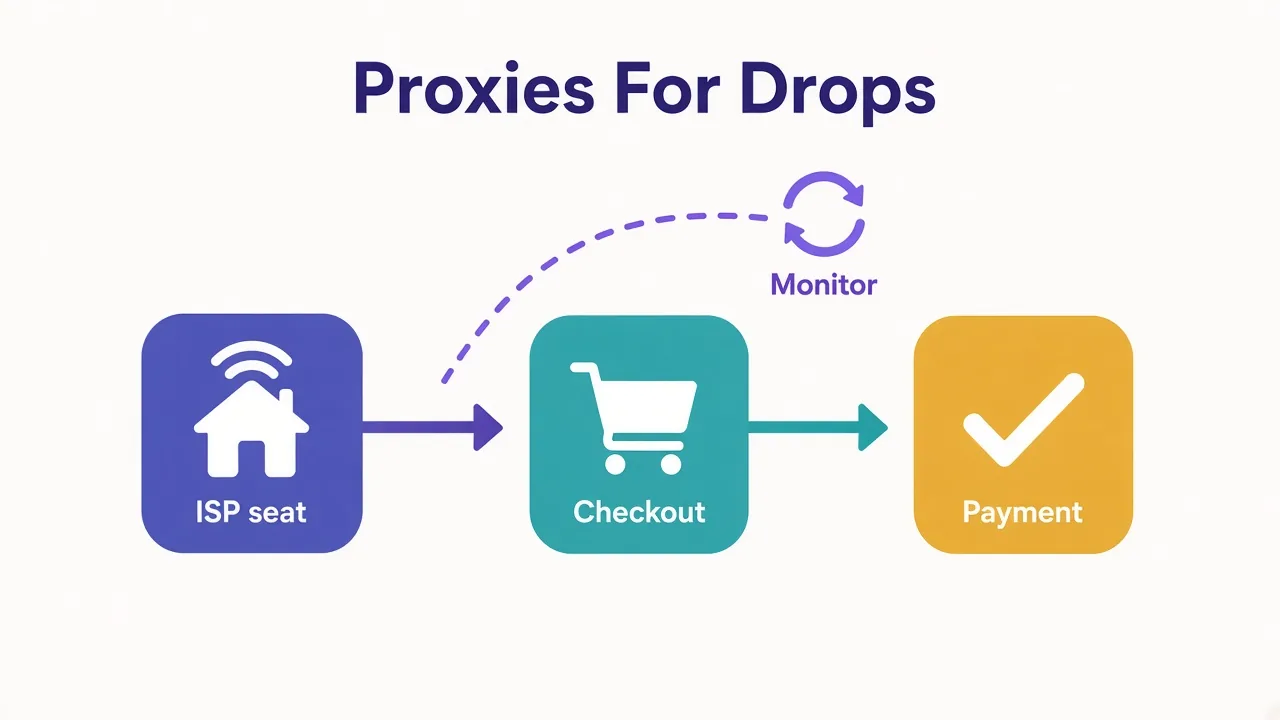
Monitoring a product page is light traffic. Holding a cart, solving a queue and submitting a card is a sticky identity. Mix those jobs on one rotating residential IP and you look like a bot farm.
The usual advice is "buy more residential GB." That helps monitoring. It does almost nothing for a checkout that needs the same clean IP for ten minutes.
So the question isn't which brand has the biggest pool. It's which failure mode you're hitting.
- Queue bans and "access denied" mid-drop → IP reputation or shared pool noise.
- Card declines after a clean queue → geo mismatch, velocity or fingerprint, not just the proxy.
- Sold out while others succeed → too few IPs, wrong type or sessions that rotated too soon.
Fix the type before you throw money at volume.
What do sneaker sites actually check?
They don't only look at your IP. But the IP is the first gate.
Most drops check ASN type, prior abuse on that address and how many accounts share it. They also watch whether the session stays put.
Antidetect browsers handle cookies and canvas. Proxies handle the network side.
Think of it as three layers.
- Network. Is this a home ISP, a mobile carrier or a cloud host?
- History. Has this IP already burned on SNKRS or a Footsite this week?
- Session. Does the IP stay the same from login through payment?
Miss any one and a fast connection still loses.
That's also why SOCKS5 shows up so often in sneaker setups. Many antidetect browsers and bots prefer SOCKS for per-profile routing. HTTP proxies work too. The protocol matters less than sticky length and IP quality.
IP is necessary, not enough
A clean proxy won't save a reused fingerprint or a mismatched billing ZIP. Treat proxies as one piece of the stack, not the whole stack.
If ISP vs residential still feels fuzzy, our ISP proxies explainer and residential vs datacenter guide cover the basics.
ISP vs residential vs mobile vs datacenter: which survives a drop?
Here's the decision most "best proxies" lists skip.
For sneakers, type beats brand. Pick wrong and even a five-star provider wastes your drop.
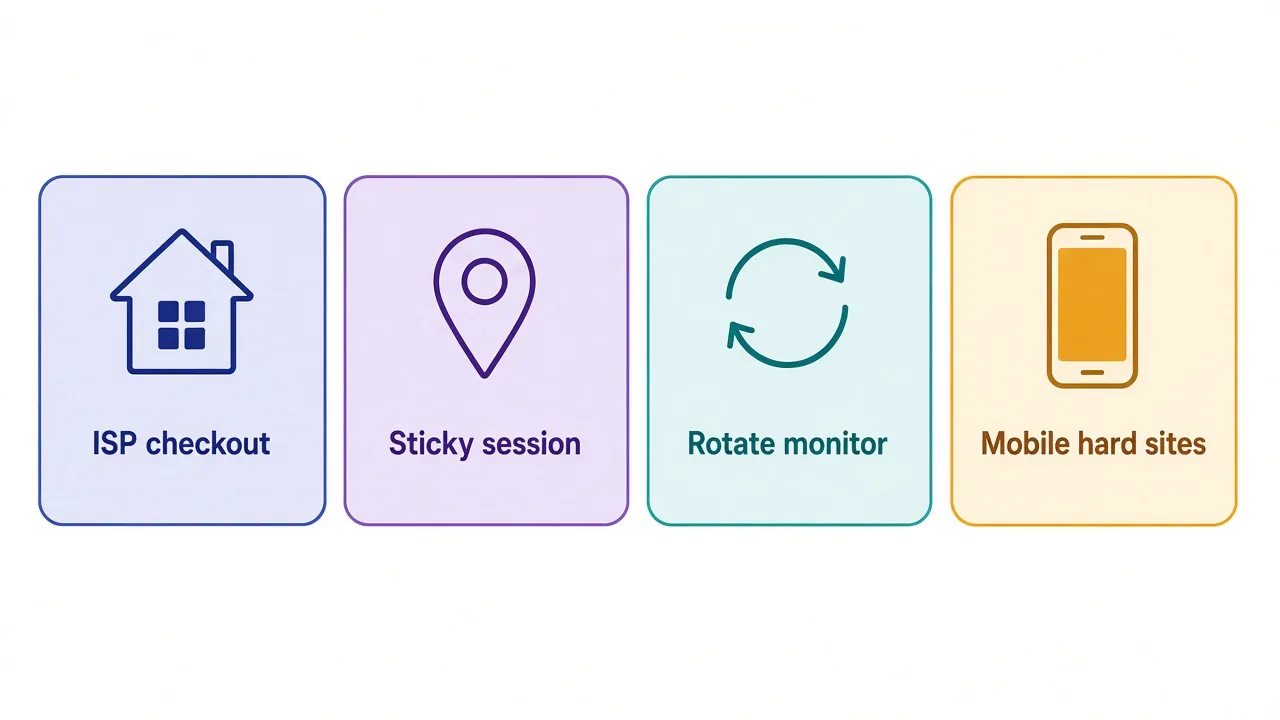
| Type | Best for | Weak for |
|---|---|---|
| ISP / static residential | Accounts, carts, checkout | Cheap mass monitoring |
| Sticky residential | Sessions that need the same IP for minutes | Burning IPs on noisy shared pools |
| Rotating residential | Product monitors and light scrapes | Payment flows |
| Mobile | Sites that fingerprint hard | Tight budgets |
| Datacenter | Soft targets and speed tests | SNKRS, Confirmed, Footsites |
ISP proxies (also called static residential) sit on real ISP ranges but stay assigned to you. That's why sneaker setups love them for account warm-up and checkout.
Rotating residential pulls a new home IP per request or on a timer. Great for watching stock. Bad for holding a cart.
Mobile exits through carrier networks. Sites hesitate to block a whole cell tower, so aggressive fingerprinting sometimes softens. You pay for that.
And datacenter? Fast and cheap. Also easy to spot. Remember that open loop from the intro? This is where it pays off.
SNKRS and similar apps see cloud ASNs constantly. Speed doesn't help when the ASN itself is the flag. Your request arrives in 20ms and still gets the queue of death.
Don't buy GB for a per-IP job
If you need one clean IP per profile for thirty minutes, price per IP matters more than price per GB. GB packs shine for monitors, not for checkout seats.
Want a deeper type comparison? See mobile vs residential and our best ISP proxy providers roundup.
How many IPs and how long should sticky sessions last?
This is the second open loop. People either buy two IPs and pray, or they demand day-long stickies they never use.
For a small manual or low-bot setup, start simple.
- 1–2 ISP or private residential IPs per account you actually check out with.
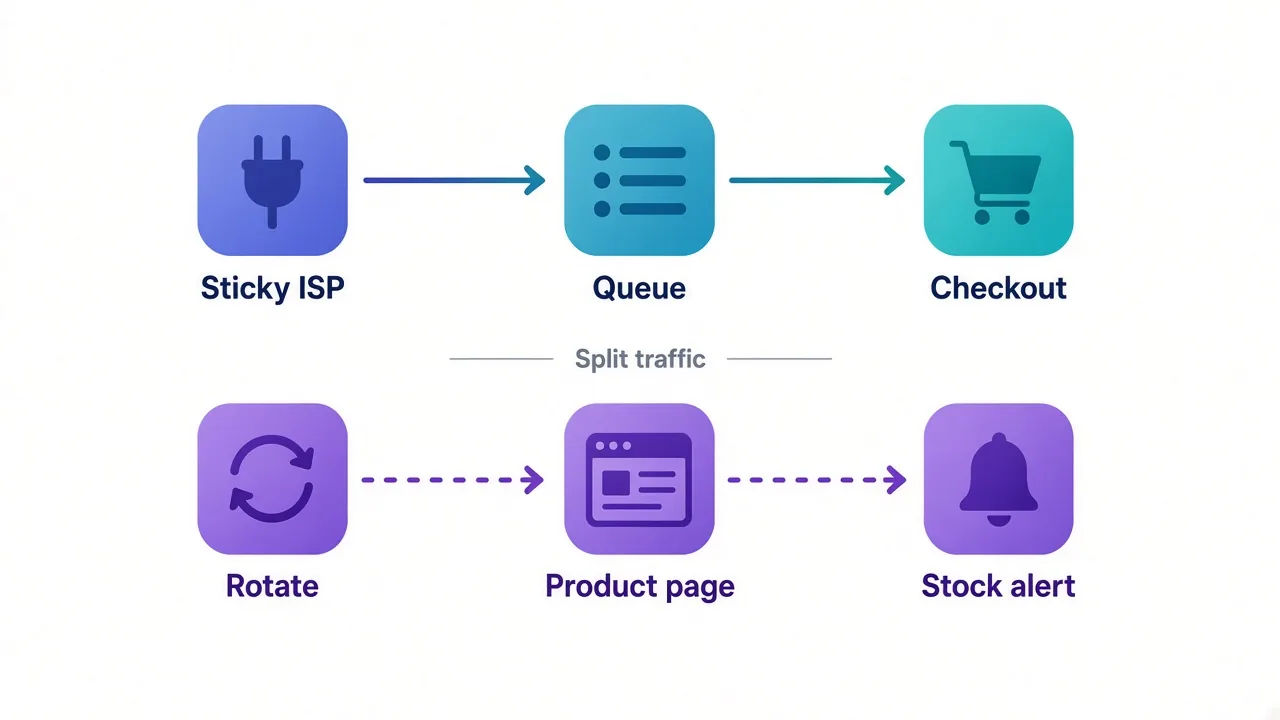
- A separate rotating residential pool for monitors and early links.
- Sticky length of 10–30 minutes for most Nike and Adidas flows.
Why not "sticky forever"? Longer isn't always cleaner.
A sticky IP that sat on a burned subnet for six hours can be worse than a fresh thirty-minute sticky.
Drop windows are short. You need the IP stable through queue and payment, not through lunch.
For Shopify raffles, one solid ISP IP per entry profile is usually enough. For Footsites with faster bot traffic, plan more IPs than accounts so you can swap a bad one without killing the run.
Budget rule of thumb: put most of the money into ISP or private residential seats. Spend the rest on rotating GB for monitoring. Mobile only if a specific site keeps killing everything else.
Sweet spot
Ten to thirty minutes of sticky covers most checkout paths. Add mobile only after ISP and sticky residential still fail on that target.
Which sneaker proxy providers stand out right now?
Below are eight providers from the DriftProxy directory as of October 2026. Each one earns a place for a sneaker-shaped reason, not a generic score.
We'll start with the two that fit copping best, then move through sticky specialists, big pools and per-IP SOCKS.
Mars Proxies: built around sneaker latency
Mars Proxies is one of the few listings whose own tagline calls out sneaker copping. Editor score 4.2, plans from $3.00.
Best for: low-latency ISP and residential seats when checkout timing matters.
Strength: the product positioning matches the use case. You're not translating a generic scraping plan into a drop setup.
Honest catch: it's not the cheapest name on this list, and it isn't an enterprise mega-pool. If you need 70M+ IPs for worldwide scraping, look further down.
I'd put Mars in the top two for pure sneaker work. Pair ISP seats for checkout with a small rotating bucket for monitors.

Low-latency ISP and residential proxies built for sneaker copping
Live Proxies: private residential for US, UK and EU
Live Proxies scores 4.3 from our editors, with plans from $2.00 and a free trial.
Best for: curated private residential in the US, UK and EU when shared pools feel noisy.
As of October 2026, our directory lists ISP/static residential from $3/IP (100K+ IPs) and residential from $2/GB (500K+). That split matches how sneaker stacks actually buy.
Strength: private allocation. Fewer strangers sharing your exit IPs during a hyped release.
Catch: coverage skews Western. If you need deep coverage in Asia or LatAm for other work, this won't be your only provider.

Curated, private residential pools for US, UK and EU targets
Who wins on sticky sessions and flexible billing?
Some coppers care less about a sneaker-branded pitch and more about session length and how they pay.
NodeMaven: sticky residential and mobile with IP filtering
NodeMaven sits at editor 4.3, from $3.50, with a free trial. Directory notes include 30M+ IPs across 150 countries, sticky residential/mobile, IP filtering and non-expiring bandwidth. It's tagged for sneakers and retail.
Best for: longer sticky sessions when you also want mobile on the same account.
Strength: filtering and sticky controls. You spend less time babysitting bad exits mid-drop.
Catch: the pool is smaller than Bright Data or Smartproxy. You're paying for quality tooling, not raw headcount.

Sticky residential and mobile IPs with strong filtering and clean pools.
IPRoyal: popular for sneakers without a free trial
IPRoyal's editor score is 4.2. Residential starts from $1.75/GB on the volume tiers we list, with 34M+ IPs. Pay as you go, no free trial. Also tagged sneakers-retail.
Best for: flexible residential traffic when you already know your targets and don't need hand-holding.
Strength: sneaker and ticketing popularity plus pay-as-you-go. Easy to top up around a release week.
Catch: no free trial, and small buys can cost more per GB than the headline rate. Read the tier before you assume $1.75.
Use sticky residential for account work. Keep a rotating slice for monitors.

Flexible proxies with true pay-as-you-go.
When do you actually need a giant pool?
Pool size matters when you're spreading risk across many geos or burning IPs fast on monitors. For a ten-account SNKRS setup, a giant pool is optional. For a team running multiple regions, it helps.
Bright Data: enterprise scale when max pool is the point
Bright Data lands at editor 4.3. Residential from $5.04/GB with 72M+ IPs and a free trial, as of October 2026 in our directory.
Best for: teams that need huge residential reach and can absorb enterprise pricing.
Strength: scale. If your monitor fleet eats IPs, a large pool keeps rotation healthy.
Catch: overkill for a solo copper with five profiles. You'll pay for features and compliance steps you may never use.
Pick Bright Data when the bottleneck is pool exhaustion, not sticky checkout seats.

Smartproxy (now Decodo): mid-market quality without enterprise price
Smartproxy scores 4.4 in our directory, from $3.50, with 55M+ IPs and a free trial. You may see the Decodo rebrand on their site; our listing slug stays smartproxy.
Best for: a balanced residential network when you want mid-market quality without Bright Data's bill.
Strength: solid pool size and approachable entry price for serious but not enterprise buyers.
Catch: like most big shared residential networks, you still need sticky controls and fresh IPs for checkout. Don't treat GB volume as a substitute for ISP seats.
For a wider residential shortlist, see our best residential proxy providers guide.

Powerful proxies without the enterprise price tag.
What about per-IP SOCKS and mobile-heavy setups?
Two more shapes show up in sneaker Discords a lot.
Cheap per-IP SOCKS for antidetect. And mobile when every home IP still fails.
PIA S5 Proxy: per-IP SOCKS5 for antidetect checkouts
PIA S5 Proxy scores 4.0. Pricing starts around $0.04/IP, with 350M+ IPs, a SOCKS5 desktop client and per-IP billing. Tagged sneakers-retail.
Best for: antidetect browsers that want one SOCKS5 IP per profile without buying huge GB buckets.
Strength: per-IP economics. Checkout sessions map cleanly to seats.
Catch: a giant IP count isn't the same as sneaker-clean exits. Test on your exact targets before a hyped Saturday drop.
This is where the SOCKS preference pays off. Many antidetect stacks route cleaner with per-profile SOCKS5 than with a shared HTTP gateway.

Pay-per-IP SOCKS5 residential proxies with a desktop client and per-IP pricing
ProxyEmpire: mobile strength with rollover bandwidth
ProxyEmpire sits at editor 4.0, from $3.50, with a free trial, rollover bandwidth, mobile strength and about 170 countries. Tagged sneakers-retail.
Best for: when mobile is worth the premium because the site fingerprints aggressively.
Strength: mobile focus plus rollover, so unused traffic isn't pure waste between drops.
Catch: mobile costs more than ISP for the same session length. Don't start here. Graduate to it after ISP and sticky residential keep failing on that site.
That closes the third open loop. Mobile is a precision tool, not a default sneaker plan.

Rollover-friendly residential and mobile proxies with granular targeting
Two beginner-friendly names also show up under sneakers tags in our directory.
Storm Proxies offers unlimited-style port plans on a smaller US/EU pool. IPBurger focuses on static residential for accounts. Useful as small tests, not full cards here.
How do these eight sneaker proxy picks compare?
Here's the scoreboard from directory facts as of October 2026. Live cards under each write-up stay more current than this table.
| Provider | Editor | From | Best sneaker fit |
|---|---|---|---|
| Mars Proxies | 4.2 | $3.00 | ISP + residential for copping |
| Live Proxies | 4.3 | $2.00 | Private US/UK/EU residential |
| NodeMaven | 4.3 | $3.50 | Sticky residential/mobile |
| IPRoyal | 4.2 | $1.75/GB | Flexible residential GB |
| Bright Data | 4.3 | $5.04/GB | Max residential pool |
| Smartproxy | 4.4 | $3.50 | Mid-market residential scale |
| PIA S5 Proxy | 4.0 | ~$0.04/IP | Per-IP SOCKS5 seats |
| ProxyEmpire | 4.0 | $3.50 | Mobile + rollover |
Notice the pattern? The highest editor scores aren't automatically the best sneaker buys. Fit beats rating.
Which proxy type should you buy for your drop?
Use this as a quick rule, not a religion.
- Nike SNKRS / Adidas Confirmed accounts: ISP or private sticky residential, 10–30 minute sessions, one clean IP per profile.
- Footsites: same as above, plus spare IPs ready when one burns mid-queue.
- Shopify raffles: one solid ISP IP per entry profile; rotating residential only for product pages.
- Monitor bots: rotating residential GB. Keep them off your checkout IPs.
- Site still fingerprints after clean ISP: add mobile for that target only.
So which provider for which rule?
- Checkout seats → Mars Proxies or Live Proxies first.
- Long sticky + filtering → NodeMaven.
- Flexible GB → IPRoyal or Smartproxy.
- Huge monitor fleet → Bright Data.
- Antidetect per profile → PIA S5 Proxy.
- Mobile last resort → ProxyEmpire.
Split monitor and checkout
Never run product monitors through the same sticky ISP you check out on. Burn the cheap pool, protect the seats.
What mistakes burn budget before the release starts?
These show up every season.
- Buying only datacenter because it's fast. SNKRS doesn't care about your ping if the ASN screams cloud.
- One rotating residential plan for everything. Monitors and checkouts need different session rules.
- Sticky set to "maximum" on a tired IP. Fresh 15-minute stickies often beat stale all-day ones.
- Too few IPs for too many accounts. Shared exits link profiles the site already wants to lump together.
- Skipping geo match. A US card behind a random EU exit is asking for a decline.
- Jumping to mobile first. It's the premium fix, not the starting lineup.
Fix those before you blame the provider brand.
So, which proxies should you actually buy for sneakers?
Start from the failure mode, not the marketing page.
If checkout is where you die, buy ISP or private sticky residential and keep sessions in the 10–30 minute window. Mars Proxies and Live Proxies are the cleanest first stops on this list.
If monitors are eating budget, add rotating residential GB from IPRoyal or Smartproxy.
Save Bright Data for when pool size is the real bottleneck. Reach for PIA S5 when antidetect wants per-IP SOCKS.
Use ProxyEmpire's mobile only after home IPs keep failing.
You don't need the biggest plan. You need the right type for the second the queue opens.
Compare live scores and prices on our proxy directory, then test one checkout seat before drop day. A dry run beats a surprise ban.
Frequently asked questions
ISP or static residential proxies are best for sneaker checkout, because they keep one clean home-ISP IP through queue and payment. Use rotating residential only for product monitors, and add mobile when a site still fingerprints aggressively after clean ISP seats.
SNKRS and similar apps flag cloud ASNs even when latency is excellent. Speed does not help if the IP range itself looks like a hosting provider, so datacenter proxies often hit queue bans or hard blocks on drop day.
Ten to thirty minutes is the sticky sweet spot for most Nike and Adidas checkout flows. You need the IP stable through queue and payment, not all day; a fresh short sticky often beats a stale long one on a burned subnet.
Only after ISP and sticky residential still fail on that target. Mobile carrier IPs can soften aggressive fingerprinting, but they cost more, so treat them as a precision fix rather than your default sneaker plan.
Plan one or two ISP or private residential IPs per checkout account, plus a separate rotating residential pool for monitors. Keep monitor traffic off checkout seats so a burned monitor IP does not take your payment profiles with it.
As of October 2026, Mars Proxies and Live Proxies are our top checkout-first picks for ISP and private residential. NodeMaven, IPRoyal, Bright Data, Smartproxy, PIA S5 Proxy and ProxyEmpire cover sticky filtering, flexible GB, large pools, per-IP SOCKS and mobile.