









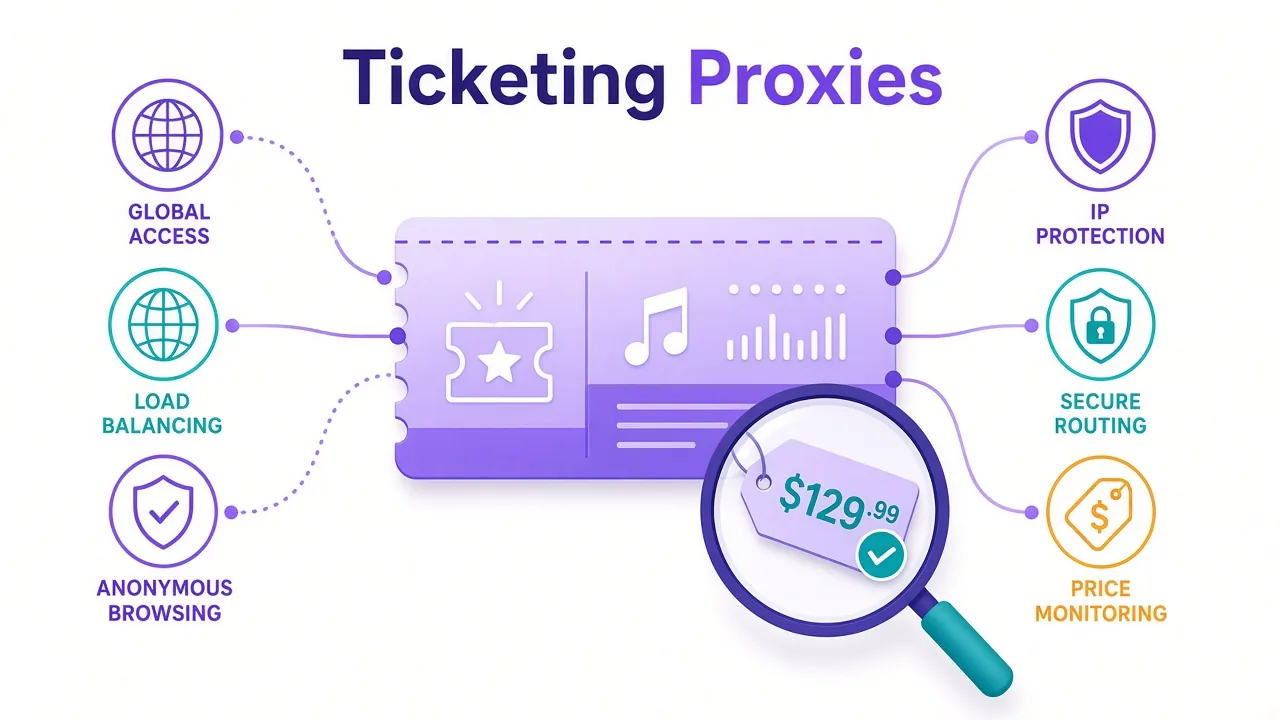
You opened X on a second laptop and the account froze mid-scroll.
Same password. Same phone number. Different IP. Suddenly you're "suspicious".
Sound familiar?
If you manage client profiles or warm new accounts, X watches the path you arrive on. The same goes for pulling public posts at scale.
For most people, the right answer is a dedicated ISP (static residential) proxy per account. Rotating residential fits public data work. Datacenter rarely belongs in a login.
Why that split? And which providers actually fit each job? That's what this guide unpacks. We also cover the third reason accounts die, and it has nothing to do with your IP.
Why does X care so much about your IP?
X doesn't ban "multiple accounts" as a concept. It bans patterns that look like spam farms.
An IP is one of the easiest signals to score. Log in from a cloud ASN and the risk model notices. Hop countries overnight, or stack five accounts on one office Wi‑Fi, and it lights up faster.
Since the login wall and tighter bot checks after 2023, public pages are harder to hit without a session. Paid API tiers also pushed more teams toward authenticated scrapers. That means more logins, more sessions, and more IP scrutiny.
So what does the platform actually see?
- Whether your IP looks like a home ISP, a mobile carrier, or a known datacenter range
- Whether that IP stays stable across sessions for the same account
- Whether several accounts share one exit address
- How your click and post pace matches a normal human day
A proxy doesn't make you invisible. It gives each account a believable network home. Miss that, and the rest of your stack fights uphill.
Official tools first
If you only schedule posts through Buffer or Hootsuite on one brand account, you may not need a proxy. The same goes for X's own tools. Proxies matter when you run multiple identities, geo-split brands, or volume data work.
Which proxy type fits which X job?
Pick the type for the job. Not the biggest pool on the pricing page.
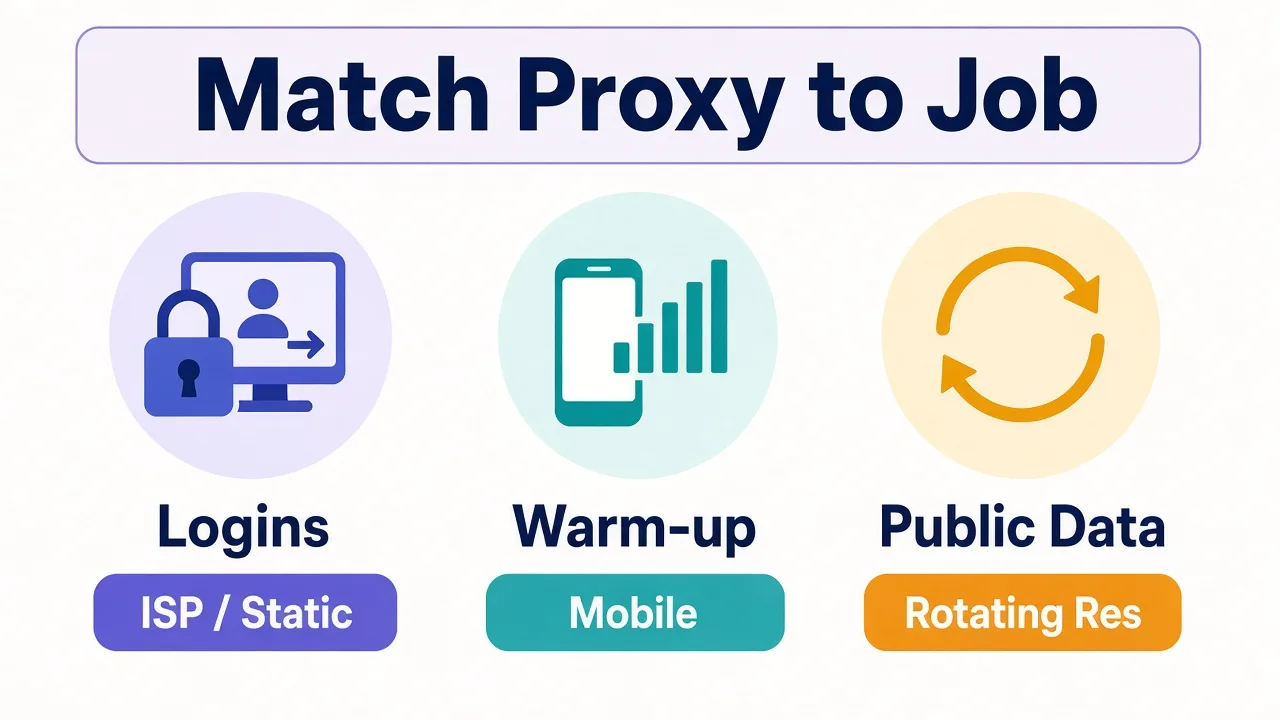
| Your job | Proxy type | Why |
|---|---|---|
| Log into managed accounts | ISP / static residential | Same home-style IP every day builds trust |
| Create or warm fragile accounts | Mobile (4G/5G) | Carrier IPs are shared with real users |
| Collect public posts / profiles | Rotating residential | Spread requests; no long-lived login needed |
| Cheap bulk on soft targets | Datacenter (rarely) | Fast and cheap — but X flags many cloud ranges fast |
As of September 2026, our directory lists 27 providers with residential products. Eight offer mobile. Roughly nine list ISP or static residential. You have options. The mistake is using the same product for every workflow.
Want the deeper type comparison? See our residential vs datacenter breakdown.
Why does rotating mid-login get you locked out?
Here's the setting most "buy residential" posts skip.
X binds a session to more than cookies. When your IP flips mid-session, the account suddenly "travels". Challenge screens, temporary locks, and forced logouts follow.
For accounts you log into:
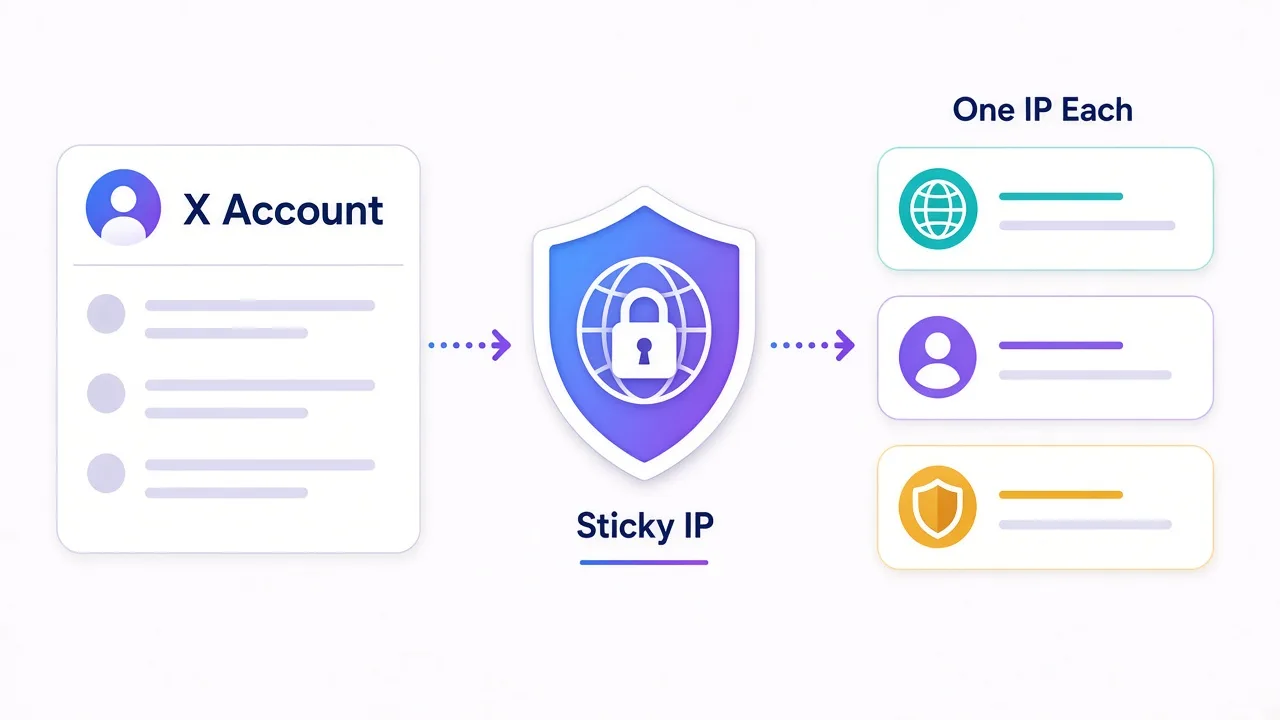
- Buy a dedicated ISP or static residential IP
- Keep it in the same country the account normally uses
- Never share that IP across accounts
For public scraping without a long-lived login, rotation is fine — and usually cheaper. Sticky sessions of about 10–15 minutes still help if your tool keeps auth tokens between requests.
In short: sticky or dedicated for logins, rotating for research. A sticky residential session that lasts a work block beats a "premium" pool that rotates every 30 seconds under a logged-in cookie.
Also split tooling. The browser profile you post from should not share the same rotating scrape gateway you use for hashtag research. Mixed jobs on one IP teach X that this "person" behaves like a bot.
Datacenter on X logins
Cloud ASNs are widely fingerprinted. Plenty of teams see challenges within the first requests. Save datacenter for soft, non-login tasks — or skip it for X entirely.
Our picks at a glance
For most multi-account work, start with Smartproxy (Decodo) or Live Proxies. Need mobile trust for warm-up? Look at SOAX or IPRoyal. Scraping at enterprise volume? Bright Data or Oxylabs.
| Provider | Best for |
|---|---|
| Smartproxy | Most people starting X proxy work |
| Bright Data | Enterprise volume and unlocker tooling |
| Oxylabs | Heavy scraping with premium support |
| Live Proxies | Clean US/UK/EU IPs for accounts |
| NodeMaven | Stubborn targets and long stickies |
| IPRoyal | Budget residential plus mobile |
| SOAX | Mobile precision and city targeting |
Prices move. The provider cards below show live ratings and plans from our proxy directory. We don't invent benchmarks here.
Smartproxy: the default pick for most X setups
Need something that works on day one without a sales call?
Smartproxy (also rolling under the Decodo name) is the provider we point most newcomers to. You get a large residential pool, sticky sessions for account work, and a dashboard that doesn't punish you for being new.
Best for: agencies and operators who want residential quality without enterprise onboarding.
Strength: onboarding speed and session controls you can actually understand. City and ASN targeting help keep each X brand in the right geography.
Catch: the pool isn't the absolute largest, and the rebrand can confuse invoices and docs for a while. Pure budget buyers may still prefer IPRoyal.
Use sticky residential or ISP-style sessions for logins. Save rotating traffic for research scrapes on a separate tool account.

Powerful proxies without the enterprise price tag.
Bright Data and Oxylabs: enterprise scale for X data
Running millions of requests, compliance reviews, and a team that needs logs?
Bright Data is the enterprise default. Residential, mobile, and unlocker products sit in one ecosystem. That matters when public X endpoints fight back. You need more than raw IPs.
Best for: large research, brand monitoring, and teams that already budget for premium infrastructure.
Strength: scale plus tooling — Web Unlocker and related products reduce the DIY unblocking grind.
Catch: per-GB pricing and KYC sit at the top of the market. Overkill if you only need five static IPs for client accounts.
If your X work is "keep ten creator logins healthy," skip this tier. If it's "collect and enrich public signals at volume," Bright Data earns the seat.

Oxylabs sits at a similar altitude with a different feel. Huge residential pools and scraper APIs do the heavy lifting.
Support that answers at 2 a.m. matters when a pipeline breaks. For authenticated collection, that human layer counts as much as the IP count.
Best for: high-volume X and public-web collection where downtime costs real money.
Strength: success rates on defended targets and SOC 2 comfort for security teams.
Catch: residential entry pricing is steep. Casual operators will burn budget before they burn bandwidth.
Pair Oxylabs rotating residential with sane request pacing. Proxies keep you alive on X; they don't raise per-account rate ceilings by themselves.

Premium proxies built for enterprise scraping.
Live Proxies and NodeMaven: clean IPs for account work
Mega-pools are great until half the subnet is already burned on social platforms.
Live Proxies bets on curated US, UK, and EU inventory: rotating residential plus static ISP. Smaller map, higher trust. That's often what multi-account X operators actually need.
Best for: social and sneaker-style workflows where IP reputation beats exotic country coverage.
Strength: private-feeling pools and static options you can pin to one account.
Catch: fewer long-tail countries and less headroom for enormous scrape farms.
If your clients are mostly English-speaking markets, this focus is a feature, not a bug.

Curated, private residential pools for US, UK and EU targets
NodeMaven sells a similar idea from another angle: fewer burned exits, longer stickies, and bandwidth that doesn't vanish mid-month. It's tagged for social media in our directory for a reason.
Best for: stubborn login and automation setups where success rate beats the cheapest GB.
Strength: sticky session length and IP cleanliness focus.
Catch: smaller pool than the giants; mid-market pricing, not bargain-bin.
Use it when you've already been burned by shared residential exits that every other tool also uses.
Sticky residential and mobile IPs with strong filtering and clean pools.
IPRoyal and SOAX: value residential and mobile trust
Tight budget, bursty projects, traffic that shouldn't expire next Tuesday?
IPRoyal is the value pick. Residential from a low per-GB entry, true pay-as-you-go energy, plus mobile when a high-trust carrier IP is worth the premium.
Best for: solo operators, tests before you scale, and mixed residential and mobile experiments.
Strength: flexible billing and ethical consumer-network sourcing via Pawns.app.
Catch: no free trial, mid-sized pool, leaner enterprise tooling than Oxylabs or Bright Data.
For X, treat mobile as the warm-up and recovery lane. Keep day-to-day posting on cheaper sticky ISP or residential stickies once the account is settled.

Flexible proxies with true pay-as-you-go.
SOAX shines when carrier trust is the whole point. Clean residential plus strong mobile, with city, ISP, and carrier targeting that feels built for social localization. Pool size is smaller in our listing, but quality and geo control are the pitch.
Best for: account creation, warm-up, and geo-specific social work where a carrier IP helps.
Strength: mobile network quality and precise targeting.
Catch: not the cheapest per GB; not ideal if you only need raw scrape throughput.
Don't put every account on mobile forever. Use it where lockouts hurt most, then graduate stable accounts to ISP stickies.

Clean, ethically-sourced residential & mobile IPs.
What mistakes still get X accounts flagged?
Even a perfect ISP list fails if the rest of the stack is sloppy. Here's the pattern we see most.
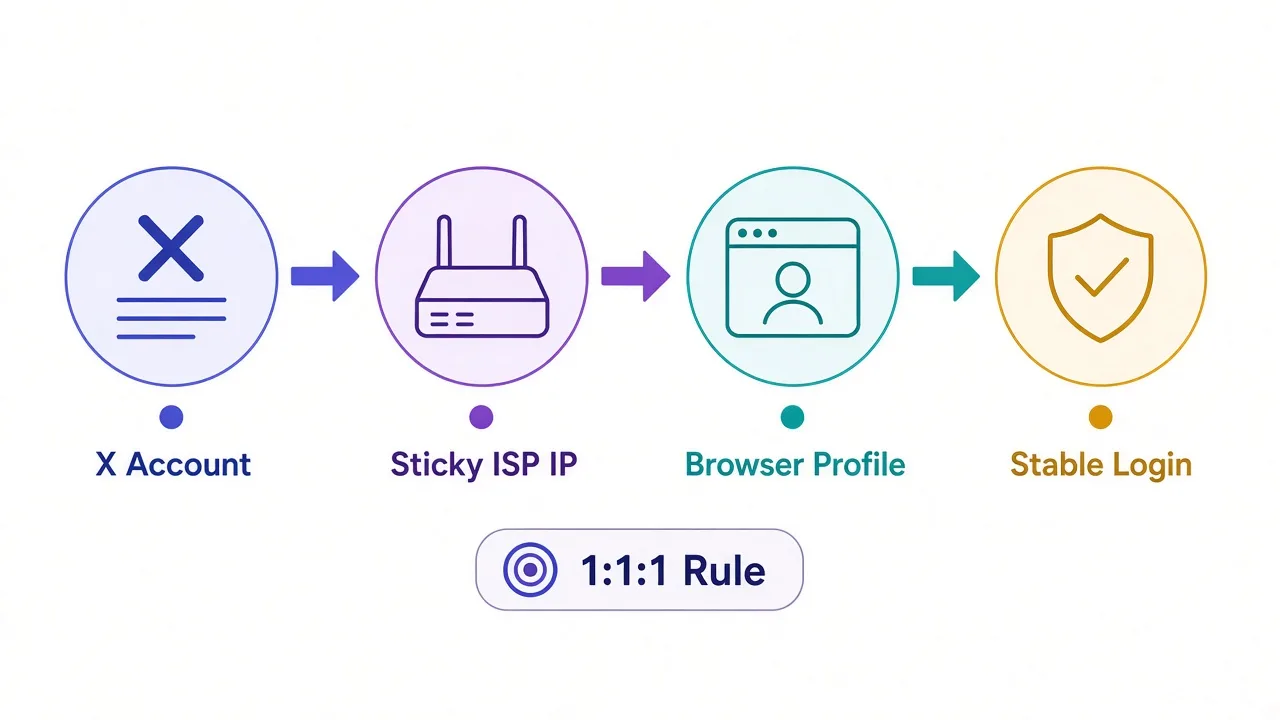
- One Wi‑Fi, many accounts. Office NAT makes five brands look like one actor. Give each account its own exit IP.
- Rotating while logged in. IP hops look like stolen sessions. Go static for logins.
- Country hopping. An account that "lives" in Austin shouldn't appear in Singapore overnight without a story.
- Instant automation. Fresh accounts that like and reply at machine pace get scored fast. Warm slowly.
- Same fingerprint, many logins. This is the third reason, and it's not the proxy.
X correlates IP reputation with device signals. If five accounts share one Chrome profile, cookies, fonts, and WebGL hash, separate IPs only delay the link.
Use an antidetect browser with one profile per account. Pair each profile with its sticky proxy. Our proxies for antidetect browsers post covers that pairing.
The third reason, closed
IP choice gets you in the door. Fingerprint isolation keeps accounts from collapsing together when one gets reviewed.
Say you run twelve client brands from one agency laptop. Without separate exits, a single flagged login can put heat on every profile that shared the path.
With one sticky IP and one browser profile each, a problem stays contained. That isolation is the whole point of paying for proxies in the first place.
How do you set up proxies for multiple X accounts?
A simple setup beats a clever one:
- List every account and its home country.
- Buy one dedicated ISP or static residential IP per account in that country.
- Create one antidetect browser profile per account.
- Bind proxy credentials inside the profile. Don't rely on a system-wide VPN hop you forget about.
- Warm new accounts with human pacing before any automation.
- Keep scrape jobs on a separate rotating residential pool and separate accounts.
Protocol tip: HTTP(S) proxies are enough for most browser-based X work. SOCKS5 helps when an app or tool needs a broader tunnel. See HTTP vs SOCKS5 if you're unsure.
Running LinkedIn too? The same one-IP-per-account logic applies in our LinkedIn proxy guide, with different platform quirks. For residential mechanics, see how residential proxies work and proxies for social automation.
So, which proxy should you actually buy for X?
Start with the job, not the logo.
Managing a handful of client accounts? Sticky ISP or static residential from Smartproxy, Live Proxies, or NodeMaven, one IP each.
Warming risky new profiles? Budget mobile from SOAX or IPRoyal for the fragile week, then settle on ISP.
Collecting public posts at volume? Rotating residential from Bright Data or Oxylabs if scale matters; Smartproxy or IPRoyal if you want mid-tier spend.
You don't need the most expensive plan. You need a stable network home per account, and a fingerprint that doesn't leak across them.
Ready to compare? Browse residential and ISP providers in the directory and filter by the types you actually need.
Frequently asked questions
Use a dedicated ISP or static residential IP per account for logins. Mobile helps with creation and warm-up. Rotating residential fits public data collection without long-lived sessions.
Usually no. A single personal or brand account on official apps or schedulers rarely needs a proxy. Proxies matter for multi-account management, geo-split brands, or volume public-data work.
Avoid them for logged-in account work. Many cloud ASN ranges are fingerprinted quickly on X. Datacenter can still fit low-stakes, non-login tasks on softer targets — not typical X logins.
Yes for serious multi-account work. One dedicated sticky IP per account, matched to that account's usual country, plus a separate antidetect browser profile, is the standard safe pattern.
They can be, for account creation and warm-up, because carrier IPs are shared with real subscribers. They cost more, so many operators move stable accounts onto cheaper ISP stickies afterward.
No. Proxies mainly protect IP reputation and session consistency. Rate limits are often tied to accounts or sessions, so you scale with careful pacing and account pools — not IP count alone.