









You found a residential proxy for $1 per GB. Your first thought is probably "what's the catch?"
That's a fair question. Prices that low usually hide something. A big monthly commitment, credits that vanish after 30 days, or a pool so thin your scraper chokes by lunchtime.
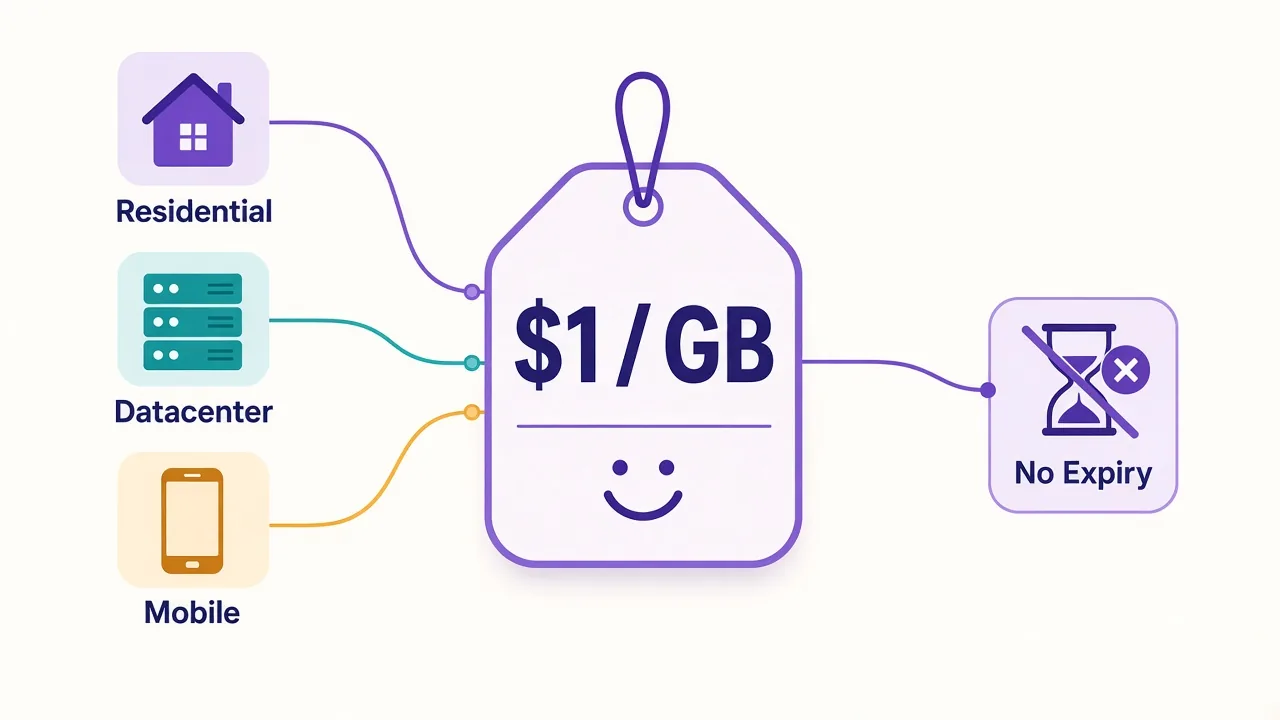
DataImpulse pricing is different in one useful way: it's plain pay-as-you-go. You top up, you spend gigabytes, and the traffic never expires. Residential starts at $1/GB, datacenter at $0.50/GB and mobile at $2/GB.
There is still a catch, though. It isn't in the headline price. It hides in one targeting setting, and we'll get to it once you've seen the full price sheet.
What does DataImpulse actually charge per GB?
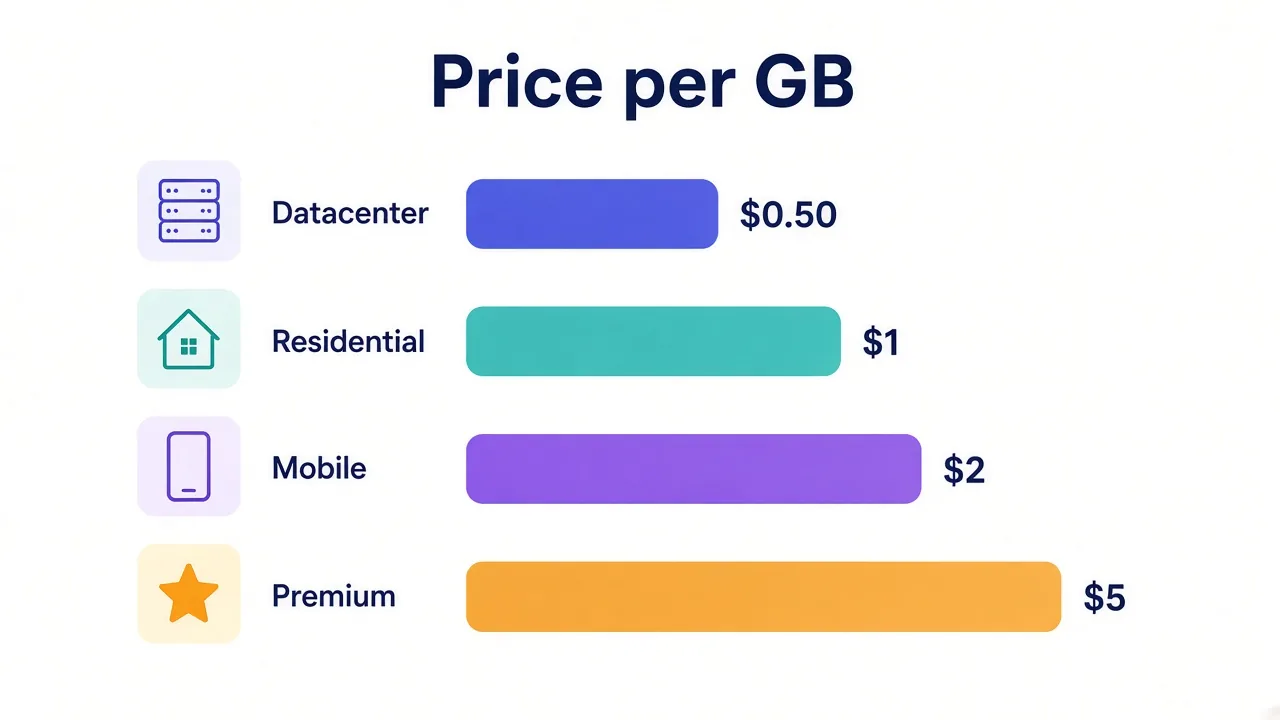
DataImpulse sells four proxy products, and it bills every one of them by traffic. No port counts, no IP counts, no seats.
Here's the full list from the official DataImpulse site, as of November 2026:
| Proxy type | Starter price | Volume price (about 1 TB) | Custom pricing from |
|---|---|---|---|
| Datacenter | $0.50/GB | $0.45/GB ($450) | $2,250 |
| Residential | $1/GB | $0.80/GB ($800) | $4,000 (5 TB+) |
| Mobile | $2/GB | $1.60/GB ($1,600) | $8,000 |
| Premium residential | $5/GB | Not listed | Not listed |
The smallest package for new users is $5 on every product. On residential, that buys you 5 GB. On mobile, it's 2.5 GB.
So the price ladder is short. You pay the starter rate until you jump to roughly a terabyte, then a lower rate kicks in. Above 5 TB, you talk to sales.
Why "no expiry" matters more than the low price
Here's something most pricing pages won't tell you. The cheapest plan on paper often costs more in practice.
Why? Because many providers sell monthly bandwidth. Buy 50 GB, use 20 GB, and the other 30 GB disappears when the month resets. Your real cost per GB just went up 2.5 times.
DataImpulse doesn't do that. The site says traffic never expires and there's no subscription. Buy 50 GB today and you can still burn the last gigabyte next spring.
That changes how you should shop.
Quick math
Does your usage swing month to month? Then a non-expiring $1/GB balance beats a $0.70/GB plan you only use half of. You'd effectively pay $1.40/GB on the second one.
It's also why the starter tier is friendly for testing. You can drop $5, run your scraper for a weekend, and walk away without a recurring charge hitting your card.
Residential proxies: is $1/GB the real number?
For most people, residential is the product they came for. It's what you use when sites block datacenter IPs, like marketplaces, search engines and travel sites.
The headline is honest. You pay $1/GB on packages from $5 up to $50 and beyond.
The rate drops to $0.80/GB once you buy around a terabyte. Above 5 TB, pricing is custom and starts at $4,000.
What do you get for that dollar?
- Rotating sessions (a new IP on each request) or sticky sessions (the same IP for a while)
- Sticky sessions of 30 minutes by default, and up to 120 minutes
- HTTP(S) and SOCKS5 support
- Username/password or IP allowlist login
- Free country targeting in 195 countries
- API access and sub-user accounts
DataImpulse now claims more than 90 million residential IPs from what it calls first-party, ethically sourced pools. Our own directory listing still shows the older 10M+ figure, so treat any pool number as the provider's claim, not a measurement.
And remember that catch from the start? It lives right here, in the targeting options. Next section.
The hidden cost: city, state, ZIP and ASN targeting
Country targeting is free. That's generous, and it's enough for a lot of jobs.
But say you're checking local search results in Chicago, or ad placements in one ZIP code. Country-level IPs won't cut it. You need city or ZIP targeting.
On standard residential, DataImpulse charges a small extra fee for state, city, ZIP and ASN targeting. The homepage doesn't print the exact surcharge, so check the dashboard before you budget around it.
Why does this matter so much? Because a surcharge on every gigabyte compounds fast. A cheap base rate with a paid add-on can land closer to mid-market pricing than the headline suggests.
Before you buy
If your job needs city or ASN targeting on most requests, price it with the add-on included. Then compare that number, not $1/GB, against other providers.
There's one more twist. Premium residential at $5/GB includes all of those targeting options for free. Is that the better deal, then? Only in specific cases, and we'll show you which.
Datacenter at $0.50/GB: when is cheaper good enough?
Datacenter proxies come from servers, not home connections. That makes them fast and cheap. It also makes them easy to spot.
DataImpulse prices them at $0.50/GB for small packages and $0.45/GB at around a terabyte ($450). Custom pricing starts at $2,250. Sessions can stay sticky for up to 30 minutes.
Billing datacenter traffic per GB is less common than you'd think. Many providers sell datacenter IPs per address or per port instead.
So when does per-GB datacenter make sense?
- Price and SERP monitoring on sites that don't fight back hard
- News and review sites, which DataImpulse itself says datacenter IPs usually handle
- Bursty jobs where you don't want to pay for idle IPs
The trade-off is the block rate. If a target checks whether an IP belongs to a hosting company, datacenter traffic fails no matter how cheap it is. Our guide on residential vs datacenter proxies walks through how to tell before you spend.
Mobile proxies at $2/GB: who needs them?
Mobile proxies route through real carrier networks on 3G, 4G, LTE and 5G. Platforms rarely block carrier IPs, because hundreds of real phones often share one.
At DataImpulse, mobile proxies cost $2/GB on starter packages and $1.60/GB at around a terabyte ($1,600). The $5 starter buys 2.5 GB. Custom pricing starts at $8,000.
That's double the residential rate. Is it worth it?
For social media accounts, app testing and mobile ad checks, often yes. Instagram, TikTok and LinkedIn treat mobile traffic as normal, so you trip fewer checks.
For plain web scraping, usually not. If residential IPs get through, you're paying twice as much for no gain. Our mobile vs residential breakdown goes deeper on that call.
Premium residential at $5/GB: who should pay five times more?
Premium residential is the odd one out. It costs five times the standard rate, so it needs a real reason to exist.
According to DataImpulse, you get a faster, higher-quality pool and a dedicated proxy manager. You also get extra API endpoints and free filtering by country, state, city, ZIP and ASN.
Here's how we'd think about it. Remember the targeting surcharge on standard residential? Premium folds it in.
So premium makes sense if two things are true. Most of your requests need city-level or ASN targeting, and your volume is modest enough that $5/GB doesn't sting.
Local SEO tracking across a handful of cities is a good example. You might only push a few gigabytes a month, but every request needs precise location.
For bulk scraping, skip it. At 100 GB a month, premium runs $500 against $100 on standard. That gap pays for a lot of retries.
What will you actually spend each month?
Price per GB is abstract until you plug in your own traffic. So let's run three hypothetical setups at list prices, with no targeting add-ons.
| Scenario | Proxy type | Traffic | Estimated cost |
|---|---|---|---|
| Side project price tracker | Datacenter | 20 GB | $10 |
| Small agency scraping SERPs | Residential | 100 GB | $100 |
| Five social accounts, daily use | Mobile | 15 GB | $30 |
| Data team at scale | Residential | 1 TB | $800 |
These are estimates from the public price sheet, not quotes. Your real bill depends on page weight, retries and whether you load images.
That last point is the biggest lever you control. A product page with images can weigh several times more than the same page fetched as raw HTML. Block images, fonts and video in your scraper, and the same budget stretches much further.
Retries matter too. If 20% of your requests fail and get retried, you're paying for that traffic twice. Rotating smartly, as we cover in our guide to rotating proxies in Python, keeps that waste down.
How does DataImpulse pricing compare with bigger providers?
We won't pretend every provider's pricing fits one tidy table. Plans, minimums and expiry rules differ too much, and they change often.
What we can say is where DataImpulse sits. Its entry rate sits at the low end of the residential market.
The no-expiry rule also removes the most common way cheap plans get expensive.
Bigger names like Bright Data and Oxylabs tend to win on pool depth, tooling and enterprise contracts. Our Bright Data pricing breakdown shows how differently a premium provider structures its plans.
In the middle, IPRoyal is the closest in spirit, also selling non-expiring residential traffic. Decodo (formerly Smartproxy) leans on monthly plans with more polished tooling.
The live cards below show current ratings and starting prices from our directory:

Transparent pay-as-you-go residential proxies with no minimums

Flexible proxies with true pay-as-you-go.

Powerful proxies without the enterprise price tag.
Want a wider view? Our list of the best residential proxy providers ranks the field by use case.
The honest downsides of DataImpulse
Every provider has a catch. Here are DataImpulse's, based on its own pages and our directory notes.
There's no free trial listed. The $5 starter is cheap, but it's still a purchase.
The feature set is lean next to enterprise platforms. You won't find the same depth of scraping APIs, unblockers or dashboards that the biggest providers sell.
There's no formal enterprise SLA listed. If you need contractual uptime guarantees, that's a gap.
And the advanced targeting surcharge, as we covered, isn't printed on the homepage. You'll want to check it in the dashboard first.
What it does well
Clear prices, traffic that never expires, free country targeting and 24/7 human support. The site lists an average support response time under 1.5 minutes.
Four mistakes that quietly inflate your DataImpulse bill
Low per-GB pricing only helps if you don't waste the gigabytes. These are the habits that eat a balance fastest.
The first is loading everything. Headless browsers pull images, fonts, video and tracking scripts by default. If you only need text and prices, block those resources and your traffic per page shrinks a lot.
The second is buying the wrong product.
People often jump to mobile or premium because "better IPs" sounds safer. If standard residential already gets through your target, you're paying two to five times more for the same data.
The third is retrying blindly. A scraper that hammers a failing page ten times pays for ten failures. Add backoff, cap retries and switch IPs after a block instead of repeating the same request.
The fourth is paying for targeting you don't need. Do you really need city-level IPs for every request? Often only a slice of your jobs care about location. Route just those through the paid targeting and leave the rest at country level.
Fix all four and the $1/GB headline starts to look like what you'll actually pay. Skip them, and even a cheap provider gets expensive.
Which DataImpulse plan should you pick?
Start with your target, then pick the product. The price follows from there.
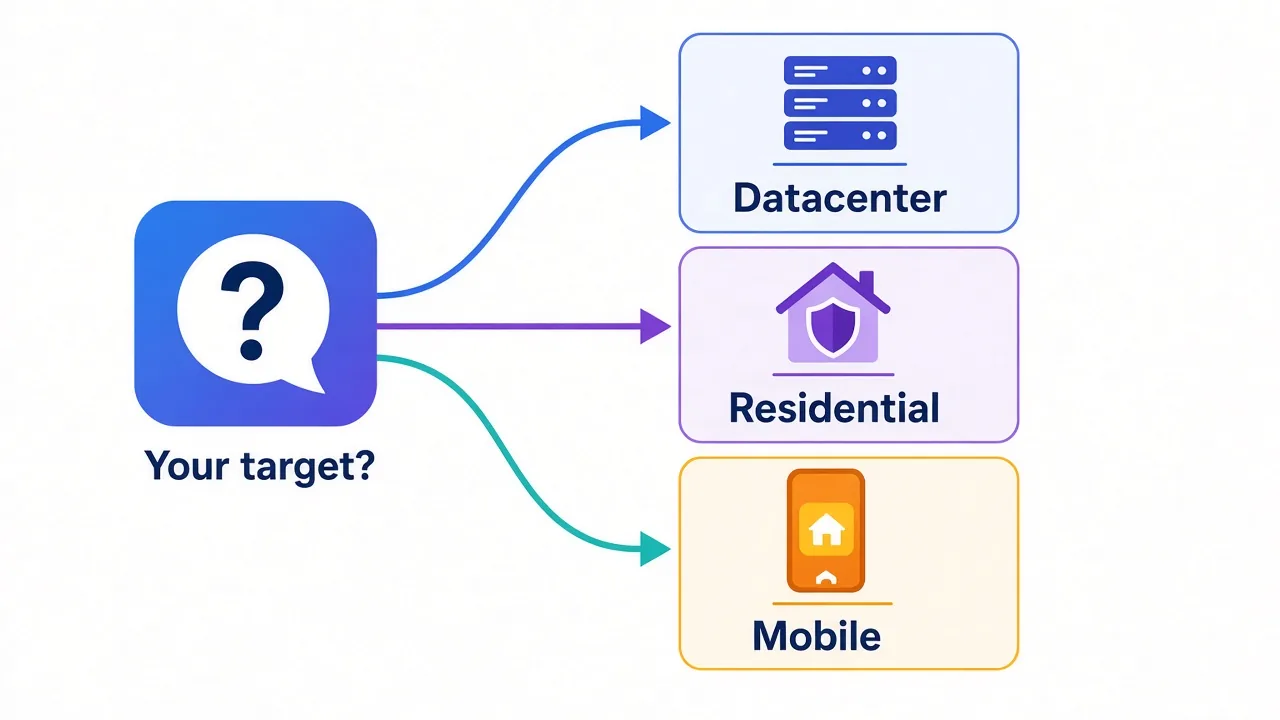
Scraping sites that barely block? Datacenter at $0.50/GB. Hitting marketplaces, search engines or travel sites? Standard residential at $1/GB.
Running social accounts or testing apps? Mobile at $2/GB. Need city or ASN targeting on almost every request, at low volume? That's the one case for premium.
And if you're unsure, buy the $5 residential starter and test it on your real target. Since the traffic never expires, a failed test costs you five dollars and nothing more.
Ready to dig deeper? Read the full DataImpulse review, or compare every provider in our proxy directory. You'll know which fits within a few minutes.
Frequently asked questions
DataImpulse residential proxies start at $1 per GB, datacenter at $0.50 per GB and mobile at $2 per GB. Premium residential costs $5 per GB, and volume buyers near 1 TB get lower rates.
No, DataImpulse traffic never expires. You top up a balance and use it whenever you like, with no monthly subscription resetting unused gigabytes.
DataImpulse doesn't list a free trial. The smallest package is $5, which buys 5 GB of residential traffic or 2.5 GB of mobile traffic, so testing is cheap.
Country targeting is free, but state, city, ZIP and ASN targeting cost a small extra fee on standard residential. Premium residential at $5 per GB includes all targeting options.
Yes, buying about 1 TB of residential traffic drops the rate to $0.80 per GB. Above 5 TB, DataImpulse offers custom pricing starting at $4,000.
It's worth it only if most of your requests need city, ZIP or ASN targeting at low volume. For bulk scraping, standard residential at $1 per GB is far cheaper.