










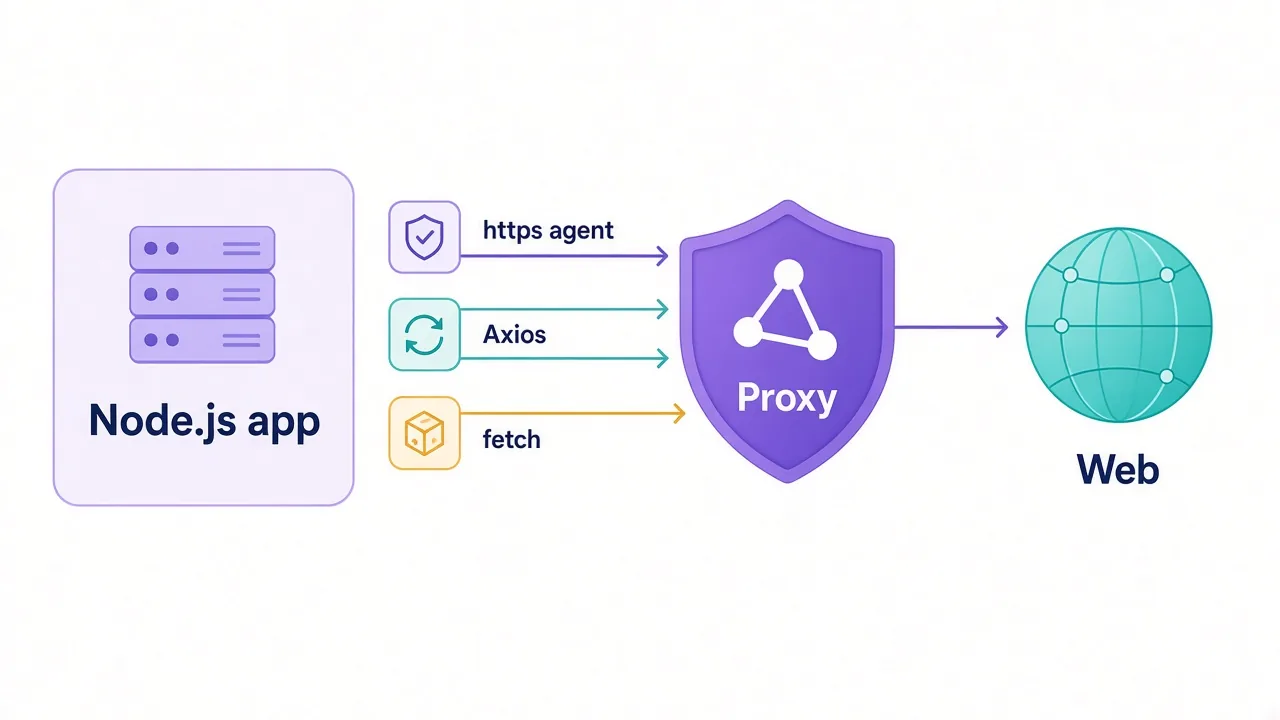
Your proxy worked yesterday. This morning every request comes back with a 407 error, and you haven't touched a line of code.
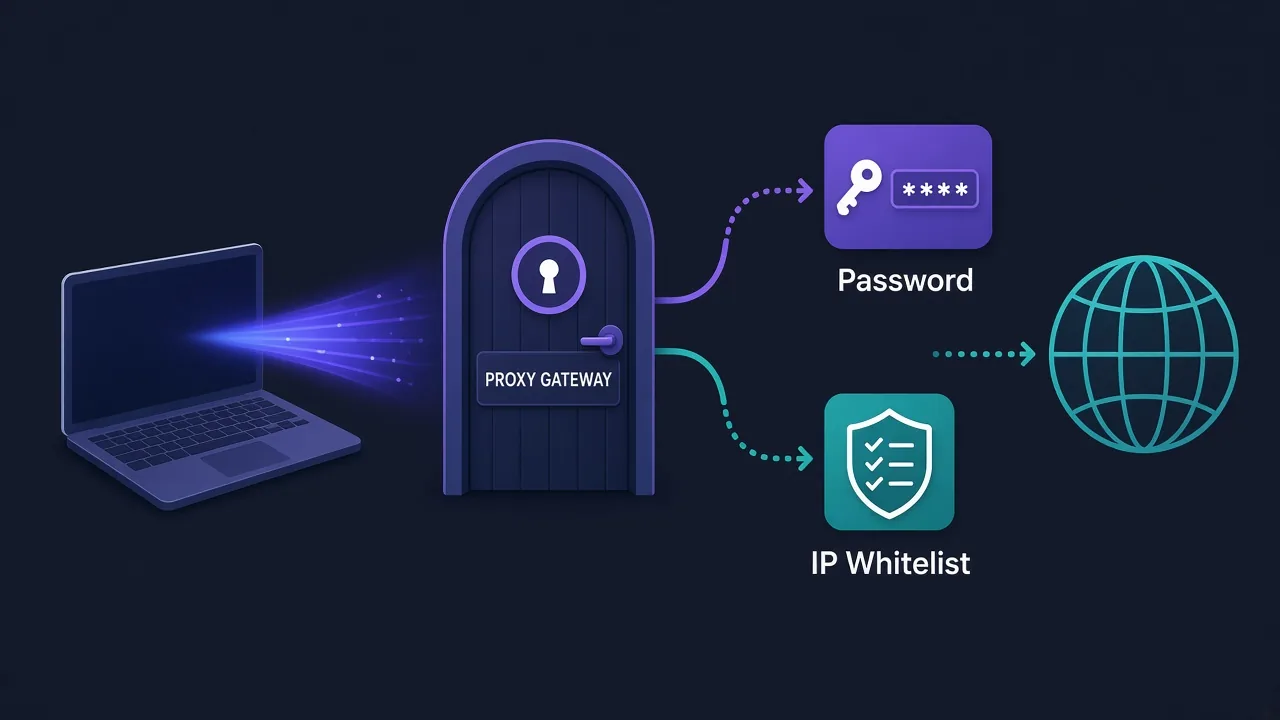
Nine times out of ten, that's an authentication problem, not a proxy problem. Proxy authentication comes in two flavours. You either send a username and password with each connection, or you whitelist your IP address so the provider trusts it.
Both work. Both break in their own predictable ways. Which one should you use?
It depends on where your code runs, and on one detail about your own internet connection that most people never check. We'll get to that. First, let's look at what the proxy is actually checking when you knock on its door.
What does a proxy check before it lets you in?
A paid proxy is a door with a bouncer. The provider has to know the traffic is yours, or anyone on the internet could burn through your bandwidth.
So before it forwards a single request, the proxy server asks one question: who are you?
There are two ways to answer.
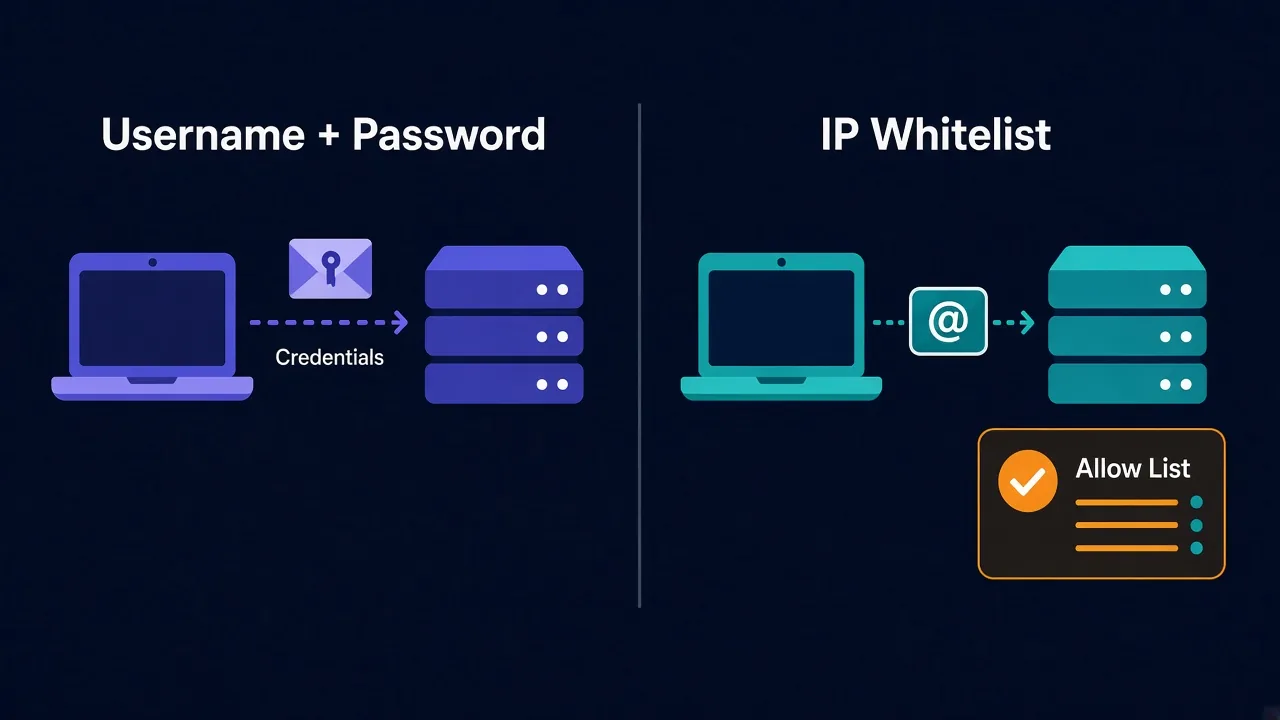
- Show a pass. You send credentials with the connection, and the proxy checks them against your account.
- Be on the guest list. You register your public IP in the provider's dashboard ahead of time. The proxy then lets in anything that arrives from that address.
That's the whole difference. One checks what you send. The other checks where you're sending it from.
It sounds like a small detail. In practice, it decides whether your setup survives a router reboot or a move to the cloud. It also decides what happens with a browser that won't ask for a password.
How username and password authentication works
With an HTTP proxy, your client adds a header called Proxy-Authorization to the request. It carries your username and password, joined with a colon and encoded in Base64.
If the header is missing or wrong, the proxy replies with status 407 Proxy Authentication Required. That's the error from the intro. It means the door is fine, but the bouncer didn't like your pass.
Most tools let you put the credentials straight into the proxy URL:
http://USERNAME:PASSWORD@gate.example-proxy.com:8000The tool reads that URL and builds the header for you. That's how it works in cURL, Python requests and most scraping libraries.
Want the exact syntax? Our guides on using a proxy with cURL and proxies in Python requests walk through it line by line.
SOCKS5 does the same job a different way. Your client swaps the username and password in a short handshake when the connection opens, defined in RFC 1929. Same idea, different packaging.
Why most providers push you toward credentials
Open almost any residential proxy dashboard and the default setup is a username and password. There's a good reason for that.
Credentials travel with you. Your laptop, a cloud server, a teammate's machine in another country: if they have the string, they can connect. Nothing needs registering first.
They also carry instructions. Many providers let you add parameters to the username itself, such as a target country or a session ID. Something like user-country-de-session-abc123 tells the gateway to give you a German IP and keep it for a while.
That second trick matters more than people expect. It's how one gateway address can hand out thousands of different exits. If you're choosing between rotating and fixed IPs, our breakdown of sticky vs rotating proxies shows how those session parameters change behaviour.
Check your provider's format
Username parameters aren't standard. Every provider uses its own syntax, so copy the format from their docs rather than guessing.
The catch with passwords nobody warns you about
Base64 isn't encryption. Anyone who can read the header can decode it in a second.
Here's the part that surprises people.
Say you visit an HTTPS site through an HTTP proxy. Your client first sends a CONNECT request to the proxy, and the credentials ride along in it. The connection between you and the proxy is usually plain text.
So on a shared coffee-shop network, your proxy password is visible to anyone sniffing traffic. The website traffic itself stays encrypted. The pass to your proxy account doesn't.
Three more ways passwords bite you:
- They end up in code. A password hard-coded in a script gets pushed to GitHub sooner or later.
- Special characters break URLs. An
@,:or#in your password has to be URL-encoded, or the tool reads the URL wrong and you get a 407. - Some tools can't send them at all. That's the big one, and it's coming up in a few sections.
None of these are deal-breakers. Keep credentials in environment variables, use a password without symbols for the proxy account, and rotate it if it ever leaks.
How IP whitelisting works
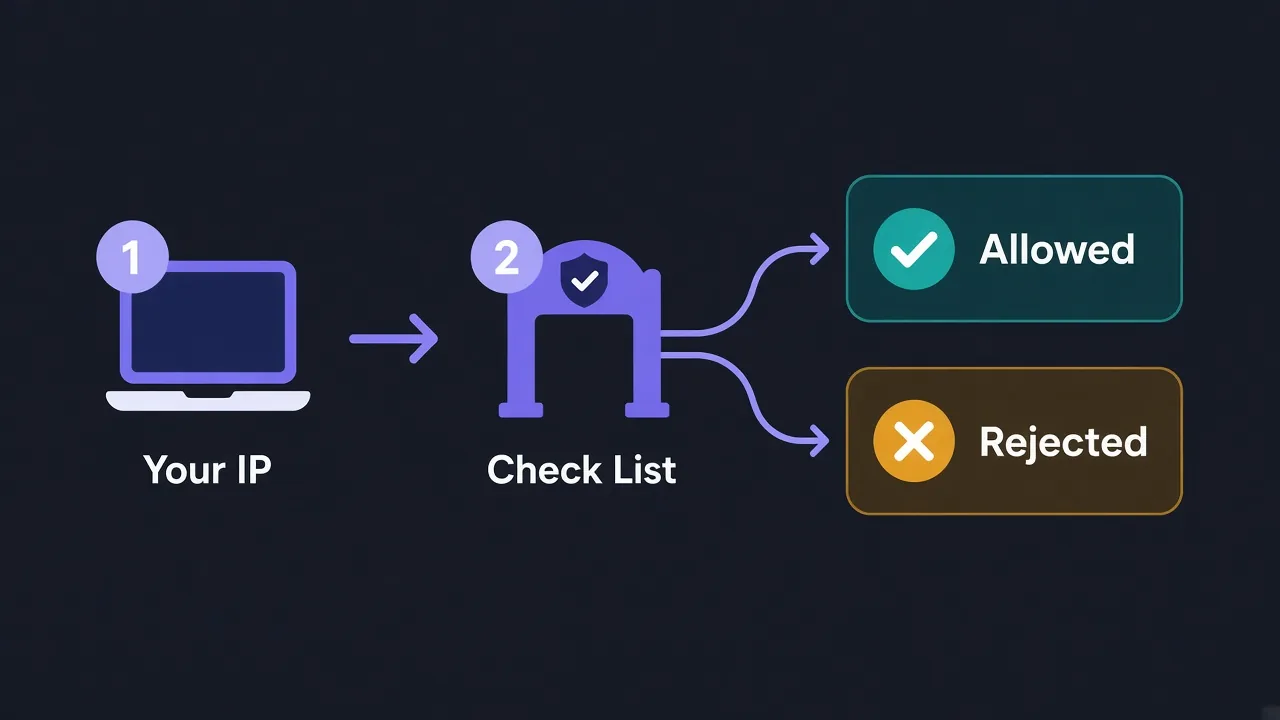
IP whitelisting (some dashboards call it an allow list or authorised IPs) flips the model around.
You tell the provider, "Trust traffic from 203.0.113.25." From then on, any connection from that address gets through with no username, no password and no header.
Your proxy URL shrinks to just a host and port:
http://gate.example-proxy.com:8000That's lovely to work with. Nothing secret sits in your code, nothing can be sniffed, and tools that choke on credentials suddenly work.
It's also why whitelisting is the natural choice for a fixed server. A dedicated box in a data centre keeps the same public IP for years. Register it once and forget about it.
Why your whitelist breaks without warning
Remember the detail from the start, the one about your own connection? Here it is.
Most home and office internet connections don't have a fixed public IP. Your ISP can change it whenever your router reconnects, and some change it on a schedule.
The morning your IP changes, the proxy no longer recognises you. Every request fails, your code hasn't changed, and the dashboard still shows the old address on the guest list. That's the mystery 407 from the intro, or a flat connection refusal, depending on the provider.
It gets messier.
- Carrier-grade NAT. Many mobile and some home ISPs put lots of customers behind one shared public IP. Whitelist it, and in theory a stranger on the same ISP could ride your proxy plan.
- Cloud functions and serverless jobs. They often leave the internet from a pool of addresses that changes between runs, so there's no single IP to register.
- Laptops on the move. Home, office, hotel and phone hotspot are four different IPs.
- VPNs. If a VPN is on, the proxy sees the VPN's exit IP, not your home IP.
Want to know where you stand? Check your public IP today and again in a few days. If it changed, whitelisting on that connection will keep breaking on you. Our static vs dynamic IP guide explains why addresses move around.
Whitelist slots are limited
Providers usually cap how many IPs you can register. Check the limit before you plan to whitelist a fleet of machines.
Username/password vs IP whitelisting: side by side
Here's how the two methods compare on the things that decide your day-to-day experience.
| Factor | Username and password | IP whitelisting |
|---|---|---|
| Works from any network | Yes | Only from registered IPs |
| Survives an IP change | Yes | No, you must update the list |
| Secrets in your code | Yes, store them carefully | None |
| Sniffable on open Wi-Fi | Yes, over plain HTTP | Nothing to sniff |
| Session and country options | Often in the username | Usually via ports or the dashboard |
| Works in browsers without extensions | Often awkward | Yes |
| Best fit | Laptops, cloud jobs, teams | Fixed servers, picky tools |
Notice the pattern? Credentials win on flexibility. Whitelisting wins on simplicity, once you have a stable address.
Which tools struggle with proxy passwords?
This is the third catch we promised, and it trips up browser automation more than anything else.
Chrome's --proxy-server launch flag accepts a host and port, but it ignores a username and password in the URL. Launch Chrome with credentials in that flag and you'll get a login pop-up, or nothing at all.
That's why Selenium setups with authenticated proxies get complicated.
People reach for a small browser extension that answers the login prompt. Others use a helper library that runs a local proxy in between. Our guide to using a proxy with Selenium covers both routes.
Chrome also doesn't support SOCKS5 with a username and password. If your provider only offers authenticated SOCKS5, Chrome can't use it directly.
Some newer tools handle this well.
Playwright, for example, takes a username and password as separate fields in its proxy settings. Antidetect browsers usually have a proxy form with dedicated login fields too, which is one reason people manage account work through them. You can compare them in our antidetect browser directory.
And when a tool truly can't send credentials? Whitelisting makes the problem disappear, as long as the machine has a fixed IP.
Can you use both methods at once?
Often, yes. Many providers let you register IPs and still issue credentials on the same account.
That gives you a handy split:
- Whitelist your production server, which has a fixed IP and runs the heavy jobs.
- Use credentials on laptops and test machines, which move between networks.
- Use a separate sub-user with its own password for each teammate or project, so you can revoke one without breaking the others.
Some providers go further and let you require both: the right IP and the right password. That's the strictest option, and it's worth turning on if you're paying for a large bandwidth plan that would hurt to lose.
Sub-users are underrated. If one script leaks its password, you reset that single user rather than every integration you own.
How to fix a 407 error in five minutes
Back to that failing script. Here's the order we'd check things, from most likely to least.
- Confirm the method. Are you set up for credentials or whitelisting in the dashboard? Mixing them up is the most common cause.
- Check your public IP. If you rely on whitelisting, compare your current IP with the one registered. If they differ, update it.
- Test with cURL. Run a single request with the proxy URL. If cURL works and your code doesn't, the bug is in how your code passes credentials.
- Encode special characters. Replace
@with%40,:with%3Aand#with%23in the password, or change the password. - Check the username format. One wrong hyphen in a session or country parameter can make the whole username invalid.
- Look at your plan. An expired plan or a used-up bandwidth balance can look like an auth failure.
Quick test
Run curl -x http://USER:PASS@host:port https://api.ipify.org. If it prints an IP that isn't yours, the proxy and your credentials both work.
If every step checks out and you still get 407s, contact support with the exact error and the time it happened. Providers can see failed logins on their side.
What about security for your proxy account?
Your proxy plan is money. A leaked password means someone else spends your bandwidth, and on residential plans priced per gigabyte, that adds up fast.
A few habits keep it safe:
- Store credentials in environment variables or a secrets manager, never in the script.
- Use a proxy password you don't use anywhere else.
- Give each project its own sub-user, where your provider supports them.
- Remove old IPs from your whitelist when you shut down a server.
- Set a usage alert in the dashboard, so a sudden spike gets your attention.
Whitelisting has its own risk. If you whitelist an IP that other people share, such as an office network or a CGNAT address, they inherit your access. Only whitelist addresses that are truly yours.
So, which authentication method should you use?
Start with where your code runs, not with what the dashboard defaults to.
Running on a server with a fixed IP? Whitelist that IP and enjoy a proxy URL with no secrets in it.
Running anywhere that moves, like your laptop or a cloud function? Use a username and password, and keep them in an environment variable.
Still choosing a provider? Compare the proxy providers in our directory and check which ones support both methods and sub-users. It's a five-minute check that saves a lot of 407s later.
Frequently asked questions
Proxy authentication is how a proxy provider confirms the traffic is yours before forwarding it. You either send a username and password, or connect from an IP address you've registered in the dashboard.
It can be, because no secret travels with your requests. But it's only safe if the whitelisted IP belongs to you alone, not a shared office or carrier-grade NAT address.
It means the proxy rejected your login. Check the username format, URL-encode special characters in the password, and confirm your current public IP matches the whitelist.
Your public IP probably changes. Most home and office connections get a new address from the ISP after a router reconnect, so the proxy stops recognising you.
Often, yes. Many providers let you whitelist servers and still use credentials elsewhere, and some let you require both the right IP and the right password.
Chrome's --proxy-server flag ignores credentials, so use a small extension that answers the login prompt or whitelist your IP. Tools like Playwright accept a username and password directly.