












You log in to the same account every morning. Same browser, same password, same routine.
Then one day the platform asks you to verify your identity. Again. And the next day, too. Nothing changed on your side, except the proxy keeps handing you a different IP address.
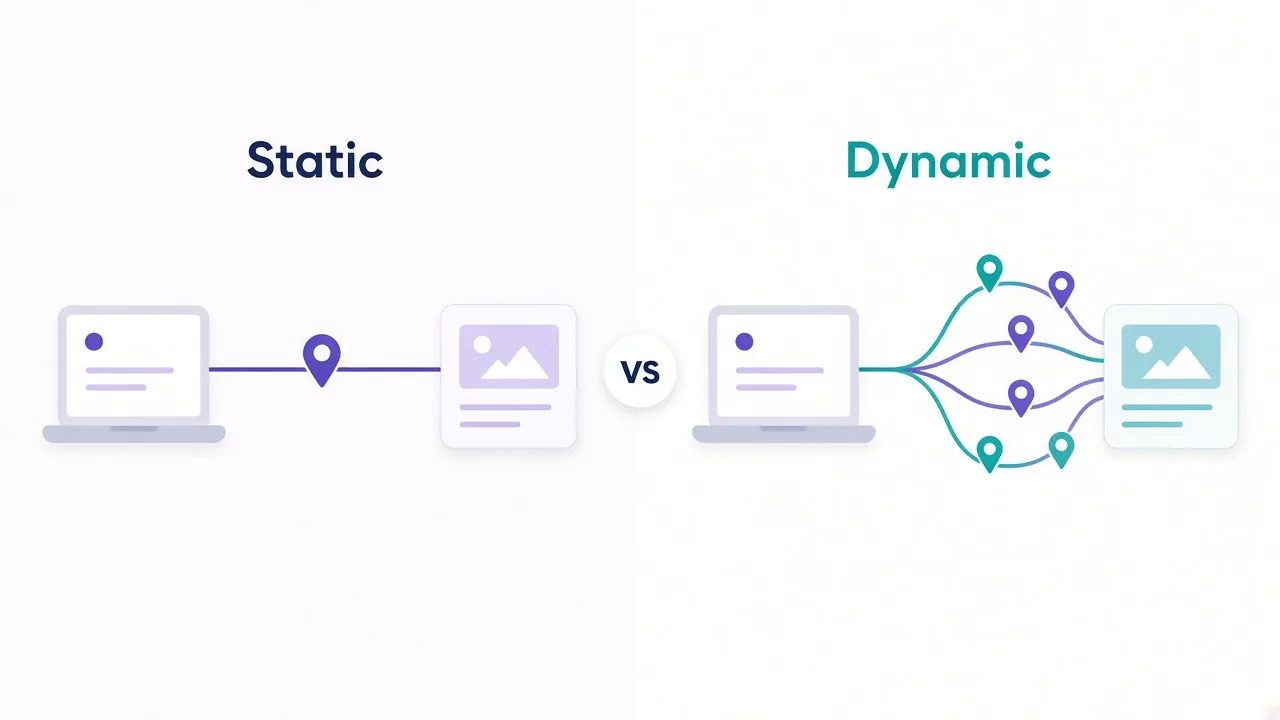
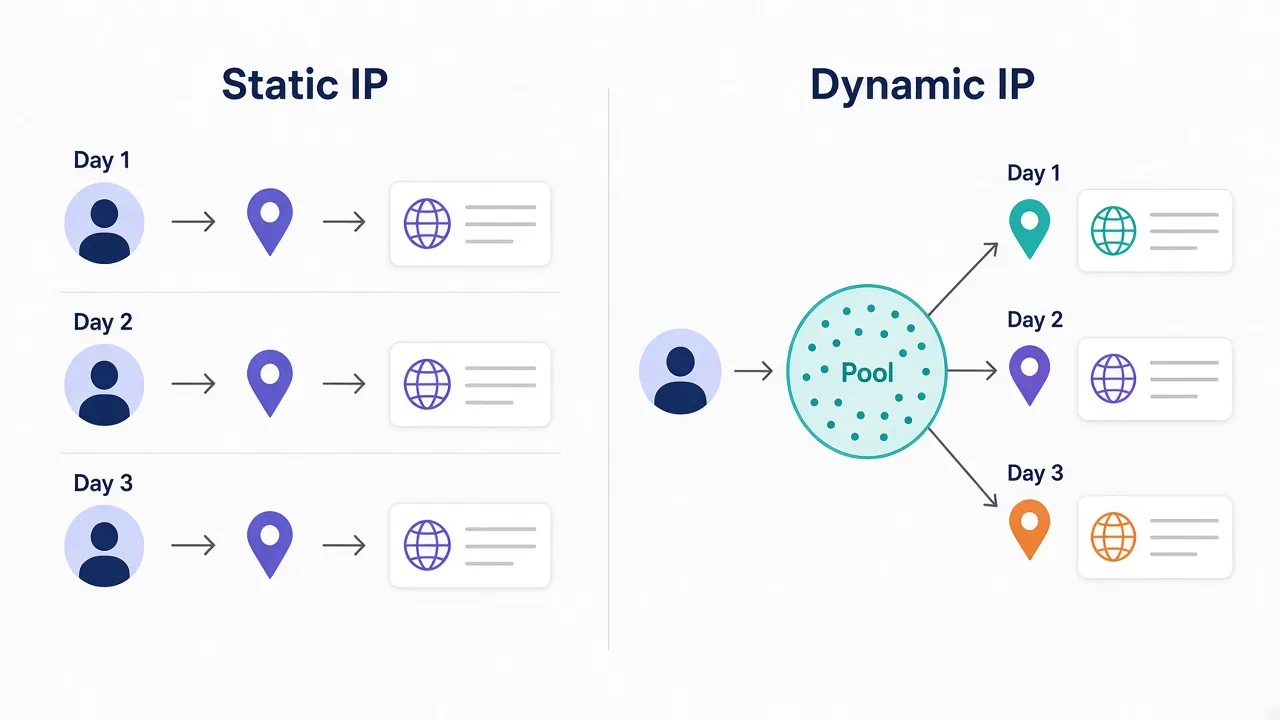
Sound familiar? That's the static vs dynamic IP proxies question in one scene. A static proxy gives you one IP that stays put. A dynamic proxy swaps your IP on a schedule or on every request.
Neither one is better across the board. The right choice depends on what the website remembers about you.
There's also a middle option most people skip, and a pricing trap that catches people on the static side. We'll get to both.
What changes between a static and a dynamic proxy?
Only one thing: how long your IP address lives.
With a static proxy, you get an address that's yours for the length of your plan. You connect today, next week and next month, and the website sees the same IP every time. Providers often call these dedicated, sticky-by-default or "static residential" proxies.
With a dynamic proxy, you connect to one gateway address. The provider then picks an exit IP for you from a large proxy pool. That exit can change with every request, every few minutes, or whenever you ask for a fresh one.
The terms come from ordinary home internet. Most broadband customers get a dynamic IP from their provider, which reassigns addresses now and then. Businesses pay extra for a static one so their servers stay reachable at a fixed address.
Proxies borrow the same idea. The difference is that you choose how often the change happens.
Why would a website care whether your IP moves?
Because an IP address is one of the first things a site uses to decide who you are.
When you connect, the site can look up which network owns your address, known as its ASN (the network's registered ID). It can see the rough location. It can check whether that IP has sent a flood of traffic in the last hour.
Then it compares all of that with what it saw last time.
A logged-in account is a memory test. If you sign in from Chicago at 9 a.m. and from Lisbon at 9:05, the site has to explain the jump. Usually it decides the explanation is "someone stole this password" and asks for a code.
A logged-out visitor is a different story. The site has no history to compare against. It mostly cares about volume: how many requests one IP sends, and how fast.
The rule underneath everything
Accounts reward consistency. Anonymous browsing rewards variety. Almost every static vs dynamic choice comes back to that.
When does a static IP proxy win?
Whenever the site remembers you between visits.
Say you manage 15 client accounts on a social platform. Each account should look like one person with one home connection.
A static IP per account gives you that. The account logs in from the same address every day, so its history looks normal.
Static IPs also win in a few less obvious places:
- Allowlists. Some tools, APIs and admin panels only accept traffic from approved IP addresses. A rotating IP breaks that the moment it changes.
- Long sessions. Checkout flows, multi-step forms and dashboards that time out when your IP changes mid-session.
- Ad and listing checks. Seeing a page the way one local customer sees it, day after day, from the same location.
- Pairing with an antidetect browser. Each browser profile gets its own fingerprint and its own fixed IP, so profiles never overlap.
The common thread is trust that builds over time. A static IP lets an account earn it.
The catch? A static IP has nowhere to hide. If you push too much traffic through it, or the site flags it, you're stuck with that reputation until you replace it.
When does a dynamic proxy win?
Whenever volume matters more than identity.
Picture a price-tracking job that checks 40,000 product pages a day. Send all of that from one static IP and the site sees one visitor reading 40,000 pages.
That's not a shopper. That's a bot, and it gets rate-limited or blocked fast.
Spread the same job across thousands of rotating IPs and each address only sends a handful of requests. To the site, it looks like ordinary traffic from many people.
Dynamic proxies are the default choice for:
- Web scraping at any real scale.
- Search result and SEO rank tracking across many locations.
- Market research where you need lots of cities or countries in one run.
- Any job where a single blocked IP shouldn't stop the whole crawl.
Rotation also gives you a built-in recovery move. If one exit IP hits a CAPTCHA, the next request goes out somewhere else.
The weakness is the mirror image of static. Sites can't remember a dynamic IP, because it keeps changing. Log in through a proxy that rotates on every request, and you'll trip the same security checks from the opening scene.
The middle option most people skip
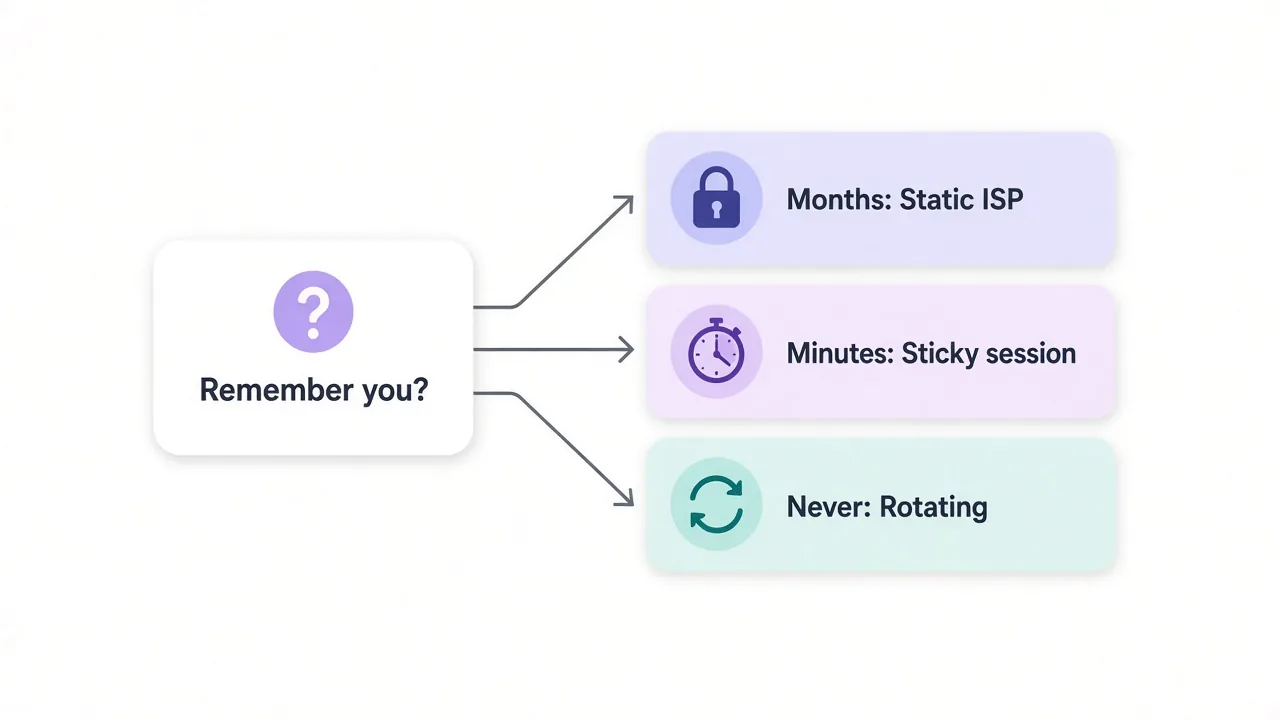
Remember that middle option from the start? It's the sticky session.
A sticky session is a dynamic proxy told to hold the same IP for a set window, often 10 or 30 minutes. You still pay for a rotating pool. You just stop it rotating while you finish a task.
That fixes a lot of "I need static" problems without buying static IPs at all.
Say your scraper has to log in, add items to a cart and read the shipping price. Rotating on every request would break the session at step two. A 10-minute sticky session keeps one IP for the whole flow, then lets the next job start fresh.
So when is sticky not enough? When the account has to come back tomorrow from the same address.
A sticky session ends, and the provider won't promise to give you that IP again. For accounts you'll use for months, that's where static pays for itself.
We covered the session settings in more depth in our guide to sticky vs rotating proxies, if you want the details.
Static vs dynamic IP proxies side by side
Here's the whole comparison in one table. Use it to sanity-check a plan before you buy.
| Question | Static IP proxy | Dynamic IP proxy |
|---|---|---|
| How long does the IP last? | For your whole plan | Per request, or a short sticky window |
| Best for | Logins, accounts, allowlists | Scraping, rank tracking, research |
| Usual pricing | Per IP, per month | Per GB of traffic |
| What happens if one IP gets flagged? | You're stuck with it until replaced | The next request uses a new IP |
| How many locations at once? | Only the ones you bought | Often many countries and cities |
| Main risk | Burning a single IP with too much traffic | Breaking logins with sudden IP jumps |
Notice the pricing row. It matters more than most people expect, and we'll come back to it shortly.
Where do static IPs come from, and does it matter?
Yes, a lot. "Static" tells you how long the IP lasts. It says nothing about where the IP comes from.
There are two main sources. A static datacenter proxy lives on a cloud or hosting server. It's fast and cheap, but its ASN belongs to a hosting company, so any site can see it isn't a home connection.
A static ISP proxy sits in a data center but is registered to a consumer internet provider. To a website, it looks like a home connection that never changes. That's the version most account managers want.
Dynamic proxies have sources too. Most are residential proxies from real household devices, and some are mobile proxies from carrier networks. Mobile IPs are often shared by many phones at once, which is part of why sites hesitate to block them.
How common is static in practice? In the DriftProxy directory, as of October 2026, 29 providers list plan types with prices. Of those, 9 sell a static or ISP plan, while 28 sell residential traffic.
So static is the specialist option. Fewer providers do it, and the ones that do treat it as a premium line.
Read the label carefully
"Static" on a pricing page can mean a datacenter IP or an ISP IP. They behave very differently on strict sites, so check which one you're buying before you pay.
Why the cheaper-looking plan often costs more
Here's the pricing trap we promised.
Providers usually sell static proxies per IP, per month. In our directory, static and ISP plans start between $1.30 and $7 per IP. One provider prices its ISP line by the GB instead.
Dynamic residential proxies are almost always sold per GB.
Those two units don't compare directly, and that's where people slip.
Say you run 20 accounts. Twenty static IPs at a few dollars each gives you a fixed monthly bill, no matter how much you browse. Social dashboards are light on traffic, so a per-GB plan might look cheaper on paper.
But the per-GB plan can't give each account its own permanent address. You'd be saving money by buying the wrong tool.
Now flip it.
Say you scrape product pages and pull 50 GB a month. Trying to do that through a small set of static IPs means each address carries a huge load. You'd need far more IPs to stay under the radar, and the per-IP bill climbs fast.
The fix is simple. Price the job, not the plan. Count accounts if you need identity. Estimate gigabytes if you need volume.
What can go wrong with a static IP?
Static IPs feel safe because they're predictable. That predictability cuts both ways.
First, there's the shared-IP problem. Some cheap static plans hand the same address to several customers. If someone else on your IP spams a site, you inherit the damage. Look for the word "dedicated" if accounts matter to you.
Second, there's the subnet problem. Static IPs are often sold in blocks from the same range. If a site bans a whole range, every account on it can go down together.
Third, there's the mismatch problem. A static IP in Texas paired with a browser set to a German time zone and language looks odd. The IP is only one signal. Your browser fingerprint has to tell the same story.
None of these are reasons to skip static. They're reasons to buy it with care. Choose dedicated IPs, spread across ranges if you run many accounts, with settings that match the IP's location.
What can go wrong with a dynamic proxy?
The risks here are about control, not reputation.
You don't pick the exact IP you get. Most of the time that's fine. Now and then, the pool hands you an address that a site already distrusts, and that request fails.
Speed also varies. A residential exit is someone's home connection, so some IPs respond quickly and others crawl. If your tool has a short timeout, you'll see random failures that have nothing to do with blocks.
And there's cost drift. Per-GB billing is cheap for light jobs, but heavy pages with images and scripts eat traffic. Block images and unneeded resources in your scraper, and your bill drops without losing any data.
Want to check that a rotating setup works before you scale it? Our guide on how to check if a proxy is working walks through a quick test.
A decision rule you can reuse
Ask one question first: will this site need to recognize me tomorrow?
- Yes, and for weeks or months? Go static, ideally a dedicated ISP IP.
- Yes, but only for the next half hour? Use a dynamic proxy with a sticky session.
- No, and you'll send lots of requests? Use rotating dynamic proxies.
- No, and the site barely fights back? A cheap datacenter proxy, static or rotating, will likely do.
Most teams end up using both. Static IPs carry the accounts. A rotating pool carries the data collection. Keeping them separate also means a scraping block never touches the accounts you care about.
Which providers should you look at?
If you've landed on static, start with providers that sell dedicated ISP IPs and let you pick the city or state. Live Proxies lists a static residential line in our directory, and it's a sensible place to compare.

Curated, private residential pools for US, UK and EU targets
If you need dynamic traffic for scraping, look for a large residential pool, sticky session controls and fair per-GB pricing. IPRoyal and DataImpulse are both worth a look for that kind of job.

Flexible proxies with true pay-as-you-go.

Transparent pay-as-you-go residential proxies with no minimums
For a wider view, our list of the best ISP proxy providers covers the static side. The best residential proxy providers list covers rotating. You can also filter every listing in the proxy directory.
So, which one should you actually pick?
Pick the IP type for what the site remembers.
Running accounts that need to look like the same person every day? Buy dedicated static ISP IPs, one per account.
Collecting data from many pages? Rotate through a residential pool, and switch on a sticky session when a task needs a few minutes of continuity.
You don't need the most expensive plan. You need the right kind of IP for the job.
Compare providers side by side in the DriftProxy proxy directory and you'll have a shortlist in minutes.
Frequently asked questions
A static proxy keeps the same IP address for your whole plan, while a dynamic proxy changes your IP per request or on a timer. Static suits accounts and allowlists; dynamic suits high-volume scraping.
Not across the board. Static proxies are better when a site needs to recognize you over days or weeks, and rotating proxies are better when you send many requests and want to spread them out.
No. A sticky session holds one IP from a rotating pool for a short window, often 10 or 30 minutes, and the provider doesn't promise you that IP again later. A static proxy stays yours for the plan.
Dedicated static ISP proxies, one per account, are usually the best fit. Each account logs in from the same home-looking IP every day, which keeps its login history consistent.
Static proxies reserve a specific address for you, so providers charge for each IP per month. Rotating proxies share a large pool, so providers charge for the traffic you use instead.
Yes. If you send too much traffic through it or a site flags it, the ban sticks until you replace the IP. Use dedicated IPs and keep request volume per IP modest.