












You search "Smartproxy pricing" and land on a site that says Decodo.
Same company and the same network, just a new name on the door.
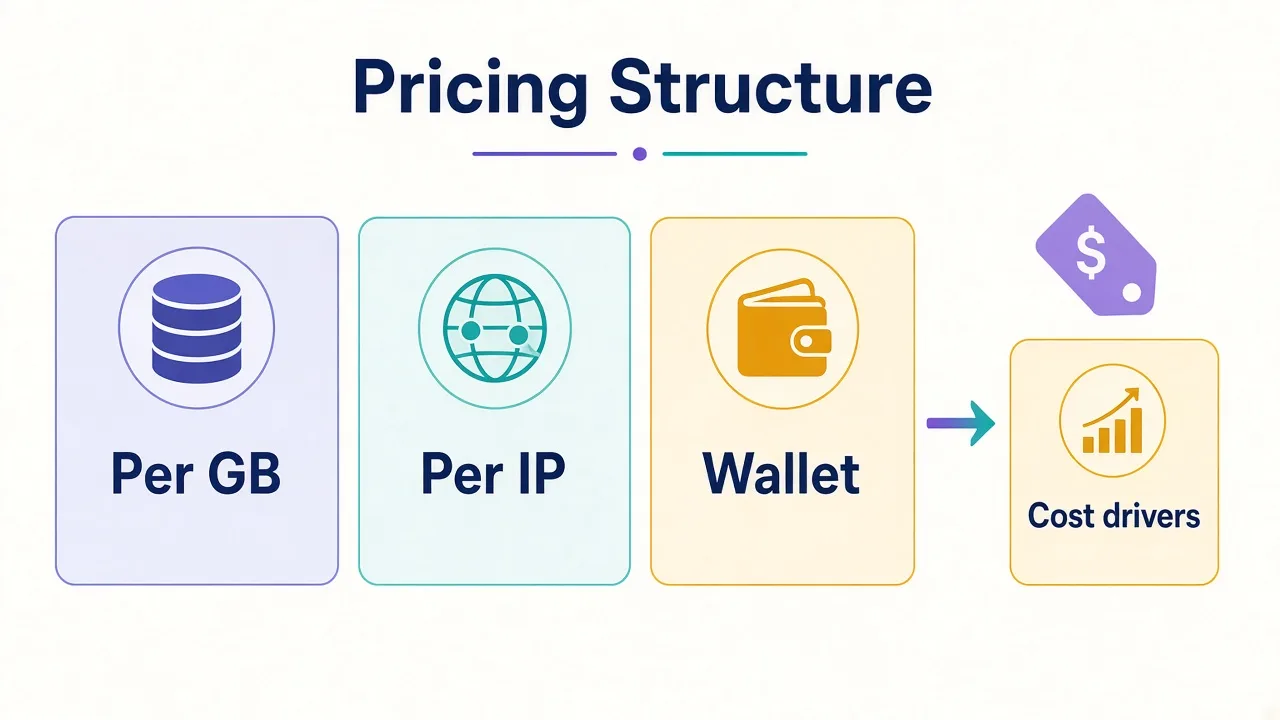
Then the pricing page piles on residential, datacenter, ISP, and mobile tabs. Some bill by the gigabyte, others by the IP, and a few offer both.
So what does Smartproxy pricing actually cost in 2026?
Residential plans run from about $3.75/GB on the smallest monthly tier. Enterprise volume reaches $2/GB. Pay As You Go sits at $4/GB. Datacenter and ISP sit on cheaper meters.
That sticker rate is only half the story. The type you pick, the pages you pull, and how you handle retries decide the bill you actually see.
We'll walk the plans, the real cost drivers, and which setup fits which job. Prices below are from Decodo's public pages as of October 2026, before VAT.
Smartproxy or Decodo — which name is on the invoice?
If you still type Smartproxy into Google, you're not behind. The brand renamed to Decodo.
Footer copy on their site still says "formerly smartproxy.com". The product line stays the same family: residential, datacenter, ISP, mobile, plus scraping APIs.
Why does that matter for pricing?
Because every current rate card lives under decodo.com. Old Smartproxy pricing screenshots from 2023 or 2024 are stale. Residential used to sit much higher per GB.
When we say Smartproxy here, we mean today's Decodo plans. Same checkout. Same dashboard lineage.
Quick naming note
Compare live rates on Decodo's pricing pages, not archived Smartproxy blogs. The rename did not invent a second product line.

Powerful proxies without the enterprise price tag.
How does Smartproxy pricing actually work?
Smartproxy does not sell one flat "unlimited everything" box for most proxy types.
Instead, it sells meters that match how you actually use traffic.
Residential and mobile almost always bill by bandwidth. You buy gigabytes. Traffic you send and receive counts against that pool.
Datacenter and ISP often let you choose. Pay per GB when volume spikes. Pay per IP when you need a fixed set of addresses all month.
That split is the first decision. Get it wrong and a "cheap" plan feels expensive by week two.
Think about the job for a second. Are you crawling thousands of product pages once? Or holding twenty logged-in shop accounts on stable IPs?
Those are different meters. Different plans. Different bills.
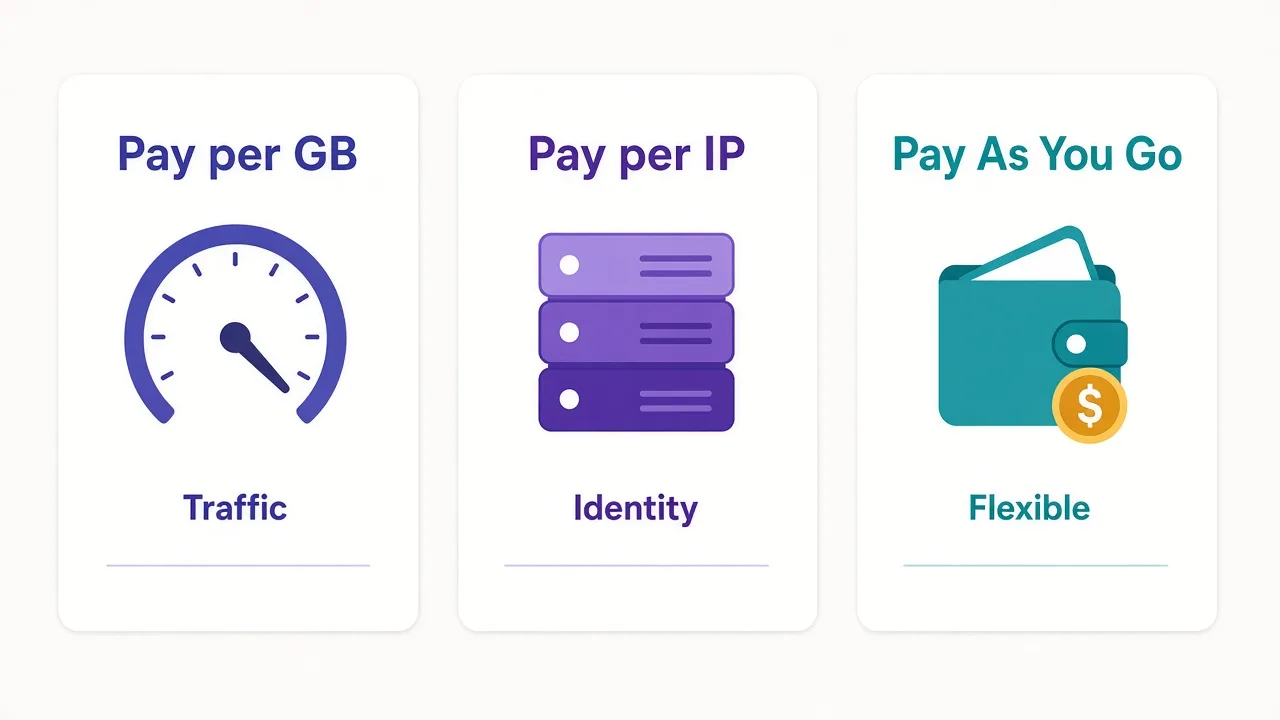
- Pay per GB when traffic swings and you want the full rotating pool.
- Pay per IP when each account or tracker needs a steady identity.
- Pay As You Go for wallet-based GB buys with no monthly residential or mobile subscription.
There's a third twist too: free trials and money-back rules interact. We'll get to that catch. First, the residential numbers people actually search for.
What do Smartproxy residential plans cost right now?
Residential is still the product most buyers mean when they ask about Smartproxy pricing.
As of October 2026, Decodo lists bandwidth-based residential tiers like this (ex-VAT):
| Plan | Price per GB | Monthly total |
|---|---|---|
| 3 GB | $3.75 | $11.25 |
| 10 GB | $3.50 | $35.00 |
| 25 GB | $3.25 | $81.25 |
| 50 GB | $3.00 | $150.00 |
| 100 GB | $2.75 | $275.00 |
| Enterprise 250 GB | $2.50 | $625.00 |
| Enterprise 1 TB | $2.00 | $2,000.00 |
| Pay As You Go | $4.00 | No monthly commit |
Every monthly tier they advertise includes the full residential pool, advanced targeting, rotating and sticky sessions, and HTTP(S) plus SOCKS5.
Sticky sessions can hold an IP for up to about 30 minutes. That matters more for logins and multi-step flows than for one-shot scrapes.
Need a refresher on why residential IPs behave differently from server IPs? Start with our residential proxy glossary entry, then the longer residential vs datacenter comparison.
What "from $2/GB" means
The $2/GB headline is the large enterprise end (around 1 TB). Self-serve monthly plans sit higher. Pay As You Go is $4/GB.
So is the 3 GB plan a trap or a smart start?
It's a start. Useful if you're validating targets. Expensive if you already know you'll burn 40 GB every month.
When does Pay As You Go beat a monthly plan?
Pay As You Go looks simple: $4 per GB, buy through Wallet, no subscription.
Decodo's docs are clear on a few rules. Wallet credits fund it. You buy one GB at a time. You can't run a monthly residential subscription and Pay As You Go at the same time.
So when does $4/GB win?
- One-off research jobs under a few GB.
- Spiky projects where a 25 GB commit would sit half unused.
- Testing a new target before you lock a renewal.
When does it lose?
Anytime your monthly burn is steady. At 25 GB, the monthly tier is $3.25/GB. That's $81.25 versus $100 on Pay As You Go for the same traffic.
At 100 GB, monthly is $2.75/GB. Pay As You Go would be $400 for the same data. The subscription saves real money once volume is predictable.
Here's a simple rule we use: if you can forecast next month within about 20%, buy the matching monthly tier. If you can't, stay on Pay As You Go for a cycle and measure.
How much are datacenter, ISP, and mobile on Smartproxy?
Residential is not the only meter. Mixing types is often how teams cut cost without giving up success rate.
Datacenter shared pay-per-GB starts near $0.60/GB at 10 GB. It steps down to $0.45/GB at 1 TB. Enterprise pay-per-GB is advertised from roughly $0.38/GB.
Pay-per-IP shared plans start around $0.02/IP. Dedicated datacenter costs more per IP because the address is yours alone.
Datacenter wins on soft targets: public pages, light anti-bot, sheer speed. It loses when the site fingerprints hosting ASNs. Our datacenter proxy note covers that trade-off in plain words.
ISP (static residential) blends a home-looking ASN with server hosting. Shared pay-per-IP starts near $0.27/IP. Pay-per-GB starts near $1.30/GB.
Dedicated ISP is listed from about $2/IP, with tiny packs near $3.33/IP. Bigger packs cost less per IP.
ISP shines when you need a long-lived identity: marketplaces, ad accounts, rank tracking that reuses the same IP.
Mobile bills per GB. Decodo advertises high-volume mobile from about $2.25/GB.
Self-serve cards often show promotional tiers near residential rates during sales. Pay As You Go sits around $4/GB.
Treat mobile promo tiles as time-sensitive. Confirm at checkout.
Mobile is the "hard target / app-shaped traffic" tool. It's rarely the first pick for a soft catalog scrape.
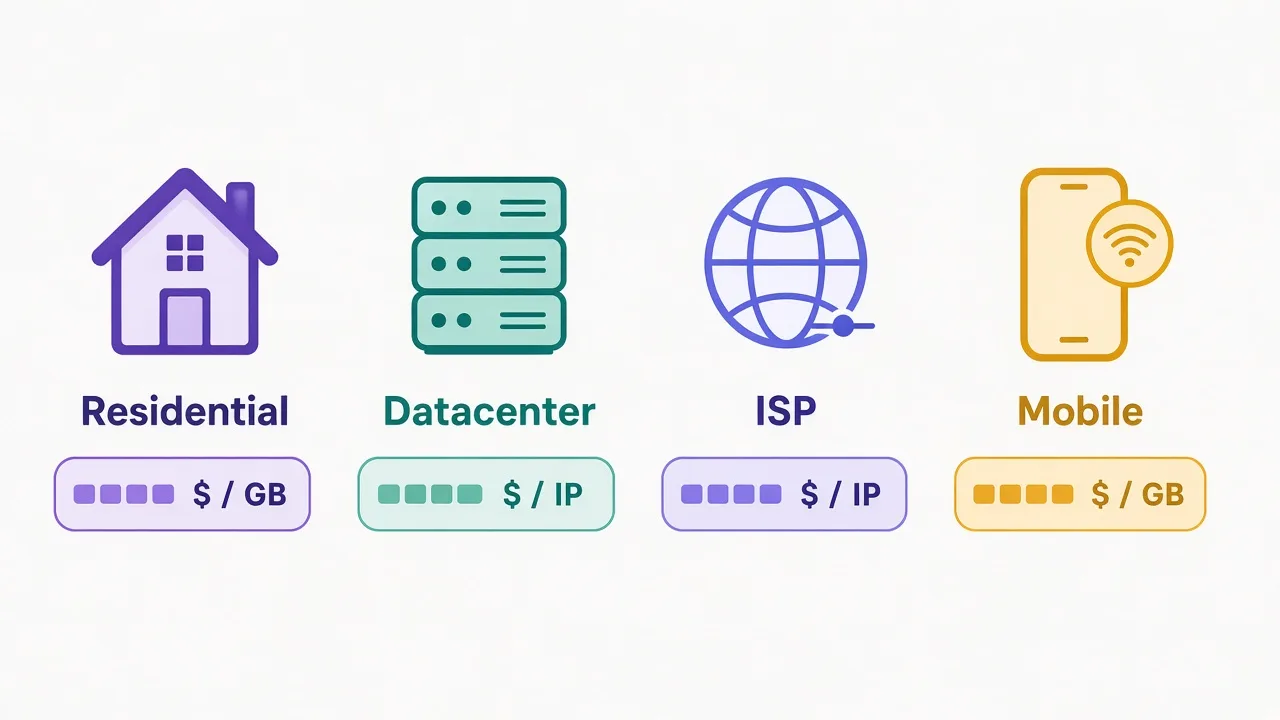
| Type | Typical meter | Starts from (public list) | Best for |
|---|---|---|---|
| Residential | Per GB | $2–$4/GB | Protected sites, SERPs, geo work |
| Datacenter | Per GB or per IP | $0.02/IP or ~$0.38+/GB | Fast bulk on soft targets |
| ISP | Per IP or per GB | $0.27/IP or ~$1.30+/GB | Stable sessions, multi-account |
| Mobile | Per GB | ~$2.25+/GB | Carrier trust, mobile-only paths |
Browse more options in the proxy directory when you want side-by-side listings beyond one vendor.
What really drives your Smartproxy bill up (or down)?
Remember the tease from the intro? The cheapest $/GB can still be the expensive choice.
Here's why.
1. You bought residential for a job datacenter could finish.
If the target barely fights back, paying $3+/GB is waste. Datacenter pennies per request often win. Flip it the other way and you burn retries until the "cheap" plan costs more than residential would have.
2. Fat pages and media eat bandwidth.
Proxy billing usually counts bytes in both directions. Pulling full HTML with images, fonts, and third-party scripts burns GB fast. Lean scrapers that request only what they parse keep the meter calm.
3. Retries are a silent multiplier.
A 70% success rate means almost half your paid traffic is redo work. Improving selectors, concurrency, and session type often beats upgrading the plan.
4. Sticky vs rotating changes outcomes, not the list price.
Same $/GB. Different block rates. Logging in or walking a checkout? Prefer sticky. Wide crawl of public URLs? Rotate. See sticky session and rotating proxy if those terms are new.
5. Geo precision costs attention, not always a line item.
City or ASN targeting is included on many Decodo residential plans. The cost shows up when you pick a thin location and burn retries hunting for capacity. Broader geos often stretch a GB further.
Cost driver most teams miss
Measure cost per successful result, not cost per GB purchased. A $4/GB plan that finishes clean can beat a $2/GB plan that fails half the time.
Want a practical setup path after you buy? Our Chrome proxy guide covers browser wiring. For account work in antidetect stacks, the GoLogin vs Multilogin comparison helps you match browser cost to proxy cost.
Trial, refunds, and the catch most people miss
Decodo advertises a 3-day free trial with 100 MB on major proxy types for new users.
It's useful but small: enough to prove auth, geo, and a handful of targets, not enough to load-test a production crawl.
Here's the catch we flagged earlier.
On residential, taking the 3-day free trial means the 14-day money-back option does not apply. Decodo states that on the residential pricing FAQ. The trial plan can also auto-activate after three days unless you cancel in billing first.
Money-back on self-service plans has other gates too. Typical rules include first purchase only and a request within 14 days.
Usage caps apply as well. Regular residential often caps around 20% used, while enterprise often caps around 10%.
Always read the live refund FAQ before you rely on it.
So which path fits?
- Need a tiny smoke test and you're sure you'll stay? The trial can be fine.
- Want refund flexibility on a first paid plan? Skip the trial. Buy a small tier and stay under the usage cap if you might refund.
- Already know volume? Skip both theater moves. Buy the tier that matches last month's traffic.
Payments go through their reseller flow (cards, PayPal, wallets, and crypto on many products; some IP-based options exclude crypto). Prices are shown before VAT.
Which Smartproxy plan should you pick for your workload?
Skip the vanity pool-size debate and match the meter to the work in front of you.
Light scraping or SERP checks under ~10 GB/month on protected sites. Start on residential 10 GB or Pay As You Go. Measure success rate for two weeks. Upgrade only if the GB forecast is stable.
Steady 25–100 GB residential month. Take the matching monthly tier. The per-GB drop from Pay As You Go pays for itself quickly.
Bulk extraction on soft targets. Datacenter pay-per-GB or pay-per-IP. Keep a small residential wallet for the URLs that fight back.
Multi-account or long logins. ISP static IPs, often one IP per sensitive account. Pair with an antidetect browser when fingerprints matter as much as IPs. Browse antidetect browsers if you're still choosing a stack.
Mobile apps, carrier-sensitive platforms, or mobile-only content. Mobile GB plans. Don't buy mobile "just in case" for desktop SERP work.
Unclear volume, new niche. Pay As You Go or the smallest monthly tier for one cycle. Instrument traffic in the dashboard. Then commit.
Decision shortcut
Target difficulty first. Then session needs. Then monthly GB. Price is step three, not step one.
If you're also comparing other big brands, our Bright Data pricing and Oxylabs pricing posts use the same "meter first" lens.
How does Smartproxy pricing compare to other large providers?
We won't invent a fake bake-off. Public list prices also shift with promos.
What you can say honestly in October 2026:
Smartproxy/Decodo's self-serve residential entry is aggressive versus older premium-only quotes in this market. A path from roughly $11.25/month (3 GB) up through clear GB steps is easier for solo operators than enterprise-only sales desks.
Bright Data and Oxylabs often win on network breadth, tooling, or enterprise packaging. Their effective residential rates can sit higher on small commits, with steeper discounts once you sign larger deals. That is a different buying motion.
So who is Smartproxy pricing for?
Teams that want transparent GB tiers, a real self-serve path, and one vendor that also covers datacenter, ISP, and mobile. Not every enterprise RFP. Not every ultra-niche ASN requirement.
Compare on cost per successful request for your targets. A directory rating or a homepage "from $X" line won't run your scraper.
So, is Smartproxy pricing worth it for you?
If you need clear residential GB tiers and room to mix cheaper datacenter or ISP traffic, Smartproxy (Decodo) is easy to justify.
Pick the proxy type for the target. Buy the smallest plan that matches measured volume. Watch success rate before you chase a lower $/GB.
Skip the trial if you care about money-back flexibility. Take it if you only need a 100 MB smoke test and you'll cancel on time.
Next step: open the proxy directory. Compare Smartproxy on the features you actually use. Then price the meter that matches your workload.
The right plan is the one your dashboard can still defend when next month's invoice lands.
Frequently asked questions
Residential plans run about $3.75/GB on 3 GB monthly down to $2/GB at 1 TB enterprise, with Pay As You Go at $4/GB before VAT. Datacenter starts near $0.02/IP or about $0.38+/GB; ISP from about $0.27/IP. Confirm live rates on Decodo's site.
Yes. Smartproxy rebranded to Decodo. Same company and product family; current pricing pages live on decodo.com. Older Smartproxy rate screenshots are often outdated.
New users can get a 3-day free trial with 100 MB on major proxy types. Using the residential trial typically voids the 14-day money-back option, and the selected plan can auto-activate unless you cancel first.
Only for small or unpredictable jobs. Pay As You Go is $4/GB. Monthly residential tiers drop to $3.25/GB at 25 GB and $2.75/GB at 100 GB, so steady volume usually wins on subscription.
Wrong proxy type and wasted bandwidth beat sticker $/GB. Soft targets on residential, fat pages, and retries inflate bills. Measure cost per successful result, not GB purchased alone.
Start with Pay As You Go or the smallest residential monthly tier that covers a two-week test. Move up only after you know monthly GB and which targets need residential versus datacenter or ISP.