







Your fare tracker worked fine for a week.
Then the airline site started showing a spinner that never finished. The hotel site switched every price to "unavailable". Same script, same routes. The sites had simply figured out you weren't a traveler.
Sound familiar? The best proxies for travel and flight price scraping are rotating residential IPs with strong country targeting. For most teams that means Oxylabs or Bright Data, with Decodo (formerly Smartproxy) as the value pick.
But getting past the block is only half the job. There's a quieter problem that ruins more fare data than any CAPTCHA, and you won't see an error when it happens. We'll get to it right after the picks.
Why are travel sites so hard to scrape?
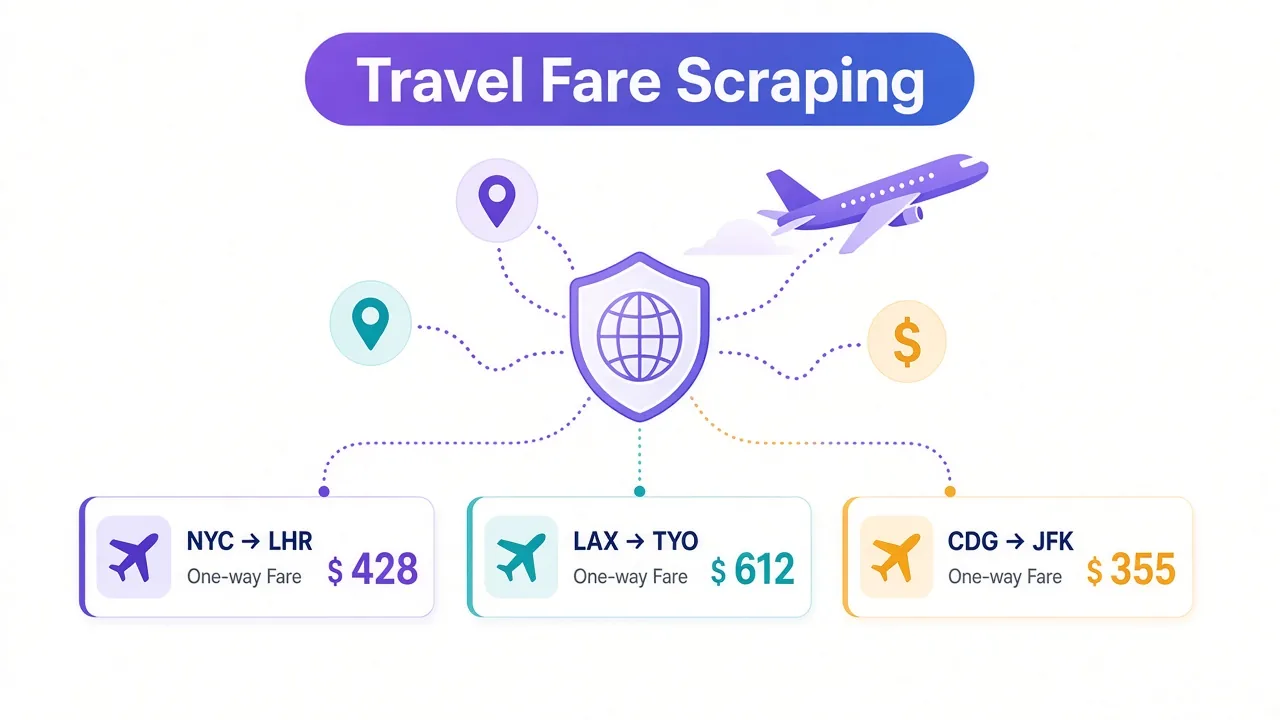
Airfares and hotel rates change all the time. That makes them valuable, and it makes travel sites protective.
Every search on an airline or booking site costs them money. Many of them pay fees to the systems that supply live seats and rooms. A scraper running thousands of searches is a real bill.
So they fight back hard. Big airlines and online travel agencies run commercial bot-management tools that score each visit before results load.
There's also a competitive angle. Rival agencies, metasearch sites and fare-alert apps all want the same numbers. The site would rather sell that data, or keep it, than hand it out.
Here's the good news. Most blocks come from a few signals you can control, and the right proxy handles the biggest one.
What does an airline site check before it shows you a fare?
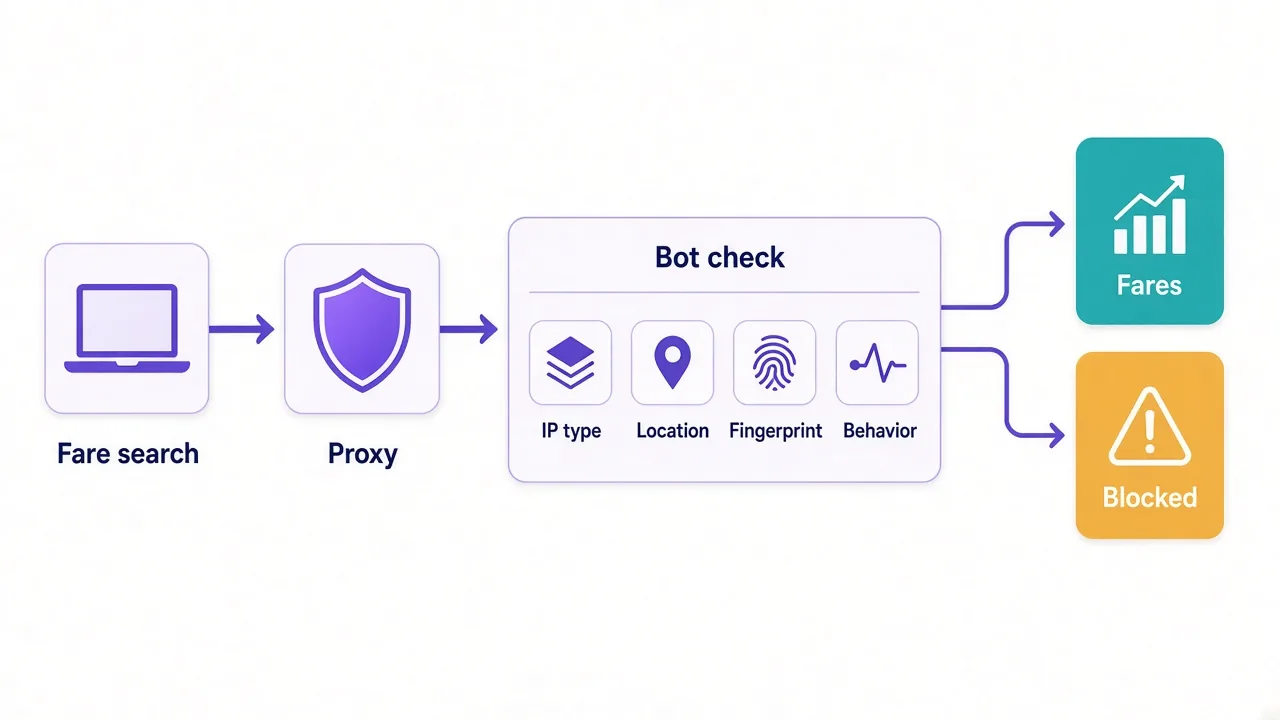
A fare search isn't one request. It's a short journey: the home page, a search form, a results page, then maybe a fare details pop-up.
At each step, the site's bot check reads a handful of clues:
- The IP type: home broadband, mobile carrier or cloud server.
- The IP's location, and whether it matches the site's market.
- The IP's recent history on that site.
- The browser fingerprint: headers, TLS details and whether JavaScript ran.
- The behavior: how fast you search and whether cookies carry over.
Only the first three are about the proxy. The rest are about your scraper.
A browser fingerprint is the set of small details your browser gives away, like screen size, fonts and header order. Plain HTTP libraries send a thin, odd-looking one, and travel sites notice.
That's why many fare scrapers run a real browser engine. Our guide to proxies with Playwright shows the setup.
Residential, mobile or datacenter: which fits travel data?
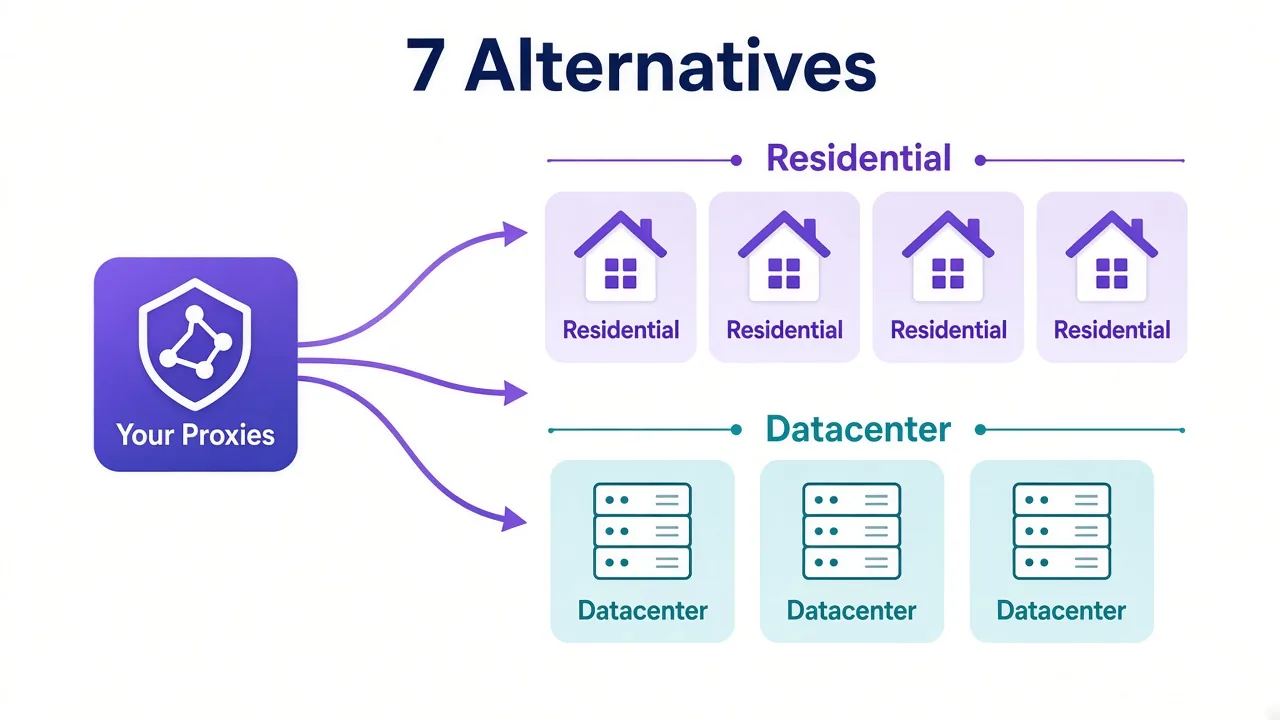
Pick the proxy type for each target. Travel data comes from very different sites, and they don't defend themselves the same way.
| Target | Typical defenses | Proxy type we'd start with |
|---|---|---|
| Major airline sites | Heavy bot scoring, JavaScript challenges | Rotating residential or a scraping API |
| Big online travel agencies | Heavy, with session tracking | Residential with sticky sessions |
| Hotel chain sites | Moderate | Residential or ISP |
| Small regional carriers and tour operators | Light rate limits | Datacenter or ISP |
| Mobile-first booking apps | Strict, sometimes app-only fares | Mobile proxies |
Residential proxies route you through real home connections. To an airline, that looks like someone planning a holiday from their couch.
Mobile proxies use carrier IPs. They cost more, but they help with the few booking sites that treat mobile traffic differently. Our mobile vs residential guide covers when that premium pays off.
Datacenter IPs are cheap and fast. They're also easy to spot, so keep them for small sites that barely fight back.
List your targets first
Write down every site you need before you buy. Most travel projects mix two or three hard targets with several easy ones, and each half wants a different proxy type.
The best proxies for travel and flight price scraping
We picked these from the DriftProxy directory. We weighed country coverage, session control, pool size and how each copes with heavily defended sites.
| Provider | Best for |
|---|---|
| Oxylabs | Large fare-monitoring projects across many markets |
| Bright Data | Airline sites where challenges keep winning |
| Decodo (Smartproxy) | Small teams that want value and an easy dashboard |
| SOAX | Fine-grained location targeting, including mobile |
| NodeMaven | Long, sticky booking-flow sessions |
| IPRoyal | Budget projects and occasional fare checks |
| Zyte | Developers who'd rather call an API than manage IPs |
1. Oxylabs: built for many markets at once
Fare monitoring gets big fast. Ten routes across eight countries, checked twice a day, is already a serious crawl.
Oxylabs handles that scale well. Our directory lists its residential pool at 100M+ IPs across 195 countries, so you can test fares from almost any market.
The catch is price. It sits at the premium end, and it's more than a solo founder tracking a few routes needs.

Premium proxies built for enterprise scraping.
2. Bright Data: for the airline sites that fight hardest
Some airline sites challenge nearly every plain request. Bright Data built its Web Unlocker and Scraping Browser for exactly that, handling CAPTCHAs and fingerprints on its side.
Its 72M+ residential network covers 195 countries, which matters when you compare the same route across markets.
Expect a learning curve, though. The dashboard is dense, and the pricing is premium too.

3. Decodo (Smartproxy): the sensible middle
Decodo, still listed under its old Smartproxy name in our directory, is where we'd send most small teams. It has a 55M+ residential pool across 195 countries and one of the friendliest dashboards around.
Country targeting and sticky sessions take a minute to set up. That matters more for travel than almost any other niche.
The downside? The pool is smaller than the enterprise giants', and the rebrand still causes naming confusion in docs and invoices.

Powerful proxies without the enterprise price tag.
4. SOAX: when location detail matters
Travel prices can shift by country, and sometimes by city. SOAX focuses on clean residential and mobile IPs with fine-grained location filters.
That makes it a good fit for checking what travelers in specific places see, including on mobile networks.
Its pool is smaller, at 8.5M+ in our listing, so very large crawls in one country can recycle IPs sooner.

Clean, ethically-sourced residential & mobile IPs.
5. NodeMaven: steady sessions for booking flows
Some data only appears deep in a booking flow. Seat maps, bag fees and final totals often show up three or four pages in.
NodeMaven focuses on sticky residential and mobile IPs with strong quality filtering. That suits multi-step flows.
It's a smaller brand, with 30M+ IPs across 150 countries in our directory. Check that it covers every market you need.

Sticky residential and mobile IPs with strong filtering and clean pools.
6. IPRoyal: the budget pick that doesn't expire
Not every fare tracker runs around the clock. Plenty of people check a few routes before a sale or a holiday season, then go quiet.
IPRoyal suits that rhythm. Its residential traffic doesn't expire, and it's pay-as-you-go with no forced monthly plan.
What do you give up? There's no free trial, and the tooling is leaner than the big platforms'.

Flexible proxies with true pay-as-you-go.
7. Zyte: skip the proxy plumbing
Maybe you don't want to manage IPs at all. Zyte, from the team behind the Scrapy framework, offers a scraping API that handles rotation and anti-bot work for you.
For JavaScript-heavy fare pages, that can save days of setup. You send a URL, and you get the page back.
The trade-off is control and cost per page. Our scraping API vs proxies guide explains when that's worth it.

Enterprise web scraping API and proxy management from the team behind Scrapy
Why does the same flight show different prices?
Here's that quiet problem from the start. Your scraper can run without a single block and still collect the wrong fares.
Travel sites often adjust what they show based on where you seem to be. The industry calls this the point of sale: the market a search appears to come from.
Change the point of sale, and several things can change with it:
- The currency, and sometimes the fare itself.
- Which fare classes or promotions appear.
- Taxes and fees in the displayed total.
- Whether you get the site at all, or a redirect to a regional version.
So a proxy in the wrong country doesn't throw an error. It hands you clean, believable numbers for a market you never meant to track.
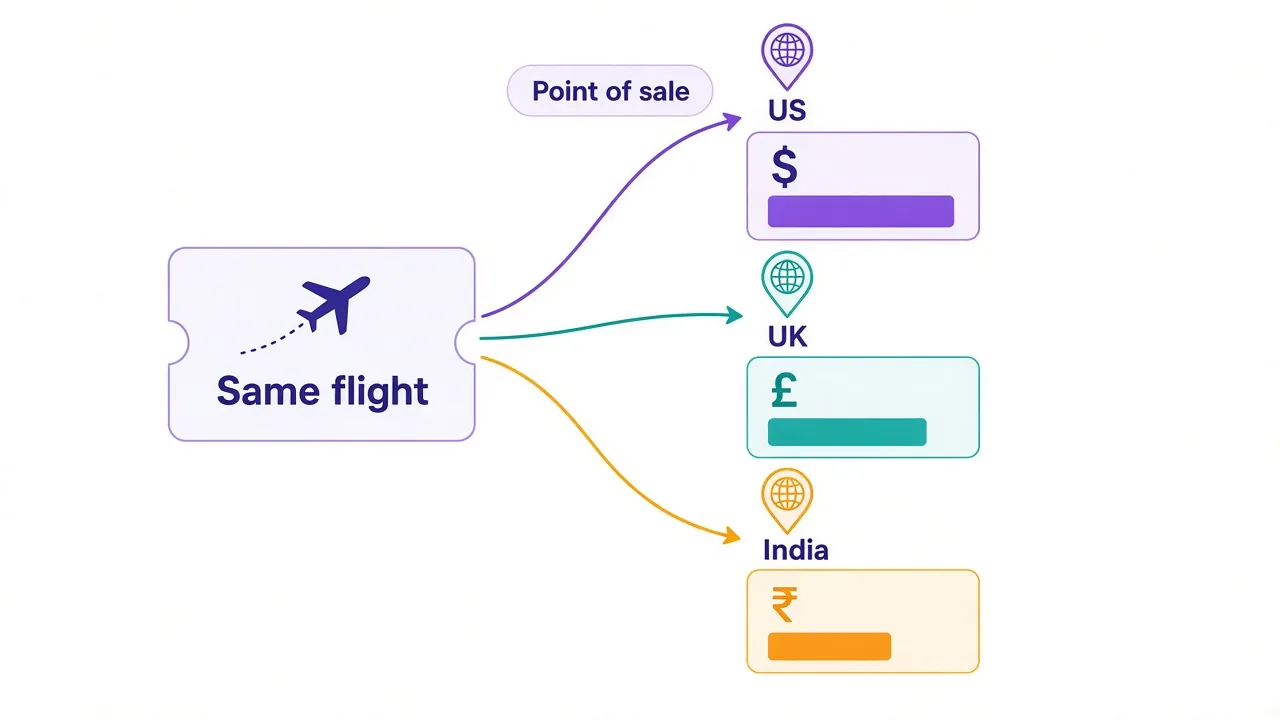
How do you avoid it? Decide which market each data point should represent, then pin the proxy's country to it. Store the country and currency next to every price you save.
Spot-check by hand
Before a big run, open a few searches through your proxy in a real browser. Compare them with what a local traveler would see. It takes five minutes and catches location mix-ups early.
Sticky or rotating: which session keeps a fare search alive?
A sticky session keeps the same IP for a set time, like 10 or 30 minutes. A rotating session gives you a new IP on every request.
Travel searches need both. The trick is knowing where each one goes.
A search is a sequence of steps. You pick dates, routes and passengers, and the site tracks that with cookies and a session token. Switch IPs halfway, and it looks like your search jumped across the city in a second.
So keep one sticky IP for each full search, from the form to the results. Then rotate to a fresh IP for the next route or date.
- Start a sticky session for one search.
- Load the results and save the fares with their country and currency.
- Close the session and rotate before the next search.
- Retry failures later from a new IP, not straight away.
Our sticky vs rotating proxies guide goes deeper on session length, and our explainer on proxy rotation covers the basics.
How much bandwidth does fare scraping use?
More than most people plan for. Travel pages are heavy with scripts, maps, hotel photos and tracking tags.
Say a fully loaded results page weighs 3 MB, and the same data as raw JSON is about 100 KB. Those are example figures, so measure your own targets.
At 20,000 searches a month, that's about 60 GB fully loaded versus about 2 GB as JSON. On per-GB residential plans, that gap is the whole budget.
So look for the data call. Many travel sites load fares from an internal JSON request after the page opens. Your browser's network tab will often show it.
When you need a real browser, block images, fonts and video. Our proxy bandwidth guide walks through estimating this before you buy a plan.
How fresh does your fare data need to be?
This question saves more money than any coupon. Fares move, but not every project needs minute-by-minute prices.
A fare-alert app watching flash sales needs frequent checks on a few routes. A market study comparing average prices can check once a day and still be accurate enough.
Every extra check means more requests, more bandwidth and more chances to get flagged. So match the schedule to the decision the data supports.
Also be careful with cached prices. Some sites show a quick cached fare on the results page and confirm the real one later in the booking flow. Know which one you're collecting.
If you track prices in other niches too, our guide to proxies for price monitoring covers the same scheduling logic.
What's fair game, and when should you use an official API?
We're not lawyers, and this isn't legal advice. But a few lines are worth knowing first.
Public fares and hotel rates are what most travel scrapers collect. Personal data is different. Never touch booking records, passenger details or anything behind a customer login.
Read each site's terms and robots.txt. Some airlines ban automated access outright.
Also check for an official route. Many travel suppliers, distribution systems and metasearch platforms offer paid data feeds or partner APIs. If one covers your routes at a fair price, it's more stable than any scraper.
Never hold seats you don't intend to buy
Some booking flows reserve inventory as you go. A scraper that walks deep into checkout can tie up seats or rooms. That's unfair to real travelers, and it gets IPs banned fast.
What does a fare scraper that lasts look like?
Good proxies give you headroom. Good habits stop you from burning through it.
- Search at a human pace, with random gaps between requests.
- Use a real browser engine for sites that load fares with JavaScript.
- Keep one sticky IP and one cookie jar per search.
- Back off on any 403 or 429 status code instead of hammering on.
- Run heavy jobs during the target market's quiet hours.
- Log success rates per provider and per site.
That last habit pays off quietly. A pool that worked in spring can sour by autumn. A simple success log warns you before your fare data goes stale.
So, which proxy should you pick for travel data?
Start with your routes and markets, not the provider.
Tracking fares across many countries? Go with Oxylabs, or Bright Data if airline challenges keep winning.
Running a smaller tracker? Decodo is the easy pick, and IPRoyal works for occasional checks.
Whichever you choose, pin each search to the right country and keep it sticky until the results load.
Ready to compare? Browse the proxy providers we've reviewed side by side and pick one that covers your markets.
Frequently asked questions
Rotating residential proxies with strong country targeting work best for airline and travel agency sites. Oxylabs and Bright Data suit large projects, and Decodo is a solid value pick for smaller trackers.
Travel sites often price and display fares by point of sale, the market your search appears to come from. Pin each proxy to the country you want to track and save the currency with every price.
Use a sticky IP for each full search and rotate between searches. Fare searches carry cookies and session tokens, so switching IPs mid-search looks suspicious and often breaks the results page.
Rarely on major airlines, which flag datacenter IPs quickly. They work fine for small regional carriers, tour operators and other light targets, where they save a lot of money.
Capture the site's internal JSON fare request instead of loading full pages. When you need a browser, block images, fonts and video, since travel pages are heavy with media and scripts.
Scraping public fares is common, but it isn't automatically allowed. Check each site's terms and robots.txt, never collect personal or booking data, and consider an official data feed when one fits your budget.