







Your third TikTok account got shadow-limited before it posted a single video.
Same phone, same Wi-Fi, same week as the other two. Views stuck at zero. Sound familiar?
The best proxies for TikTok are mobile proxies, with clean residential IPs as the cheaper runner-up. For most people, we'd start with SOAX or IPRoyal for mobile, and NodeMaven if you want residential.
But the proxy is only half of it. One mistake burns more TikTok accounts than a bad IP ever will. We'll get to it once you see what TikTok checks.
What does TikTok actually see when you log in?
TikTok is a phone-first app. It expects you to show up like a phone.
When you open the app or the web version, it gets your IP address and a pile of device signals. Your IP says roughly where you are and what kind of network you're on. Your device says what you're running and how it's set up.
The IP part is where proxies come in. Every IP belongs to a network owner, and anyone can look that owner up.
Home connections show a broadband provider. Phones on 4G show a mobile carrier. Cloud servers show a hosting company.
Guess which one looks least like a person scrolling videos on the bus?
Then there's your device. TikTok can read your browser or phone setup, often called a browser fingerprint.
If five accounts share one fingerprint and one IP, they look like one person with five accounts. That's the pattern platforms tend to act on.
So a TikTok proxy has two jobs. It has to look like a real user's network. And it has to stay put for each account, so the story never changes.
Why do TikTok accounts get flagged on the wrong IP?
Most flags come from a mismatch, not from the proxy itself.
Picture this. Your account says it's in Texas. Your phone's language is set to English (US). But your IP comes from a data center in Frankfurt.
None of those facts is bad alone. Together, they tell a story that doesn't add up.
Here are the usual ways people trip the wire:
- Several accounts sharing one home IP, with no separation at all.
- Datacenter IPs, which carry a hosting company's name on every request.
- Rotating IPs that change country or city between two taps.
- Cheap shared pools where someone else already burned the IP.
- A device locale and time zone that fight the IP's location.
Notice what's missing from that list? "Not enough IPs." More IPs rarely fix a TikTok problem. Cleaner, steadier ones do.
Read the rules first
TikTok's terms limit how you can run and automate accounts. Proxies help you keep legit accounts separate. They won't protect spam, fake engagement or ban evasion, and we don't recommend trying.
Mobile, residential or datacenter: which proxy type fits TikTok?
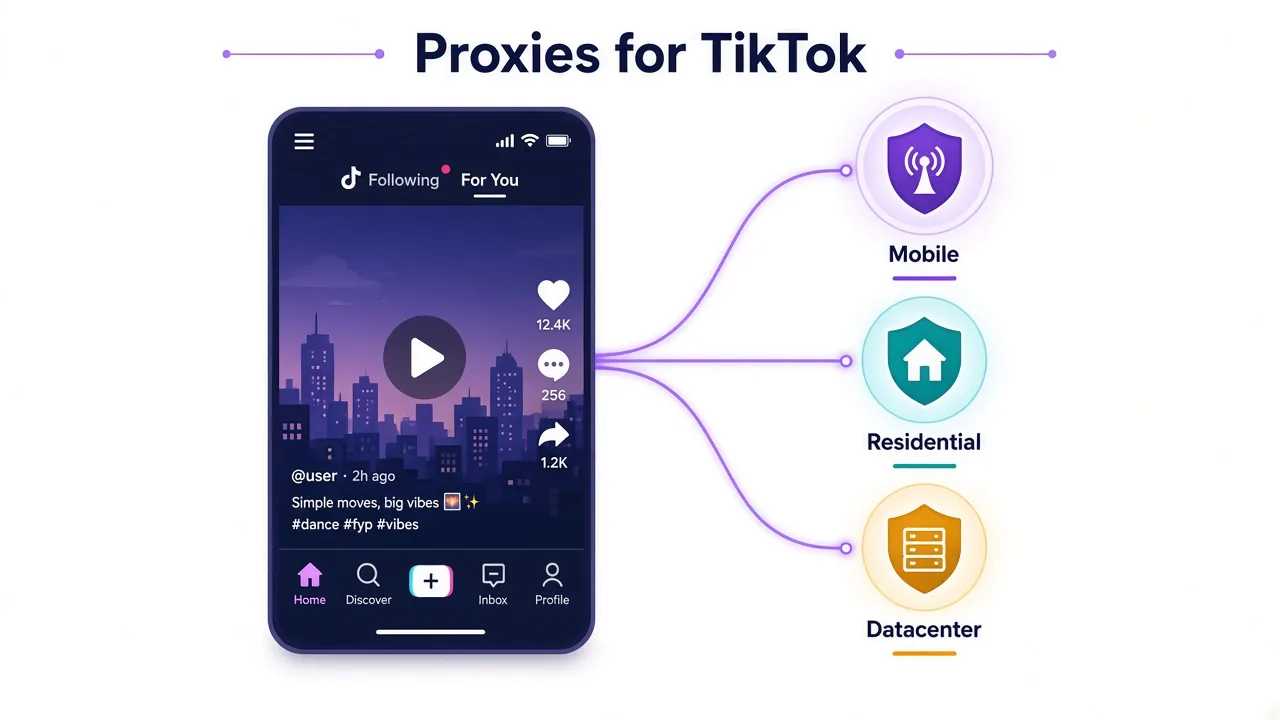
Here's the short version of how the three types stack up for TikTok work.
| Proxy type | What TikTok sees | Trust level | Cost | Best for |
|---|---|---|---|---|
| Mobile (4G/5G) | A phone on a carrier network | Highest | Highest | Account creation, daily posting, high-value accounts |
| Residential | A home broadband user | High | Mid | Running a handful of accounts on a budget |
| ISP (static residential) | A fixed home-style IP | Medium to high | Mid | One stable IP per account for months |
| Datacenter | A cloud or hosting server | Low | Lowest | Public research only, not logged-in accounts |
Why do mobile IPs win? Carriers put lots of real phones behind a small set of shared addresses. Platforms see huge amounts of normal traffic from those addresses, so blocking one would hit many real users at once.
That's the theory behind mobile's trust edge. We cover the full trade-off in mobile vs residential proxies.
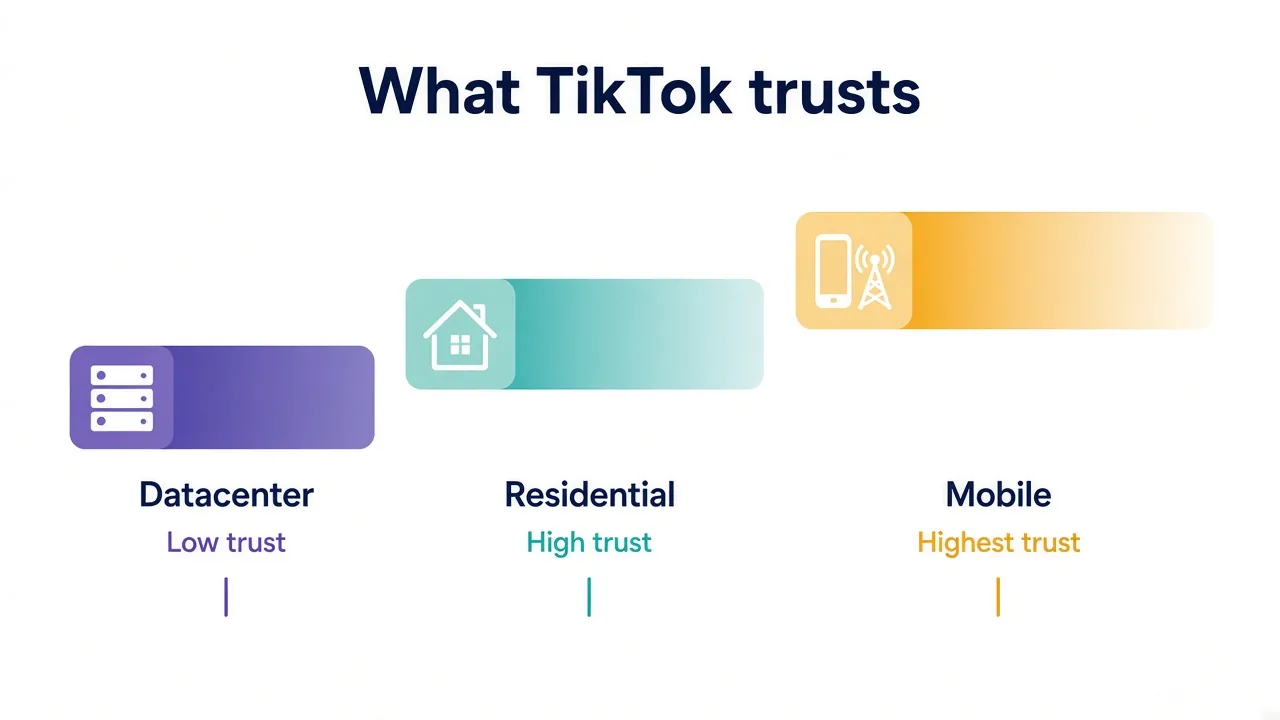
Residential IPs come close for most people. They cost less per GB, and a clean one looks like any home viewer.
Datacenter IPs are the trap. They're fast and cheap, which is exactly why every bad actor uses them. Keep them away from any account you care about.
How many mobile proxy providers are there, really?
Fewer than you'd think.
As of November 2026, 8 of the 44 proxy providers in our directory list a dedicated mobile tier. Most of the rest sell residential, ISP or datacenter only.
That matters for TikTok. A lot of "best TikTok proxy" lists recommend providers that don't sell mobile IPs at all. If you want mobile, start from the short list.
The mobile pool sizes listed in our directory vary a lot, too. Bright Data lists 7M+ mobile IPs, IPRoyal 5M+, SOAX 3M+, and several smaller providers about 1M+.
For TikTok, a few million carrier IPs is plenty. You need clean IPs in the right country, not the biggest number.
The best proxies for TikTok, ranked by use case
Here are our picks at a glance. Each one gets a best-for, a real strength and an honest catch below.
| Provider | Best for |
|---|---|
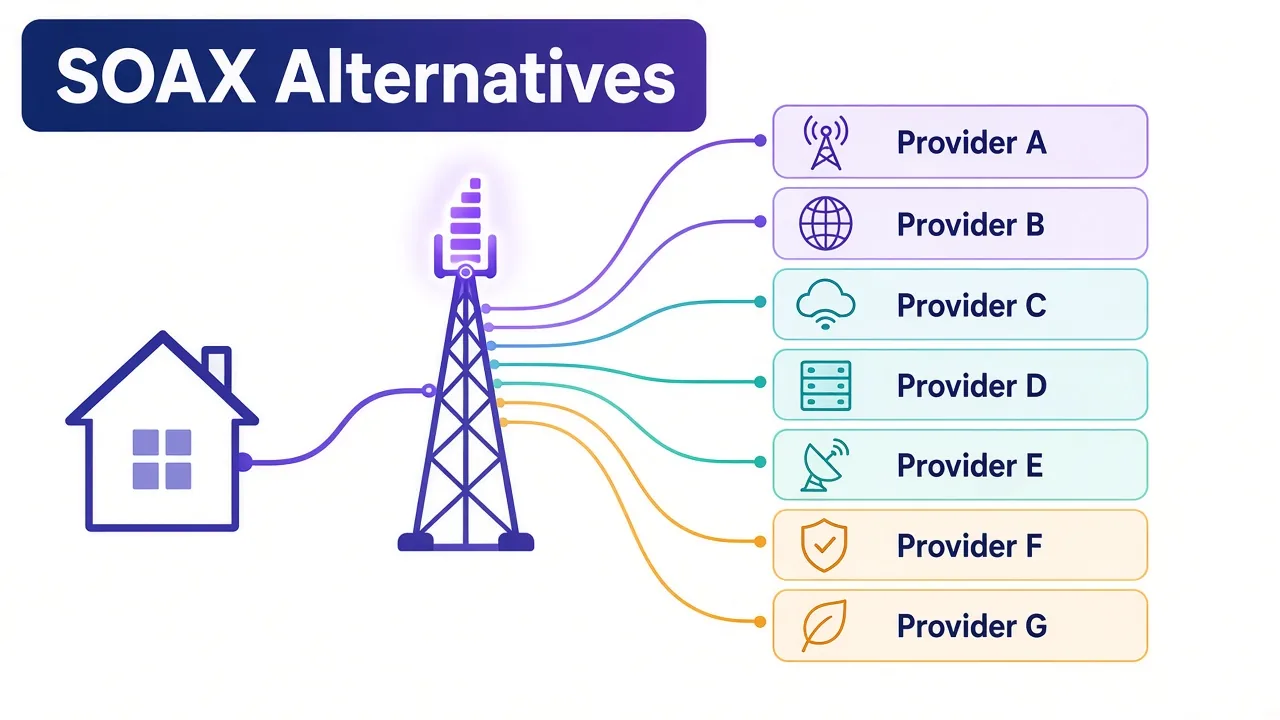
| SOAX | Mobile IPs with precise geo-targeting |
| IPRoyal | Budget mobile and residential |
| NodeMaven | Clean residential IPs for account work |
| Bright Data | Large teams and big mobile pools |
| Live Proxies | US, UK and EU accounts that need high-trust IPs |
| ProxyEmpire | Carrier targeting with bandwidth rollover |
| Smartproxy (Decodo) | Beginners who want an easy dashboard |
We left prices out on purpose. They change often, and the cards below show the current ones.
SOAX: best for mobile IPs in a specific city
SOAX competes on quality, not size. Its directory listing shows a 3M+ mobile pool and some of the best geo-targeting we've reviewed.
Why does that matter on TikTok? If your account targets local viewers in, say, Manchester, you want your IP in Manchester. SOAX makes that easy.
The catch: its residential pool is small at 8.5M+, and it scores 3.9 from our editors. Fine for TikTok. Less great if you also scrape at scale.

Clean, ethically-sourced residential & mobile IPs.
IPRoyal: best budget pick for a few accounts
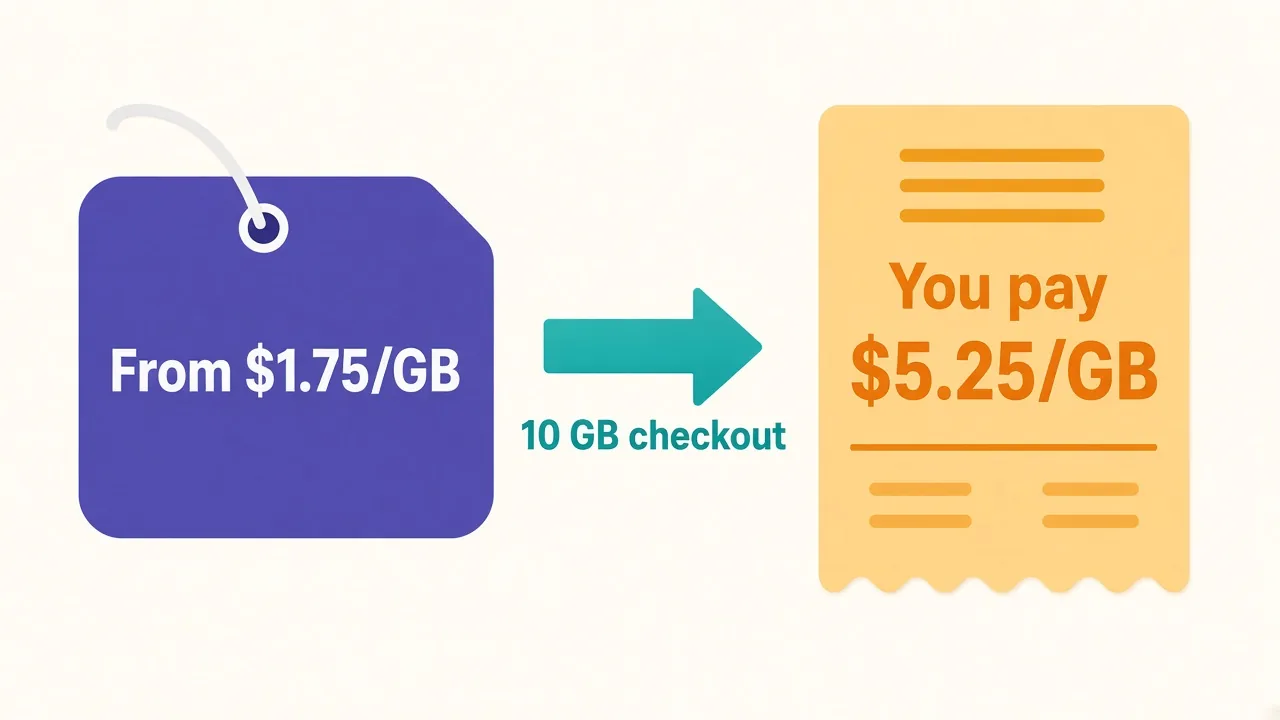
IPRoyal is the value play. Residential traffic starts around $1.75 per GB, it doesn't expire, and the directory lists a 5M+ mobile pool on top.
That's a good fit if you run two or three accounts and don't want a monthly commitment eating your budget.
The downside is simple. There's no free trial, so you're paying to test it.

Flexible proxies with true pay-as-you-go.
NodeMaven: best residential IPs for account safety
NodeMaven treats IP cleanliness as the product. It filters IPs in real time, so you're less likely to land on one that someone else already burned.
For TikTok, that's the whole game. A clean residential IP held steady for one account beats a random mobile IP that changes every request.
The catch: its pool is smaller than the giants', and it doesn't list a dedicated mobile tier in our directory. Think of it as the residential option.
Sticky residential and mobile IPs with strong filtering and clean pools.
Bright Data: best for agencies and large teams
Running TikTok for a dozen clients across several countries? Bright Data has the reach. Its listing shows 72M+ residential IPs, 7M+ mobile, and coverage in 195 countries.
It also brings the tooling a team needs: user management, detailed targeting and solid documentation.
The honest drawback is price. It's among the most expensive per GB in the category, which is overkill for one creator.

Live Proxies: best for high-trust US, UK and EU accounts
Live Proxies is a boutique network. Instead of a giant shared pool, it sells private, curated residential IPs in the US, the UK and Europe.
Fewer people share those IPs, so they tend to arrive cleaner. That suits a brand account where getting flagged would really hurt.
The catch is reach. It covers about 40 countries and a 500K+ pool, so it's not the pick for Brazil or Indonesia.

Curated, private residential pools for US, UK and EU targets
ProxyEmpire: best for carrier targeting
ProxyEmpire's strengths are flexibility and its mobile network. You can target by carrier and ASN, and unused residential bandwidth rolls over.
Carrier targeting sounds niche. It's handy when you want an account to look like it's always on the same network, like a real phone would be.
Its residential pool is smaller than the biggest providers', and our editors rate it 4.0. Solid, not flashy.

Rollover-friendly residential and mobile proxies with granular targeting
Smartproxy (Decodo): best for first-timers
Smartproxy, now rebranded as Decodo, is the provider we most often point newcomers to. The dashboard is clean and setup is quick.
If you've never configured a proxy before, that saves you an evening of guesswork.
The trade-off: it's a residential-first all-rounder rather than a mobile specialist. Great for learning, less ideal for a fleet of high-value accounts.

Powerful proxies without the enterprise price tag.
Sticky or rotating: which session type keeps TikTok calm?
Remember the mistake we promised at the start? Here it is.
Rotating IPs inside a logged-in TikTok session. It burns more accounts than a bad provider ever will.
A rotating proxy hands you a new IP on every request, or every few minutes. That's perfect for scraping public pages. It's terrible for an account, because one login suddenly hops across cities in a single scroll.
Real phones don't do that. They keep the same carrier IP for a while, then change it now and then.
So use a sticky session, where you keep the same IP for a set time, like 30 minutes or longer. Better still, give each account its own static or long-sticky IP and keep that pairing for weeks.
Rotating IPs still have a place. Use them for public research, like checking trending sounds in another country without logging in.
How do you set up one IP per TikTok account?
This is the setup most account managers land on. It's dull, and dull is good.
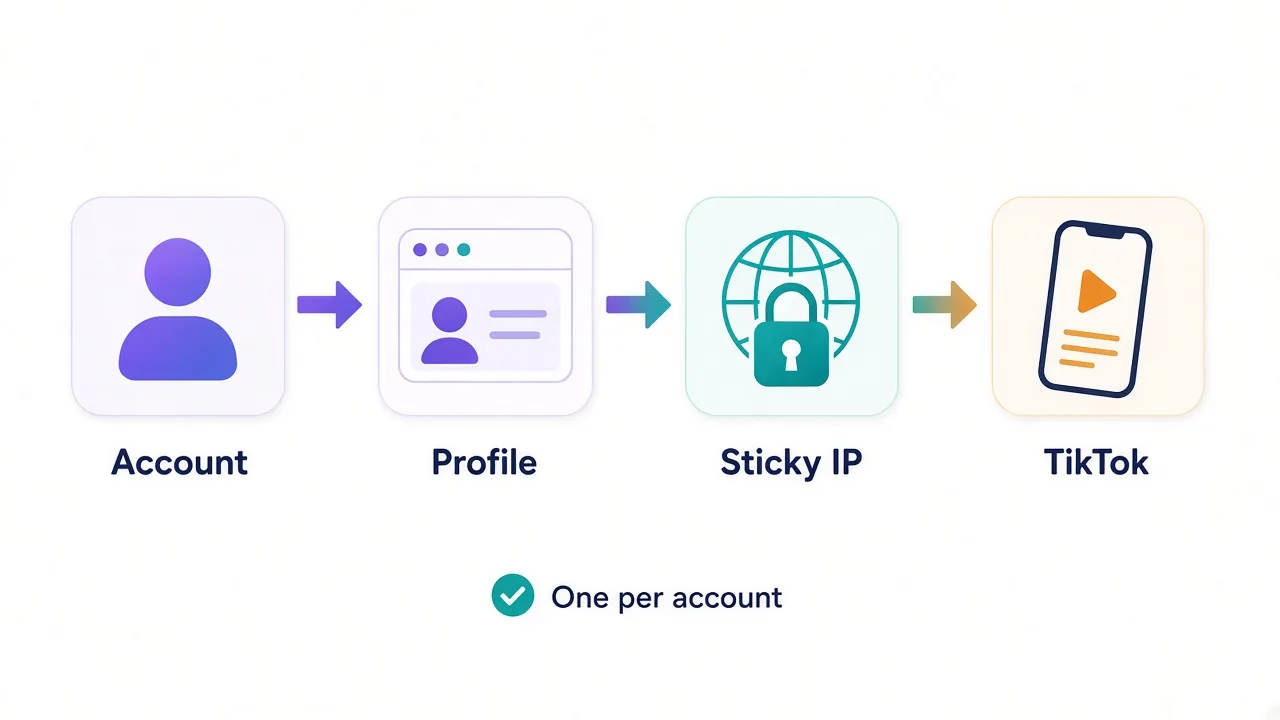
- Pick the country each account targets, and buy IPs there.
- Create one browser profile per account in an antidetect browser, or use a separate phone.
- Assign one sticky or static IP to each profile, and never share it.
- Match the profile's time zone and language to the IP's location.
- Test the IP before you log in, using our guide on how to check a proxy is working.
- Log in, then warm the account up with normal scrolling before you post.
Running lots of accounts? Our guide to managing multiple TikTok accounts walks through the profile side in more detail.
Pro tip
Write each account's IP, country and profile name in one sheet. When something breaks, you'll know in seconds which pairing changed.
How much bandwidth does TikTok really use?
More than you'd guess, because TikTok is video.
Every swipe loads a new clip, and the app preloads the next few. Scroll for twenty minutes through a proxy, and all that video counts against your per-GB plan.
So what can you do about it? Three things help:
- Do your long scrolling sessions on your normal connection, logged in to a personal account.
- Keep proxy sessions short and purposeful: post, reply, check stats.
- Prefer plans where traffic doesn't expire, so a quiet month isn't wasted money.
Not sure how much to buy? Our breakdown of how many GB of proxy bandwidth you need gives you a way to estimate it from your own usage.
Are free proxies ever okay for TikTok?
No. Not for an account you want to keep.
Free proxy lists are mostly datacenter IPs that thousands of strangers share. Many are already flagged. Some log what passes through them.
That's a bad trade for something as personal as a login. We explain the risks in free vs paid proxies.
If cost is the worry, a pay-as-you-go residential plan is the honest middle ground. You pay for what you use, and the IPs aren't public.
What goes wrong after you switch to a TikTok proxy?
Even with a good provider, a few problems come up again and again.
The first is the region of your feed. TikTok tailors what you see to your region. If your For You page suddenly fills with another country's content, your IP and your settings probably disagree.
The second is login checks. A brand-new IP on an old account can trigger a verification step. That's normal, so pass it once and keep that IP from then on.
The third is a slow app. Mobile proxies are slower than home internet because they route through real carrier networks. A little lag is the price of trust.
Quick fix checklist
Same IP per account, matching time zone and language, sticky sessions, and no datacenter IPs. That covers most TikTok proxy problems.
So, which TikTok proxy should you actually buy?
Start with how much each account is worth to you.
A brand or client account that pays the bills? Go mobile with SOAX, or Bright Data if you're a larger team. Two or three side accounts on a budget? IPRoyal or NodeMaven residential, held sticky per account, does the job.
Whatever you pick, keep one IP per account and don't let it rotate mid-session.
Still comparing? Browse the proxy providers we've reviewed side by side, or see our list of the best mobile proxy providers.
Pick one, pair it, and leave it alone.
Frequently asked questions
Mobile proxies are the best type for TikTok because they use real carrier IPs that the app trusts most. Clean residential proxies are a cheaper second choice for a few accounts.
We don't recommend datacenter proxies for logged-in TikTok accounts. Their IP ranges belong to hosting companies, so they're easy to spot. Keep them for public research only.
Use sticky or static proxies for TikTok accounts. An IP that changes mid-session looks unnatural, so give each account its own IP and keep that pairing for weeks.
One account per proxy IP is the safest rule. Sharing an IP links accounts together, so if one gets flagged, the others on that IP are more exposed.
No, free proxies aren't safe for TikTok accounts. Most are shared datacenter IPs that are often already flagged, and some log the traffic that passes through them.
No, a proxy can't stop a ban for breaking TikTok's rules. It helps keep legitimate accounts separate and consistent, which avoids flags caused by shared or mismatched IPs.