










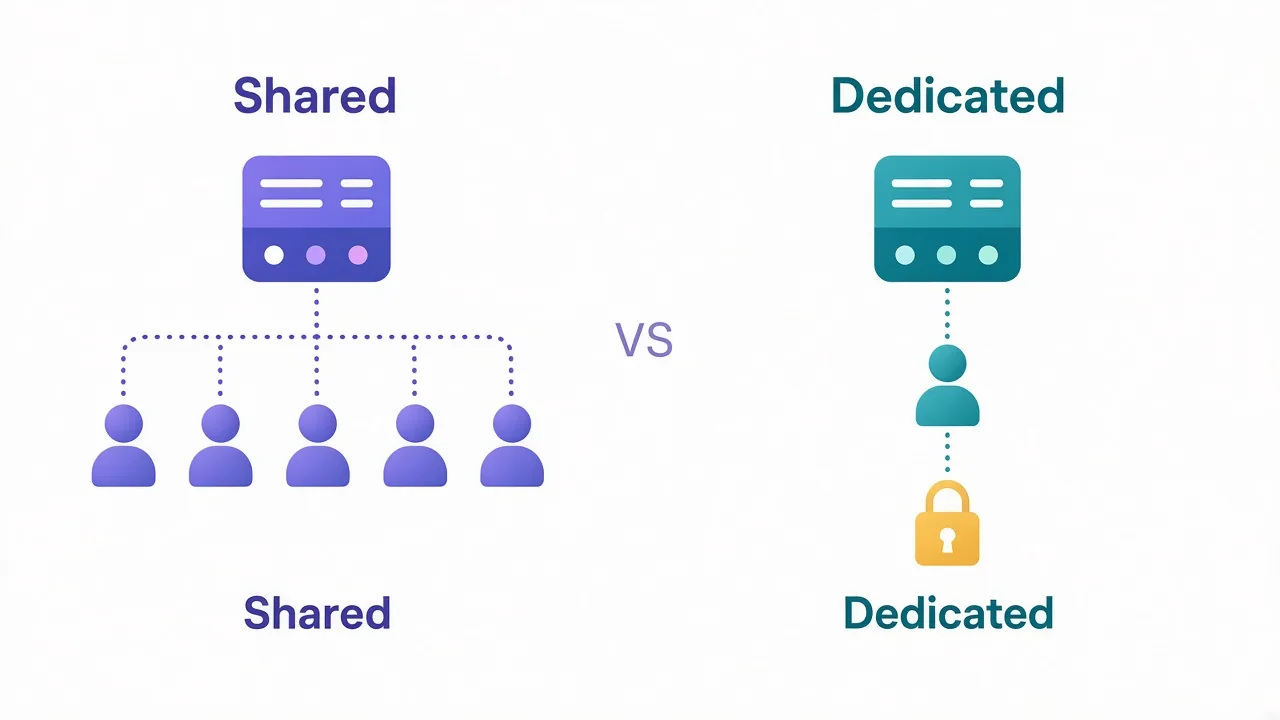
Your Scrapy spider crawled fine for an hour.
Then the logs filled with 403s. Same spider. Same selectors. The site just noticed the IP.
Sound familiar? You can wire a proxy into Scrapy in one line. The hard part is auth, rotation, retries and the mistakes that still burn good IPs.
We'll start with the built-in path, then the middleware most people skip.
And the one setting that decides whether your pool lasts a day or a week.
Why does Scrapy need a proxy at all?
Scrapy is fast. That's the point. It can fire dozens of concurrent requests from one machine.
To a website, that looks like one IP hammering the same paths. Rate limits kick in. CAPTCHAs appear. Sometimes the IP lands on a blocklist for days.
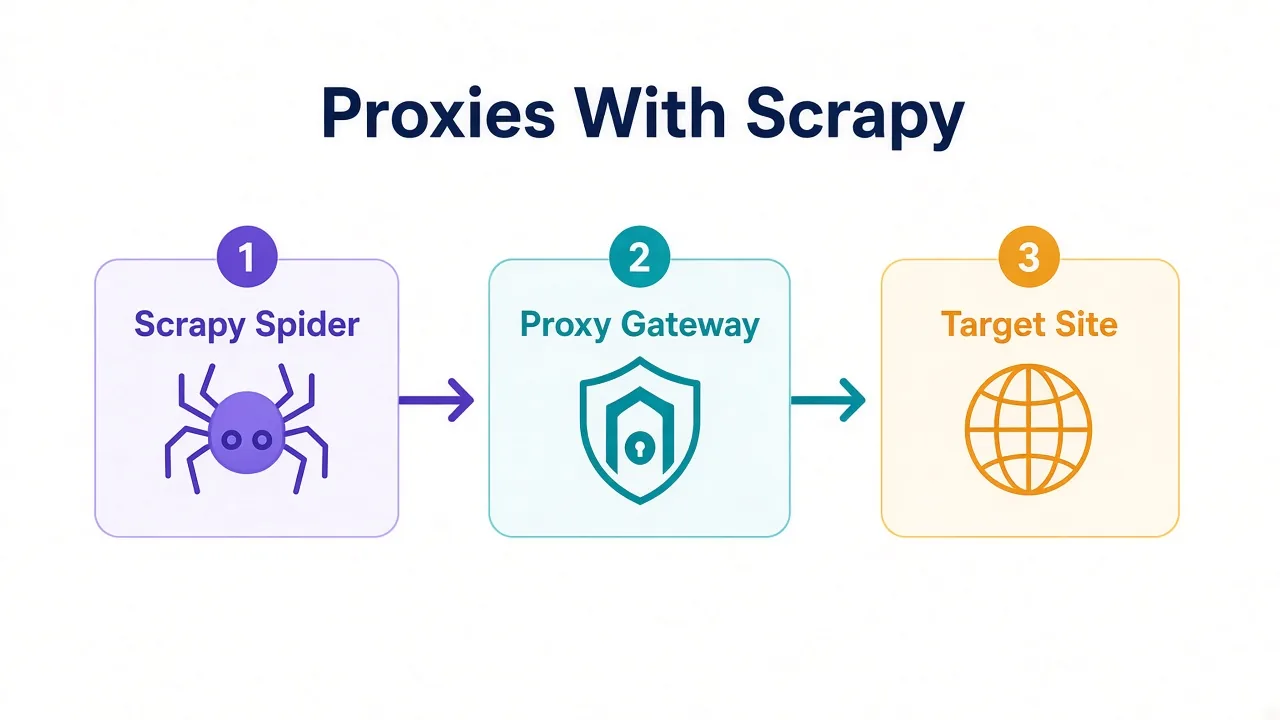
A proxy sits between Scrapy and the target. The site sees the proxy's IP, not yours.
That alone doesn't make you invisible. It buys you headroom: more IPs, more geography, and a way to drop a bad address without rewriting the spider.
If you're crawling a soft public site at low speed, you might not need one yet. For anything with login walls, search pages or anti-bot rules, you will.
Quick rule
Start without a proxy only while you debug selectors. Turn one on before you scale concurrency past a handful of workers.
What's the fastest way to add one proxy?
Scrapy already ships with HttpProxyMiddleware. It's on by default.
The simplest fix is environment variables. No spider edits required:
export http_proxy="http://USER:PASS@proxy.example.com:8000"
export https_proxy="http://USER:PASS@proxy.example.com:8000"
scrapy crawl myspider
Note the scheme on the proxy URL. Even for HTTPS pages, the proxy endpoint usually starts with http://. That's the tunnel entry, not the target site.
Need per-request control instead? Put the proxy on the request:
import scrapy

PROXY = "http://USER:PASS@proxy.example.com:8000"

class CheckIpSpider(scrapy.Spider):
    name = "check_ip"

    def start_requests(self):
        yield scrapy.Request(
            "https://api.ipify.org",
            meta={"proxy": PROXY},
        )

    def parse(self, response):
        self.logger.info("exit IP: %s", response.text)
That spider is also your smoke test. If the log shows your home IP, the proxy never attached.
Want the same pattern in a plain Requests script first? See our guide on proxies with Python Requests. Scrapy's meta key is different, but the auth URL shape matches.
How does HttpProxyMiddleware actually work?
Here's the part most tutorials gloss over.
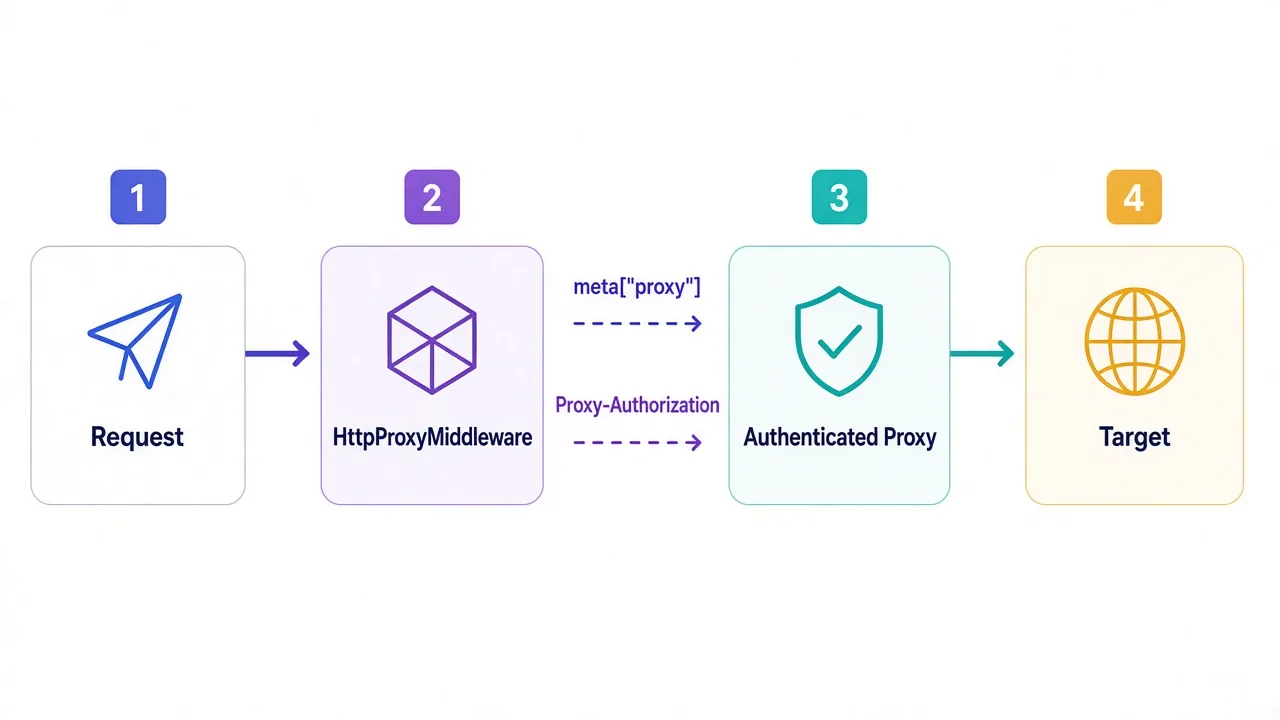
When you set meta["proxy"] to http://user:pass@host:port, the middleware does two things:
- It strips the credentials out of the stored proxy URL.
- It builds a Basic
Proxy-Authorizationheader for the download handler.
So later, response.meta["proxy"] shows the host and port without your password. That is normal. It does not mean auth failed.
Per-request meta["proxy"] wins over http_proxy / https_proxy. It also ignores no_proxy. Use that when one spider must hit both a local debug URL and a remote target.
You can disable the middleware if you really need to:
# settings.py
HTTPPROXY_ENABLED = False
Leave it on unless you have a custom handler that owns proxy logic itself.
Encoding gotcha
If the password has @, : or spaces, percent-encode it in the URL. Scrapy reads HTTPPROXY_AUTH_ENCODING (default latin-1) when it builds the header.
How do you pass username and password safely?
Put credentials in the proxy URL, not in a hand-rolled header.
Why? Since Scrapy 2.6.2, the middleware clears and resets Proxy-Authorization when a retry or redirect switches proxies. A sticky custom header can leak your login to the wrong hop.
Three solid patterns:
- Env vars for a single exit IP on a private runner.
meta["proxy"]when spiders pick different gateways.- Provider rotating gateway where one host:port rotates IPs for you.
IP allowlisting is another option. Some providers let you skip user:pass if your server IP is on their allowlist. That removes credentials from process env. Trade-off: every deploy host needs a whitelist update.
For a deeper look at those auth modes, read username/password vs IP whitelisting.
Never commit proxy passwords into the spider repo. Load them from env or a secrets manager, then build the URL at runtime:
import os
from urllib.parse import quote

user = quote(os.environ["PROXY_USER"], safe="")
password = quote(os.environ["PROXY_PASS"], safe="")
host = os.environ["PROXY_HOST"]
port = os.environ["PROXY_PORT"]

PROXY = f"http://{user}:{password}@{host}:{port}"
That quote(..., safe="") step saves you when a password contains reserved characters.
How do you rotate proxies across requests?
One static IP works until it doesn't. Rotation is how you keep a crawl moving when a subset of addresses gets warm.
You have two real choices.
1. A rotating gateway. Your provider gives one hostname. Every connection (or every N minutes) exits on a different IP. Scrapy still sets a single meta["proxy"]. The provider does the shuffle.
2. A list you rotate in middleware. You keep many host:port lines and assign one per request.
Here's a minimal rotating middleware you can drop into a project:
# middlewares.py
import random
from scrapy import signals

class RotateProxyMiddleware:
    def __init__(self, proxies):
        self.proxies = proxies

    @classmethod
    def from_crawler(cls, crawler):
        proxies = crawler.settings.getlist("ROTATING_PROXIES")
        mw = cls(proxies)
        crawler.signals.connect(mw.spider_opened, signal=signals.spider_opened)
        return mw

    def spider_opened(self, spider):
        spider.logger.info("loaded %d proxies", len(self.proxies))

    def process_request(self, request, spider):
        if not self.proxies:
            return
        if "proxy" in request.meta:
            return
        request.meta["proxy"] = random.choice(self.proxies)
# settings.py
ROTATING_PROXIES = [
    "http://user:pass@1.2.3.4:8000",
    "http://user:pass@5.6.7.8:8000",
]

DOWNLOADER_MIDDLEWARES = {
    "myproject.middlewares.RotateProxyMiddleware": 350,
    "scrapy.downloadermiddlewares.httpproxy.HttpProxyMiddleware": 400,
}
Order matters. Your rotator should run before HttpProxyMiddleware so auth headers get applied to the chosen URL.
Random choice is fine for a first pass. For production, track failures per proxy and skip dead ones for a cool-down window. Blind shuffle over a poisoned list just spreads the ban.
Remember the open loop from the intro? The setting that decides whether your pool lasts is not the list size. It's how you bind IPs to sessions. We'll close that after the residential vs datacenter section.
Want rotation patterns outside Scrapy first?
How to rotate proxies in Python covers list, round-robin and sticky approaches you can port into middleware.
Should you write custom middleware or use a gateway?
Be honest about the ops cost.
A provider gateway is less code. One URL. Auth once. Rotation and sticky sessions live in their control panel. You spend time on the spider, not on IP health.
A custom list makes sense when:
- You bought a fixed set of datacenter IPs.
- You need per-domain routing (site A on pool X, site B on pool Y).
- You want hard isolation between jobs on the same machine.
Third-party Scrapy packages exist for rotation and ban detection. Treat them like any dependency: pin versions, read how they mark bad proxies, and test against your target. Don't assume a GitHub star count equals fresh maintenance.
For most teams starting out, we'd pick the gateway. Add custom middleware only when the gateway can't express the routing rule you need.
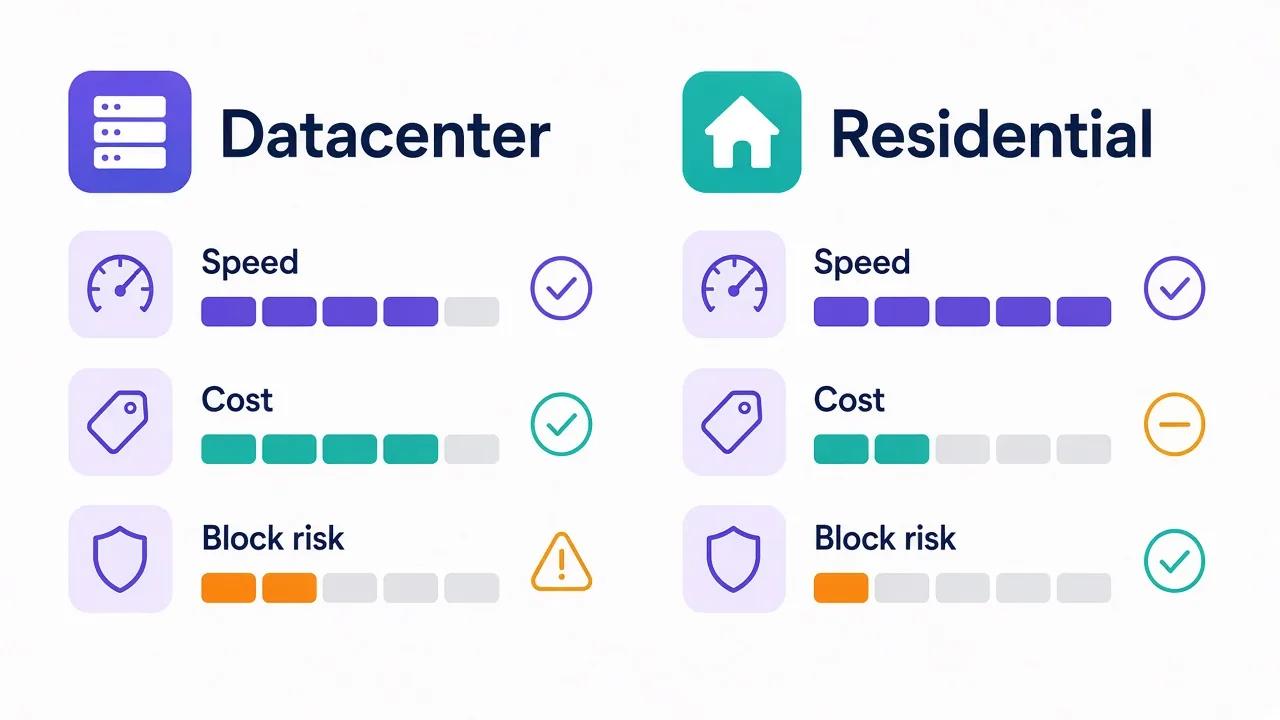
Residential or datacenter for Scrapy crawls?
Scrapy doesn't care which type you use. The target site does.
| Type | Speed | Cost | Best for |
|---|---|---|---|
| Datacenter | Fast | Low | Public pages, light anti-bot |
| Residential | Slower | Higher | Strict sites, geo checks |
| ISP / static residential | Fast | Mid–high | Long sticky sessions |
| Mobile | Variable | Highest | Carrier-grade trust needs |
Datacenter IPs are cheap and quick. They're also easy to fingerprint because the ranges sit in public hosting ASN lists. Great for documentation sites and open APIs. Rough on large marketplaces.
Residential exits look like home broadband. They cost more per GB and add latency. Scrapy's concurrency still works, but you'll want lower parallel requests so you don't torch bandwidth on waits.
ISP proxies (static residential) sit in between: datacenter speed with residential reputation. Handy when a spider must keep the same IP for a login flow lasting minutes.
Not sure which pool to buy? Compare listings in our proxy directory, and read what a rotating residential proxy is before you commit to a plan.
How should retries and backoff work with proxies?
Scrapy's RetryMiddleware retries on selected exceptions and status codes. Pair it with proxies so a bad exit doesn't kill the job.
# settings.py
RETRY_ENABLED = True
RETRY_TIMES = 3
RETRY_HTTP_CODES = [500, 502, 503, 504, 522, 524, 408, 429]
Add 403 only if you're sure a new IP might succeed. Blindly retrying 403 on the same sticky IP wastes budget.
Two patterns that work well together:
- On retry, clear or replace
request.meta["proxy"]so the next attempt can pick a fresh exit. - Use Autothrottle or a conservative
DOWNLOAD_DELAYso you don't stampede a site after a partial outage.
DOWNLOAD_DELAY = 0.5
RANDOMIZE_DOWNLOAD_DELAY = True
AUTOTHROTTLE_ENABLED = True
CONCURRENT_REQUESTS = 8
High concurrency plus a tiny residential pool is how people burn a month of GB before lunch. Match workers to pool size.
Pro tip
Log the proxy host next to every failure. Without that, you can't tell a bad site response from a dead peer in your list.
HTTP 407 means the proxy rejected auth. Fix credentials before you touch retry settings. A retry loop on 407 just hammers a locked gateway.
What common Scrapy proxy errors waste a day?
These show up again and again.
TunnelError / 407. Wrong user, wrong pass, or a password that needed encoding. Confirm the same URL works with curl before blaming Scrapy. Our cURL proxy guide is a fast sanity check.
Still seeing your real IP. Middleware order is wrong, HTTPPROXY_ENABLED is False, or you set meta["proxy"] = None somewhere in a helper. Print response.meta.get("proxy") in parse.
Works on HTTP, fails on HTTPS. Some handlers and proxy schemes differ for HTTPS destinations. Stick to a standard HTTP proxy URL for CONNECT tunnels unless your provider documents otherwise.
SOCKS URLs in default handlers. Built-in handlers vary.
Scrapy's docs note SOCKS support on some handlers (for example Httpx) and not on others.
Need SOCKS5? Confirm your download handler before you rewrite the spider. For many crawls, an HTTP proxy endpoint is the path of least pain.
Copying all of response.meta into the next Request. Scrapy warns against that. Internal keys like _auth_proxy are not meant to travel into unrelated follow-ups. Copy only what you need, or build a fresh Request.
Ignoring robots and politeness while rotating. Rotation is not a free pass to ignore rate limits. Targets that felt "safe" with one IP can still ban a whole subnet pattern if your timing looks automated.
How do you verify the proxy is really used?
Don't trust a green "connected" badge in a dashboard. Ask the public internet what it sees.
- Hit an IP echo endpoint (
api.ipify.org, or your own tiny checker). - Log the body and the
meta["proxy"]host side by side. - Compare country and ASN to what you bought.
Run that check at spider open, and again after every N requests if you rotate. Drift happens when a gateway fails open or a middleware short-circuits.
For a fuller checklist that covers DNS and WebRTC style leaks in browsers, see how to check if your proxy is working. Scrapy itself won't leak WebRTC, but a mixed stack with Playwright or Selenium can. If you also drive a browser, read proxies with Selenium and proxies with Playwright next.
Now, the loop we opened earlier.
The setting that decides whether your pool lasts a day or a week is session stickiness versus per-request rotation.
Rotate every request when you're scraping independent public pages. Keep a sticky IP when the flow needs cookies, carts or multi-step logins.
Mixing those modes on one spider without thinking flags even "good" residential IPs.
The site sees a new home IP mid-checkout.
Gateway sticky sessions (for example 5 or 10 minutes) often beat a DIY list for that case. You stay on one exit long enough to finish the story, then move on.
When should you skip Scrapy proxies altogether?
Sometimes the answer is not "better proxies."
If the site sells a data API, use it. If a scraping API handles rendering and bans for you, price that against residential GB. Our take on scraping APIs vs proxies helps you choose without gut feel.
Only need a handful of pages a day?
A polite Scrapy run from a stable ISP proxy can beat a huge rotating pool. More IPs are not always more success.
And if free proxy lists look tempting, don't. They're slow, logged, and often already burned. Free vs paid proxies covers why "free" usually costs more in failed crawls.
So, what Scrapy proxy setup should you run?
Start simple, then add moving parts only when the target forces you to.
For most spiders, enable HttpProxyMiddleware.
Put an authenticated gateway URL in meta["proxy"] (or env vars). Keep concurrency modest. Retry with a fresh exit on soft failures.
Move to a custom rotator when you own a fixed IP list or need per-domain routing. Pick residential or ISP exits when datacenter ranges get blocked on sight. Keep sessions sticky for logins; rotate for independent pages.
Next step: grab a provider that fits the target. Wire the check-ip spider above.
Scale workers only after the exit IP stays stable in the logs. Browse options in the DriftProxy directory when you're ready to compare.
Frequently asked questions
Set request.meta["proxy"] to http://host:port (or http://user:pass@host:port). HttpProxyMiddleware is enabled by default and applies it per request.
Yes. Put credentials in the proxy URL. HttpProxyMiddleware converts them into a Proxy-Authorization header and strips them from response.meta["proxy"].
Use a provider rotating gateway with one meta["proxy"] URL, or write downloader middleware that assigns a proxy from a list before HttpProxyMiddleware runs.
407 means the proxy rejected authentication. Fix the username, password, or percent-encoding before changing retry settings.
Use datacenter for light public pages. Choose residential or ISP exits when the target blocks hosting ASN ranges or needs geo-local home IPs.
Request an IP echo URL like api.ipify.org and log the body next to response.meta.get("proxy"). If you see your home IP, the proxy never attached.