







Rayobyte did its job. The datacenter IPs were fast, the bill made sense, and the support team answered from a US time zone.
Then something changed. Maybe a tougher target started blocking your datacenter ranges. Or you needed more residential depth in a country Rayobyte covers thinly. Or you just want a second vendor so one outage doesn't stop everything. Sound familiar?
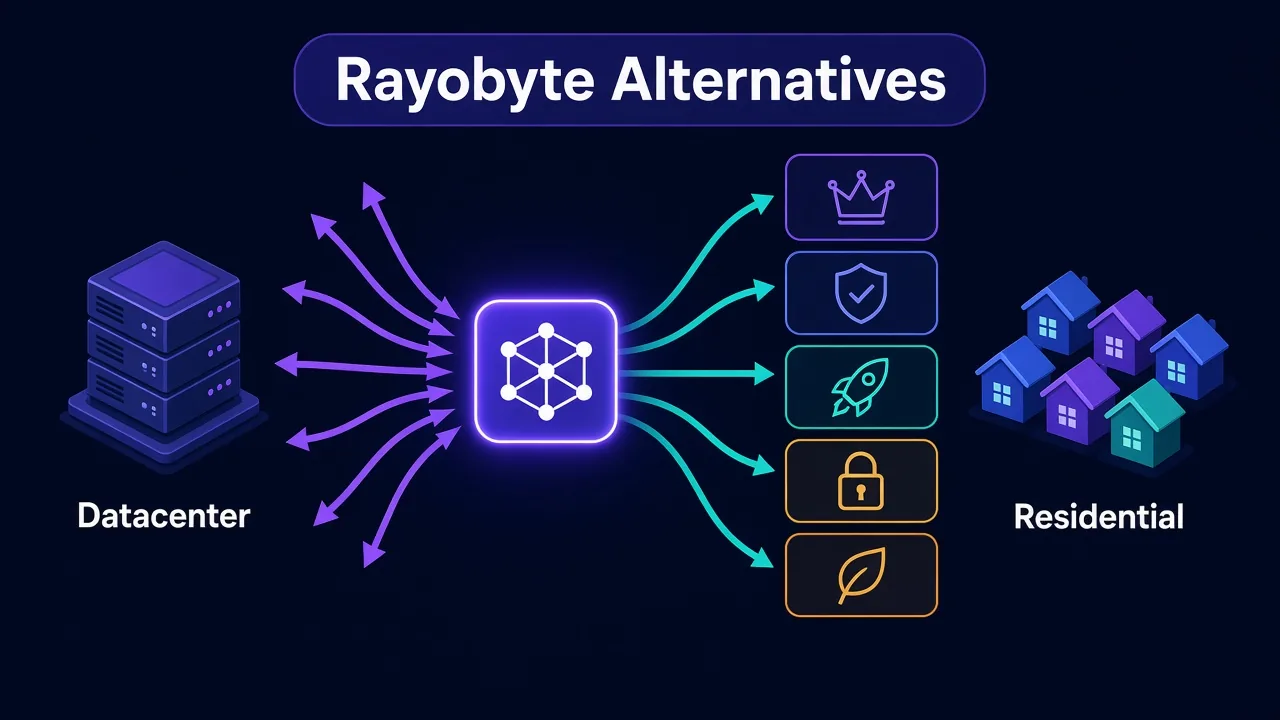
Here's the short version of these Rayobyte alternatives: for an all-rounder that covers both datacenter and residential, look at Smartproxy (now Decodo). For enterprise scale, Oxylabs. The other five each win one specific job.
Which job decides everything. And there's one question most people skip before they switch. We'll get to it right after the picks.
Why do people look for Rayobyte alternatives?
Rayobyte, which started life as Blazing SEO, built its name on dedicated datacenter proxies. It later added ISP, residential and mobile IPs, plus scraping tools like Scraping Robot.
That history shows. The datacenter and ISP side is where it's strongest. You can read our full take in the Rayobyte review.
The reasons people shop around tend to fall into four buckets:
- Datacenter IPs that get flagged on sites with serious anti-bot defences.
- A residential pool that isn't as deep as the big residential specialists.
- Premium residential pricing that sits a notch above budget rivals.
- A product menu so wide it's hard to tell what you need.
None of those make Rayobyte bad. They make it a fit for some jobs and a poor fit for others. So the right replacement depends on which part isn't working for you.
Our Rayobyte alternatives at a glance
Here's the whole list in one place. Live prices sit in the provider cards further down, because rates change faster than blog posts do.
| Provider | Best for | Main strength |
|---|---|---|
| Smartproxy (Decodo) | Most people switching | Datacenter and residential in one simple dashboard |
| Oxylabs | Enterprise scraping | Huge pools and dedicated account support |
| Webshare | Cheap datacenter IPs | Self-serve, tiny entry price, free starter plan |
| Bright Data | Teams that need every proxy type | Residential, datacenter, ISP and mobile under one roof |
| IPRoyal | Pay-as-you-go residential | Low per-GB rate without a monthly plan |
| Massive | Ethics-first buyers | Consent-based residential sourcing |
| Live Proxies | US, UK and EU targets | Curated private residential and static IPs |
Notice what's missing? A single "best" winner. That's on purpose, and the next section explains why.
Which half of Rayobyte are you replacing?
This is the question most people skip. Rayobyte isn't one product. It's a datacenter shop with a residential shop bolted on.
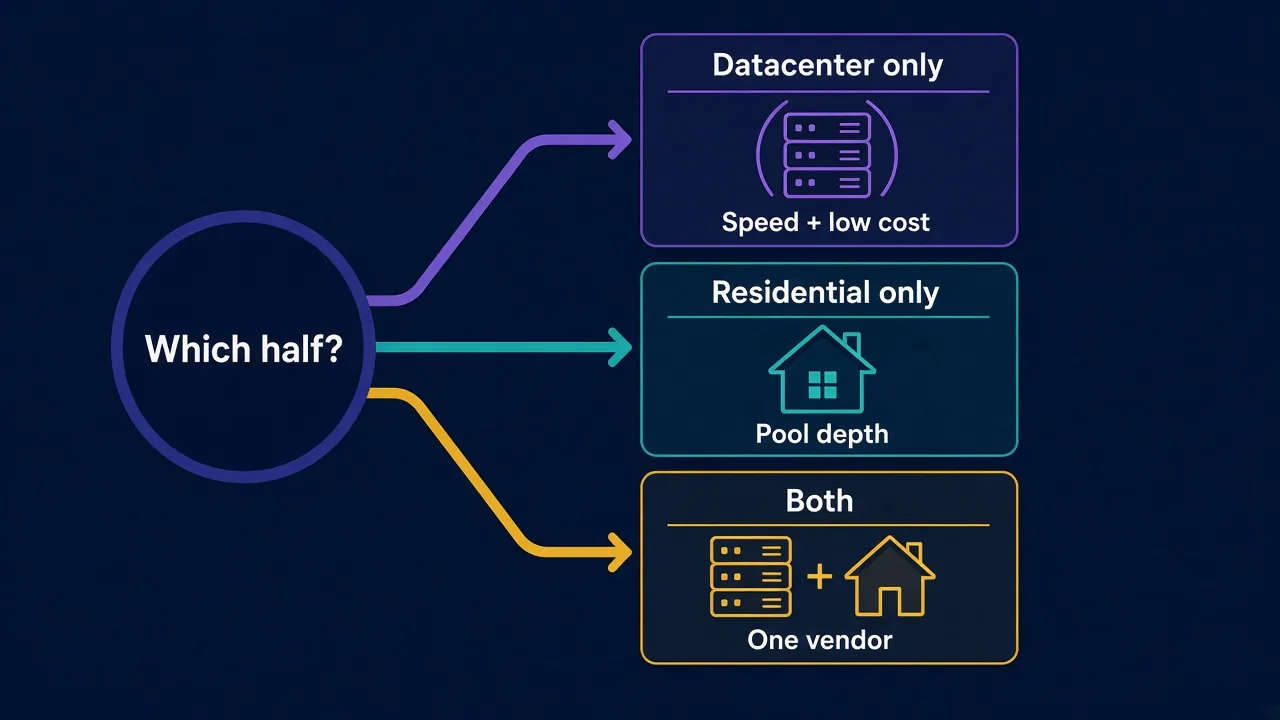
So before you compare anyone, ask yourself: are you replacing the datacenter IPs, the residential IPs, or both?
The answer changes your shortlist completely.
- Replacing datacenter only? You want speed and a low per-IP price. Webshare, Smartproxy and Oxylabs fit.
- Replacing residential only? You want pool depth and fair per-GB pricing. IPRoyal, Massive and Live Proxies fit.
- Replacing both? You want one vendor that does both well. Smartproxy, Oxylabs and Bright Data fit.
Here's why this matters. A lot of buyers move everything to a big residential network when only one target was blocking them. Their bill jumps, and the easy jobs that ran fine on datacenter IPs now cost per gigabyte.
Often the smarter move is splitting the work. Keep cheap datacenter IPs for easy sites, and add residential traffic only where you need it.
Smartproxy (Decodo): the easiest all-round switch
If you want one vendor that covers both halves without a sales call, start here.
Smartproxy rebranded as Decodo, but the product is the same. You get datacenter and residential proxies in one self-serve dashboard, with clear setup docs and a free trial listed in our directory.
The strength is balance. It isn't the cheapest on either side, and it isn't the biggest. It's the one that rarely makes you fight with it.
The catch? Heavy enterprise users sometimes outgrow the self-serve tiers and want the account management that Oxylabs or Bright Data offer.
Want the numbers? Our Smartproxy pricing breakdown walks through every plan.

Powerful proxies without the enterprise price tag.
Oxylabs: the enterprise answer
Oxylabs is what you pick when scraping is a core part of your business, not a side project.
It runs datacenter and residential proxies at serious scale, plus scraper APIs for common targets. Bigger accounts get a dedicated manager, which helps when a target changes its defences at 3 a.m.
That polish costs money. Residential traffic on Oxylabs sits at the premium end. That makes it a poor match if you only need a few gigabytes a month.
If you're weighing it seriously, read our Oxylabs pricing guide first. The plan structure rewards volume.

Premium proxies built for enterprise scraping.
Webshare: when you only need cheap datacenter IPs
Most people switching from Rayobyte's datacenter side want one thing: the same job for less.
Webshare does exactly that. Signup is self-serve and the entry price is tiny. There's also a free plan with a handful of datacenter proxies, so you can test before paying.
You can also tune a plan by proxy count, bandwidth and location, which suits small scrapers that don't want to overbuy.
The honest downside: its residential product is less of a reason to choose it. Treat Webshare as a datacenter tool first. Our Webshare pricing post shows where the value sits.

The most affordable way to start with proxies.
Bright Data: every proxy type, one contract
Say your team runs price monitoring on datacenter IPs, account work on mobile IPs and a residential crawler for ad checks. That's three vendors for most people.
Bright Data covers all of it: residential, datacenter, ISP and mobile, plus unblocking and scraping tools. Targeting goes deep, down to city and ASN (the network an IP belongs to) on many products.
It's the closest match to Rayobyte's breadth, with a much bigger residential side.
The catch is complexity. The dashboard has a lot of knobs, and the pricing has a lot of lines. Our Bright Data pricing guide helps you read it.

Which residential provider replaces Rayobyte's pool?
Now for the other half. If your problem is residential depth or residential cost, the datacenter-heavy names above aren't the point.
Residential proxies route your traffic through real household connections. Sites see an ordinary home IP, which is why they get blocked far less on tough targets. Our residential vs datacenter guide covers the trade-off in full.
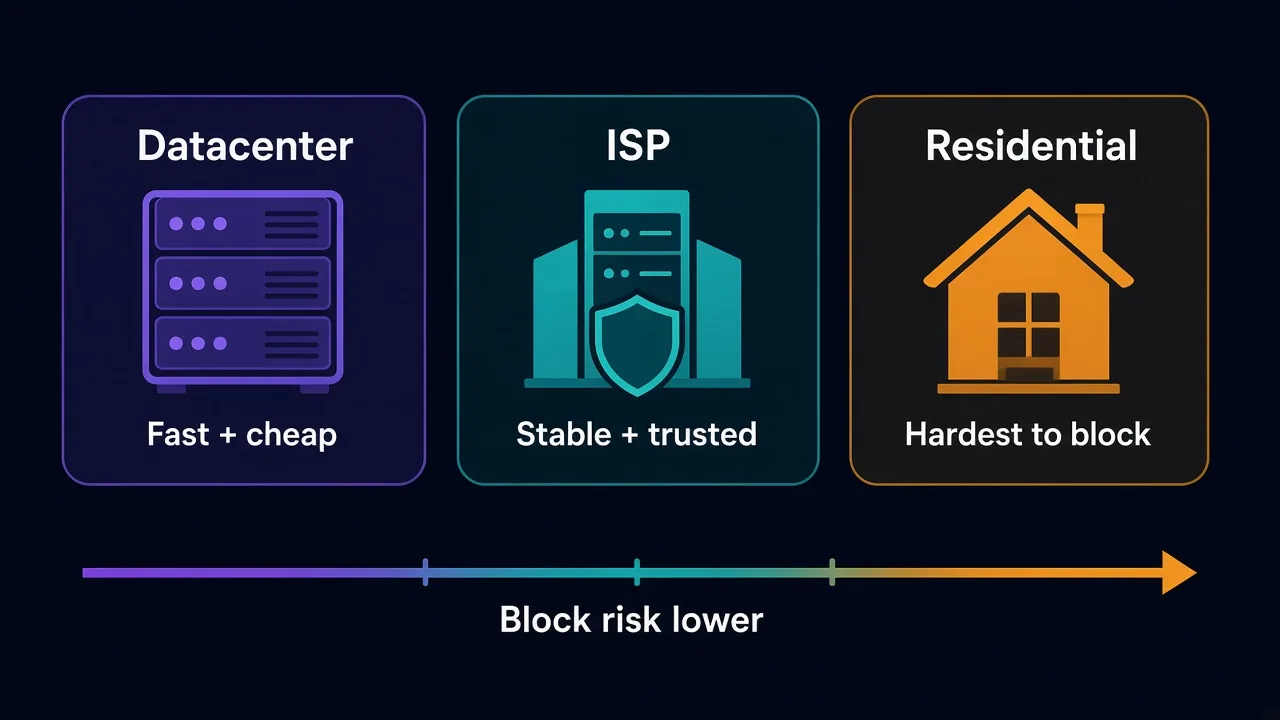
Three residential specialists make strong replacements. Each one fixes a different complaint.
IPRoyal: residential traffic without a monthly plan
Do you use residential proxies in bursts? A big crawl one week, nothing the next?
Then a monthly subscription burns money. IPRoyal sells residential traffic pay-as-you-go, and its per-GB rate is one of the lower ones among the providers we list.
It also offers mobile and static residential IPs, so you aren't stuck if a job needs something other than rotating traffic.
The trade-off: there's no free trial listed in our directory, so you'll pay a small amount to test. Our IPRoyal pricing breakdown shows the cheapest way in.

Flexible proxies with true pay-as-you-go.
Massive: for buyers who care how IPs are sourced
One thing Rayobyte gets right is its ethics-forward stance on residential sourcing. If that's why you chose it, you'll want a replacement that takes it just as seriously.
Massive builds its residential network on consent-based sourcing. That matters for compliance teams who have to answer the question "where do these IPs come from?"
The pool is smaller than the giants. For most targets that's fine, but very wide country coverage at volume is where bigger networks still lead.
Curious why sourcing matters at all? Our post on ethically sourced proxy IPs explains the risks.

Ethically sourced, consent-based residential proxy network
Live Proxies: curated IPs for Western targets
Big pools sound great until you realise thousands of other customers are hitting the same sites through them.
Live Proxies takes the opposite approach. It offers curated, private residential pools focused on the US, UK and EU, plus static residential IPs for long sessions.
That makes it a strong fit for account work and logins, where a clean, stable IP beats a huge random one.
The catch is reach. Coverage is far narrower than global networks, so it's the wrong pick for scraping Asia or Latin America.

Curated, private residential pools for US, UK and EU targets
What about Rayobyte's ISP proxies?
ISP proxies (static residential IPs hosted in data centres) are one of Rayobyte's best products. They give you a home-looking IP with datacenter speed and stability.
If that's the part you're replacing, look closely at Bright Data, Live Proxies and IPRoyal from the list above. All three sell static residential IPs.
Pro tip
Test ISP proxies on your hardest target, not an easy one. A clean ISP IP should hold a logged-in session for hours without new captchas.
For a wider shortlist, see our guide to the best ISP proxy providers. New to the term? Start with what ISP proxies are.
How do you switch without breaking your scrapers?
Switching providers sounds like swapping a hostname and a password. It's usually a little messier.
Here's the order we'd follow:
- List every job that uses Rayobyte, and note whether it runs on datacenter, ISP or residential IPs.
- Pick your hardest target and test the new provider there first.
- Check the session type. Logins need sticky sessions; crawls usually want rotation.
- Run both providers side by side for a week and compare success rates.
- Move the easy jobs last. They'll work almost anywhere.
Step three trips people up most. A crawler built for rotating IPs can break when the new provider defaults to sticky sessions, and the reverse is true too. Our sticky vs rotating guide shows how to set it.
Watch your bandwidth
Moving from per-IP datacenter plans to per-GB residential plans changes how you pay. Measure how many gigabytes a job uses before you commit to a plan size.
Not sure how much traffic you burn? Our bandwidth calculator guide gives rough numbers per job type. And if a new setup refuses to connect, run through how to check if a proxy is working.
What should you test during a free trial?
A trial is short. Most people waste it pinging an easy site, seeing a 200 response and calling it a win.
That tells you almost nothing. Any proxy can load an easy page.
Here's what we'd check instead, in roughly this order:
| Test | What good looks like | Why it matters |
|---|---|---|
| Success rate on your hardest target | Most requests return real content, not captchas | This is the job you're paying for |
| Geo accuracy | The IP lands in the country or city you asked for | Wrong location means wrong prices and search results |
| Session length | Sticky IPs hold for the time the plan promises | Logins break when the IP changes mid-session |
| Response time | Stable, without wild spikes | Slow IPs stretch every crawl |
| Usage reporting | The dashboard matches your own traffic logs | You can't budget what you can't measure |
Run the same test on Rayobyte at the same time. That gives you a fair baseline instead of a guess.
Why bother with the side-by-side? Because target sites change their defences week to week. A provider that looks great on Monday can look average by Friday, and only a direct comparison shows the real gap.
If blocks keep showing up on every provider you try, the problem might not be the IPs at all. Our guide on why proxies get banned covers the fingerprint and header mistakes that no network can fix for you.
Should you leave Rayobyte at all?
Here's the honest answer: sometimes you shouldn't.
If your work is mostly datacenter or ISP scraping on US targets, Rayobyte is still a strong pick. Its datacenter footprint is large, its support is US-based, and its scraping tools save you building your own.
The better question is often whether to add a second provider rather than replace the first. Plenty of teams keep Rayobyte for datacenter jobs and add a residential specialist for the hard targets.
That split gives you two things at once. Lower cost on easy jobs, and a backup when one network has a bad day.
Still unsure? Our list of the best datacenter proxy providers and our best residential proxy providers rank both halves separately.
So, which Rayobyte alternative should you pick?
Start with the half you're replacing, not the brand name.
Want one vendor for both? Pick Smartproxy, or Oxylabs if you run at enterprise scale. Only need cheaper datacenter IPs? Webshare. Need residential that won't drain a monthly budget? IPRoyal. Care how the IPs are sourced? Massive.
You don't need the biggest network. You need the right type for your target.
Compare every provider we've reviewed side by side in the proxy directory. Five minutes there will save you a month on the wrong plan.
Frequently asked questions
For most people, Smartproxy (now Decodo) is the easiest switch because it covers datacenter and residential proxies in one self-serve dashboard. Enterprise teams often prefer Oxylabs for scale and account support.
Webshare is the usual pick for cheap datacenter proxies, with a tiny entry price and a free starter plan. Test it on your real targets, since cheap datacenter IPs are easier for tough sites to flag.
IPRoyal suits bursty residential use thanks to pay-as-you-go pricing, while Massive suits buyers who care about consent-based sourcing. Live Proxies fits account work on US, UK and EU targets.
Yes, Rayobyte sells residential, ISP, mobile and datacenter proxies plus scraping tools. Its datacenter and ISP products are its strongest side, and its residential pool is smaller than the biggest specialists.
Yes, and many teams do. A common setup keeps Rayobyte for cheap datacenter jobs and adds a residential provider for hard targets, which lowers cost and gives you a backup network.
Test the new provider on your hardest target first, then run both side by side for about a week. Check that session type, geo-targeting and authentication match what your code expects before moving every job.